
interview-assistant
v1.0.3
Published
Interview assistant can help you on interview and online meetings

Maintainers
 mtsdnz
Readme
InterviewAssistant
InterviewAssistant is a HubAI extension designed to assist you on interviews processes. It provides unique capabilities to record computer audio and microphone inputs, and then utilizes artificial intelligence to analyze and provide real-time answers to your interview questions.
Features
- Audio Recording: Seamlessly record both computer audio and microphone input during your interviews.
- Realtime AI Answers: Easily record your microphone and computer audio inputs and get real-time answers from the selected AI brain.
- Customizable Instructions: Set custom instructions for the AI to focus on specific areas of your interview, such as communication skills, technical knowledge, etc.
How to Use
How to install and use the InterviewAssistant extension.
Installation
Install the extension from the HubAI Marketplace.
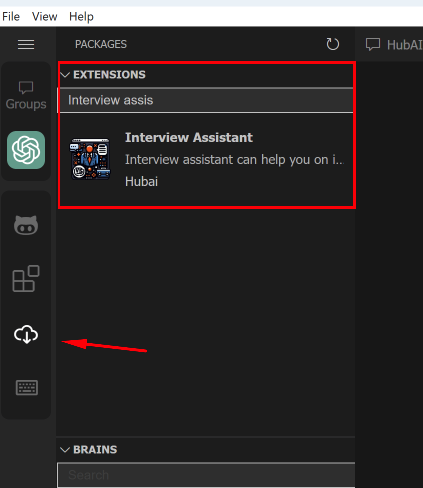
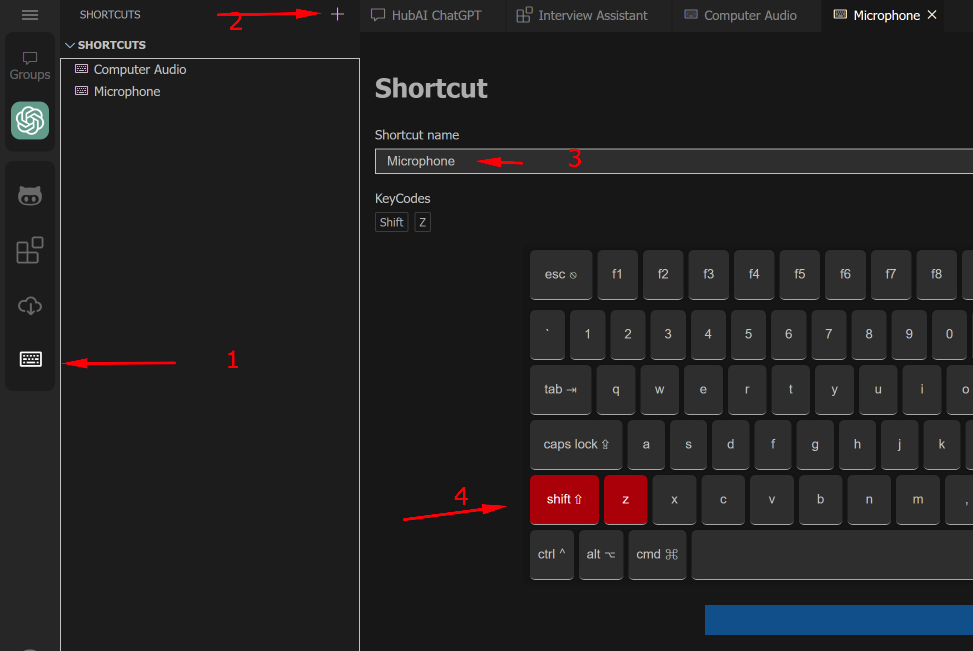
Create Shortcuts for Recording Audio
Create two new shortcuts in HubAI to start and stop recording for computer audio and microphone input. We recommend you to name them "Microphone" and "Computer Audio" for easy identification.
Set Instructions
Go to the extension settings and set the brain instructions for the AI to focus on specific areas of your interview. The instructions should be written in the language of your interview. Here's a sample instruction for an english full-stack developer interview:
You are a full stack Developer doing an interview for a Senior Software Engineer Position, you will be working with C#, ASP .NET Core and React. Your answer should be short and human-like (natural). You should also be able to understand even if I make any typo in the question, like saying \'health sheg\' instead of \'health check\'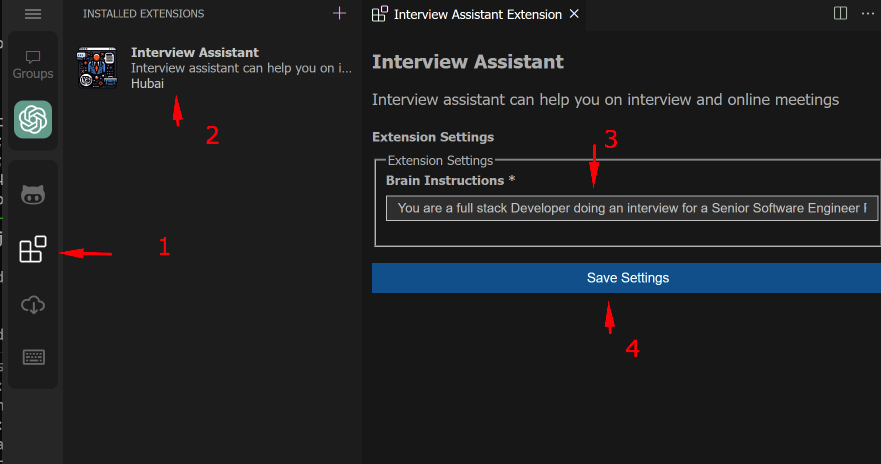
Start using the assistant
Click on the brain icon in the sidebar, then click on New Chat > InterviewAssistant. Open the InterviewAssistant settings and select the shortcuts you created in step 2. Now you are ready to start recording your interviews!
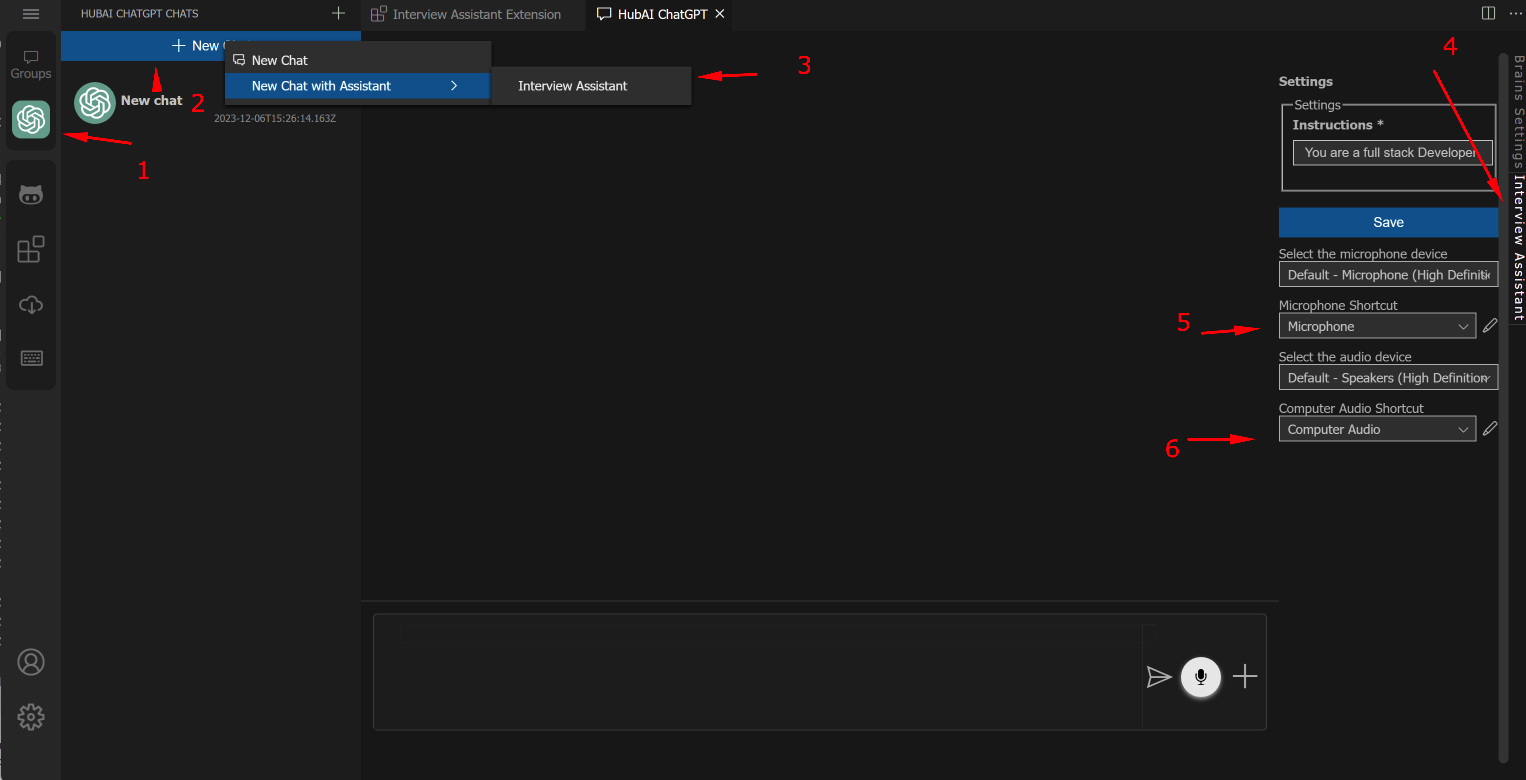
Now whenever you press the "Computer Audio" shortcut, the extension will start recording your computer audio. When you press the "Microphone" shortcut, the extension will start recording your microphone input. You can press the shortcuts again to stop recording and send the audio to the AI.
Requirements
- HubAI Application
- At least one brain with conversation and voice transcription capabilities (OpenAI ChatGPT is recommended) installed in your HubAI application.
Support
For support, questions, or feedback, please create an issue on our GitHub repository.