
ios-double-tap-guard
v0.1.0
Published
Prevent unwanted iOS Safari and WKWebView double-tap text magnifier while keeping normal touch interaction
Downloads
33

Maintainers
 jundev76
Readme
ios-double-tap-guard


Make iOS web apps and WKWebView-based apps feel more native by preventing unwanted text magnifier and text interaction caused by double taps.
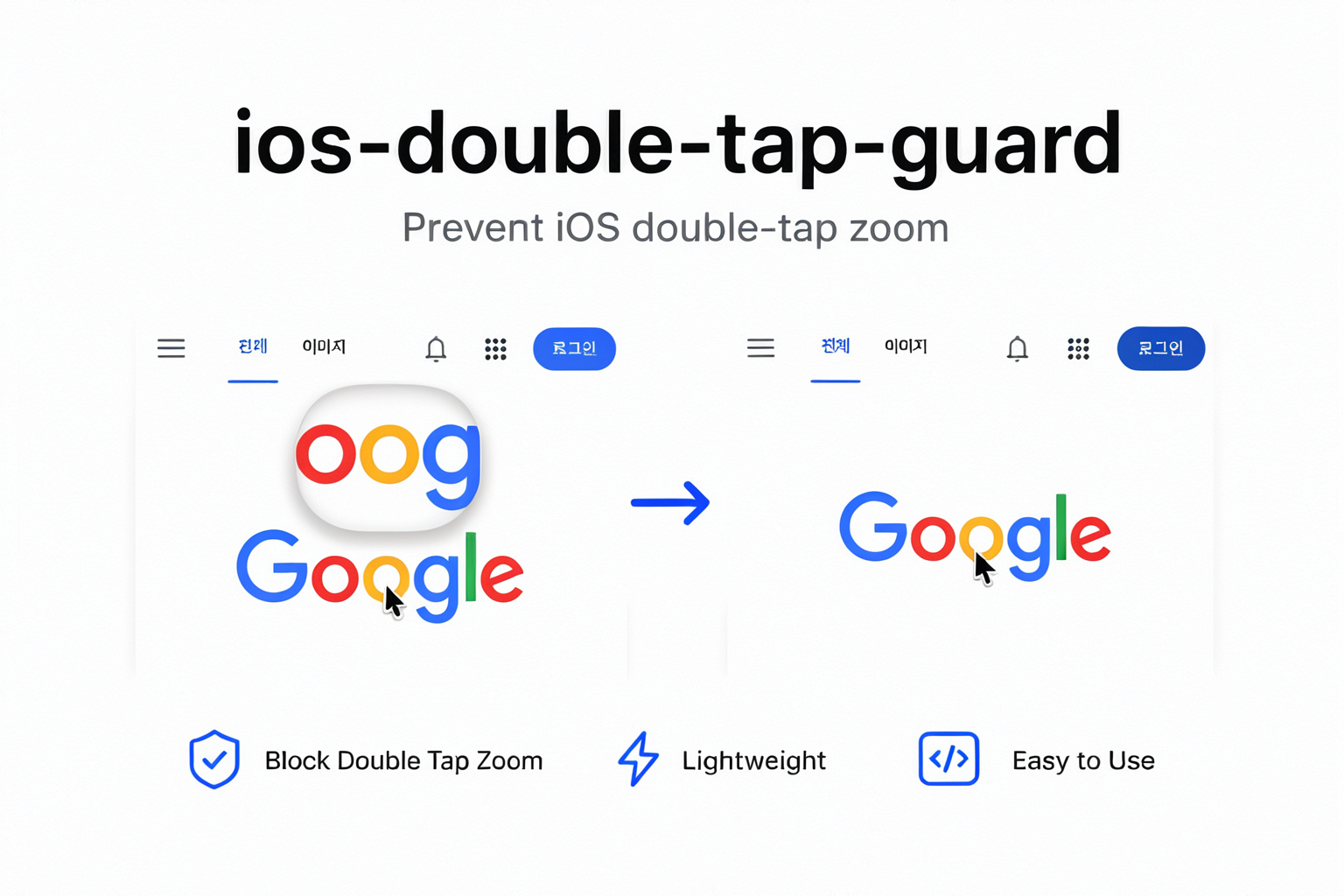
When an app embeds a website in WKWebView, users can accidentally trigger iOS text selection or the magnifying glass by tapping text twice. This interaction often makes the app feel like a website inside a native shell. ios-double-tap-guard suppresses that unwanted behavior while preserving normal taps, scrolling, form controls, editable content, and explicitly excluded elements.
Useful for:
- iOS apps built around
WKWebView - React Native apps using
react-native-webview - Capacitor and Cordova apps
- Progressive Web Apps (PWA)
- Mobile Safari websites with app-like interfaces
- Games, dashboards, kiosks, and touch-first web UIs
Features
- Prevents unwanted iOS double-tap text magnifier
- Keeps normal single-tap interactions working
- Keeps scrolling and regular touch navigation working
- Preserves interaction for inputs and editable content
- Supports custom excluded elements
- Supports limiting behavior to a specific DOM subtree
- Returns cleanup function for React and other component lifecycles
- Safe to import during server-side rendering (SSR)
- Zero runtime dependencies
- Includes TypeScript types
- Supports ESM and CommonJS
Installation
npm install ios-double-tap-guardBasic usage
import { installIOSDoubleTapGuard } from "ios-double-tap-guard";

const removeDoubleTapGuard = installIOSDoubleTapGuard();
Remove listeners when guard is no longer needed:
removeDoubleTapGuard();Calling cleanup function more than once is safe.
React usage
import { useEffect } from "react";
import { installIOSDoubleTapGuard } from "ios-double-tap-guard";

export function IOSDoubleTapGuard() {
  useEffect(() => installIOSDoubleTapGuard(), []);

  return null;
}
Mount component near app root or inside layout rendered only for mobile app surface.
export function App() {
  return (
    <>
      <IOSDoubleTapGuard />
      <MainContent />
    </>
  );
}
React Native WebView usage
Package runs inside webpage, not React Native runtime. Install guard in web application loaded by react-native-webview.
import { useEffect } from "react";
import { installIOSDoubleTapGuard } from "ios-double-tap-guard";

export function WebViewInteractionGuard() {
  useEffect(() => installIOSDoubleTapGuard(), []);
  return null;
}
This lets web deployment control behavior without changing native WKWebView configuration or disabling all text interaction through textInteractionEnabled.
Keep selected elements interactive
Inputs and editable elements remain interactive by default:
input, textarea, select, [contenteditable]Add elements where users should still select or interact with text:
const removeDoubleTapGuard = installIOSDoubleTapGuard({
  exclude: [
    "input",
    "textarea",
    "select",
    "[contenteditable]",
    ".selectable-text",
    "[data-allow-text-interaction]",
  ].join(", "),
});
<p class="selectable-text">Users can select this text.</p>
<code data-allow-text-interaction>
Users can select and copy this value.
</code>Custom exclude replaces default selector. Include default selectors when form and editor interaction must remain enabled.
Limit guard to app surface
Avoid changing touch behavior across whole document by passing specific root element:
const appSurface = document.querySelector("[data-app-surface]");

const removeDoubleTapGuard = appSurface
  ? installIOSDoubleTapGuard({ root: appSurface })
  : () => {};
<main data-app-surface>
<!-- Guard applies here. -->
</main>
<footer>
<!-- Guard does not apply here. -->
</footer>Scoping guard is recommended when page contains both app-like controls and regular selectable article content.
Configure double-tap detection
Default values suit common iOS touch interaction:
const removeDoubleTapGuard = installIOSDoubleTapGuard({
  delay: 350,
  distance: 24,
});
| Option | Type | Default | Description |
| --- | --- | --- | --- |
| exclude | string | input, textarea, select, [contenteditable] | CSS selector for elements retaining native text interaction |
| delay | number | 350 | Maximum time between taps in milliseconds |
| distance | number | 24 | Maximum distance between taps in CSS pixels |
| root | Document \| Element | document | Event listener scope |
Enable only inside native app
Web application may run in both regular browser and native WebView. Install guard only when app bridge exists:
const isNativeWebView = "ReactNativeWebView" in window;

const removeDoubleTapGuard = isNativeWebView
  ? installIOSDoubleTapGuard()
  : () => {};
Or use app-defined marker:
declare global {
  interface Window {
    __IS_NATIVE_APP__?: boolean;
  }
}

const removeDoubleTapGuard = window.__IS_NATIVE_APP__
  ? installIOSDoubleTapGuard()
  : () => {};
This keeps standard Mobile Safari behavior unchanged while making embedded iOS WebView feel more native.
Server-side rendering
Import and calling API during SSR is safe. Without document, function performs no work and returns cleanup function.
import { installIOSDoubleTapGuard } from "ios-double-tap-guard";

const removeDoubleTapGuard = installIOSDoubleTapGuard();
removeDoubleTapGuard();
For React and other UI frameworks, install after mount so listener attaches to browser document.
Important behavior
Guard intentionally cancels second nearby tap on same DOM element. Any feature that depends on double tap should be excluded or placed outside configured root.
Examples:
- Image viewer using double tap to zoom
- Canvas using double tap as tool shortcut
- Video player using double tap to seek
- Text area where native selection is required
installIOSDoubleTapGuard({
  exclude: "input, textarea, select, [contenteditable], .double-tap-enabled",
});
Package does not detect iOS by user-agent. This avoids brittle browser detection and lets application decide where behavior belongs. When installed, same touch handling applies to any browser supporting Touch Events and Element.closest.
TypeScript
import {
  installIOSDoubleTapGuard,
  type IOSDoubleTapGuardOptions,
  type RemoveIOSDoubleTapGuard,
} from "ios-double-tap-guard";

const options: IOSDoubleTapGuardOptions = {
  delay: 350,
  distance: 24,
};

const remove: RemoveIOSDoubleTapGuard =
  installIOSDoubleTapGuard(options);
Browser support
Designed for:
- iOS Safari
WKWebView- React Native WebView on iOS
- Capacitor WebView on iOS
- Cordova WebView on iOS
- Browsers supporting Touch Events and
Element.closest
Related search terms
WKWebView double tap, iOS text magnifier, Safari text selection, prevent double tap zoom, disable magnifying glass, React Native WebView text selection, iPhone WebView touch interaction, mobile web app native feel, Capacitor iOS WebView, Cordova iOS WebView.
License
MIT