
izichangepay
v1.0.2
Published
Zero-dependency TypeScript wrapper for the IziChange payment API

Maintainers
 ledevmatheux
Readme
izichangepay
Zero-dependency TypeScript wrapper for the IziChange payment API.
Obtenir une clé API
- Connectez-vous à votre dashboard IziChange
- Accédez à Paramètres API → Information générale
- Cliquez sur Ajouter dans la section Clé API
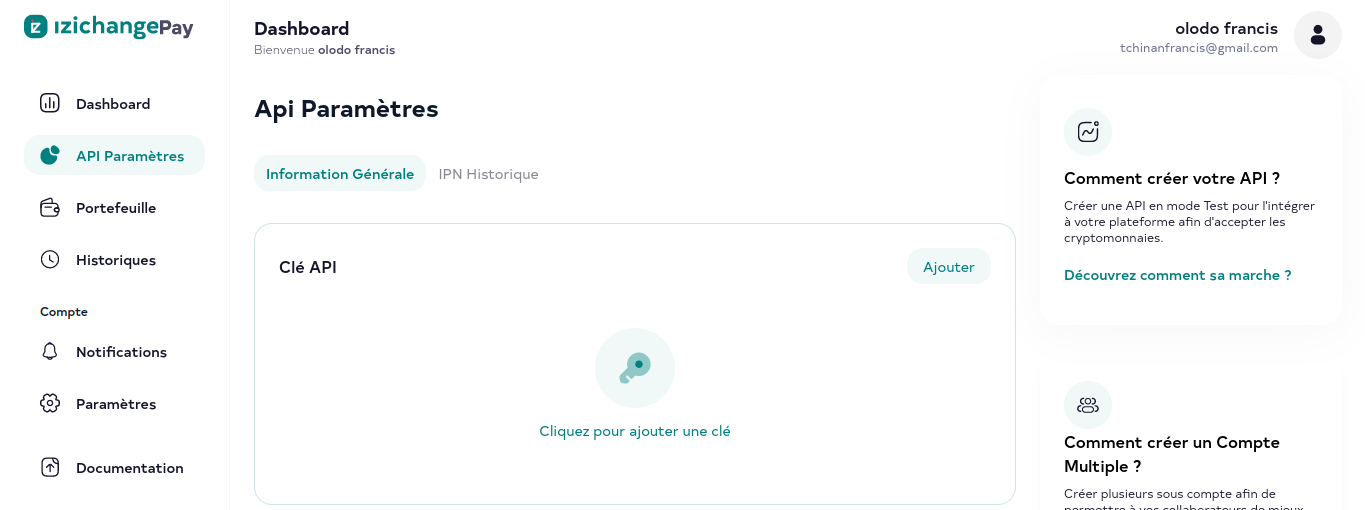
- Remplissez les champs selon vos besoins (nom, permissions)
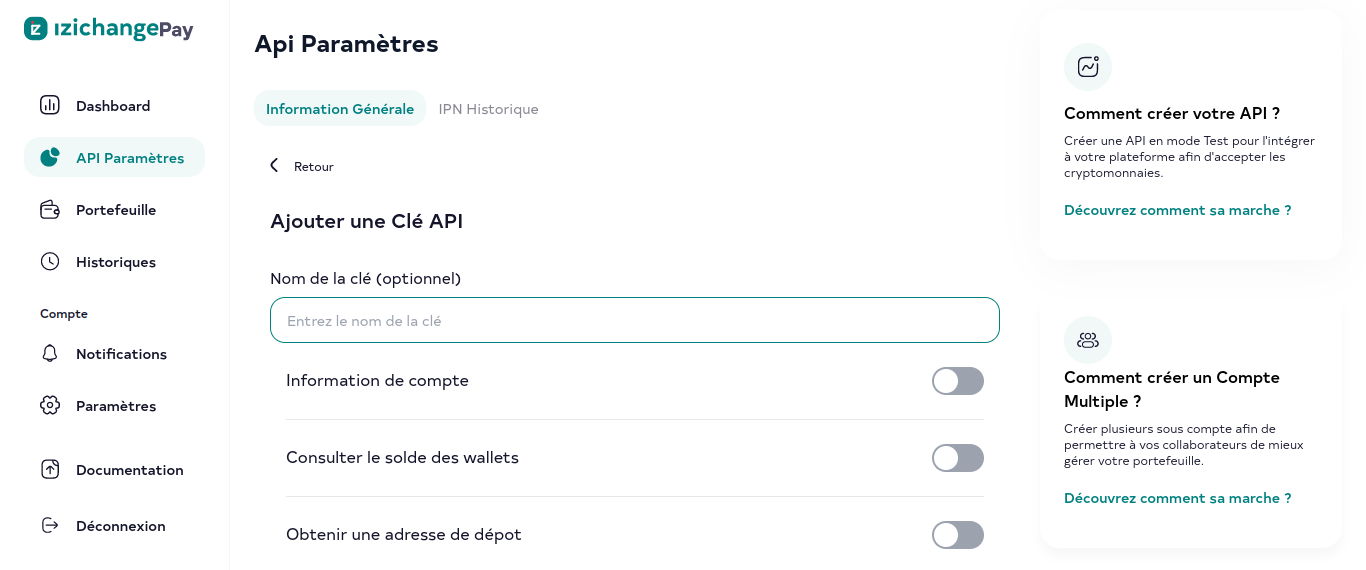
- Copiez et conservez en lieu sûr la clé générée (
apiKey) et le secret (secretKey)
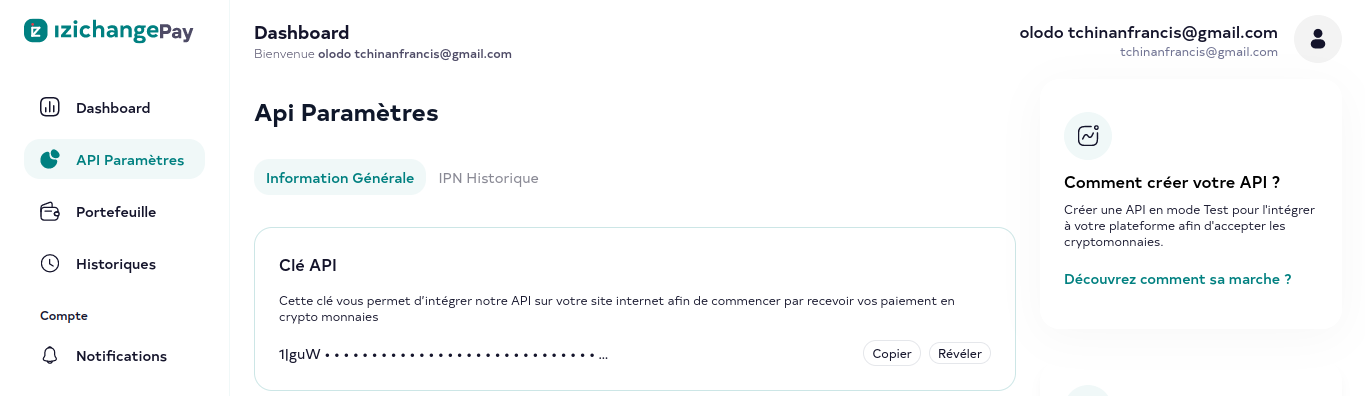
Important : le
secretKeyn'est affiché qu'une seule fois. Ne le partagez jamais et ne le commitez pas dans votre dépôt.
Configurer l'IPN (notifications instantanées)
L'IPN permet à IziChange de notifier votre serveur en temps réel à chaque transaction.
- Depuis le dashboard, allez dans Paramètres API → Information générale
- Localisez la section Paramétrage IPN et activez-la
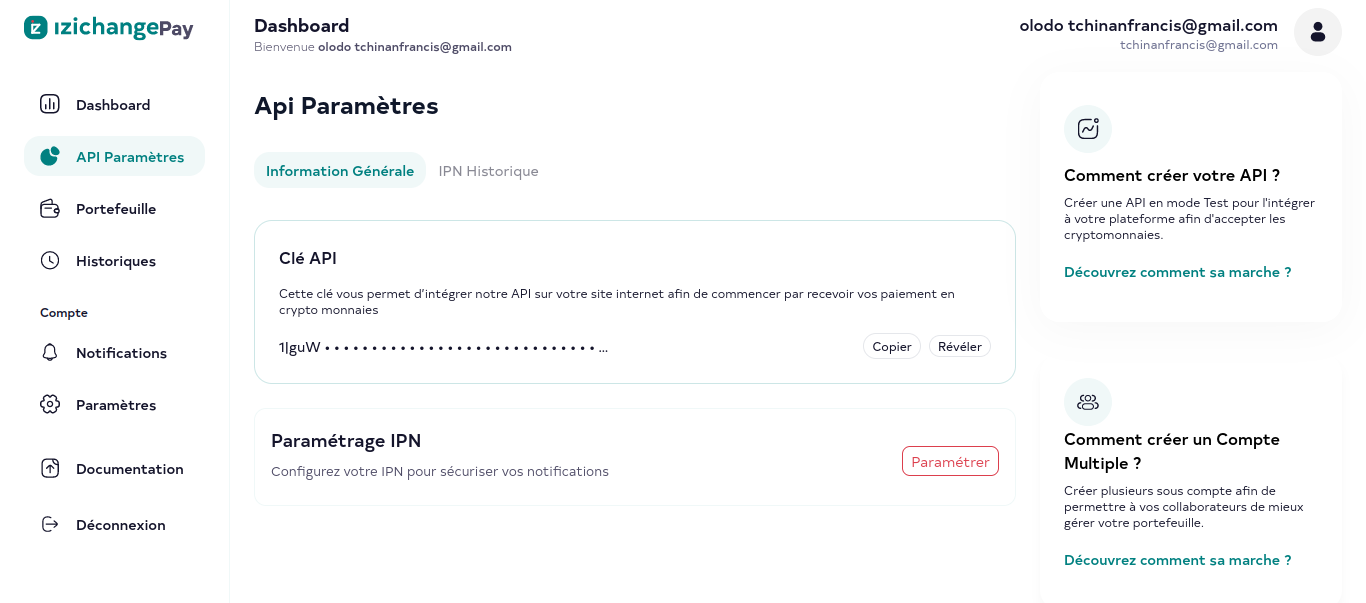
- Renseignez votre URL de callback et votre secret IPN, puis validez
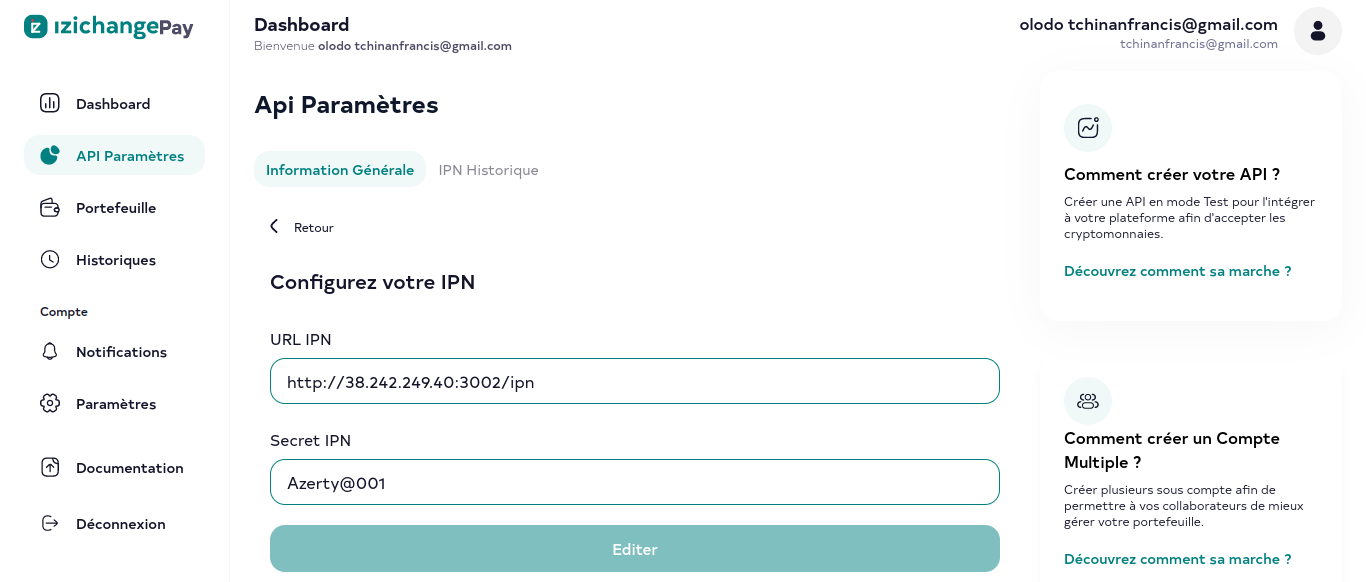
Votre serveur recevra une requête POST à chaque transaction. Vérifiez l'authenticité du payload en recalculant la signature HMAC-SHA256 et en la comparant à celle reçue :
import { signData, dataToSigningString } from "izichangepay";

// Vérification d'une notification IPN entrante
const expectedSignature = signData(dataToSigningString(payload), "your_ipn_secret");
const isValid = expectedSignature === receivedSignature;
Installation
npm install izichangepay
# ou
pnpm add izichangepay
Démarrage rapide
import { IziChangePayClient } from "izichangepay";

const client = new IziChangePayClient({
  apiKey: "your_api_key",
  secretKey: "your_secret_key",
  environment: "sandbox", // "live" en production
});
Environnements
| Environnement | URL de base |
| ------------- | ----------------------------------- |
| sandbox | https://sandbox-pay.izichange.com |
| live | https://pay.izichange.com |
Cryptomonnaies supportées
| Code | Actif |
| --------------- | ------------------------------ |
| bnb | BNB Binance |
| btc | Bitcoin (BTC) |
| btc.bep20 | Bitcoin Binance (BEP20) |
| eth | Ethereum (ETH) |
| eth.bep20 | Ethereum Binance (BEP20) |
| trx | Tron (TRX) |
| ton | Toncoin (TON) |
| ton.bep20 | Toncoin Binance (BEP20) |
| opbnb | opBNB |
| sol.bep20 | Solana Binance (BEP20) |
| ada.bep20 | Cardano Binance (BEP20) |
| dot.bep20 | Polkadot Binance (BEP20) |
| doge.bep20 | Dogecoin Binance (BEP20) |
| dogs.ton | DOGS Toncoin (TON) |
| shib.bep20 | Shiba Inu Binance (BEP20) |
| twt.bep20 | Trust Wallet Token (BEP20) |
| xrp.bep20 | XRP Binance (BEP20) |
| busd.bep20 | BUSD Binance (BEP20) |
| usdt.trc20 | Tether USDT (TRC20) |
| usdt.bep20 | Tether USDT Binance (BEP20) |
| usdt.erc20 | Tether USDT Ethereum (ERC20) |
| usdt.opbnb | Tether USDT opBNB |
| usdt.ton | Tether USDT Toncoin (TON) |
| usdc.trc20 | USD Coin Tron (TRC20) |
| usdc.bep20 | USD Coin Binance (BEP20) |
| usdc.erc20 | USD Coin Ethereum (ERC20) |
API
getBalance(coin?)
Récupère le solde du portefeuille pour une cryptomonnaie.
const result = await client.getBalance("trx");| Paramètre | Type | Défaut | Description |
| --------- | ------ | ------- | -------------------- |
| coin | Coin | "trx" | Cryptomonnaie ciblée |
generatePayinRedirectUrl(input)
Génère une URL de redirection pour un paiement entrant. L'utilisateur est redirigé vers cette page pour effectuer son paiement.
const result = await client.generatePayinRedirectUrl({
  amount: "50",
  coin: "trx",
  acceptedCoins: ["trx", "usdt.trc20"],
  successUrl: "https://example.com/success",
  canceledUrl: "https://example.com/canceled",
  failedUrl: "https://example.com/failed",
  memo: "Order #42", // optionnel
});
| Paramètre | Type | Requis | Description |
| --------------- | ---------- | ------ | ---------------------------------------------- |
| amount | string | oui | Montant attendu |
| successUrl | string | oui | Redirection en cas de succès |
| canceledUrl | string | oui | Redirection en cas d'annulation |
| failedUrl | string | oui | Redirection en cas d'échec |
| coin | Coin | non | Cryptomonnaie principale (défaut : "trx") |
| acceptedCoins | string[] | non | Cryptomonnaies alternatives acceptées |
| memo | string | non | Référence libre (non incluse dans la signature)|
generatePayinRedirectUrlWithCustomer(input)
Identique à generatePayinRedirectUrl, avec en plus les informations du client.
const result = await client.generatePayinRedirectUrlWithCustomer({
  amount: "50",
  coin: "trx",
  successUrl: "https://example.com/success",
  canceledUrl: "https://example.com/canceled",
  failedUrl: "https://example.com/failed",
  firstname: "Jean",
  lastname: "Dupont",
  email: "[email protected]",
});
| Paramètre | Type | Requis | Description |
| --------------- | ---------- | ------ | ---------------------------------------------- |
| amount | string | oui | Montant attendu |
| successUrl | string | oui | Redirection en cas de succès |
| canceledUrl | string | oui | Redirection en cas d'annulation |
| failedUrl | string | oui | Redirection en cas d'échec |
| coin | Coin | non | Cryptomonnaie principale (défaut : "trx") |
| acceptedCoins | string[] | non | Cryptomonnaies alternatives acceptées |
| firstname | string | non | Prénom du client |
| lastname | string | non | Nom du client |
| email | string | non | Email du client |
| memo | string | non | Référence libre (non incluse dans la signature)|
payout(input)
Effectue un retrait vers une adresse de portefeuille externe.
const address = await client.payout({
  amount: "100",
  address: "TPEWaf6ZGJDrMbgKYoiM2Ze6BZydeRvDRQ",
  coin: "trx",
});
| Paramètre | Type | Requis | Description |
| --------- | -------- | ------ | ---------------------------------------- |
| amount | string | oui | Montant à envoyer |
| address | string | oui | Adresse du portefeuille destinataire |
| coin | Coin | non | Cryptomonnaie à utiliser (défaut : "trx") |
Retourne l'adresse de destination confirmée par l'API.
Sécurité
Chaque requête est signée via HMAC-SHA256. La signature est construite en concaténant les paramètres sous la forme clé=valeur (les tableaux et les valeurs undefined sont exclus), puis hashée avec la secretKey.
import { dataToSigningString, signData } from "izichangepay";

const signingString = dataToSigningString({ coin: "trx", amount: "100", address: "TX..." });
const signature = signData(signingString, "your_secret_key");
Gestion des erreurs
Le client lève une erreur si :
apiKeyousecretKeyest absent à l'instanciationamountouaddressest absent pour un payout- La requête HTTP retourne un statut non-2xx
try {
  await client.payout({ amount: "100", address: "TX...", coin: "trx" });
} catch (err) {
  console.error(err.message); // "IziChangePayClient: ... failed: 401 — Unauthorized"
}
Prérequis
- Node.js >= 18
Licence
MIT