
jamdesk
v1.1.203
Published
CLI for Jamdesk — build, preview, and deploy documentation sites from MDX. Dev server with hot reload, 50+ components, OpenAPI support, AI search, and Mintlify migration

Maintainers
 jamdesk-org
Keywords
Readme
Jamdesk CLI
CLI for Jamdesk — build, preview, and deploy documentation sites from MDX.
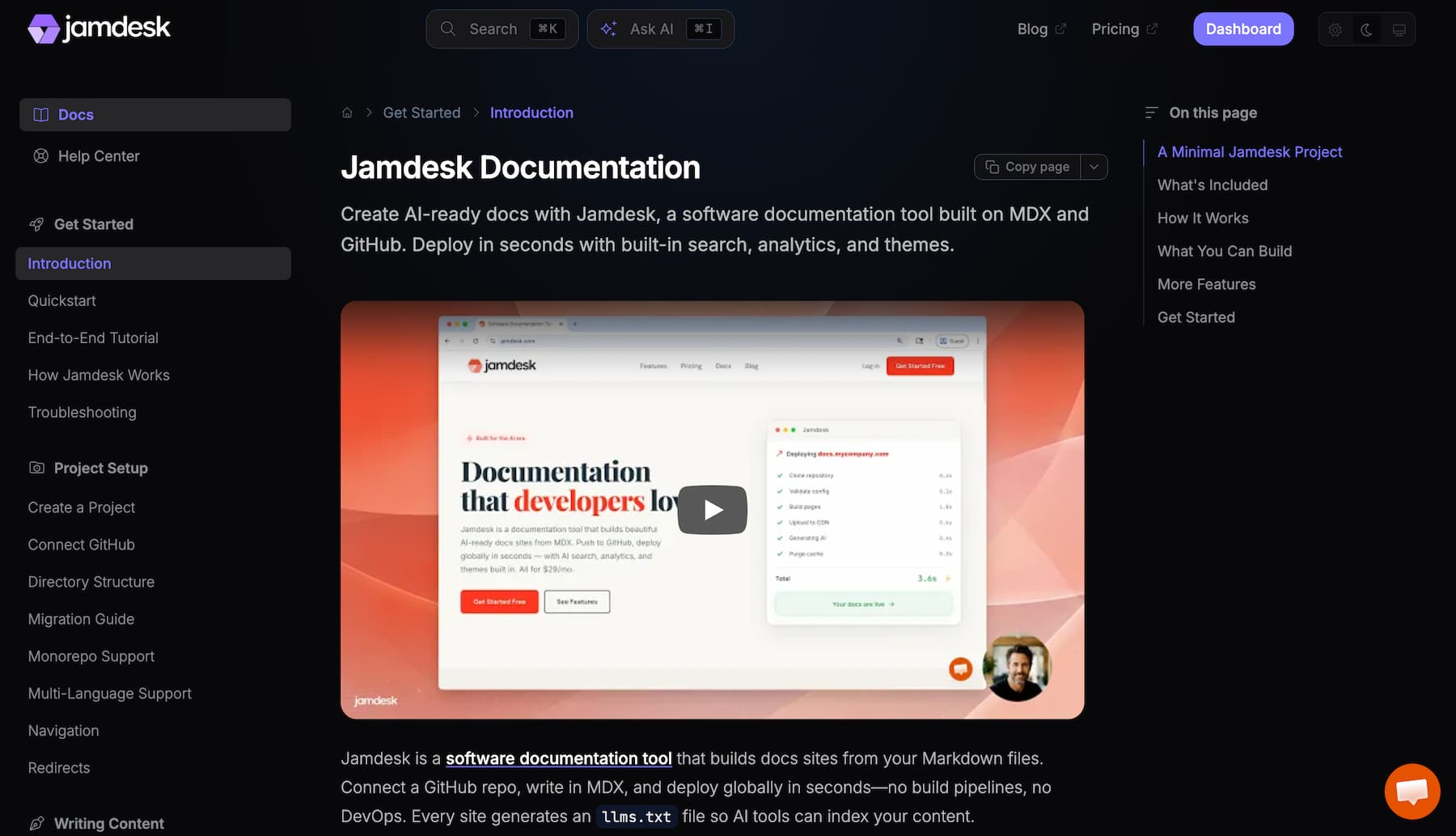
What is Jamdesk?
Jamdesk is a docs-as-code platform. Connect a GitHub repo, write in MDX, and your docs deploy globally in seconds — with AI search, analytics, and custom domains built in. The CLI is how you develop locally: preview your site, validate config, catch broken links, and migrate from other tools.
- Dev server — Turbopack-powered with hot reload on every save
- 50+ MDX components — accordions, tabs, code groups, callouts, and more
- Four themes — Jam, Nebula, Pulsar, Halo. Configured in
docs.json - Auto-generate API reference pages from OpenAPI specs
- Full-text search works locally and in production (AI search on hosted sites)
- Catches broken links, MDX syntax errors, and config issues before you deploy
- Migrate from Mintlify in one command
Quick Start
jamdesk init my-docs
cd my-docs
jamdesk dev
Your docs are at http://localhost:3000. That's it.
Installation
npm (recommended)
npm install -g jamdeskHomebrew (macOS/Linux)
brew tap jamdesk/tap
brew install jamdesk
curl (macOS/Linux)
curl -fsSL https://get.jamdesk.com | bash

# Install specific version
curl -fsSL https://get.jamdesk.com | bash -s -- --version 1.2.3

# Upgrade
curl -fsSL https://get.jamdesk.com/upgrade | bash

# Uninstall
curl -fsSL https://get.jamdesk.com/uninstall | bash
PowerShell (Windows)
# Install
iwr https://get.jamdesk.com/win | iex

# Upgrade
iwr https://get.jamdesk.com/upgrade | iex

# Uninstall
iwr https://get.jamdesk.com/uninstall | iex
npx (no install)
npx jamdesk devCommands
| Command | Description |
|---------|-------------|
| jamdesk init [name] | Create a new docs project |
| jamdesk dev | Start dev server with Turbopack |
| jamdesk preview | Alias for jamdesk dev |
| jamdesk dev --webpack | Use Webpack instead of Turbopack |
| jamdesk dev --clean | Clear cache before starting |
| jamdesk dev --port 3001 | Custom port |
| jamdesk dev --lang en | Explicitly compile the default language (multi-lang sites) |
| jamdesk dev --all-langs | Compile every language (slower; legacy behavior) |
| jamdesk login | Log in to Jamdesk |
| jamdesk logout | Log out |
| jamdesk whoami | Show current user |
| jamdesk deploy | Upload docs and trigger a build |
| jamdesk push | Alias for jamdesk deploy |
| jamdesk migrate | Migrate from Mintlify |
| jamdesk validate | Validate docs.json, MDX syntax, OpenAPI specs |
| jamdesk openapi-check <spec> | Validate a single OpenAPI spec |
| jamdesk broken-links | Find broken internal links |
| jamdesk fix | Auto-fix broken internal links (cross-locale anchors + typos) |
| jamdesk spellcheck | Check for spelling errors |
| jamdesk spellcheck --fix | Interactively fix or ignore misspellings |
| jamdesk rename <from> <to> | Rename file, update all references |
| jamdesk deploy-proxy cloudflare | Deploy Cloudflare Worker for subpath hosting |
| jamdesk doctor | Diagnose environment issues |
| jamdesk clean | Clear ~/.jamdesk cache |
| jamdesk update | Update to latest version |
| jamdesk update --check | Check for updates without installing |
All commands support --verbose. Run jamdesk <command> --help for details.
Dev Server
Run jamdesk dev at the root of your project (where docs.json lives) to preview docs locally. Turbopack is the default and compiles roughly 5x faster than Webpack.
jamdesk dev              # Turbopack (default)
jamdesk dev --webpack    # Webpack (slower, more compatible)
jamdesk dev --clean      # Clear cache first
jamdesk dev --port 3001  # Custom port
The dev server auto-validates on startup, auto-recovers from corrupted Turbopack cache, and auto-increments the port if yours is taken. Full search, all themes, and all components work locally.
--cleanclears the project's workspace cache (.next/and version markers). For deeper "weird import error after CLI upgrade" recovery, usejamdesk clean --all, which also wipes~/.jamdesk/node_modules/.
Set a default port in ~/.jamdeskrc.
Multi-language sites
When docs.json has a navigation.languages array with multiple entries, jamdesk dev compiles only the default language by default — Turbopack's cold compile is roughly 5x faster on a single-language tree.
jamdesk dev               # Default language only (fast — recommended)
jamdesk dev --lang en     # Explicitly select the default language (no-op equivalent)
jamdesk dev --all-langs   # Compile every language (slow; matches CLI ≤1.1.42)
Tip: Run jamdesk dev -v to see cache-decision logs (e.g. "reusing Turbopack cache" or "Next.js version changed, clearing").
Previewing a non-default language is not supported in this CLI version. The per-entry symlink layer can skip non-default <lang>/ subdirs cleanly, but cannot strip root-level default-language content while keeping a <lang>/ subdir. Use --all-langs to view translated pages until follow-up support lands. Running e.g. jamdesk dev --lang es against a project whose default is en errors out with a message pointing at --all-langs.
Cross-language internal links (e.g. /es/foo) won't resolve when the active language is filtered out. Restart with --all-langs to preview translations.
Known limitation: Adding a NEW top-level directory to your project (e.g. tutorials/) while jamdesk dev is running won't be picked up automatically. Restart the dev server to see it.
Authentication
jamdesk login
jamdesk loginOpens your browser to dashboard.jamdesk.com/cli-auth for authentication. The CLI starts a local callback server on 127.0.0.1:9876 (falls back to an OS-assigned port if 9876 is busy).
- Supports all dashboard login methods (email/password, Google, GitHub)
- Headless/SSH environments: The URL is always printed to the terminal — copy and open it manually
- 2-minute timeout; retry if it expires
- Credentials stored in
~/.jamdeskrcwith0600permissions (owner-only read/write)
jamdesk logout
jamdesk logoutClears stored credentials from ~/.jamdeskrc. No-op if not logged in.
jamdesk whoami
jamdesk whoamiShows the authenticated email address. Validates the session by attempting a token refresh (not just a local cache check). Reports "session expired" if the token can't be refreshed. Run jamdesk login again.
Validation
jamdesk validate
Checks your project for issues:
- docs.json — schema validation against the Jamdesk spec
- MDX syntax — catches things like
<50%being parsed as JSX - OpenAPI specs — validates if configured
- Navigation — warns when pages in your nav don't exist
jamdesk validate
jamdesk validate --skip-mdx    # Skip MDX checks
Example output:
✗ Found 1 MDX syntax error(s)
getting-started.mdx:42
Unexpected character `5` (U+0035) before name
Fix: A < character is being parsed as JSX. Use < or rewrite (e.g., "Below 50%" instead of "<50%")jamdesk openapi-check
Validate a single OpenAPI spec:
jamdesk openapi-check path/to/openapi.yamlReports endpoint count, schemas, tags. Warns if you're on Swagger 2.0.
jamdesk broken-links
Find broken internal links across your docs:
jamdesk broken-linksdocs/getting-started.mdx:15 - /docs/quikstart
Did you mean: /docs/quickstart
Found 1 broken link in 45 files.jamdesk spellcheck
Check your docs for spelling errors:
jamdesk spellcheckgetting-started.mdx:14 - "recieve"
└─ Did you mean: receive
Found 3 misspellings across 24 pages.
Tip: Run "jamdesk spellcheck --fix" to interactively fix or ignore words.Uses an English dictionary with 150+ built-in tech terms (API, GraphQL, Kubernetes, etc.) so common jargon doesn't flag. Currently English only — multi-language support is planned. Add project-specific words to docs.json:
{
  "spellcheck": {
    "ignore": ["YourProduct", "kubectl"]
  }
}
| Option | Description |
|--------|-------------|
| --fix | Interactively fix misspellings or add to ignore list |
| --json | Output as JSON (for CI) |
| --verbose | Show each file as it's checked |
--fix mode steps through each unique misspelled word and lets you choose:
- Fix → replace with a suggestion across all files. Up to 3 suggestions shown, best match marked as recommended
- Ignore — add to
spellcheck.ignorein docs.json so it won't flag again - Skip — do nothing for this run
Changes are previewed and confirmed before applying. Prose-safe: won't modify words inside code blocks, inline code, or JSX attributes. Your project name from docs.json is automatically ignored.
jamdesk fix
Auto-fix broken internal links where the correct target is unambiguous: typo'd anchors and cross-locale anchor drift (a translated page renamed its headings but in-content links still point at the old English fragments). Edits local .mdx files; review before applying.
jamdesk fix --dry-run        # preview every planned fix, write nothing
jamdesk fix                  # apply after a y/N confirmation
Planned fixes:
fr/ai/overview.mdx:9
/fr/ai/selectors#ai-strategies → /fr/ai/selectors#stratégies-ia
Apply 1 fix(es) to local files? (y/N) y
✓ Fixed 1 file(s); 0 warning(s) left for manual review.| Option | Description |
|--------|-------------|
| --dry-run | Show planned fixes without writing files |
| -y, --yes | Apply fixes without the confirmation prompt |
| --types <types> | Comma-separated warning types to fix (default: all supported) |
Fixes are conservative: a fix is only applied when the corrected anchor is a real heading on the target page. Anything ambiguous is left for manual review. (Distinct from spellcheck --fix, which only corrects spelling; jamdesk fix repairs broken internal links.)
File Management
Rename a page and every reference updates automatically — docs.json navigation, internal links, snippet imports:
jamdesk rename docs/old-name.mdx docs/new-name.mdxMigration
jamdesk migrate
Migrate from Mintlify to Jamdesk:
cd /path/to/mintlify-docs
jamdesk migrate
Detects your mint.json, converts config to docs.json, lets you pick a theme, copies everything.
What gets converted:
- Config —
mint.json→docs.json(navbar, navigation, footer, SEO, appearance) - Components — deprecated components like
<CardGroup>→<Columns> - Inline components with
useState/useEffectget extracted to/snippetsas'use client'.tsxfiles - iframe video embeds are normalized
| Option | Description |
|--------|-------------|
| --yes, -y | Skip confirmation prompts |
| --theme <theme> | Pre-select theme (jam, nebula, pulsar, halo) |
After migration:
cd jamdesk-docs
jamdesk dev
See the migration guide for the full list of conversions.
Deployment
CLI Deploy
Deploy directly from the command line:
jamdesk login
jamdesk deploy
Packages your docs, uploads them, and triggers a build. Progress is shown with live status updates as each build phase completes. Also available as jamdesk push.
jamdesk deploy                 # Upload and build (interactive)
jamdesk deploy --detach        # Queue and exit immediately
jamdesk deploy --full-rebuild  # Force full rebuild (no cache)
jamdesk deploy --project abc   # Deploy to a specific project
jamdesk push                   # Alias for deploy
Project resolution: On first deploy, the CLI prompts you to select a project. The chosen projectId is saved to docs.json so subsequent deploys skip the prompt. Override with --project <id>.
What gets uploaded: All project files, respecting .gitignore. Always excluded: .git, node_modules, .next, .env, .env.*, *.pem, *.key, credentials.json, .gcloud, .DS_Store, Thumbs.db.
Secret file warning: The CLI warns (but doesn't block) if it detects files that may contain secrets (.env, *.pem, *.key, credentials.json, service_account*.json, secret*). Add them to .gitignore to exclude.
Upload limit: 100 MB max (compressed).
Build phases (displayed during polling):
- Extracting files
- Validating configuration
- Preparing content
- Building documentation
- Uploading to CDN
- Refreshing cache
Ctrl+C: Exits polling, but the build continues in the background. A dashboard link is printed for tracking.
Common errors:
| Error | Cause | Fix |
|-------|-------|-----|
| Not logged in | No stored credentials | Run jamdesk login |
| Session expired | Token refresh failed | Run jamdesk login again |
| Access denied | Not a member of the project | Check project membership, or jamdesk whoami |
| Project not found | Invalid --project ID or removed project | Check project ID in dashboard |
| Build in progress | Another build is already running | Wait for it to finish, or check dashboard |
| Upload too large | Project exceeds 100 MB | Add large files to .gitignore |
| No files to deploy | All files excluded by filters | Check .gitignore isn't too aggressive |
GitHub Auto-Deploy
Push your docs to GitHub and Jamdesk builds and deploys them automatically. Your site gets a *.jamdesk.app subdomain with SSL, AI search, analytics, and custom domain support — no infrastructure to manage.
Get started with Jamdesk hosting
Cloudflare Worker (subpath hosting)
Host your docs at a subpath on your existing domain (e.g., yoursite.com/docs) using a Cloudflare Worker:
jamdesk deploy-proxy cloudflareThe wizard handles wrangler setup, Cloudflare auth, zone selection, and worker generation. Supports multiple accounts.
| Option | Description |
|--------|-------------|
| --slug <slug> | Project slug (skip auto-detection) |
| --domain <domain> | Target domain (e.g., yoursite.com) |
| --path <path> | Path prefix (default: /docs) |
| --output-dir <dir> | Output directory (default: cloudflare-worker/) |
| --skip-deploy | Skip the "deploy now?" prompt in an interactive run |
| --force | Overwrite the output directory if it already exists |
| --yes | Answer every prompt with its default (CI mode). Never deploys, and never overwrites an existing directory — add --force for that |
jamdesk deploy-proxy cloudflare --slug acme --domain example.com --path /docs --yesGenerates index.js, wrangler.toml, package.json, and .gitignore. Deploy manually with npx wrangler deploy.
See the Cloudflare deployment guide for details.
Configuration
Everything lives in docs.json — themes, navigation, branding, integrations (analytics, OpenAPI, search), and SEO. Works with monorepos too.
See the docs.json reference for all options.
CLI Defaults
~/.jamdeskrc:
{
  "defaultPort": 3001,
  "verbose": false,
  "checkUpdates": true
}
Troubleshooting
"docs.json not found"
- Run from a directory with
docs.json, orjamdesk initto start fresh
Dev server won't start
jamdesk doctorto check your environmentjamdesk cleanto clear the cachejamdesk dev --verbosefor details
Turbopack cache corruption
jamdesk dev --cleanto clear and restart- Happens when the dev server is killed mid-build
Slow first run
- First run installs deps to
~/.jamdesk/node_modules. Subsequent runs are fast.
Port in use
jamdesk dev --port 3001or let auto-increment find the next open port
MDX syntax errors
<is parsed as JSX in MDX. Use<or rewrite ("Below 50%" instead of "<50%")jamdesk validateshows errors with line numbers
Requirements
- Node.js v20.0.0+
- npm v8+ (recommended)
- macOS, Linux, or Windows (all tested in CI)
Learn More
- Documentation
- Getting Started
- Components
- Themes
- Config Reference
- OpenAPI
- Deployment
- npm Package
- Release History
- Homepage
- Pricing
Support
License
Apache 2.0