
jmvn
v1.0.7
Published
SpringBoot Maven多模块构建脚手架
Downloads
15


Readme
一、介绍 | Introduce
快速构建支持SpringBoot的Maven多模块应用,启动及快速打包部署
二、快速安装 | Fast installation
# 下载脚手架工具
➜ npm i -g /jmvn
三、功能介绍
3.1 快速构建 | To quickly build
3.1.1 命令行构建项目 | Command line build
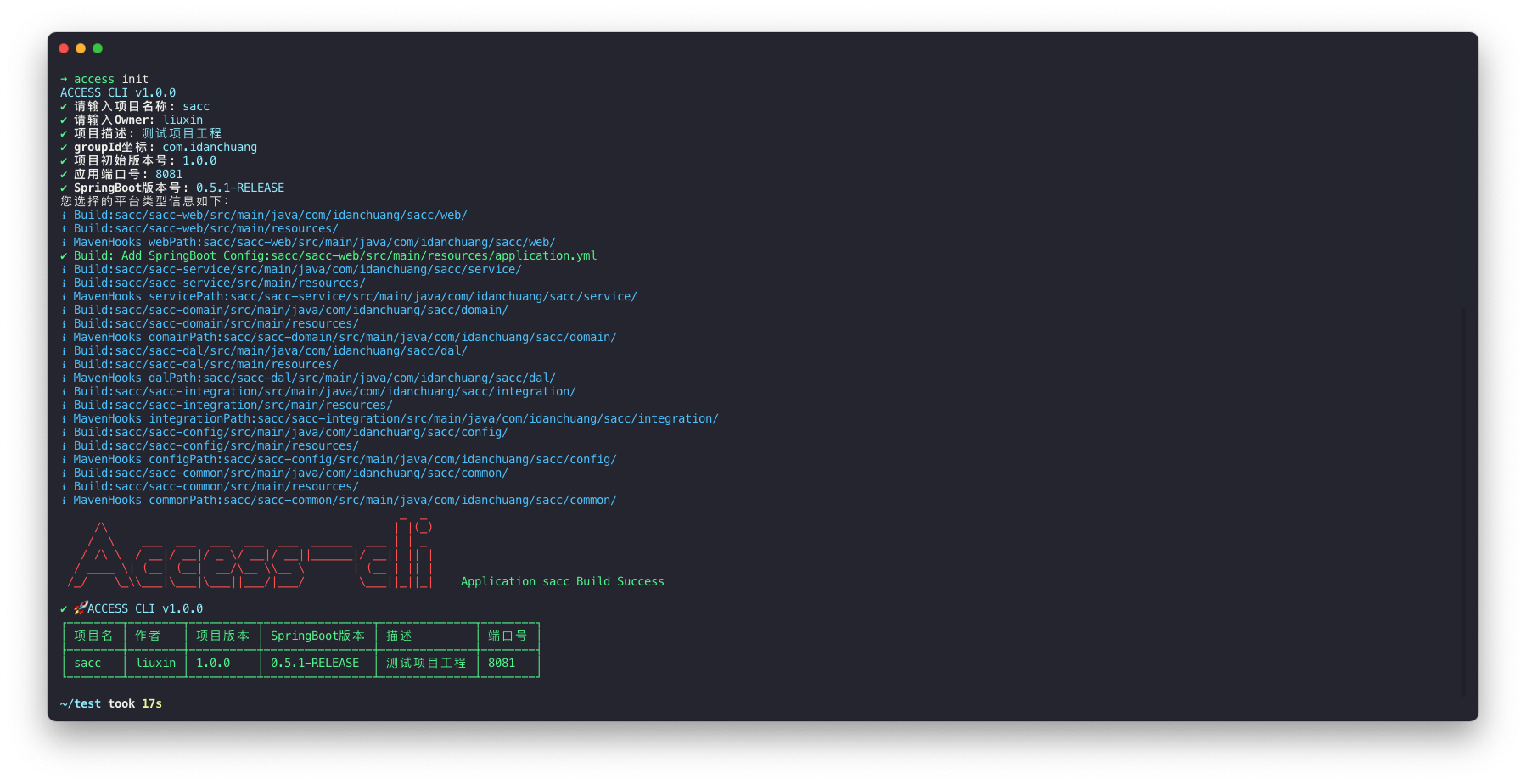
ℹ Build:sacc/sacc-web/src/main/java/com/idanchuang/sacc/web/
ℹ Build:sacc/sacc-web/src/main/resources/
ℹ MavenHooks webPath:sacc/sacc-web/src/main/java/com/idanchuang/sacc/web/
✔ Build: Add SpringBoot Config:sacc/sacc-web/src/main/resources/application.yml
ℹ Build:sacc/sacc-service/src/main/java/com/idanchuang/sacc/service/
ℹ Build:sacc/sacc-service/src/main/resources/
ℹ MavenHooks servicePath:sacc/sacc-service/src/main/java/com/idanchuang/sacc/service/
ℹ Build:sacc/sacc-domain/src/main/java/com/idanchuang/sacc/domain/
ℹ Build:sacc/sacc-domain/src/main/resources/
ℹ MavenHooks domainPath:sacc/sacc-domain/src/main/java/com/idanchuang/sacc/domain/
ℹ Build:sacc/sacc-dal/src/main/java/com/idanchuang/sacc/dal/
ℹ Build:sacc/sacc-dal/src/main/resources/
ℹ MavenHooks dalPath:sacc/sacc-dal/src/main/java/com/idanchuang/sacc/dal/
ℹ Build:sacc/sacc-integration/src/main/java/com/idanchuang/sacc/integration/
ℹ Build:sacc/sacc-integration/src/main/resources/
ℹ MavenHooks integrationPath:sacc/sacc-integration/src/main/java/com/idanchuang/sacc/integration/
ℹ Build:sacc/sacc-config/src/main/java/com/idanchuang/sacc/config/
ℹ Build:sacc/sacc-config/src/main/resources/
ℹ MavenHooks configPath:sacc/sacc-config/src/main/java/com/idanchuang/sacc/config/
ℹ Build:sacc/sacc-common/src/main/java/com/idanchuang/sacc/common/
ℹ Build:sacc/sacc-common/src/main/resources/
ℹ MavenHooks commonPath:sacc/sacc-common/src/main/java/com/idanchuang/sacc/common/
                                                  _  _

✔ 🚀 JMVN CLI v1.0.0
┌────────┬────────┬──────────┬────────────────┬──────────────┬────────┐
│ 项目名 │ 作者   │ 项目版本 │ SpringBoot版本 │ 描述         │ 端口号 │
├────────┼────────┼──────────┼────────────────┼──────────────┼────────┤
│ sacc   │ liuxin │ 1.0.0    │ 0.5.1-RELEASE  │ 测试项目工程 │ 8081   │
└────────┴────────┴──────────┴────────────────┴──────────────┴────────┘
3.1.2 idea直接打开 | Use idea to open
- 可以点击
run main启动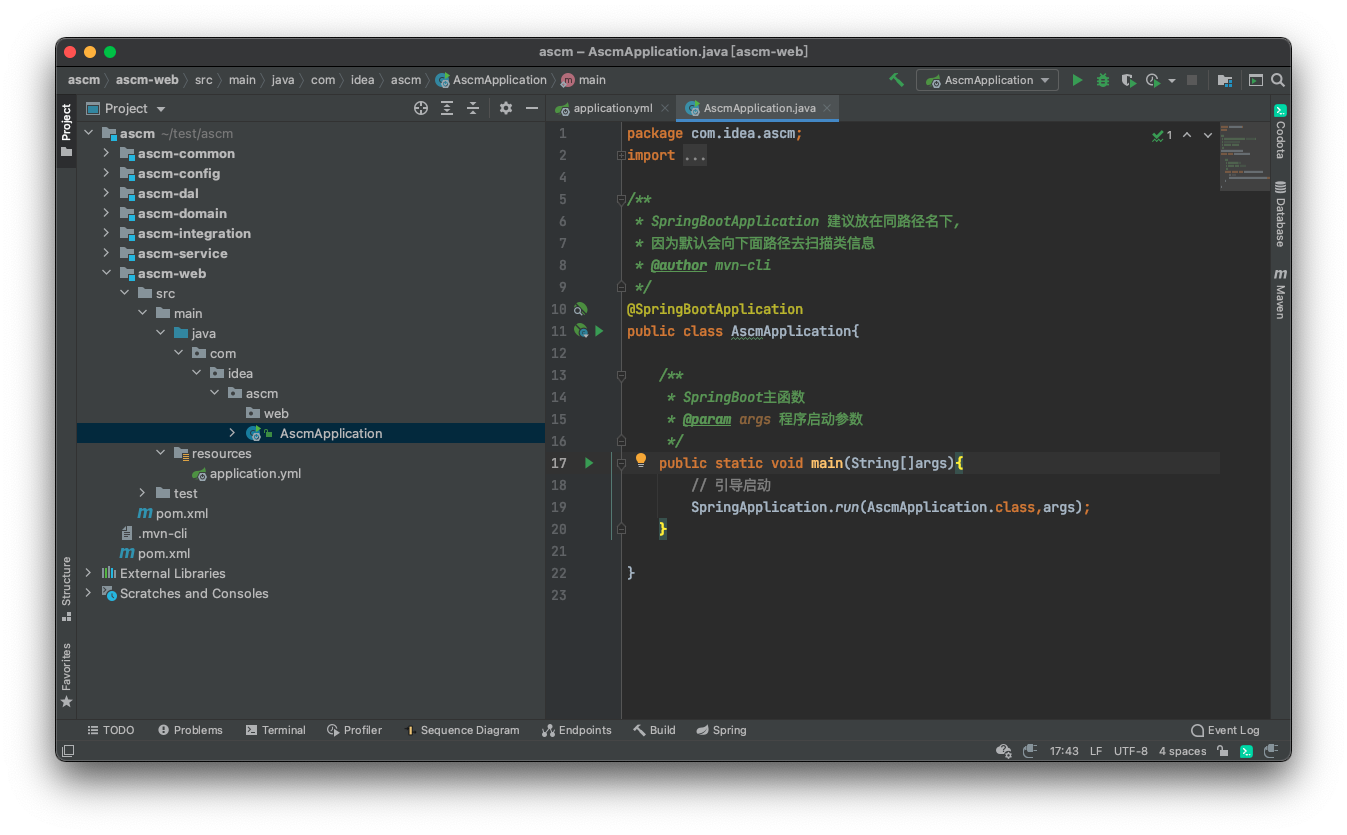
3.1.3 打包jar文件部署 | Package JAR deployment
- 输入
mvn package快速打包构建部署
[INFO] ------------------------------------------------------------------------
[INFO] Reactor Summary:
[INFO]
[INFO] ascm ............................................... SUCCESS [  0.364 s]
[INFO] ascm-common ........................................ SUCCESS [  0.842 s]
[INFO] ascm-integration ................................... SUCCESS [  0.040 s]
[INFO] ascm-dal ........................................... SUCCESS [  0.038 s]
[INFO] ascm-domain ........................................ SUCCESS [  0.038 s]
[INFO] ascm-service ....................................... SUCCESS [  0.037 s]
[INFO] ascm-web ........................................... SUCCESS [  1.274 s]
[INFO] ascm-config ........................................ SUCCESS [  0.038 s]
[INFO] ------------------------------------------------------------------------
[INFO] BUILD SUCCESS
[INFO] ------------------------------------------------------------------------
[INFO] Total time: 3.292 s
[INFO] Finished at: 2021-01-18T20:36:03+08:00
[INFO] Final Memory: 46M/356M
[INFO] ------------------------------------------------------------------------
- 进入
web/target目录直接运行启动java -jar ascm-web.jar
3.2 安装数据库库模型
3.2.1 配置安装信息
- 配置项目开发数据库地址
- 配置模型命名规则及安装目录
  "dbConfig": {
    "host": "127.0.0.1",
    "user": "test",
    "password": "abc123456",
    "database": "shop"
  },
  "models": [
    {
      "suffix": "DO",
      "tableName": [
        "shop_order",
      ],
      "path": "scm-dao/src/main/java/com/idanchuang/scm/dao/entity"
    }
  ]
3.2.2 执行命令
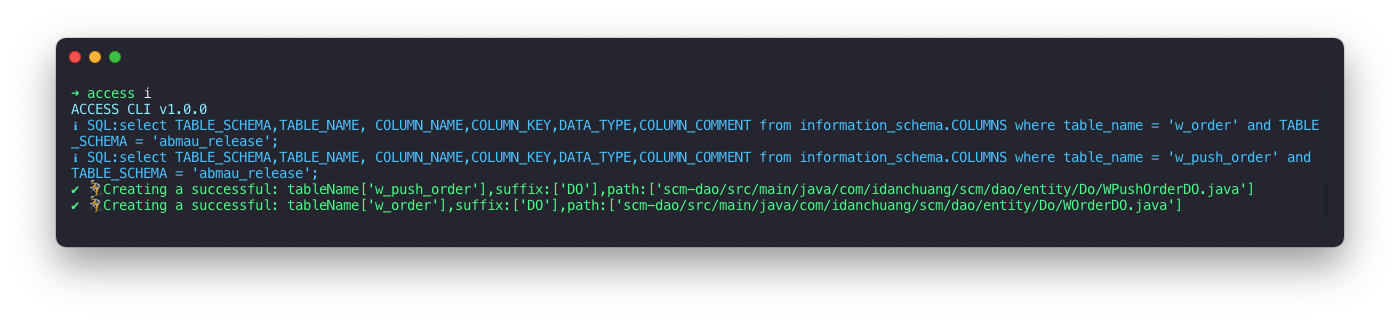
access i如果你是深度命令行换着,你也可以通过纯命令安装
➜ jmvn help i
JMVN CLI v1.0.0
Usage: jmvn install|i [options]

安装数据模型

Options:
  -i, --tables [String]  要安装的表模型名称(可以使用,分隔)
  -s, --suffix [String]  模型后缀名 (default: false)
  -p, --path [String]    要安装的路径地址(相对路径) (default: false)
  -h, --help             display help for command
四、发布记录 | Release record
1.0.1
- 构建服务
- 支持注册命令
1.0.2
- 代码精简及优化
- 版本检测及升级
1.0.3
- fix端口号映射问题
1.0.4
- 优化版本检测,在网络差场景的用户体验
五、定制 | Custom
欢迎感兴趣的小伙伴一起参与开发, 🚀 call me!
- 微信:
lxchinesszz - 邮箱:
[email protected]