jobar
v1.5.20
Published
Jobar is a TypeScript library designed to orchestrate workflows with Temporal and expose them seamlessly via an Express API. It simplifies Temporal integration by managing workflows, activities, and task queues while providing a structured way to handle A
Downloads
220

Maintainers
 donnwill
Readme
Jobar
Jobar is a TypeScript library that allows orchestrating workflows with Temporal and exposing them easily via an Express API.
🚀 Installation
For the best project structure, we recommend using the following command:
npm create jobar-app@latest my-appYou can now test it easily with Docker:
cd my-app && docker compose up -dFor classic installation
npm install jobar
# or
yarn add jobar
📌 Features
- 🚀 Simplified workflow management with Temporal.io
- 📌 Creation and execution of tasks in dedicated queues
- 🔒 Secure data encoding and decoding via an encryption codec
- 📜 Built-in logger with Winston for detailed event tracking
- 🌐 Task exposure on HTTP routes using Express
- 🧪 Comprehensive unit testing with Mocha
- 🛠️ Modular and extensible architecture
📌 Key Concepts
Workflow
A Workflow is a durable function executed by Temporal. It is responsible for orchestrating tasks and managing states.
Example of a Workflow:
import {Request} from 'express';
import {proxyActivities} from '@temporalio/workflow';
import activities from '../activities';

const {hardcodedPasswordLogin} = proxyActivities<typeof activities>({
	startToCloseTimeout: '1 minute',
	retry: {maximumAttempts: 3},
});

type LoginInput = {username: string; password: string};

export async function login(requestBody: LoginInput, requestHeaders: Request['headers']): Promise<string> {
	return await hardcodedPasswordLogin(requestBody.username, requestBody.password);
}
Activity
An Activity is a function that performs a specific operation within a Workflow. Activities can interact with databases, external services, or perform complex computations.
Example of an Activity:
import {JobarError} from 'jobar';

export async function hardcodedPasswordLogin(username: string, password: string): Promise<string> {
	if (password !== 'temporal') {
		throw Jobar.error('Bad Credentials', {
			statusCode: 401,
			error: 'Unauthorized',
			details: {
				password: 'Invalid',
				username: 'OK',
			},
		});
	}
	return `Hello, ${username} !`;
}
Task
A Task represents a unit of work associated with a Temporal workflow. It can be configured with various options and exposed via an Express API.
Available Options:
| Option | Type | Description |
| ------------------------- | ----------------------------------------- | ---------------------------------------------------------------------------------------------------------------------------- |
| workflowStartOptions | WorkflowStartOptions | Workflow startup options See related doc |
| setWorkflowId | (req: Request) => string | Function to define a unique workflow identifier based on the request |
| isExposed | boolean | Indicates if the task should be exposed via an Express API Default: false |
| method | 'get', 'post', 'put', 'patch', 'delete' | HTTP method of the endpoint Required if isExposed is true |
| endpoint | string | Endpoint URL Required if isExposed is true |
| prefixUrl | string | Endpoint URL prefix Default: /tasks |
| needWorkflowFullRequest | boolean | Give to the workflow the express Request and Response in arguments instead of Body and Headers Default: false |
Usage Example:
import {Request} from 'express';
import {Task} from 'jobar';
import {login} from '../workflows';

const exampleTask = new Task(login, {
	setWorkflowId: (req: Request) => `workflow-login-${req.body.username}`,
	isExposed: true,
	method: 'post',
	endpoint: 'login',
});
TaskQueue
A TaskQueue is a queue grouping multiple Task instances. Each queue is associated with a Worker that executes the workflows.
Available Options:
| Option | Type | Description |
| ------------------- | ------------------------------ | ---------------------------------------------------------------------------------------------------------------------------------------------------------- |
| getDataConverter | () => Promise<DataConverter> | Allows using a custom data converter (e.g., encryption) See related documentation |
| connectionOptions | ConnectionOptions | Temporal connection options See related documentation |
| clientOptions | ClientOptions | Temporal client options See related documentation |
Usage Example:
import {TaskQueue, getDataConverter} from 'jobar';

const exampleTaskQueue = new TaskQueue('example', {
	getDataConverter, // Default data encryption for Temporal Codec
}).addTask(exampleTask);
Jobar
Jobar is the central engine that orchestrates workflows, connects workers to Temporal, and exposes tasks via an Express API.
Available Options:
| Option | Type | Description |
| ------------------------ | ---------------------- | --------------------------------------------------------------- |
| app | Express | Express application instance |
| workflowsPath | string | Path to workflows |
| temporalAddress | string | Temporal server address |
| logger | Logger | Winston logger instance Default: Logger Winston default |
| logLevel | string | Logging level (debug, info, error, etc.) Default: debug |
| namespace | string | Namespace used in Temporal Default: default |
| defaultStatusCodeError | number | Default HTTP error code Default: 500 |
| onRequestError | RequestErrorFunction | Default HTTP onError Default: onRequestErrorDefault |
Usage Example:
# src/index.ts

import express from 'express';
import Jobar from 'jobar';
import exampleTaskQueue from './tasks/example';
import activities from './activities';

const app = express();
app.use(express.json());

const jobar = new Jobar({
    app,
    workflowsPath: require.resolve('./workflows'),
    temporalAddress: 'localhost:7233',
});

jobar.addTaskQueue(exampleTaskQueue).run({activities});

app.listen(3000, () => console.log('Server running on port 3000'));
📂 Recommended Project Structure
You can use this model as a framework
your-project/
├── src/
│   ├── activities/     # Activity management
│   |   └── index.ts    # Export all activities in a default variable named `activities`
│   ├── tasks/          # Task and queue management
│   ├── workflows/      # Workflow management
│   |   └── index.ts    # Export all workflows visible through the `workflowsPath` option
│   └── index.ts        # Entry point
💻 Usage Example
Find examples in the official repository 🔗 Github Examples
🔗 Links
- 📦 NPM
- 🐙 GitHub
- 🐙 GitHub Examples
- 🦊 GitLab
- 🦊 GitLab Examples
- 📚 Temporal TypeScript SDK Documentation
- 📦 NPM Create Jobar App
- 🐙 GitHub Create Jobar App
- 🦊 GitLab Create Jobar App
📝 Contributing
Contributions are welcome!
- Fork the repository
- Create a feature branch:
git checkout -b feature-my-feature - Commit your changes:
git commit -m 'Add my feature' - Push to the branch:
git push origin feature-my-feature - Open a Pull Request 🚀
📞 Contact
- 👨🏻💻 William Donnette
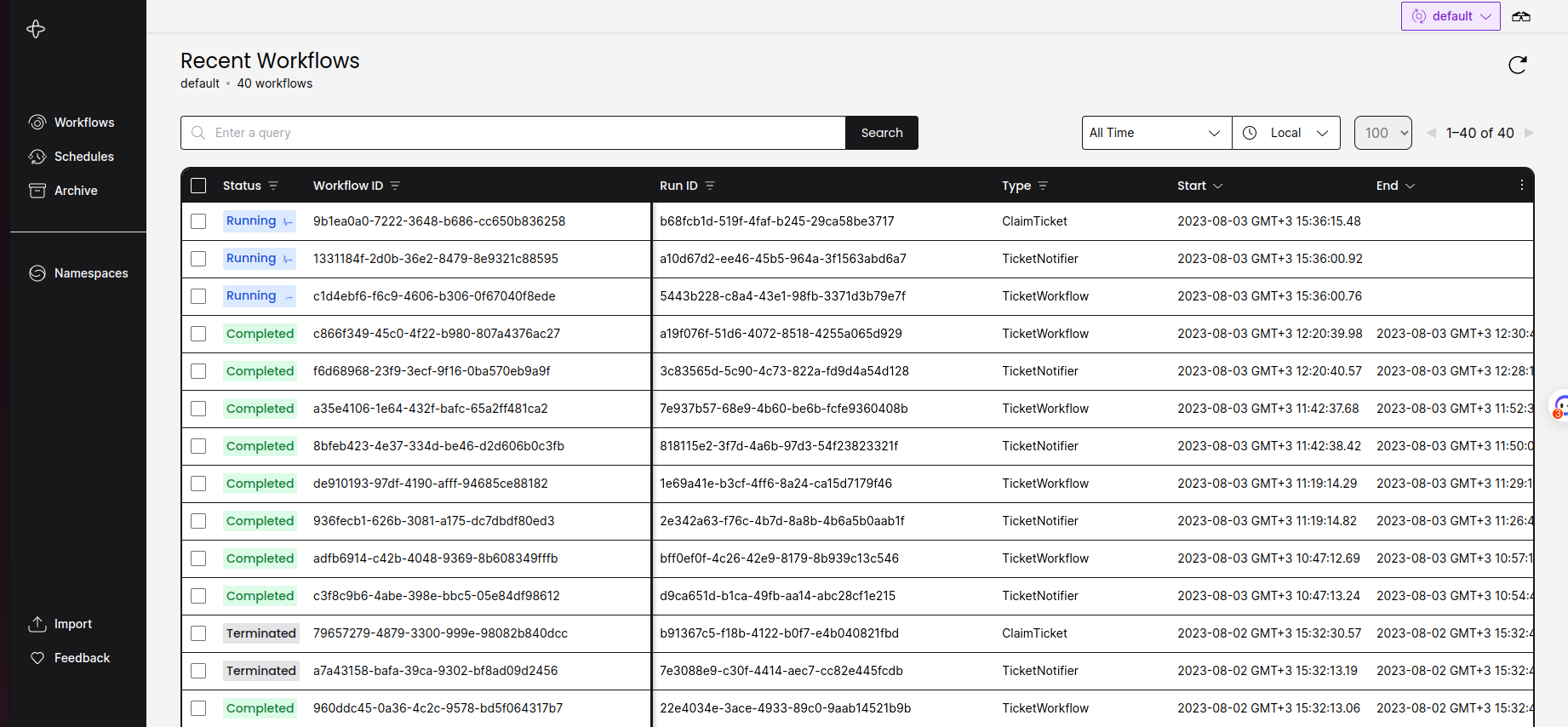
📷 Aperçu du Dashboard Temporal