
joplin-plugin-journal
v2.7.0
Published
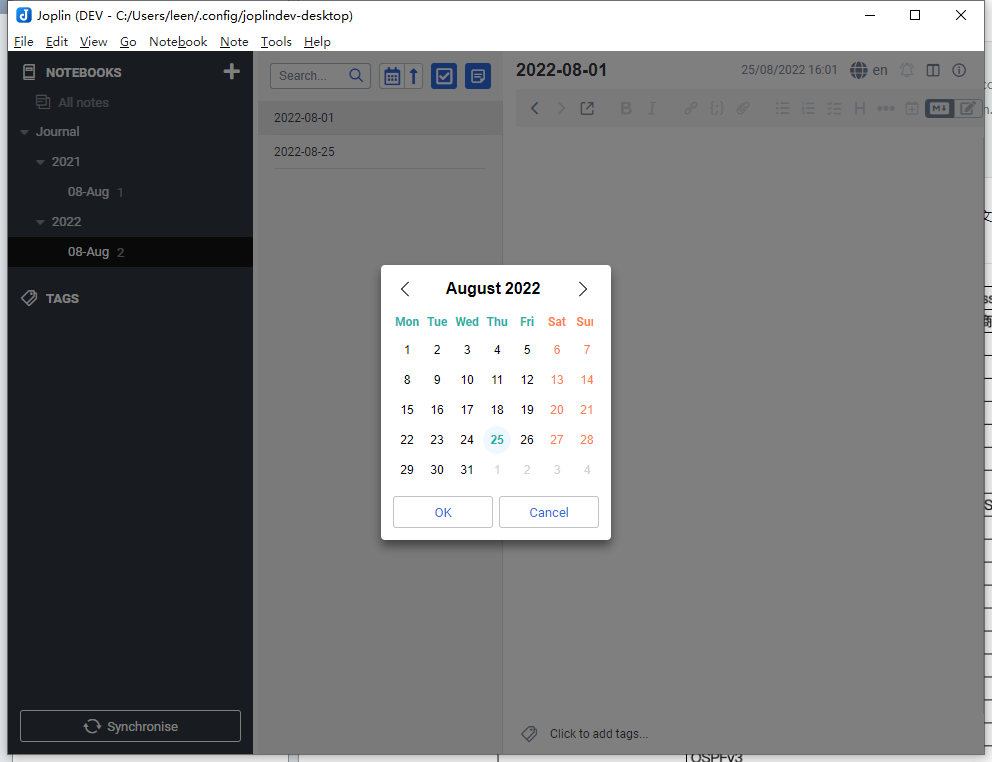
Create or open a note for today, or for another date selected from a date picker. This plugin will create a folder hierarchy for you.


Readme
Joplin Plugin - Journal
Create or open a note for today, or for another date selected from a date picker. This plugin will create a folder hierarchy for you.
Manual
- Click
Tools->Journal->Open Today's Noteto open a note for today. If the note does not exist, it be will be created as a new note. Default keyboard shortcut isCtrl+Alt+D. - Click
Tools->Journal->Open Another day's Note, to open a calendar to choose a date to journal. Default keyboard shortcut isCtrl+Alt+O. - Click
Tools->Journal->Insert a link to Today's Noteto insert a reference link to today's note. If the note does not exist, it will be created. Default keyboard shortcut isCtrl+Alt+L. - Click
Tools->Journal->Insert a link to Another day's Noteto insert a reference link to another day's note. If the note does not exist, it will be created. Default keyboard shortcut isCtrl+Alt+T. - Every option above with
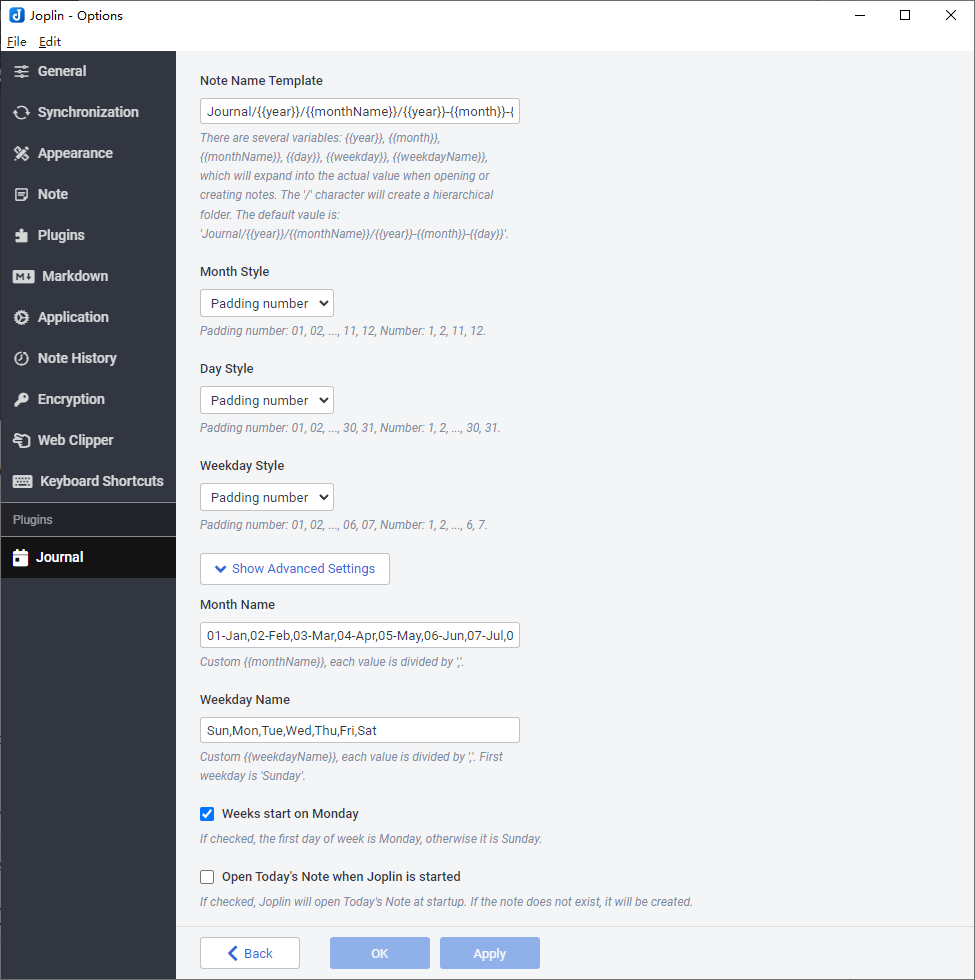
Todayalso has a version with an offset. You can set the offset in the settings, which will shift the end of the day by up to 6 hours in either direction. This is useful if you often create the note for the previous day after midnight or the note for the following day before midnight. Default shortcuts are the same as above with an additionalShift.
You can customize the keyboard shortcuts via Tools -> Options -> Keyboard shortcuts, and then using journal in the search box to filter the keyboard shortcuts for the Journal plugin.
Template Variables
Journal templates can be used in two places:
Note Name Template: controls the generated journal note path and title.Note Template ID: points to a note whose body will be inserted as the journal note content template.
Template variables are expanded in both the note name template and the inserted note content template.
Supported Variables
| Variable | Description | Example |
| --- | --- | --- |
| {{year}} | Four-digit year. | 2026 |
| {{decade}} | Decade label derived from the year. | 2020s |
| {{date}} | Date in YYYY-MM-DD format. | 2026-05-29 |
| {{time}} | Time in HH:mm format. | 14:35 |
| {{datetime}} | Date and time in YYYY-MM-DD HH:mm format. | 2026-05-29 14:35 |
| {{month}} | Month number. The exact format depends on Month Style. | 05 or 5 |
| {{monthName}} | Month label from the Month Name setting. | 05-May |
| {{quarter}} | Quarter number. | 2 |
| {{quarterName}} | Quarter label from the Quarter Name setting. | Q2 |
| {{day}} | Day of month. The exact format depends on Day Style. | 09 or 9 |
| {{hour}} | Hour in 24-hour format. | 14 |
| {{hour12}} | Hour in 12-hour format. | 02 |
| {{ampm}} | Uppercase meridiem marker. | PM |
| {{min}} | Minutes. | 35 |
| {{weekday}} | Weekday number. The exact format depends on Weekday Style. | 05 or 5 |
| {{weekdayName}} | Weekday label from the Weekday Name setting. | Thu |
| {{weekNum}} | Week number based on the plugin's current week-number calculation. | 22 |
Formatting Notes
- A
/inNote Name Templatecreates a notebook hierarchy. Month Name,Weekday Name, andQuarter Nameare user-configurable lists, so the rendered text depends on your settings.Month Style,Day Style,Weekday Style, andWeekNum Stylecontrol whether numeric values are zero-padded or plain numbers.
Default Note Name Template
The default note name template is:
Journal/{{year}}/{{monthName}}/{{year}}-{{month}}-{{day}}Known issues
If you create the same note (a note with the same title and in the same folder) too quickly, a duplicate note will be created with the same name.
When using the default shortcut Ctrl+Alt+D to create today's note, you should wait more than 10 seconds before using the shortcut again, or it will create a duplicate note. This is because Joplin needs around 10 seconds to build the note's index - it should be found after about 10 seconds.
Source
You can get the source code here: https://github.com/leenzhu/joplin-plugin-journal