
jquery-drawr
v1.0.7
Published
Transform any canvas into a drawing area

Maintainers
 lieuweprins
Readme
jquery-drawr
JQuery dRawr is a jquery plugin to turn any canvas element into a drawing area with a lot of useful tools and brushes. It requires material design icons for the icons of the tool picker, and jquery. It bundles my other plugin, drawrpalette
Want to try it out and just draw a little? Go here for a demo!
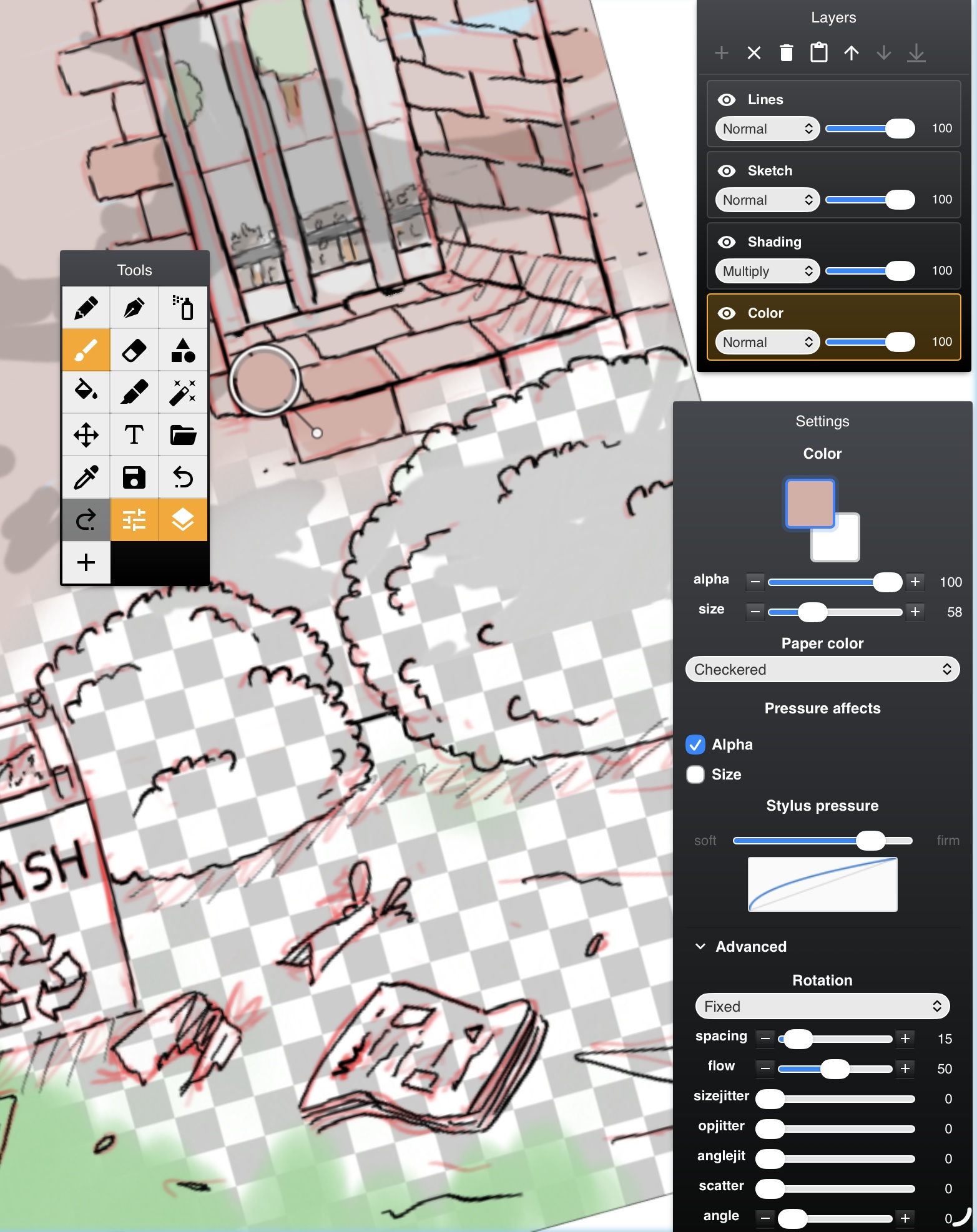
Screenshot:
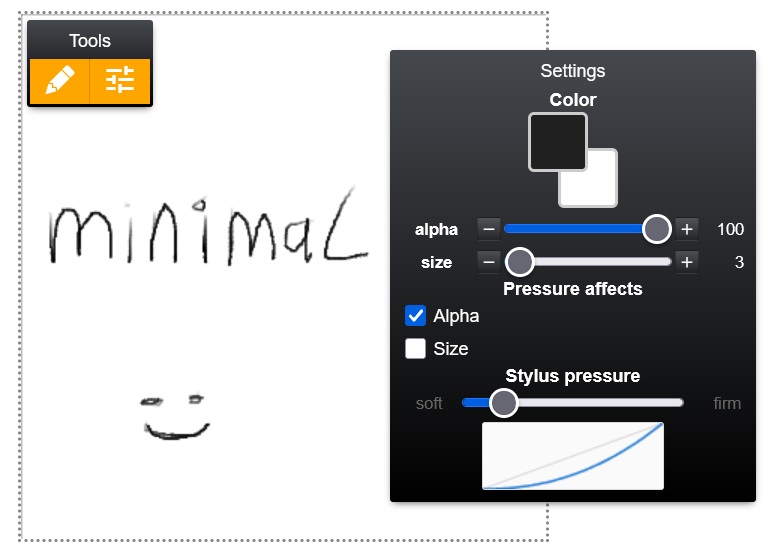
More minimal usage:
Usage:
<div style="width:350px;height:300px;" class="some-container">
	<canvas id="canvas"></canvas>
</div>
$("#canvas").drawr({ "enable_transparency" : true, "canvas_width" : 800, "canvas_height" : 800 });
$("#canvas").drawr("start");Features
- Drawing area
- Extendable brush system
- Custom buttons
- Loading and saving images
- Excellent mobile support
- Basic pen pressure support for Samsung / Apple devices / Wacom
- Text insertion
- Undo / redo
- Layers (with per-layer opacity and blend mode)
- User-definable custom image brushes
- Ignores unintended touches
- Rotation, pinch to zoom and dragging on mobile, right click to draw and mousewheel zooming on desktop
- Tap and hold to pick color
Methods
- start: starts the canvas draw loop and loads tools
- stop: stops
- load(data_url): loads a data url into the canvas, adjusting the size of the canvas to match.
- export(mime_type): returns a data url in the given format of the current drawing. (Doesn't force a download!)
- button(buttonconfig): creates a button. $("#drawr-container .demo-canvas").drawr("button", {"icon":"mdi mdi-folder-open mdi-24px" }).on("mousedown"...etc)
- destroy: cleans everything up
- clear(clear_undo): clears the canvas and optionally resets the undo/redo buffers. Also collapses any extra layers, leaving a single base layer.
- createtoolset(name,tools): see minimal.html. Creates a set of tools.
- loadtoolset(name): see minimal.html. Loads a set of tools.
- activate_tool(name): selects the tool with the given
name(as declared in itsregister()call). - movetoolbox({x:a,y:b}) moves the main tool palette offset from the topleft of the canvas.
- zoom(factor) sets the zoom factor.
- center: centers the view in the parent container.
Options
- enable_transparency(true)
- canvas_width
- canvas_height
- undo_max_levels(5)
- clear_on_init(true): whether to erase the canvas when it is loaded.
- enable_scrollwheel_zooming(true)
- toolbox_cols(3): configure the toolbox size
- paper_color(#ffffff): configure the paper color used when paper_color_mode is solid
- paper_color_mode(checkerboard/solid): configure the paper color display mode used if transparency is on.
- hide_advanced_brush_settings(false): hides the Advanced section (per-spot brush dynamics) from the Settings dialog. The engine still applies whatever defaults/overrides are in place but users just can't edit them from the UI.
- long_press_pick_enabled(true): enable or disable long press color picker
- long_press_pick_duration(1300): ms
- long_press_pick_move_tolerance(3): //page px before the hold is abandoned
Events
The plugin triggers jQuery events on the canvas element whenever the user starts or ends a valid stroke. Palm/wrist touches, pinch/rotate gestures, and middle-mouse pans are filtered out and do not fire events.
drawr:drawstartfires once when a stroke beginsdrawr:drawstopfires once when the stroke ends
Each event carries a data object: {x, y, tool, size, alpha, pressure}: canvas-local coordinates, the active tool's name, the resolved size/alpha for the stroke, and the input pressure (0..1; 0.5 for non-pressure-sensitive devices).
$("#canvas").on("drawr:drawstart", function(e, data){
    console.log("started drawing with", data.tool, "at", data.x, data.y);
});
$("#canvas").on("drawr:drawstop", function(e, data){
    // e.g. enable a "save" button now that a stroke has landed
});
Also available on npm. For installation,
npm install jquery-drawr
Adding a new tool
Tools live in src/tools/ and self-register at load time by calling jQuery.fn.drawr.register(tool). A tool is a plain object combining metadata, brush-dynamics defaults, and lifecycle hooks. The brush-dynamics engine in the main plugin applies a uniform set of per-spot dynamics to every registered tool; you just declare your defaults and implement drawSpot.
Skeleton
jQuery.fn.drawr.register({
    //metadata shown in the toolbox
    name: "my_tool",
    icon: "mdi mdi-brush mdi-24px",
    order: 10,

    //base per-stroke values
    size: 6,
    alpha: 1,

    //pressure response
    pressure_affects_alpha: true,
    pressure_affects_size: true,
    size_max: 3,            //with pressure_affects_size on, `size` is the base (low-pressure, and
                            //what draws on devices without pen pressure) and the stroke lerps up to
                            //`size_max` (px) at full press. So size=1, size_max=3 stays hairline on
                            //desktop mouse and sweeps 1..3 px on a stylus. ideal for inking. Set
                            //size_max to the same value as size to disable growth. Alpha uses the
                            //simpler multiplicative form. its natural ceiling at 1 makes that
                            //correct.

    //dynamics (all optional; omit to skip that effect)
    flow: 0.9,              //deterministic per-spot alpha multiplier (0..1)
    spacing: 0.15,          //step distance as a fraction of size; replaces the old hardcoded size/4
    smoothing: true,        //enables Catmull-Rom interpolation of the stroke path
    brush_fade_in: 20,      //number of spots over which alpha ramps from 0 to full at stroke start
    size_jitter: 0.15,      //0..1, per-spot random size variation
    opacity_jitter: 0.2,    //0..1, per-spot random alpha variation
    scatter: 0,             //0..1, random XY offset as a fraction of size

    //rotation: "none" | "fixed" | "follow_stroke" | "random_jitter" | "follow_jitter"
    rotation_mode: "random_jitter",
    fixed_angle: 0,         // radians, used when rotation_mode is "fixed"
    angle_jitter: 1,        // 0..1, fraction of π; used by "random_jitter" and "follow_jitter"

    //lifecycle
    activate: function(brush, context){ /* allocate stamp cache, preload images, ... */ },
    deactivate: function(brush, context){ /* release anything allocated in activate */ },

    drawStart: function(brush, context, x, y, size, alpha, event){
        context.globalCompositeOperation = "source-over";
        context.globalAlpha = alpha;
    },

    //8-argument signature. `angle` (radians) is resolved by the engine from rotation_mode
    //consume it if your stamp rotates (pencil, custom brushes), ignore it otherwise.
    drawSpot: function(brush, context, x, y, size, alpha, event, angle){
        //... draw one stamp at (x, y)
    },

    //return any non-undefined value to push an undo entry; return undefined to skip.
    drawStop: function(brush, context, x, y, size, alpha, event){ return true; }
});
How spots get emitted
Every interpolated spot (linear (drawMove), Catmull-Rom (draw_catmull_segment), and the final flush in drawStop) funnels through plugin.emit_spot(...). That function resolves jitter, rotation, and scatter from the tool's declared dynamics before calling your drawSpot. Your hook receives the already-adjusted size, alpha, and angle; don't re-roll randomness yourself or you'll double up with the engine. The single exception is the initial spot placed by drawStart. It bypasses emit_spot (so brush_fade_in isn't counted twice) and is called with angle = 0.
Canonical dynamics fields
The complete list lives in $.fn.drawr._dynamicsFields:
size, alpha, flow, spacing,
rotation_mode, fixed_angle, angle_jitter,
size_jitter, opacity_jitter, scatter,
smoothing, brush_fade_in,
pressure_affects_alpha, pressure_affects_size, size_max
At register() time the engine snapshots whichever of these your tool declares into tool._defaults. The Settings > Advanced panel edits the live values and persists overrides to localStorage["drawr.toolOverrides"]; "Reset defaults" restores from that snapshot and wipes the override entry. Fields you don't declare stay absent after reset, there is no hidden fallback
Build the tool in
Drop your file into src/tools/ and run npm run build. Gulp concatenates src/tools/*.js into dist/jquery.drawr.combined.js; the tool registers itself as soon as the bundle loads and appears in the toolbox on the next start / loadtoolset call. If you create a neat tool feel free to submit a pull request
Custom brushes at runtime
User-created image brushes go through the same pipeline. $.fn.drawr.buildCustomBrush(record) turns a saved JSON record ({id, name, icon, image_data_url, ...dynamics}) into a registered tool with removable: true. If you just want a new built-in stamp brush, authoring a file in src/tools/ is simpler than going through the custom-brush storage format.
To build
npm install
npm run build