
jquery-i18next
v1.3.0
Published
jQuery-i18next is a jQuery based Javascript internationalization library on top of i18next. It helps you to easily internationalize your web applications.


Readme
Introduction
Source can be loaded via npm or downloaded from this repo or from a CDN like CDNJS.
NEWS: localization as a service - locize.com
Needing a translation management? Want to edit your translations with an InContext Editor? Use the orginal provided to you by the maintainers of i18next!
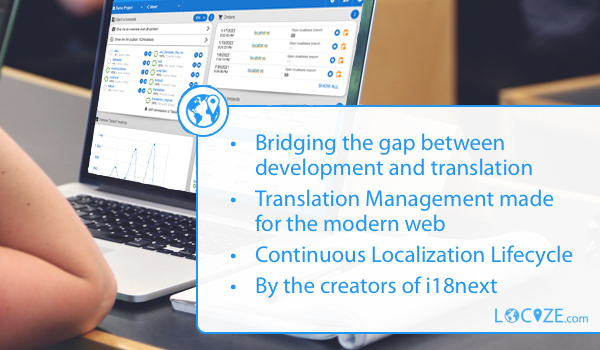
With using Locize you directly support the future of i18next.
Advice:
To see jquery-i18next in a working app example, check out this blog post and this example.
If you don't use a module loader it will be added to window.jqueryI18next
# npm package
$ npm install jquery-i18next
Simplifies i18next usage in projects built based on jquery, like:
page source:
<ul class="nav">
  <li><a href="#" data-i18n="nav.home"></a></li>
  <li><a href="#" data-i18n="nav.page1"></a></li>
  <li><a href="#" data-i18n="nav.page2"></a></li>
</ul>
loaded resource file (locales/en/translation.json):
{
  "nav": {
    "home": "Home",
    "page1": "Page One",
    "page2": "Page Two"
  }
}
javascript code:
$(".nav").localize();

// results in
// <ul class="nav">
//  <li><a href="#" data-i18n="nav.home">Home</a></li>
//  <li><a href="#" data-i18n="nav.page1">Page One</a></li>
//  <li><a href="#" data-i18n="nav.page2">Page Two</a></li>
// </ul>
Initialize the plugin
jqueryI18next.init(i18nextInstance, $, {
  tName: 't', // --> appends $.t = i18next.t
  i18nName: 'i18n', // --> appends $.i18n = i18next
  handleName: 'localize', // --> appends $(selector).localize(opts);
  selectorAttr: 'data-i18n', // selector for translating elements
  targetAttr: 'i18n-target', // data-() attribute to grab target element to translate (if different than itself)
  optionsAttr: 'i18n-options', // data-() attribute that contains options, will load/set if useOptionsAttr = true
  useOptionsAttr: false, // see optionsAttr
  parseDefaultValueFromContent: true // parses default values from content ele.val or ele.text
});
TypeScript
jquery-i18next ships with type definitions. The init options are fully typed, and (when you keep the default handle names) $.t, $.i18n and $(selector).localize(opts) are added to the jQuery types via @types/jquery.
import i18next from 'i18next';
import jqueryI18next from 'jquery-i18next';

jqueryI18next.init(i18next, $, {
  useOptionsAttr: true, // typed, autocompleted and checked
});

$('.nav').localize();
$('#btn1').localize({ count: 2 });
const home: string = $.t('nav.home');
If you rename the handles (
tName/i18nName/handleName), the bundled jQuery augmentation still reflects the default names — type those custom members yourself via module augmentation.
using options in translation function
<a id="btn1" href="#" data-i18n="myKey"></a>
$("#btn1").localize(options);
or
<a id="btn1" href="#" data-i18n="myKey" data-i18n-options='{ "a": "b" }'></a>
$("#btn1").localize();
// make sure you set the useOptionsAttr option to true if you want to pass the i18n options via data-i18n-options attribute.
data-i18n-options attribute must be a valid JSON object.
usage of selector function
translate an element
<a id="btn1" href="#" data-i18n="myKey"></a>
$("#btn1").localize(options);
myKey: same key as used in i18next (optionally with namespaces) options: same options as supported in i18next.t
translate children of an element
<ul class="nav">
  <li><a href="#" data-i18n="nav.home"></a></li>
  <li><a href="#" data-i18n="nav.page1"></a></li>
  <li><a href="#" data-i18n="nav.page2"></a></li>
</ul>
$(".nav").localize();
translate some inner element
<div class="outer" data-i18n="ns:key" data-i18n-target=".inner">
  <input class="inner" type="text"></input>
</div>
$(".outer").localize();
set different attribute
<a id="btn1" href="#" data-i18n="[title]key.for.title"></a>
$("#btn1").localize();
set multiple attributes
<a id="btn1" href="#" data-i18n="[title]key.for.title;myNamespace:key.for.text"></a>
$("#btn1").localize();
set innerHtml attributes
<a id="btn1" href="#" data-i18n="[html]key.for.title"></a>
$("#btn1").localize();
prepend content
<a id="btn1" href="#" data-i18n="[prepend]key.for.title">insert before me, please!</a>
$("#btn1").localize();
append content
<a id="btn1" href="#" data-i18n="[append]key.for.title">append after me, please!</a>
$("#btn1").localize();
set data
<a id="btn1" href="#" data-i18n="[data-someDataAttribute]key.for.content"></a>
$("#btn1").localize();