
js-monitor-server
v0.0.8
Published
A real-time monitoring tool for JavaScript applications that tracks CPU usage and memory consumption.

Maintainers
 eduardo.petrini
Readme
JS Resources Monitor
A real-time monitoring tool for JavaScript applications that tracks CPU usage and memory consumption.
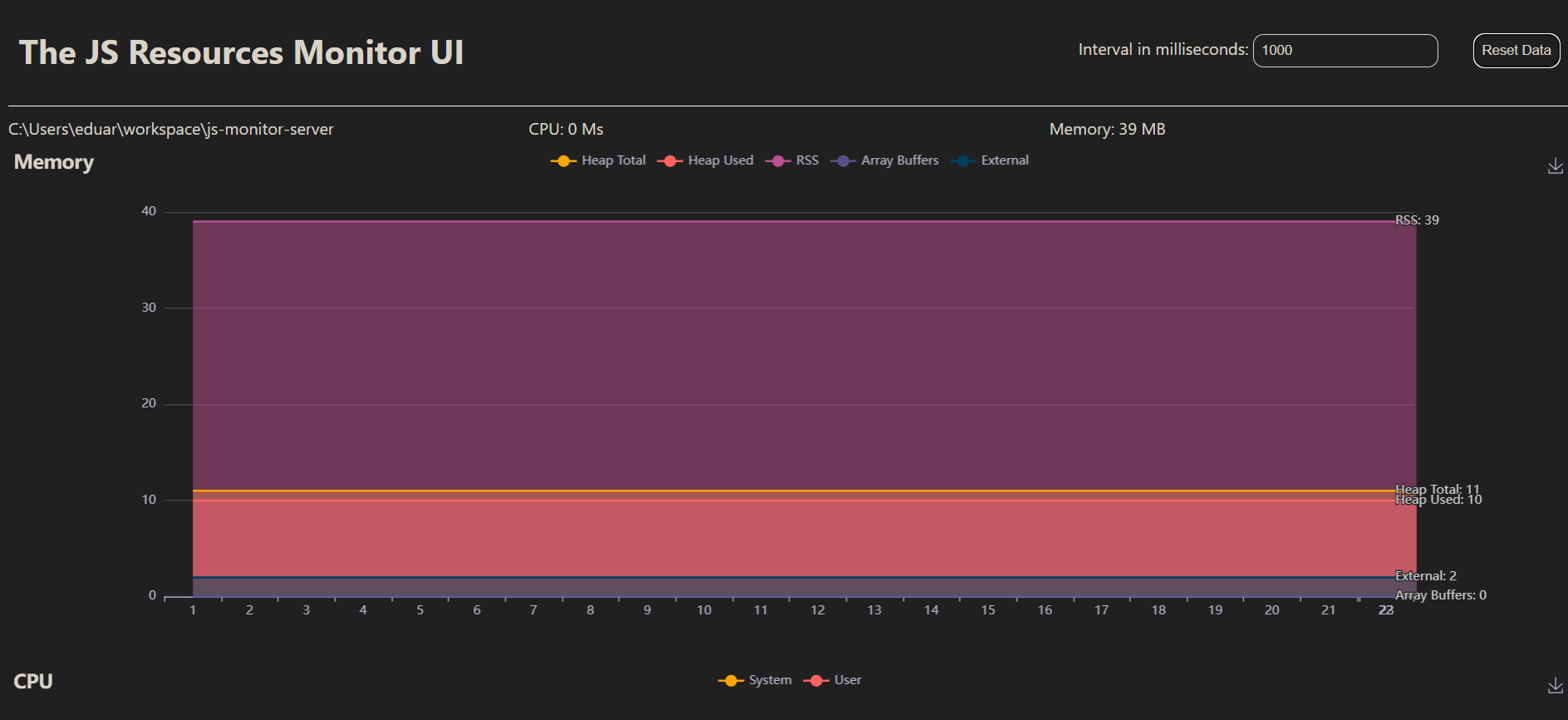
Table of Contents
Features
- Real-time monitoring of CPU usage and memory consumption
- Web-based UI for easy visualization
- Customizable monitoring interval
- WebSocket communication for live updates
Prerequisites
- Node.js (version 12 or higher recommended)
- npm (Node Package Manager)
Installation
Install the
js-monitor-serveras dependency of your application:npm install js-monitor-server@latest
Usage
Import the library as dependency of your ESM nodejs app.
import 'js-monitor-server';For common js modules, use dynamic import:
import('js-monitor-server');The default web server port is
9966. You can change it by changing theMONITOR_PORTenvironment variable in the.envfile.Open a web browser and navigate to http://localhost:9966 (or the port specified in your environment variables).
The UI will display real-time CPU and memory usage of the monitored process.
File Structure
index.js: Entry point of the applicationserver.js: Sets up the Express server and Socket.iomonitor.js: Contains theMonitorclass for tracking system resourcespublic/index.html: The frontend UI for displaying monitoring data
How It Works
- The
Monitorclass inmonitor.jsuses Node.js'sprocess.cpuUsage()andprocess.memoryUsage()to collect system resource data. - The Express server in
server.jsserves the frontend and sets up WebSocket communication using Socket.io. - The frontend (
index.html) receives real-time updates via WebSocket and displays the data using charts (implementation not shown in the provided code).
Contributing
Contributions are welcome! Please feel free to submit a Pull Request.
License
This project is licensed under the MIT License.