
js-object-helper
v0.0.6
Published
Downloads
50


Readme
js-object-helper
A sample Object class that contains some useful methods.
npm
https://www.npmjs.com/package/js-object-helper
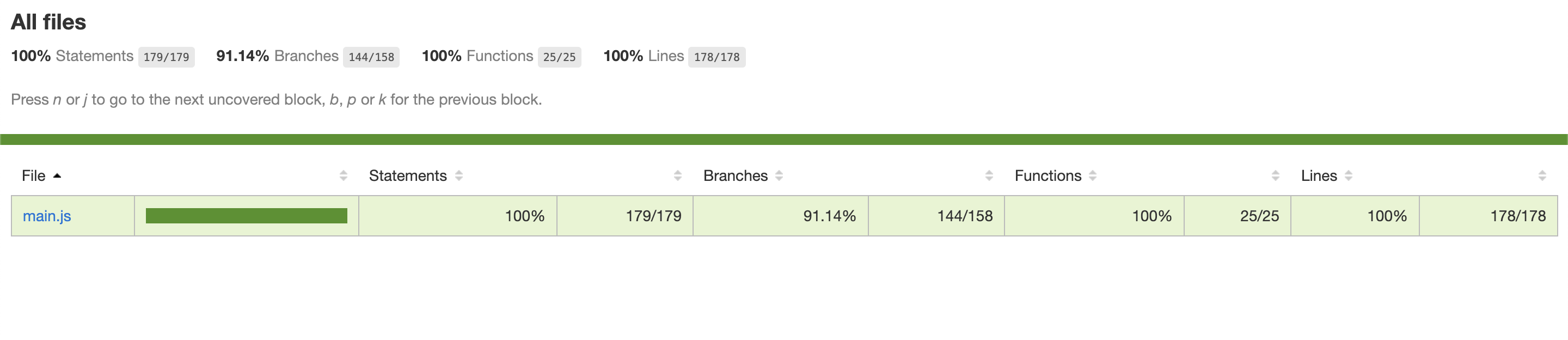
Test Cases Report

Installation
$ npm install --save js-object-helper
OR
$ yarn add js-object-helper
Getting started
import helper from 'js-object-helper'
OR
const helper = require('js-object-helper')
Get property value inside a object.
getProp(object: object | Array<any>, path: Array<string> | string, defaultValue: any): any
| param | type |default | description
|----------------|-------------------------|---------------|------------------------------------------------
| obj |object/Array | Required | To extract the property value inside it
| path | Array/string | Required | Value can be array like ['user', 'info', 'email'] or string (user.info.email)
| defaultValue | any | undefined | if property does not exists then return the default value
Examples
const arr = [{ id: 1, name: 'Test' }, { id: 2, name: 'Test 2' }];
helper.getProp(arr, '[id=1].name') // output -> Test
helper.getProp(arr, '[id>1].name') // output -> Test 2
helper.getProp(arr, '[id>=1].name') // output -> Test
helper.getProp(arr, '[id<2].name') // output -> Test
helper.getProp(arr, '[id<=2].name') // output -> Test
helper.getProp(_arr, '[id<>2].name') // output -> Test
const arr = {
name: 'User Name'
info: [
{ id: 1, name: 'Test' },
{ id: 2, name: 'Test 2' }
]
};
helper.getProp(arr, 'info.0.id.name') // output -> Test
helper.getProp(arr, 'info.0.id.email') // output -> undefined
helper.getProp(arr, 'info.0.id.email', '[email protected]') // output -> [email protected]
helper.getProp(arr, 'info.[id==2].name') // output -> Test 2Set property values inside object.
setProp(object: object | Array<any>, path: Array<string> | string, defaultValue: any, value: any, replace?: boolean):void
| param | type |default | description
|----------------|-------------------------|---------------|------------------------------------------------
| obj |object/Array | Required | To set property value in given object
| path | Array/string | Required | Value can be array like ['user', 'info', 'email'] or string (user.info.email)
| value | any | Required | Value, what do you want to set at given path
| replace | boolean | false | If path existing value is object, so the replace = true will replace from new value otherwise value will merge in existing value.
Examples
const obj = {
  id: 1,
  name: 'V1',
  children: [
              { id: 2, name: 'V11' },
              { id: 3, name: 'V12' }
            ]
  }
helper.setProp(obj, 'name', 'Hello')
//output ->
// {
//   id: 1,
//   name: 'Hello', // change is here
//   children: [
//         { id: 2, name: 'V11'
//         },
//         { id: 3, name: 'V12'
//         },
//     ],
// }

helper.setProp(obj, 'test', 'Hello Testing')
//output ->
// {
//   id: 1,
//   name: 'Hello',
//   test: 'Hello Testing', // change is here
//   children: [
//         { id: 2, name: 'V11'
//         },
//         { id: 3, name: 'V12'
//         },
//     ],
// }

helper.setProp(obj, '_test.0', 'Test to create array')
//output ->
// {
//   id: 1,
//   name: 'Hello',
//   _test: ['Test to create array'], // Change is here
//   test: 'Hello Testing',
//   children: [
//         { id: 2, name: 'V11'
//         },
//         { id: 3, name: 'V12'
//         },
//     ],
// }


helper.setProp(obj, 'children.0.name', 'Test Data')
//output ->
// {
//   id: 1,
//   name: 'Hello',
//   _test: ['Test to create array'],
//   test: 'Hello Testing',
//   children: [
//         { id: 2, name: 'Test Data' // Change is here
//         },
//         { id: 3, name: 'V12'
//         },
//     ],
// }

helper.setProp(obj, 'children.0', {id: 5}, true)
//output ->
// {
//   id: 1,
//   name: 'Hello',
//   _test: ['Test to create array'],
//   test: 'Hello Testing',
//   children: [
//         { id: 5}, // change is here
//         { id: 3, name: 'V12'},
//     ],
// }

helper.setProp(obj, 'children.1', {id: 6}, false)
//output ->
// {
//   id: 1,
//   name: 'Hello',
//   _test: ['Test to create array'],
//   test: 'Hello Testing',
//   children: [
//         { id: 5},
//         { id: 6, name: 'V12'}, // change is here
//     ],
// }
Delete property from a object.
deleteProp(object: object | Array<any>, path: Array<string> | string):void
| param | type |default | description
|----------------|-------------------------|---------------|------------------------------------------------
| obj |object/Array | Required | To delete property from given object
| path | Array/string | Required | Value can be array like ['user', 'info', 'email'] or string (user.info.email)
Examples
const obj = {
 id: 1,
 name: 'V1',
 children: [
             { id: 2, name: 'V11' },
             { id: 3, name: 'V12' }
           ]
 }
helper.deleteProp(obj, 'children.*.name');
//output ->
// {
//   id: 1,
//   name: 'Hello',
//   children: [
//         { id: 2}, // change is here
//         { id: 3} // change is here
//     ],
// }
helper.deleteProp(obj, 'name');
//output ->
// {
//   id: 1,
//   children: [
//         { id: 2},
//         { id: 3}
//     ],
// }

helper.deleteProp(obj, 'children');
//output ->
// {
//   id: 1
// }


helper.deleteProp(obj, 'test_not_object');
//output ->
// {
//   id: 1
// }
push value inside a array.
pushProp(object: object | Array<any>, path: Array<string> | string, value: any, primaryKey?: string, updateIfExists?: boolean, looseComparison?: boolean):void
| param | type |default | description
|----------------|-------------------------|---------------|------------------------------------------------
| obj | object/Array | Required | To delete property from given object
| path | Array/string | Required | Value can be array like ['user', 'info', 'email'] or string (user.info.email)
| value | Array/object/any| Required | value to push on given path in given object
| primaryKey | string | null | List Unique key name
| updateIfExists | boolean. | false | If property already has any match data with given primary key, then true to update and false = skip the particular record
|looseComparison | boolean | true | To compare the primaryKey value in strict mode or not. if true then operator will be == otherwise ===
Prepend value inside a array.
unshiftProp((object: object | Array<any>, path: Array<string> | string, value: any, primaryKey?: string, updateIfExists?: boolean, looseComparison?: boolean):void
| param | type |default | description
|----------------|-------------------------|---------------|------------------------------------------------
| obj | object/Array | Required | To delete property from given object
| path | Array/string | Required | Value can be array like ['user', 'info', 'email'] or string (user.info.email)
| value | Array/object/any| Required | value to push on given path in given object
| primaryKey | string | null | List Unique key name
| updateIfExists | boolean. | false | If property already has any match data with given primary key, then true to update and false = skip the particular record
|looseComparison | boolean | true | To compare the primaryKey value in strict mode or not. if true then operator will be == otherwise ===
Is given value array?
isArray(value: any): boolean
| param | type |default | description
|----------------|-------------------------|---------------|------------------------------------------------
| value | any | Required | To check this variable is array or not, It does not metter what value is given in param
Is given value object?
isObject(value: any): boolean
| param | type |default | description
|----------------|-------------------------|---------------|------------------------------------------------
| value | any | Required | To check this variable is object or not, It does not metter what value is given in param
Is given value empty Object?
isEmptyObject(value: any): boolean
| param | type |default | description
|----------------|-------------------------|---------------|------------------------------------------------
| value | any | Required | To check this variable is a empty object or not, It does not metter what value is given in param
Is given string integer?
isInteger(value: string): boolean
| param | type |default | description
|----------------|-------------------------|---------------|------------------------------------------------
| value | string | Required | To check this variable is integer or not
Is given string isFloat?
isFloat(value: string): boolean
| param | type |default | description
|----------------|-------------------------|---------------|------------------------------------------------
| value | string | Required | To check this variable is float or not
To convert the url's query string data into object.
queryStringToObject(url: string): object;
| param | type |default | description
|----------------|-------------------------|---------------|------------------------------------------------
| value | string | Required | Full url
To convert the object into queryString.
objectToQueryString(value: object): string;
| param | type |default | description
|----------------|-------------------------|---------------|------------------------------------------------
| value | object | Required | any object
To convert the object into FormData.
objectToFormData(value: object, formData?: FormData | null, namespace?: string): FormData;
| param | type |default | description
|----------------|-------------------------|---------------|------------------------------------------------
| value | object | Required | object to conver into form data
| formData | FormData | - | If want to merge your formdata veriable then pass it here, otherwise leave it.
| namespace | string | - | To and the prefix before every key.