js.inspect
v0.0.23
Published
Inspect JS object in browser in any system that runs Javascript

Maintainers
 rod-stuchi
Readme

Why JS.inspect()?
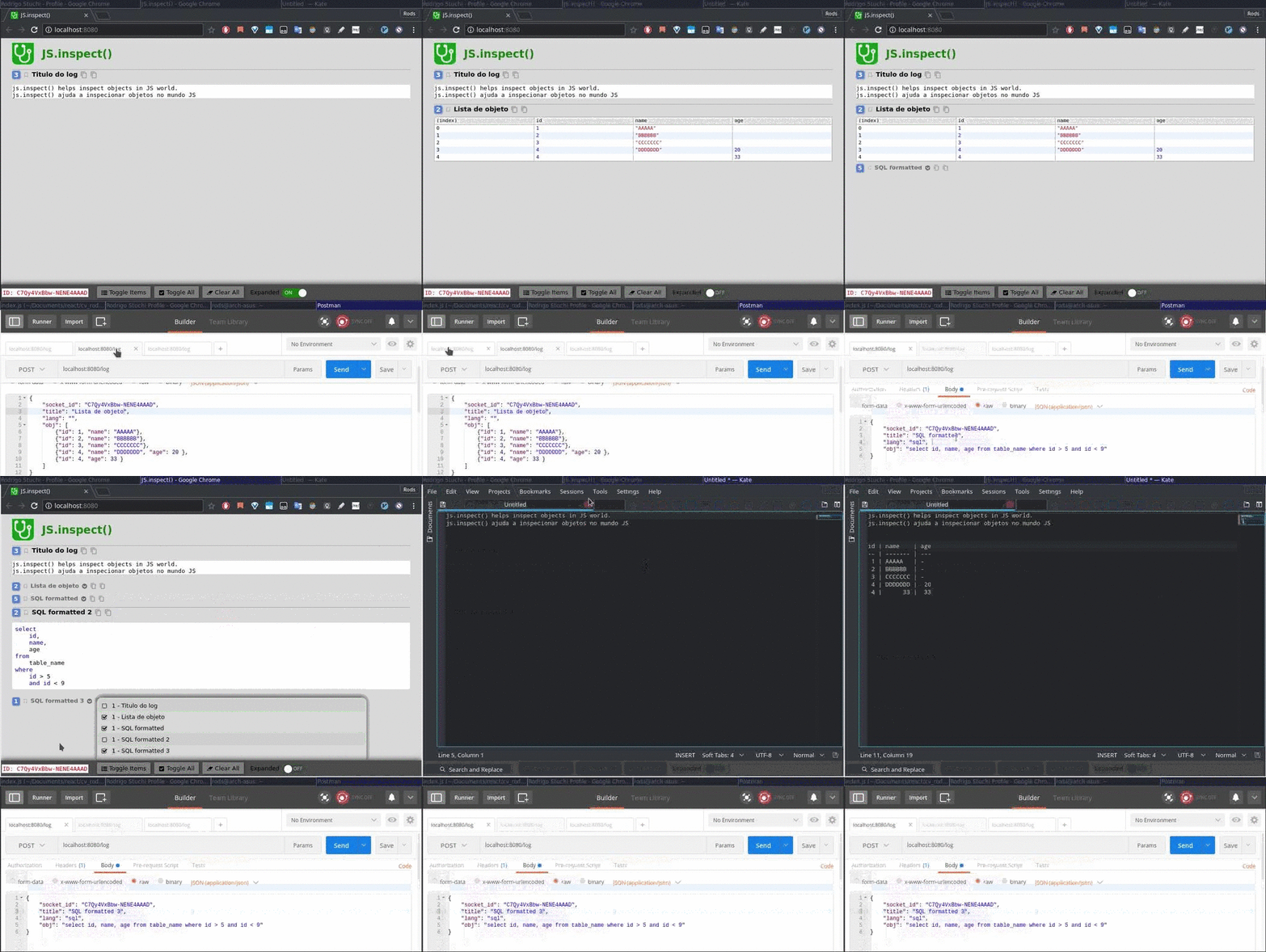
JS.inspect was made to help inspect objects, strings, sql queries in any system that runs javascript when Debug is not available or is too much intrusive.
- React Native
- browser
- Nodejs
- NativeScript
Demo
How to install?
yarn global add js.inspect
npm i -g js.inspect
Usage
make a folder somewhere in your machine
mkdir inspect
cd inspect
touch index.js package.json- put in
package.jsonfile this:
{
  "name": "inspect",
  "version": "1.0.0",
  "main": "index.js",
  "license": "MIT"
}- put in
index.jsfile this content:
const mkBody = (socket_id, title, obj, sql) => ({
  socket_id,
  title,
  lang: (sql ? "sql" : ""),
  obj,
});

const inspect = (id, title, obj, sql = false) => {
  const body = mkBody(id, title, obj, sql);
  fetch("http://{your_machine_ip}:8080/inspect", {
    method: "POST",
    headers: {'Content-Type': 'application/json'},
    body: JSON.stringify(body)
  });
  return false;
}

module.exports = inspect;
replace
{your_machine_ip}by your IP address, save the file.still in same folder that has
index.js, run:
yarn link- to use in another project, inside its folder, run:
yarn link inspect- if the project is React Native, usage:
require("inspect")("{ID}", "title", obj);- if the project is Node, usage:
yarn add node-fetch const fetch = require("node-fetch");
require("inspect")("{ID}", "title", obj);Exemples
An object like this
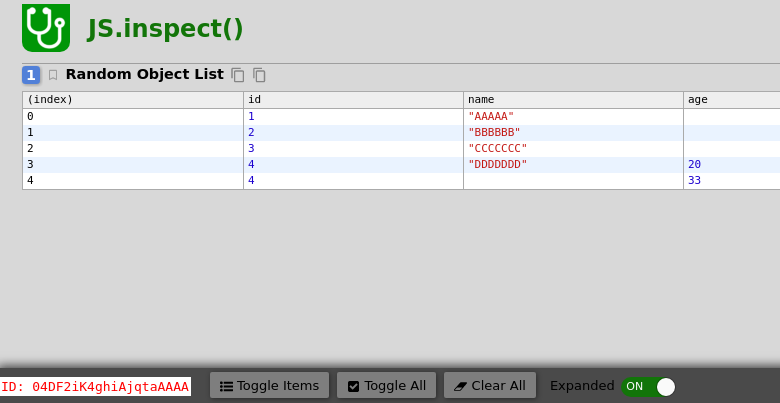
  const obj = [
    {"id": 1, "name": "AAAAA"},
    {"id": 2, "name": "BBBBBB"},
    {"id": 3, "name": "CCCCCCC"},
    {"id": 4, "name": "DDDDDDD", "age": 20 },
    {"id": 4, "age": 33 }
  ];

  require("inspect")("04DF2iK4ghiAjqtaAAAA", "Random Object List", obj);
Will be represented as
String SQL Query
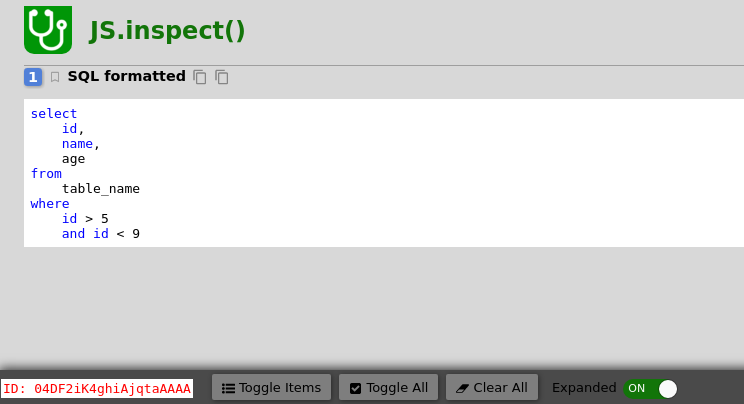
  const query = "select id, name, age from table_name where id > 5 and id < 9";
  require("inspect")("04DF2iK4ghiAjqtaAAAA", "SQL formatted", query, true);
will be represented as