
npm package discovery and stats viewer.

Discover Tips

  • General search

    [free text search, go nuts!]

  • Package details

    pkg:[package-name]

  • User packages

    @[username]

Sponsor

Optimize Toolset

I’ve always been into building performant and accessible sites, but lately I’ve been taking it extremely seriously. So much so that I’ve been building a tool to help me optimize and monitor the sites that I build to make sure that I’m making an attempt to offer the best experience to those who visit them. If you’re into performant, accessible and SEO friendly sites, you might like it too! You can check it out at Optimize Toolset.

About

Hi, 👋, I’m Ryan Hefner  and I built this site for me, and you! The goal of this site was to provide an easy way for me to check the stats on my npm packages, both for prioritizing issues and updates, and to give me a little kick in the pants to keep up on stuff.

As I was building it, I realized that I was actually using the tool to build the tool, and figured I might as well put this out there and hopefully others will find it to be a fast and useful way to search and browse npm packages as I have.

If you’re interested in other things I’m working on, follow me on Twitter or check out the open source projects I’ve been publishing on GitHub.

I am also working on a Twitter bot for this site to tweet the most popular, newest, random packages from npm. Please follow that account now and it will start sending out packages soon–ish.

Open Software & Tools

This site wouldn’t be possible without the immense generosity and tireless efforts from the people who make contributions to the world and share their work via open source initiatives. Thank you 🙏

© 2026 – Pkg Stats / Ryan Hefner

jshelpmd

v1.1.7

Published

A terminal-based resource to help you find js methods without digging through the docs

Readme

JavaScript 帮助命令

找到你需要的方法,而不必翻阅文档!✨

当我第一次学习数组和对象方法时,我花了很多时间在文档中寻找合适的方法,我不得不一个接一个地搜索。我制作这个资源是为了帮助人们更自然地找到正确的对象方法。你可以缩小你想做的事情并进行探索,直到找到对你最有用的东西。
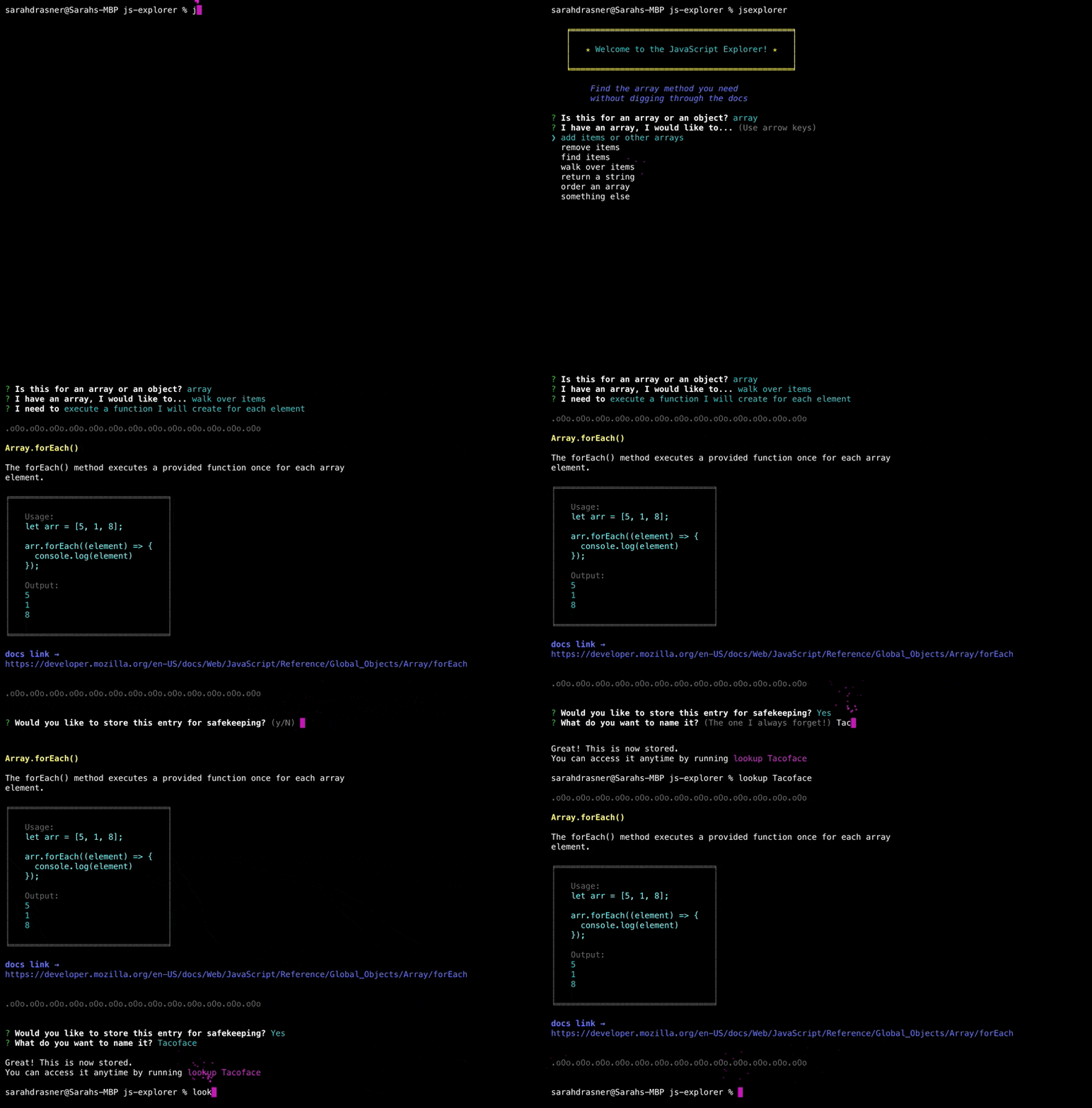
js-explorer-demo

用法

我建议在全球范围内安装这个工具,这样无论你在做什么项目,你都可以使用它,但你可以把它去掉 -g 如果要在特定项目中使用,请标记:

npm i -g jshelpmd

在执行此命令之前,您可能需要运行 sudo npm i -g js-explorer

然后,要启动资源管理器,请键入:

jshelpmd

您将通过提示找到您的方法! 它还允许您在末尾保存条目(可选)

其他命令

jshelpmd plain

运行该工具而不要求在最后保存。

jshelpmd -p

同上,别名p表示普通。

lookup [string to look up]

如果保存条目,可以运行查找和字符串来查找该条目并打印它。

例如,假设您运行了资源管理器,最后当它提示您保存时,您保存了 Array.slice() 就像我总是把另一个弄混!” 你会键入“查找我总是混淆的那一个!”`

clearlookup

清除所有保存的jexplorer条目。

关于该项目的更多信息

我意识到有大约一百万种方法可以建立这个资源,有些分类法必然是自以为是的。我试图专注于我认为可以帮助我学到最好的东西,而不是行业标准的描述。如果这种学习方式更适合你,那就太好了!此资源不是这样设置的。请记住,这并不是为了全面或取代完整的文档,这就是为什么MDN文档在每种方法中都链接到。

我基于MDN文档中大部分较长的描述,对其进行了轻微的修改,因为我觉得该描述对初学者不够友好。为了以最少的认知负荷进行扫描,这些示例尽可能地简单,您可能需要MDN文档中为每种可能的使用提供额外的细节。

注意⚠️本代码是汉化 Sarah Drasner 大神的,如有任何侵权行为请联系我立即删除 https://github.com/sdras/js-explorer