
jsonresume-theme-stackoverflow
v3.3.0
Published
Stack Overflow theme for JSON Resume — Svelte SSR


Readme
jsonresume-theme-stackoverflow
🚀 A Svelte-powered Stack Overflow theme for JSON Resume





🔗 Related
- resuml CLI — Use with resuml CLI for building, previewing, and exporting resumes
- jsonresume-theme-react — React-based JSON Resume theme
- JSON Resume — The open standard for resume data
✨ Features
- Svelte SSR — Server-side rendered with Svelte 5 for fast, clean HTML output
- Dark mode — Automatic light/dark theme via
prefers-color-scheme - Internationalization — 12 languages supported out of the box
- Customizable themes — Override colors and fonts via
resume.jsonmeta field - Section ordering — Reorder resume sections via
meta.theme.sectionOrder - Override CSS — Drop in an
override.cssfor full control - PDF-ready — Built-in PDF render options with sensible margins
- Zero runtime JS — Pure HTML + CSS output, no client-side JavaScript
📸 Screenshots
| Light Mode | Dark Mode |
|:---:|:---:|
| 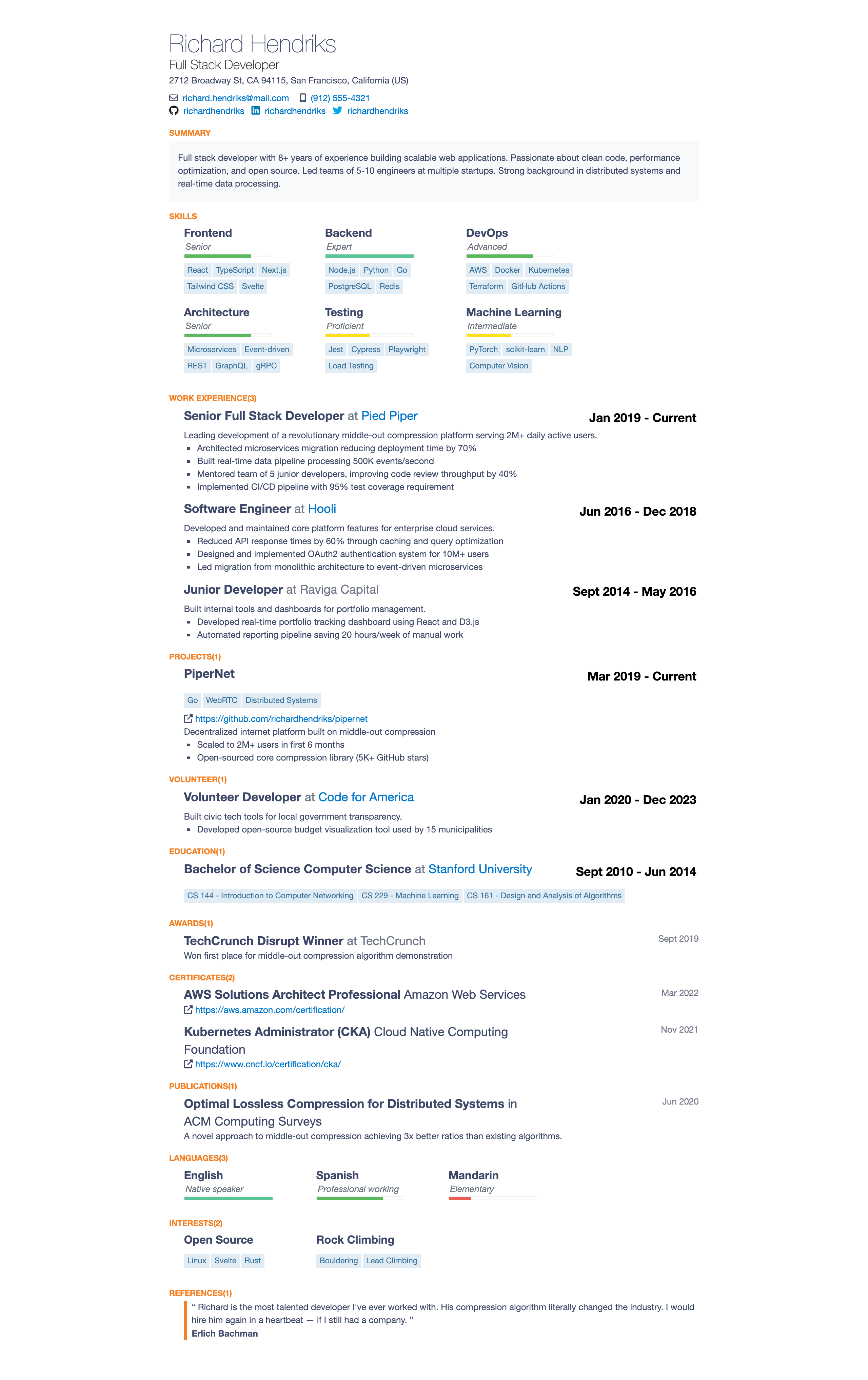 |
| 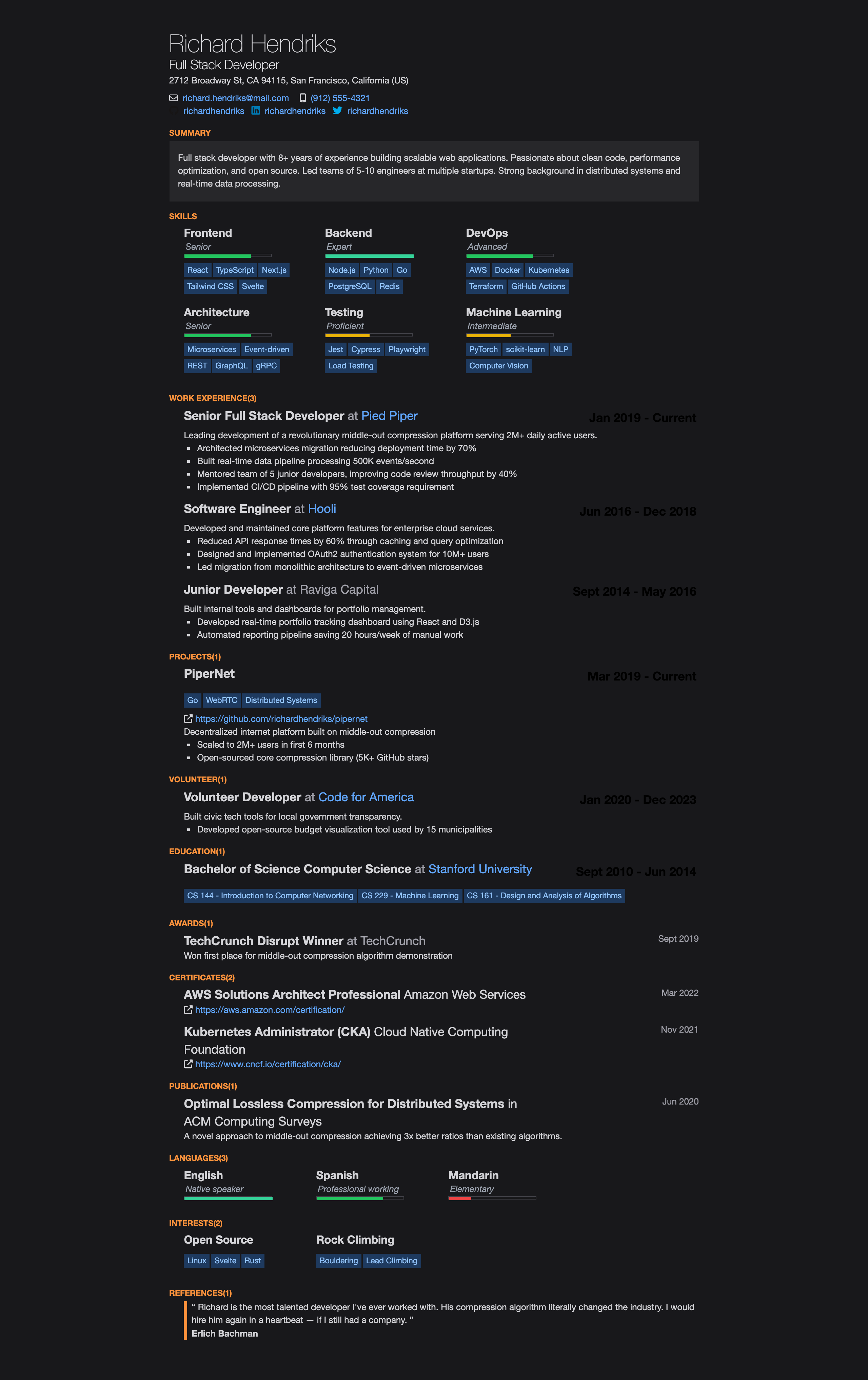 |
|
📦 Installation
npm install jsonresume-theme-stackoverflowWith resuml (recommended)
npm install -g resuml
resuml init                          # Create a resume.yaml
resuml build -t stackoverflow        # Build HTML
resuml pdf -t stackoverflow          # Export PDF
resuml serve -t stackoverflow        # Live preview
Programmatic Usage
const theme = require('jsonresume-theme-stackoverflow');
const resume = require('./resume.json');

// Optional: set language (default: "en-gb")
theme.changeLanguage('de');

const html = theme.render(resume);
🌍 Supported Languages
| Code | Language |
|------|----------|
| en-gb / en | English (default) |
| de | German / Deutsch |
| fr | French / Français |
| es | Spanish / Español |
| it | Italian / Italiano |
| pt | Portuguese / Português |
| zh | Chinese / 中文 |
| ja | Japanese / 日本語 |
| ko | Korean / 한국어 |
| nl | Dutch / Nederlands |
| pl | Polish / Polski |
| ru | Russian / Русский |
const theme = require('jsonresume-theme-stackoverflow');
theme.changeLanguage('fr'); // Set before calling render()
const html = theme.render(resume);
🎨 Theme Customization
Customize colors and fonts by adding a theme object inside meta in your resume.json:
{
  "meta": {
    "theme": {
      "primaryColor": "#2563eb",
      "textColor": "#1e293b",
      "backgroundColor": "#ffffff",
      "fontFamily": "\"Inter\", sans-serif",
      "linkColor": "#2563eb",
      "headingColor": "#0f172a"
    }
  }
}
Available theme properties
| Property | CSS Variable | Description |
|----------|-------------|-------------|
| primaryColor | --color-accent | Section titles, accents |
| textColor | --color-text | Main body text |
| textSecondaryColor | --color-text-secondary | Secondary text (companies, dates) |
| headingColor | --color-heading | Heading color |
| linkColor | --color-link | Link color |
| backgroundColor | --color-background | Page background |
| backgroundAltColor | --color-background-alt | Summary section background |
| borderColor | --color-border | Border colors |
| keywordTextColor | --color-keyword-text | Skill/keyword tag text |
| keywordBgColor | --color-keyword-bg | Skill/keyword tag background |
| fontFamily | --font-family | Base font family |
Override CSS
For full CSS control, create an override.css file alongside your resume. The theme automatically loads it via <link rel="stylesheet" href="./override.css">.
📑 Section Ordering
Control the order of resume sections by adding a sectionOrder array to meta.theme:
{
  "meta": {
    "theme": {
      "sectionOrder": ["basics", "work", "skills", "education", "projects"]
    }
  }
}
Available sections
basics, skills, work, projects, volunteer, education, awards, certificates, publications, languages, interests, references
Default order: basics → skills → work → projects → volunteer → education → awards → certificates → publications → languages → interests → references
Only sections listed in sectionOrder will be rendered. Omit sections to hide them, or include all for full control over ordering.
🛠 Development
git clone https://github.com/phoinixi/jsonresume-theme-stackoverflow.git
cd jsonresume-theme-stackoverflow
npm install
npm run build
npm test
Generating Screenshots
Screenshots require puppeteer (not included in devDependencies to keep installs lean):
npm install puppeteer
node docs/screenshot.js
📄 License
MIT