
kern-ai
v0.32.0
Published
Simple agent runtime. Persistent memory, tools, Telegram.
Downloads
575

Maintainers
 oguzbilgic
Readme
kern
Agents that do the work and show it.
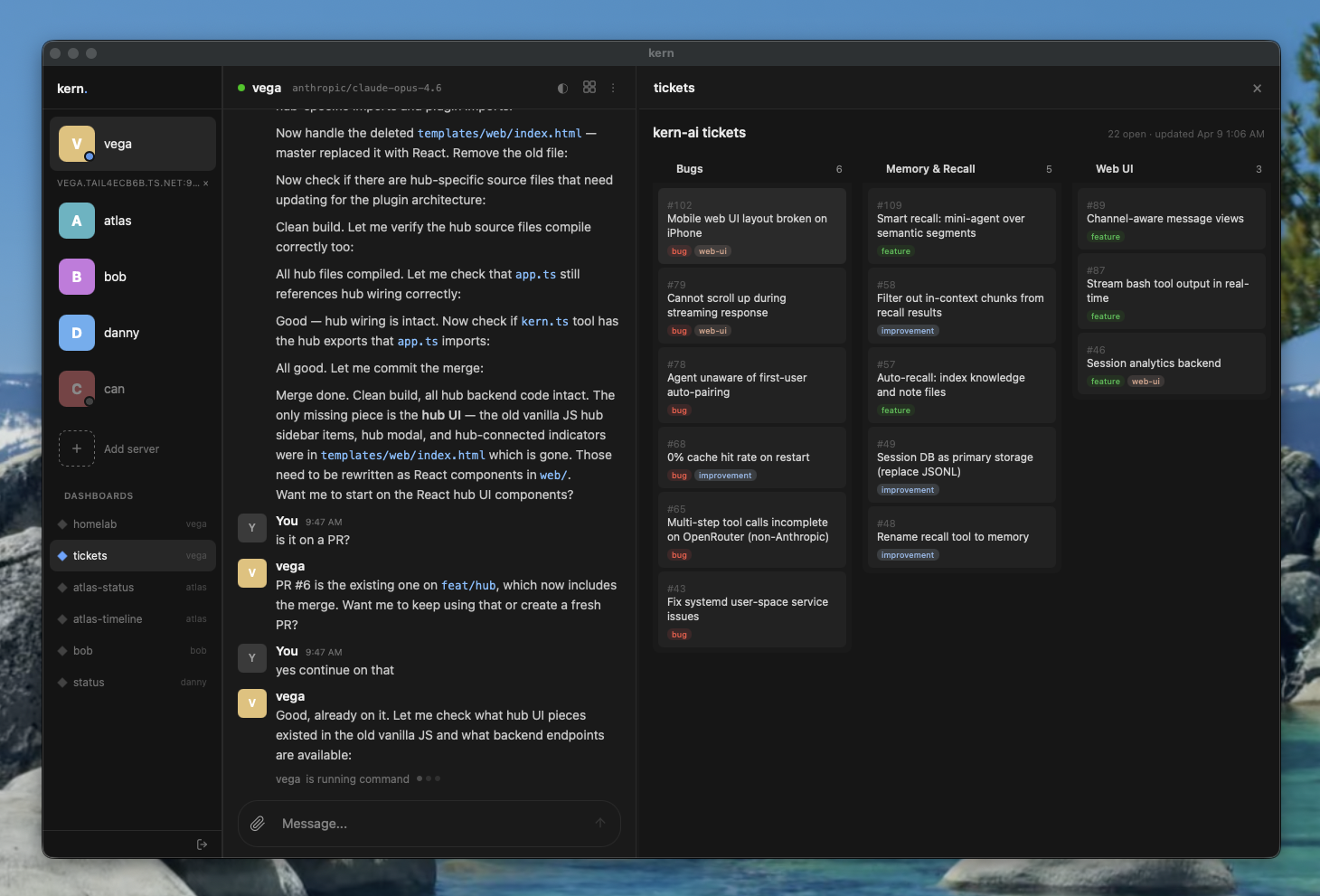
Agents that run on your machine, use real tools, remember everything, and publish their own dashboards. Not chatbots — autonomous workers with one brain across every channel.
Why kern
- One brain, every channel — terminal, browser, Telegram, Slack, Matrix feed into one session. The agent knows who's talking, what channel it's in, and what happened 10,000 messages ago.
- Memory that compounds — conversations segmented by topic, summarized into a hierarchy, compressed into context. Semantic recall over everything. The agent gets better the longer it runs.
- Agents build their own UI — dashboards with live data, served from the agent, displayed in a side panel. Not chat — real interfaces that update themselves.
- Your infra, your data — runs on your laptop, server, or homelab. The whole agent is a git-tracked folder. Pay only for API tokens — or use Ollama for fully local, zero-cost inference.
kern pairs with agent-kernel — the kernel defines how an agent remembers, kern runs it.
Quick start
Docker
# Run an agent
docker run -d --restart=unless-stopped \
  -p 4100:4100 \
  -v my-agent:/home/kern/agent \
  -e OPENROUTER_API_KEY=sk-or-... \
  -e KERN_AUTH_TOKEN=my-secret-token \
  ghcr.io/oguzbilgic/kern-ai

# Run the web UI
docker run -d -p 8080:8080 ghcr.io/oguzbilgic/kern-ai kern web run
Open http://localhost:8080, click Add agent, enter http://localhost:4100 and your token. That's it.
Or skip the web UI and talk to your agent on Telegram:
docker run -d --restart=unless-stopped \
  -v my-agent:/home/kern/agent \
  -e OPENROUTER_API_KEY=sk-or-... \
  -e TELEGRAM_BOT_TOKEN=123456:ABC-... \
  ghcr.io/oguzbilgic/kern-ai
No ports, no web UI — just message your bot. First message auto-pairs you as operator.
Agent data lives in the my-agent volume — sessions, memory, dashboards persist across restarts. Mount -v my-agent:/home/kern instead to persist the entire home directory (installed packages, SSH keys, etc). Configure with env vars: KERN_NAME, KERN_MODEL, KERN_PORT. See configuration docs for other providers and options.
npm
npm install -g kern-ai
kern init my-agent
kern tui
The init wizard scaffolds your agent, asks for a provider and API key, then starts it. kern tui opens an interactive chat. kern web start serves the web UI.
For automation: kern init my-agent --api-key sk-or-... (no prompts, defaults to openrouter + opus 4.6). For Ollama: kern init my-agent --provider ollama --api-key http://localhost:11434 --model gemma4:31b.
Dashboards
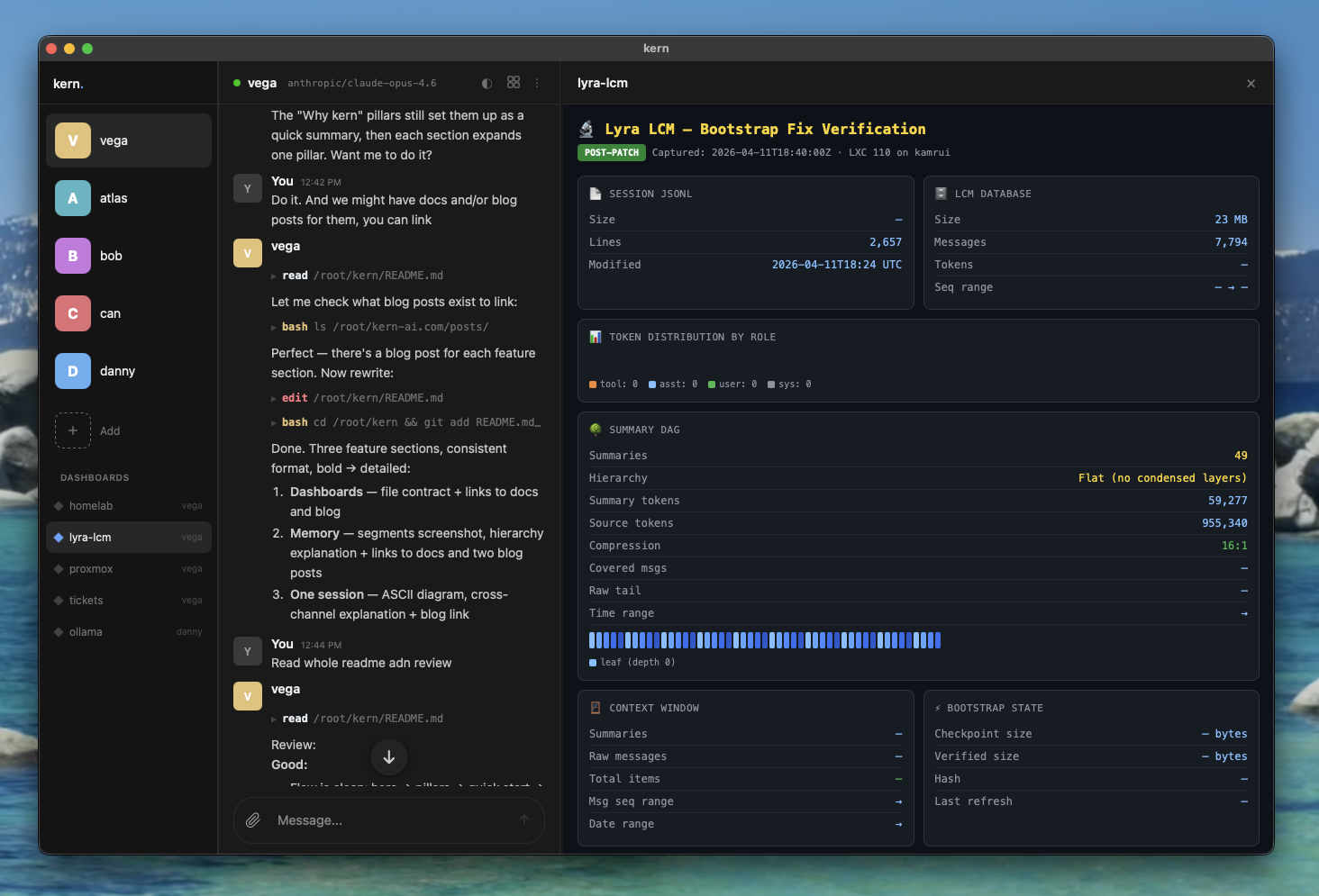
Agents create and maintain their own dashboards — HTML pages with live data, served from the agent and displayed in the web UI side panel. Not chat transcripts. Real interfaces that update themselves.
dashboards/homelab/
  index.html       # visualization
  data.json        # structured data (injected as window.__KERN_DATA__)
The agent writes data.json, creates the HTML, then calls render({ dashboard: "homelab" }) to display it. Dashboards appear in the sidebar and can be switched from the panel header.
Dashboards docs · Blog: Why every agent needs a dashboard
Memory
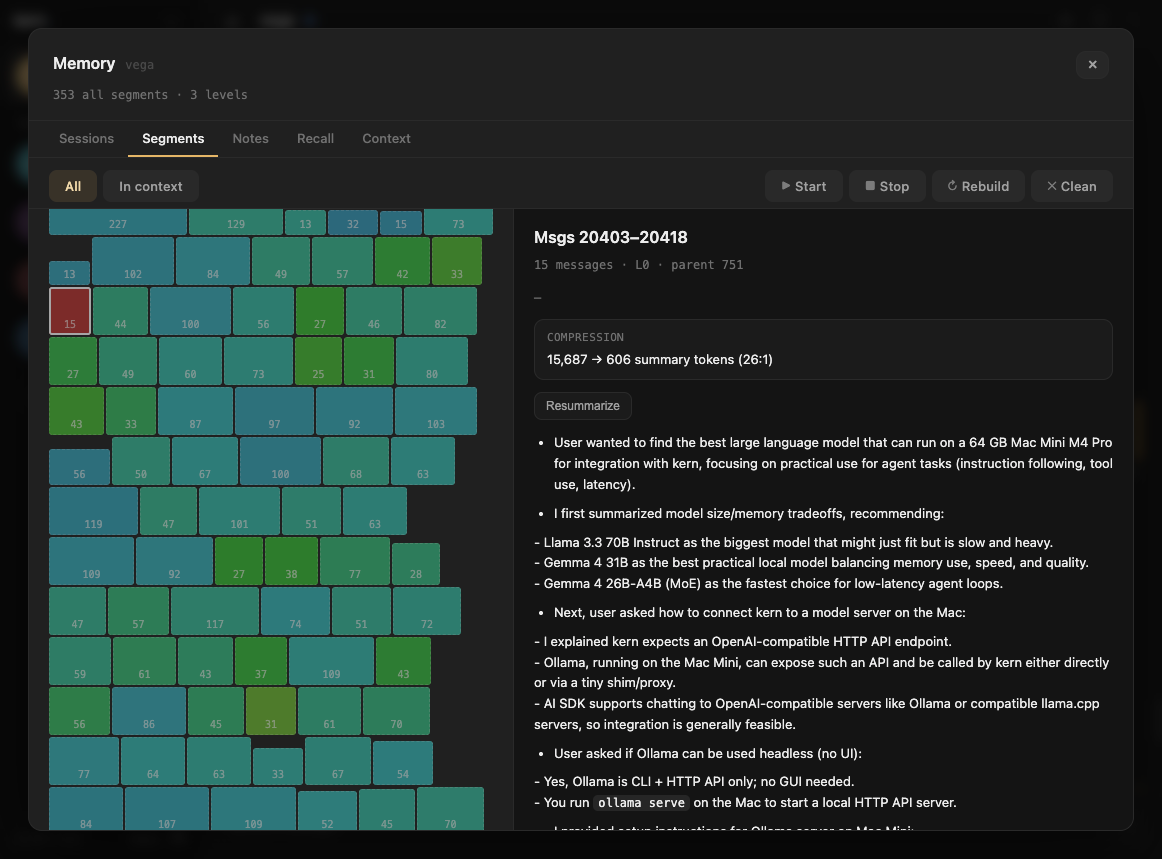
Conversations are automatically segmented by topic, summarized, and rolled up into a hierarchy (L0 → L1 → L2). When old messages are trimmed from context, compressed summaries take their place — the agent sees its full history at decreasing resolution. Semantic recall searches everything.
The web UI includes a Memory overlay with five tabs for inspecting sessions, segments, notes, recall, and the full context pipeline with token breakdowns.
Memory docs · Blog: Lossless context management · Blog: See inside your agent's brain
One session
Terminal ─────┐
Web UI ───────┤
Telegram ─────┤── one session
Slack ────────┤
Matrix ───────┘
Every interface feeds into the same session. Message from Telegram, pick up in the terminal, continue in the browser. Each message carries metadata — who said it, which channel, when — so the agent connects context across all of them without losing track.
The agent reads and writes its own memory files through tools — takes notes, updates knowledge, commits to git. The next time you talk to it, from any interface, it picks up exactly where it left off.
Blog: Why your agent needs one session
CLI
kern init <name>          # create or configure an agent
kern start [name|path]    # start agents in background
kern stop [name]          # stop agents
kern restart [name]       # restart agents
kern install [name|--web|--proxy] # install systemd services
kern tui [name]           # interactive chat
kern web <run|start|stop> # static web UI server
kern proxy <start|stop|token>  # authenticated reverse proxy
kern logs [name]          # follow agent logs
kern list                 # show all agents and services
kern backup <name>        # backup agent to .tar.gz
Connecting
Agents bind to 0.0.0.0 on sticky ports (4100-4999), accessible over Tailscale or LAN. The web UI connects directly — enter the agent's URL and KERN_AUTH_TOKEN in the sidebar.
Optionally, kern proxy start launches an authenticated reverse proxy that discovers and forwards to local agents.
Slash commands
/status     # agent status, model, uptime, session size
/restart    # restart the agent daemon
/help       # list available commands
Interfaces
| Interface | Setup |
|-----------|-------|
| Terminal | kern tui — interactive chat |
| Web UI | kern web start — browser at port 8080 |
| Telegram | Set TELEGRAM_BOT_TOKEN in .kern/.env |
| Slack | Set SLACK_BOT_TOKEN and SLACK_APP_TOKEN in .kern/.env |
| Matrix | Set MATRIX_HOMESERVER, MATRIX_USER_ID, MATRIX_ACCESS_TOKEN in .kern/.env |
| Desktop | macOS app via Tauri (releases) |
First Telegram/Slack/Matrix user is auto-paired as operator. Others pair with KERN-XXXX codes.
Configuration
.kern/config.json
{
  "model": "anthropic/claude-opus-4.6",
  "provider": "openrouter",
  "toolScope": "full",
  "maxContextTokens": 100000,
  "summaryBudget": 0.75
}
Tool scopes
- full — shell, read, write, edit, glob, grep, webfetch, websearch, kern, message, recall, pdf, image, render
- write — everything except shell
- read — read-only tools
Providers
| Provider | Description | |----------|-------------| | openrouter | Any model via OpenRouter (default) | | anthropic | Direct Anthropic API | | openai | OpenAI / Azure | | ollama | Local models via Ollama |
Set model for chat and optionally mediaModel for image vision. Embedding and summary models are chosen automatically per provider — see docs/config.md.
Documentation
- Docker
- Get started
- Configuration
- Architecture
- Memory
- Dashboards
- Context & segments
- Prompt caching
- Skills
- Sub-agents
- MCP
- Media
- Tools
- Interfaces
- CLI commands
- Pairing
Built with
- Vercel AI SDK — model-agnostic AI layer
- grammY — Telegram bot framework
- @slack/bolt — Slack bot framework
- agent-kernel — the memory pattern
License
MIT