
khmer-segment
v0.9.2
Published
Khmer text segmentation, normalization, cluster and typing-game utilities for JavaScript and TypeScript.

Maintainers
 mantha911
Readme
khmer-segment
A framework-agnostic Khmer text processing library for JavaScript and TypeScript.
Works in Next.js, Angular, React, Vue, Node.js, and the browser.
Zero external dependencies. Tree-shakeable. Pure functions.
Install
npm install khmer-segmentQuick Start
import {
    containsKhmer,
    isKhmerText,
    normalizeKhmer,
    splitClusters,
    countClusters,
    createDictionary,
    segmentWords,
    getCaretBoundaries,
    deleteBackward,
} from 'khmer-segment';

// Detect Khmer text
containsKhmer('Hello សួស្តី'); // true
isKhmerText('សួស្តីអ្នក'); // true

// Normalize Unicode ordering
const text = normalizeKhmer('សួស្តីអ្នក');

// Split into grapheme clusters (not naive chars)
const clusters = splitClusters('សួស្តី'); // ["សួ", "ស្តី"]
countClusters('សួស្តី'); // 2

// Segment words with a dictionary
const dict = createDictionary(['សួស្តី', 'អ្នក', 'ទាំងអស់គ្នា']);
const result = segmentWords('សួស្តីអ្នកទាំងអស់គ្នា', { dictionary: dict });

console.log(result.tokens);
// [
//   { value: "សួស្តី", start: 0, end: 6, isKnown: true },
//   { value: "អ្នក", start: 6, end: 9, isKnown: true },
//   { value: "ទាំងអស់គ្នា", start: 9, end: 19, isKnown: true },
// ]

// Get valid caret positions
getCaretBoundaries('ក្កក'); // [0, 3, 4]

// Cluster-safe backspace
deleteBackward('ក្កក', 4); // { text: 'ក្ក', cursorIndex: 3 }
API Reference
Detection
| Function | Description |
| --------------------- | --------------------------------------------------------- |
| isKhmerChar(char) | Returns true if the character is a Khmer code point |
| containsKhmer(text) | Returns true if the text contains any Khmer characters |
| isKhmerText(text) | Returns true if all non-whitespace characters are Khmer |
Normalization
| Function | Description |
| -------------------------------- | ------------------------------------------------------------------------------------------ |
| normalizeKhmer(text) | Reorders Khmer characters into canonical order (base → coeng → shift signs → vowel → sign) |
| normalizeKhmerCluster(cluster) | Normalizes a single cluster |
Cluster Utilities
| Function | Description |
| ---------------------------- | ------------------------------------------------- |
| splitClusters(text) | Splits text into Khmer-safe grapheme clusters |
| countClusters(text) | Returns the number of clusters in the text |
| getClusterBoundaries(text) | Returns { start, end } offsets for each cluster |
Text Editing
| Function | Description |
| ------------------------------------- | --------------------------------------------------------- |
| getCaretBoundaries(text, options?) | Returns valid caret positions based on cluster boundaries |
| deleteBackward(text, cursor, opts?) | Deletes the cluster before the cursor, returning new text |
Segmentation
| Function | Description |
| ------------------------------ | -------------------------------------------------------------- |
| segmentWords(text, options?) | Segments text into word tokens using dictionary-based matching |
SegmentOptions
interface SegmentOptions {
    strategy?: 'fmm' | 'bmm' | 'bimm' | 'viterbi'; // default: "bimm"
    dictionary?: KhmerDictionary;
    normalize?: boolean; // default: true
    viterbiBoundaryPenalty?: number; // default: 10.0 (Viterbi only)
}
Runtime validation: If strategy is provided but is not one of the four valid values, segmentWords throws a TypeError with an actionable message listing the allowed values. Non-string values (e.g., numbers, null) also throw TypeError.
SegmentResult
interface SegmentResult {
    original: string;
    normalized: string;
    tokens: SegmentToken[];
}

interface SegmentToken {
    value: string;
    start: number; // zero-based offset into result.normalized
    end: number; // exclusive offset into result.normalized
    originalStart?: number; // zero-based offset into result.original
    originalEnd?: number; // exclusive offset into result.original
    isKnown: boolean;
}
start and end always refer to result.normalized. originalStart and originalEnd map each token back to the smallest contiguous source span in result.original that contributed to the normalized token. When normalization reorders marks or combines vowels, original offsets cover the whole source cluster span.
Dictionary
| Function | Description |
| --------------------------------------- | ------------------------------------------------ |
| createDictionary(words, frequencies?) | Creates an in-memory dictionary from a word list |
const dict = createDictionary(['សួស្តី', 'អ្នក', 'ខ្មែរ']);

dict.has('សួស្តី'); // true
dict.hasPrefix?.('សួ'); // true (trie-based O(k) lookup)
dict.hasSuffix?.('ី'); // true
dict.size; // 3 unique words
KhmerDictionary interface
interface KhmerDictionary {
    has(word: string): boolean;
    hasPrefix?(value: string): boolean;
    hasSuffix?(value: string): boolean;
    getFrequency?(word: string): number | undefined;
    size: number;
}
You can implement this interface for custom dictionary backends (remote, compressed, etc.).
Default Dictionary (khmer-segment/dictionary)
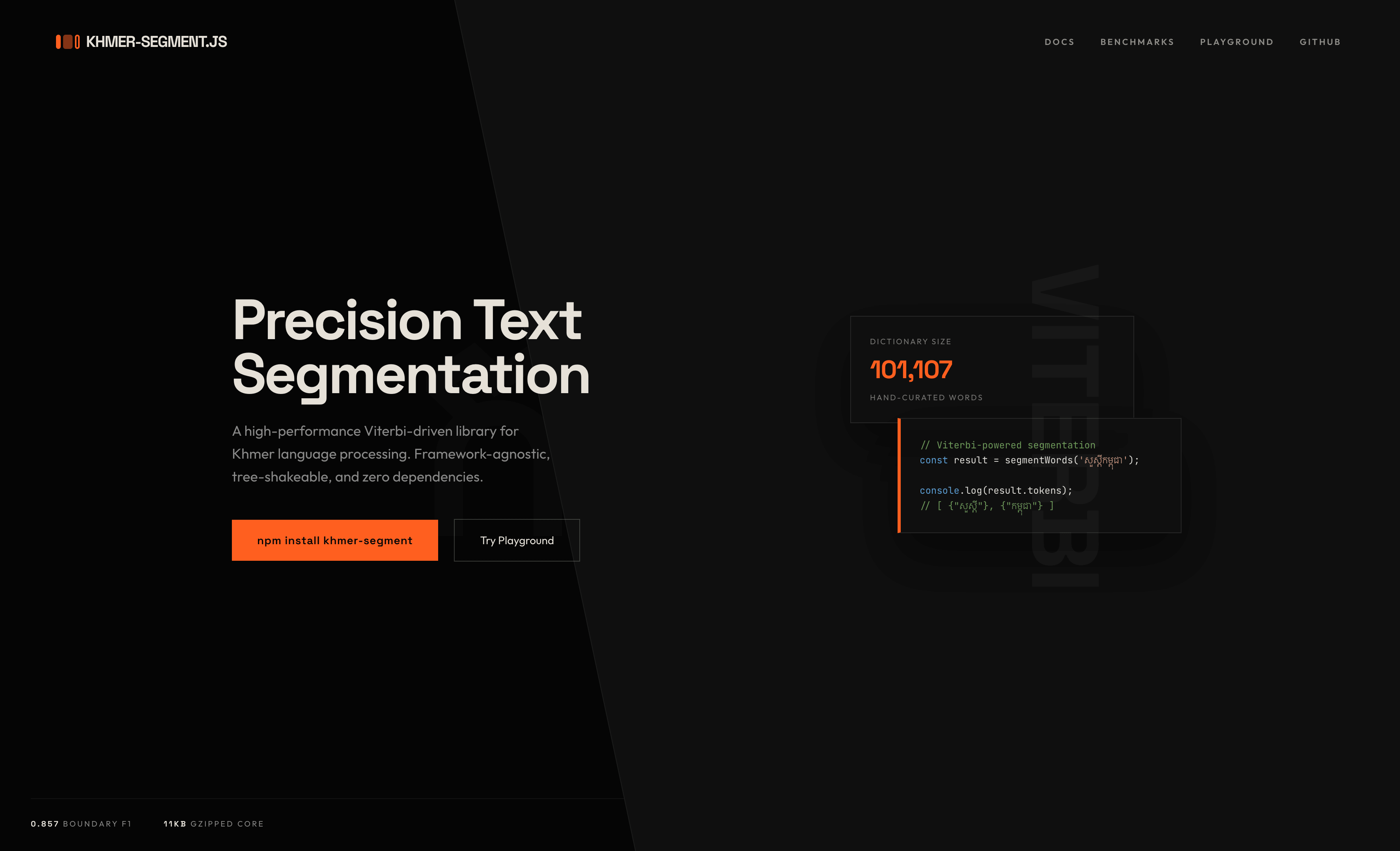
A pre-built Khmer dictionary with 101,107 words sourced from khmerlbdict (MIT), the Royal Academy of Cambodia's Khmer Dictionary, and Sovichea's Khmer Segmenter dictionary. Includes frequency data for frequency-aware segmentation.
import {
    getDefaultDictionary,
    getFrequencyDictionaryView,
    loadFrequencyDictionary,
} from 'khmer-segment/dictionary';
import { segmentWords } from 'khmer-segment';

const dict = getDefaultDictionary();

console.log(dict.size); // 101107
console.log(dict.has('កម្ពុជា')); // true

const result = segmentWords('សួស្តីអ្នកទាំងអស់គ្នា', { dictionary: dict });

const freqData = loadFrequencyDictionary();
console.log(freqData.words.length); // 101107
console.log(freqData.frequencies.get('ជា')); // 701541

const freqView = getFrequencyDictionaryView();
console.log(freqView.words.length); // 101107 (cached readonly view)
This is a separate import — the core khmer-segment package stays small (~11KB). The dictionary build artifact is large (roughly ~8MB per JS format), so only import the dictionary module when you need it.
loadFrequencyDictionary() builds its return value from cached dictionary data, but each call returns fresh arrays and a fresh Map. You can safely extend or mutate the returned data without affecting later calls.
getFrequencyDictionaryView() returns a stable readonly view over the cached dictionary data. Prefer this in hot paths where you want to avoid per-call cloning.
How It Works
Segmentation Pipeline
input text
  → normalize (reorder Unicode marks into canonical order)
  → split into clusters (not naive chars)
  → run segmentation algorithm (FMM, BMM, BiMM, or Viterbi)
  → group external Latin and numeric tokens
  → return structured tokens
Cluster Splitting
Khmer characters combine into grapheme clusters. A naive text.split("") breaks them incorrectly.
"ស្តី" → naive split: ["ស", "្", "ត", "ី"] (4 pieces, broken)
"ស្តី" → splitClusters: ["ស្តី"] (1 cluster, correct)
A cluster starts with a base (consonant or independent vowel) and accumulates:
្(coeng) + consonant → subscript pair- dependent vowels
- diacritic signs
FMM (Forward Maximum Matching)
Scans left-to-right, greedily matching the longest word at each position using trie-based prefix lookup. Falls back to single unknown tokens when no match is found.
BMM (Backward Maximum Matching)
Same idea as FMM, but scans right-to-left. Can produce different segmentation on ambiguous input where FMM greedily matches from the left.
BiMM (Bidirectional Maximum Matching)
Runs both FMM and BMM, then picks the better result using heuristics: fewer unknown tokens wins; if tied, fewer total tokens (longer matches) wins; if still tied, FMM is preferred. This generally produces better results than either FMM or BMM alone.
Viterbi
Frequency-weighted dynamic programming segmentation. Finds the globally lowest-cost path through all possible word boundaries using -log(frequency) as word cost. Requires a dictionary with frequency data.
Viterbi is available as an explicit opt-in strategy for frequency-aware segmentation. In the current benchmark, BiMM is the aggregate default, while Viterbi has the strongest OOV Boundary F1.
Text Editing
getCaretBoundaries(text, options?)
Returns an array of valid caret positions (indices where the cursor can rest) based on Khmer cluster boundaries.
import { getCaretBoundaries } from 'khmer-segment';

getCaretBoundaries(''); // [0]
getCaretBoundaries('ក'); // [0, 1]
getCaretBoundaries('ក្ក'); // [0, 3] — coeng+subscript is one cluster
getCaretBoundaries('កក'); // [0, 1, 2] — two clusters
deleteBackward(text, cursorIndex, options?)
Deletes the cluster (or character) before the cursor, respecting cluster boundaries.
import { deleteBackward } from 'khmer-segment';

deleteBackward('កក', 2); // { text: 'ក', cursorIndex: 1 }
deleteBackward('ក្កក', 4); // { text: 'ក្ក', cursorIndex: 3 } — deletes last cluster
deleteBackward('ក', 0); // { text: 'ក', cursorIndex: 0 } — no-op at start
CaretOptions
interface CaretOptions {
    normalize?: boolean; // default: false — operate on raw text
}

interface DeleteResult {
    text: string;
    cursorIndex: number;
}
Typing game support
Compare a prompt to user input with grapheme-cluster-aware progress (default), or whitespace-delimited words. Use computeTypingMetrics for WPM (5 characters = 1 word), CPM, and accuracy.
import { compareTyping, computeTypingMetrics } from 'khmer-segment';

const prompt = 'សួស្តីអ្នក';
const typed = 'សួស្តី';
const cmp = compareTyping(prompt, typed);
// cmp.correctUnits, cmp.unitStates, cmp.mismatchOffset, cmp.isComplete

const elapsedMs = 30_000;
const metrics = computeTypingMetrics({
    correctCharCount: cmp.correctPrefixLength,
    totalTypedCharCount: cmp.normalizedTyped.length,
    elapsedMs,
});
// metrics.wpm, metrics.cpm, metrics.accuracy
compareTyping uses strict normalized cluster/word equality for completion. In UI code, it is often useful to trim trailing textarea whitespace before compare, and optionally fold known equivalent prompt variants before calling the API.
Offsets and lengths (mismatchOffset, correctPrefixLength) always refer to the returned normalized target string. In word mode, words are compared while whitespace remains part of the target text space, so completed word-mode prompts still report the full target length.
Subpath (same API): import { compareTyping } from 'khmer-segment/typing'.
See docs/typing-game.md for IME/composition notes and integration patterns.
React Hooks (khmer-segment/react)
khmer-segment/react provides controlled-input hooks for React:
useKhmerSegmentsfor memoized segmentation outputuseKhmerTypingfor caret-safe typing helpers- React peer requirement:
react >= 18
import { useKhmerSegments, useKhmerTyping } from 'khmer-segment/react';
import { getDefaultDictionary } from 'khmer-segment/dictionary';

const dict = getDefaultDictionary();

const { segment } = useKhmerSegments({
    value,
    dictionary: dict,
    segmentOptions: { strategy: 'viterbi' },
});

const { caretBoundaries, snapCaret, deleteBackwardAtCaret } = useKhmerTyping({
    value,
    selectionStart,
    caretOptions: { normalize: true },
});
useKhmerTyping works in the same text space as deleteBackward and getCaretBoundaries. If caretOptions.normalize is enabled, caret positions and deletion are computed on normalized text.
For best hook performance, keep dictionary, segmentOptions, and caretOptions references stable (for example with useMemo) when values are unchanged.
Example controlled input wiring:
import { useState } from 'react';
import { useKhmerTyping } from 'khmer-segment/react';

export function KhmerInput(): JSX.Element {
    const [value, setValue] = useState('សួស្តីអ្នក');
    const [selectionStart, setSelectionStart] = useState(value.length);
    const { deleteBackwardAtCaret } = useKhmerTyping({
        value,
        selectionStart,
    });

    return (
        <input
            value={value}
            onChange={event => {
                setValue(event.target.value);
                setSelectionStart(event.target.selectionStart ?? 0);
            }}
            onKeyDown={event => {
                if (event.key !== 'Backspace') return;
                event.preventDefault();
                const { nextValue, nextCaret } = deleteBackwardAtCaret();
                setValue(nextValue);
                setSelectionStart(nextCaret);
            }}
        />
    );
}
Angular (khmer-segment/angular)
khmer-segment/angular provides Angular adapters for DI and templates:
KhmerSegmentService(injectable full-core facade)KhmerNormalizePipe(standalonekhmerNormalizepipe)- Angular peer requirement:
@angular/core >= 17
import { KhmerNormalizePipe, KhmerSegmentService } from 'khmer-segment/angular';

const service = new KhmerSegmentService();
const dict = service.createDictionary(['សួស្តី', 'អ្នក']);
const segment = service.segmentWords('សួស្តីអ្នក', { dictionary: dict });

const pipe = new KhmerNormalizePipe();
const normalized = pipe.transform('\u200Bក\u200Bក\u200B');
import { Component, inject } from '@angular/core';
import { KhmerNormalizePipe, KhmerSegmentService } from 'khmer-segment/angular';
@Component({
selector: 'app-khmer-demo',
standalone: true,
imports: [KhmerNormalizePipe],
template: `
<p>{{ value | khmerNormalize }}</p>
<button type="button" (click)="segment()">Segment</button>
`,
})
export class KhmerDemoComponent {
value = 'សួស្តីអ្នក';
private readonly khmer = inject(KhmerSegmentService);
segment(): void {
console.log(this.khmer.segmentWords(this.value).tokens);
}
}Digit Grouping
Consecutive Khmer digit clusters (and ASCII digits) are automatically merged into a single token after segmentation, so ១៨៤ or 184 becomes one token instead of three separate tokens. Number-internal comma and period separators are also grouped when surrounded by digits, so ៣,០០០, 5,500, and 3.14 are emitted as single known tokens.
Latin Run Grouping
Contiguous ASCII Latin letters are grouped into stable external tokens after segmentation. For mixed text, Khmer text is emitted as Khmer, space, text; camel-case runs such as FinoFitness remain one token. Latin tokens are marked isKnown: false.
No Dictionary Provided
When no dictionary is passed to segmentWords(), Khmer text still falls back to unknown cluster tokens, while Latin runs and numeric runs are grouped by the same external-token rules:
const result = segmentWords('កខគ Anne 3.14');
// tokens: [
//   { value: "ក", isKnown: false },
//   { value: "ខ", isKnown: false },
//   { value: "គ", isKnown: false },
//   { value: " ", isKnown: false },
//   { value: "Anne", isKnown: false },
//   { value: " ", isKnown: false },
//   { value: "3.14", isKnown: true },
// ]
Dictionary Strategy
The library ships a separate optional dictionary via khmer-segment/dictionary with 101,107 Khmer words. This keeps the core package small (~11KB).
Options:
- Use the pre-built default:
getDefaultDictionary()fromkhmer-segment/dictionary - Provide your own word list via
createDictionary(words) - Load a JSON file at runtime
- Combine both: spread default words + your custom words
- Implement the
KhmerDictionaryinterface for custom backends
// Option 1: Use the built-in dictionary
import { getDefaultDictionary } from 'khmer-segment/dictionary';
const dict = getDefaultDictionary();

// Option 2: Custom word list only
import { createDictionary } from 'khmer-segment';
const dict = createDictionary(['សួស្តី', 'អ្នក']);

// Option 3: Combine default + custom words
import { loadFrequencyDictionary } from 'khmer-segment/dictionary';
import { createDictionary } from 'khmer-segment';
const { words, frequencies } = loadFrequencyDictionary();
const dict = createDictionary([...words, 'custom_word'], frequencies);
Framework Compatibility
| Environment | Support | | ------------------- | ------- | | Node.js (ESM + CJS) | Yes | | Browser (ESM) | Yes | | Next.js | Yes | | React | Yes | | Angular | Yes | | Vue | Yes |
No framework-specific code in the core. Tree-shakeable with sideEffects: false.
Limitations
- Dictionary-based approaches have an inherent accuracy ceiling compared to statistical/ML methods (e.g. CRF achieves ~99.7% accuracy vs ~86% boundary F1 for dictionary-based matching)
Benchmark
Measured on the kh_data_10000b dataset (87,875 sentences from phylypo/segmentation-crf-khmer) with the default 101,107-word dictionary.
| Strategy | Boundary F1 | Token F1 | Exact Match | OOV Rate | OOV Boundary F1 | Relative Speed | | -------- | ----------- | ---------- | ----------- | -------- | --------------- | --------------- | | BiMM | 0.8787 | 0.7304 | 2.55% | 6.37% | 0.9272 | 1.0x (baseline) | | FMM | 0.8766 | 0.7277 | 2.47% | 6.73% | 0.9007 | 0.5x | | BMM | 0.8717 | 0.7202 | 2.31% | 6.47% | 0.9222 | 0.7x | | Viterbi | 0.8674 | 0.6840 | 1.56% | 4.89% | 0.9357 | 1.5x |
Recommended: omit strategy or use strategy: 'bimm' for the best current aggregate Boundary F1/Token F1. Use strategy: 'viterbi' explicitly for frequency-aware segmentation when OOV boundary handling matters most. See docs/benchmark-results.md for full details and docs/benchmark-methodology.md for methodology.
Roadmap
v0.1.0
isKhmerChar,containsKhmer,isKhmerTextnormalizeKhmer,normalizeKhmerClustersplitClusters,countClusters,getClusterBoundariescreateDictionary(trie-based in-memory)segmentWordswith FMM- Default dictionary (34K+ words, separate import)
v0.2.1
- BMM (Backward Maximum Matching) algorithm
- BiMM (Bidirectional Maximum Matching) algorithm
- Digit grouping (consecutive Khmer digits merged into single tokens)
- Fixed normalization for MUUSIKATOAN (៉) and TRIISAP (៊) — shift signs now placed before vowels
- Fixed Unicode range constants (NIKAHIT, REAHMUK, YUUKEALAKHMOU are signs, not vowels)
- Rebuilt dictionary with 49,113 words (merged from 10 sources)
v0.2.2
- Clarified that token offsets are measured against
result.normalized - Expanded Vitest coverage across normalization, dictionary, and segmentation behavior
- Made
loadFrequencyDictionary()safe to reuse across calls without shared-state pollution - Corrected custom dictionary
sizeto report unique non-empty words - Added changelog, CI checks, and stricter prepublish formatting verification
v0.3.0
- Viterbi algorithm — frequency-weighted DP segmentation
- Dictionary expansion — 49,113 → 101,107 words (merged from Sovichea/khmer_segmenter + SIL + Royal Academy)
- Full Unicode normalization — composite vowel fixing, ROBAT ordering, stacked coeng support
- Full KCC cluster model — ROBAT continuation, independent vowel bases
- Accuracy benchmarking — 87,875-sentence gold standard, per-strategy metrics
v0.4.0
- Viterbi strategy tuning — penalty=10.0 improved OOV-heavy segmentation, but BiMM remains the aggregate default in current benchmarks
getCaretBoundaries(text)— returns valid caret positions based on Khmer cluster boundariesdeleteBackward(text, cursorIndex)— cluster-safe backspace for text editors- Extended Viterbi penalty sweep — range [0.25–10.0], documented in
docs/viterbi-penalty-sweep.md
v0.5.1
- Audit hardening pass — aligned code/docs/tests with v0.5.0 audit findings
- Type cleanup — digit grouping now uses
SegmentTokenend-to-end (removed fragile cross-algorithm coupling) - Shared Khmer char helpers — centralized
isRobatandcpAtusage across core and Viterbi paths - Caret normalization coverage — added tests for
deleteBackward(..., { normalize: true })when normalization changes text length - CI compatibility matrix — validates Node 18 and Node 20
- Trie cleanup — removed internal expensive
Trie.hasSuffix()path and simplified node traversal logic - Lint/test quality improvements — removed lingering warnings and kept full suite green
v0.6.0
- React hooks release —
khmer-segment/reactnow shipsuseKhmerSegmentsanduseKhmerTypingfor controlled inputs - React packaging — added
./reactsubpath build and exports with optionalreact >= 18peer metadata - Hook test coverage — added React-focused tests for segmentation updates, caret snapping/deletion, normalization mode, and mixed-script inputs
- Security hygiene — dev dependency audit issue resolved (Vite advisory chain cleared via lockfile update)
v0.6.1
- Reordered roadmap entries into ascending version order for easier historical scanning
v0.6.2
- Reliability release with CI benchmark hardening and pinned local tooling
- Runtime guards for public APIs and safer React hook dependency handling
- Segmentation performance improvements in Viterbi/BMM hot paths and cluster counting
- Documentation refresh with canonical docs index and updated release notes
v0.7.0
- Angular release —
khmer-segment/angularnow shipsKhmerSegmentServiceand standaloneKhmerNormalizePipe - Angular packaging — added
./angularsubpath build and exports with optional@angular/core >= 17peer metadata - Angular test coverage — added adapter tests to ensure parity with core normalization/caret/segmentation behavior
v0.8.0
- Typing game support —
compareTyping,computeTypingMetrics,getCorrectPrefixLength,getFirstMismatchIndexfor cluster/word-aware progress and WPM-style metrics khmer-segment/typingsubpath — optional dedicated export matching root typing APIs- Documentation —
docs/typing-game.mdguide; design doc updated for typing scope - Playground — live typing demo with
compareTyping+computeTypingMetrics - Tests —
src/__tests__/typing/coverage for comparison and metrics
v0.9.0
- Default strategy realigned to BiMM based on current benchmark results
- Original source offsets — tokens now include
originalStartandoriginalEndalongside normalized offsets - Benchmark reports — generated reports now identify the current default, best Boundary F1 strategy, and best OOV Boundary F1 strategy
- Dictionary candidate mining and size reporting — added review tooling for accuracy and bundle-size planning
Future
- ICU-style line-breaking helpers
Development
npm install       # install dependencies
npm run build     # build with tsup (ESM + CJS + types)
npm test          # run vitest
npm run test:perf # optional performance-focused checks
npm run test:watch  # watch mode
npm run lint      # TypeScript type check + ESLint
Testing
Automated Tests
npm test              # run the main Vitest correctness suite
npm run test:perf     # non-blocking CI perf checks (relative thresholds)
npm run test:accuracy # run full accuracy benchmark and write docs/benchmark-results.*
npm run test:accuracy:errors # write categorized Viterbi error analysis
npm run test:accuracy:candidates # write review-only dictionary candidates
npm run test:accuracy:check # accuracy benchmark + baseline regression gate (manual/scheduled CI)
npm run report:dictionary-size # write dictionary size/load-time report after build
npm run test:watch    # watch mode — re-runs on changes
npm run lint          # TypeScript type check + ESLint
CI behavior:
- Blocking checks on push/PR: build, test, lint, format.
test:perfruns as a separate non-blocking CI job.- Accuracy benchmark download/regression runs on manual dispatch or schedule.
Project Docs
- Canonical docs index:
docs/README.md - Release history and migration notes:
CHANGELOG.md
Manual Testing (Playground)
An interactive playground is available for live manual testing of all library functions.
cd playground
npm install
npm run dev
Open the URL shown (typically http://localhost:5173) in your browser.
Features:
- Live Khmer text input with instant results
- Editable dictionary (add/remove words on the fly)
- Strategy selector (FMM / BMM / BiMM / Viterbi)
- Normalize toggle (On/Off)
- Caret boundary visualization
- Typing game demo (
compareTyping+computeTypingMetricswith live prompt highlighting) - Detection, normalization, cluster splitting, and segmentation panels
- JSON output with copy button
References & Further Reading
- Word Segmentation of Khmer Text Using Conditional Random Fields — Phylypo Tum (2019). Comprehensive overview of Khmer segmentation approaches from dictionary-based to CRF, achieving 99.7% accuracy with Linear Chain CRF.
- Khmer Word Segmentation Using Conditional Random Fields — Vichea Chea, Ye Kyaw Thu, et al. (2015). The prior state-of-the-art CRF model for Khmer segmentation (98.5% accuracy, 5-tag system).
- Benchmark dataset and Python notebooks — 10K+ segmented Khmer news articles useful for evaluating segmentation quality.
- khmerlbdict — Source of the default dictionary used by this library (MIT license). Merged with Royal Academy of Cambodia's Khmer Dictionary and Sovichea's Khmer Segmenter dictionary for a total of 101,107 words.
License
MIT