
knarr
v0.1.2
Published
Copy local npm package builds into consumer node_modules with incremental sync and watch mode.

Maintainers
 olegkuibar
Readme
Knarr
Test local npm packages in real apps without npm link symlink surprises or local package references in package.json.
Knarr copies the package files you would publish into the consumer app's node_modules/, then keeps registered consumers updated. It detects npm, pnpm, Bun, and Yarn projects that use node_modules or Yarn's pnpm linker. Yarn PnP is not compatible because it removes node_modules.
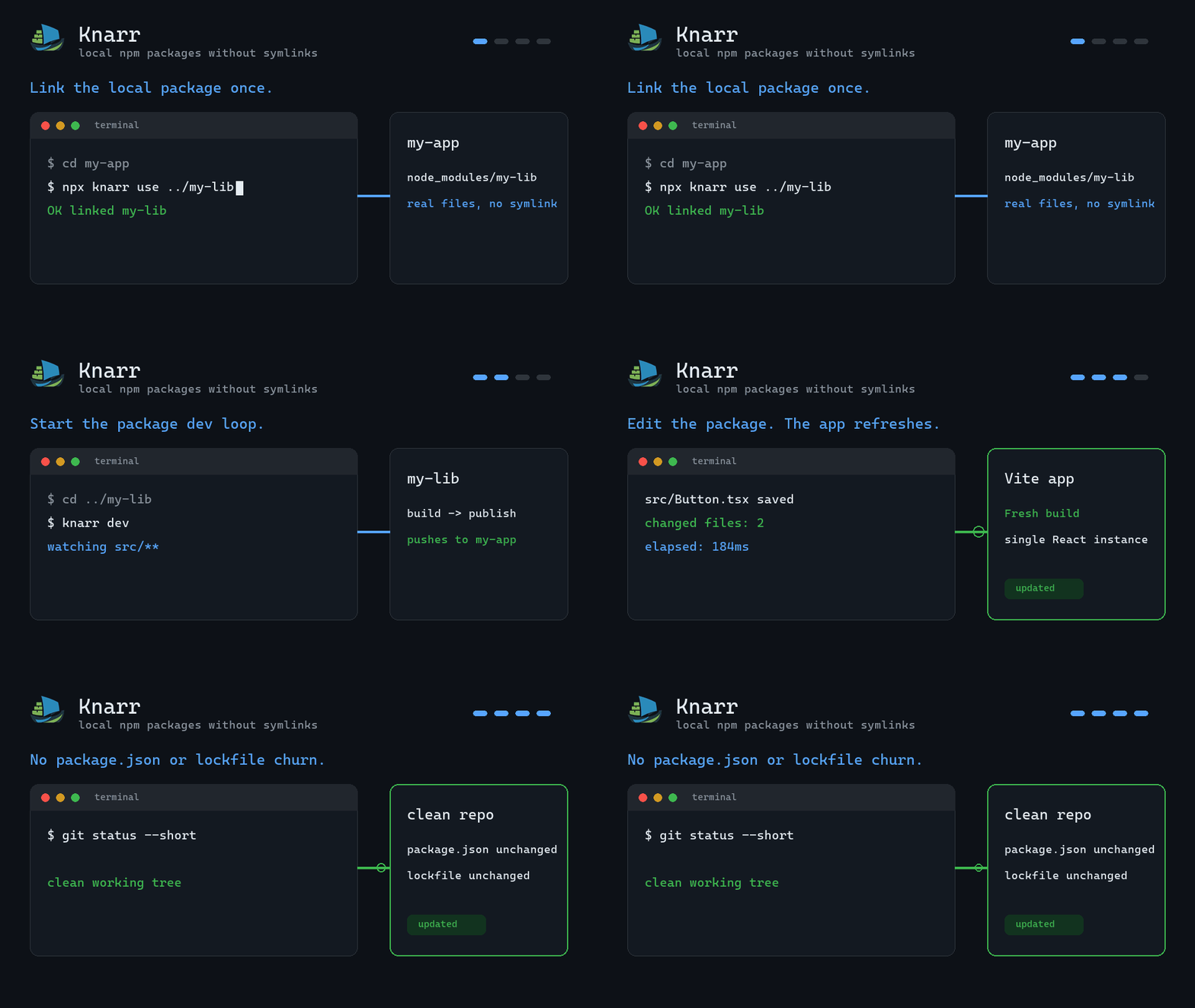
cd my-app
npx knarr use ../my-lib

cd ../my-lib
knarr dev
If you have not installed Knarr globally, use npx knarr dev for the second command too.
Who this is for
- Library and design-system authors testing packages inside real consumer apps
- React developers avoiding duplicate dependency instances and invalid hook calls from symlinks
- pnpm users who want updates copied into the existing virtual-store install when possible
- Teams that want local package overrides to stay out of dependency specs and lockfiles
Why Knarr?
npm link creates symlinks that can break module resolution: duplicate dependency instances, peer dependency mismatches, and bundlers that cannot follow links outside the project root. yalc improves this by copying files, but its workflow can rewrite consumer dependency specs or require extra watch tooling.
Knarr keeps the local override out of your dependency spec. It publishes a local package into ~/.knarr/store/, injects that package into every registered consumer, and can watch, rebuild, and push changes continuously. Setup helpers may still add .knarr/, .gitignore, a restore hook, or bundler config when needed.
If pnpm workspaces, file:, or dependenciesMeta.*.injected already fit your repo, use those native features first. Knarr is for the narrower case where you want publishable package files copied into real consumers while their dependency specs stay normal.
Quick Start
One command links a local package into the app you are testing:
# In your app
cd my-app
npx knarr use ../my-lib
Then run the continuous package dev loop from the library:
# In your library
cd ../my-lib
knarr dev
If Knarr is not installed globally, run npx knarr dev instead.
That is the everyday loop: edit my-lib, Knarr rebuilds it, pushes changed files into my-app/node_modules/, and your dev server sees normal file changes there.
If you prefer the explicit steps:
cd my-lib
pnpm build
knarr publish

cd ../my-app
knarr add my-lib
How It Works
graph LR
    A["my-lib/"] -- "knarr publish" --> B["~/.knarr/store/<br/>[email protected]"]
    B -- "knarr use ../my-lib<br/>or knarr add my-lib" --> C["app/node_modules/<br/>my-lib/"]
    B -- "knarr push" --> D["app-2/node_modules/<br/>my-lib/"]

    style A fill:#2e7d32,stroke:#66bb6a,color:#e8f5e9
    style B fill:#1565c0,stroke:#64b5f6,color:#e3f2fd
    style C fill:#e65100,stroke:#ffb74d,color:#fff3e0
style D fill:#e65100,stroke:#ffb74d,color:#fff3e0publishcopies built files to a local store at~/.knarr/store/usepublishes from a local path and links it into the current appaddlinks an already-published package from the storepushpublishes and copies to all registered consumersdevwatches, builds, publishes, and pushes continuously
What Knarr Does
| Area | Behavior |
| --- | --- |
| Store | ~/.knarr/store/<name>@<version>/package/, or KNARR_HOME/store/... when KNARR_HOME is set |
| Consumer copy | Copies package files into node_modules/<package>/ and records link state in .knarr/state.json |
| Package files | Uses npm-pack-compatible file resolution, including the files field and publishConfig.directory |
| pnpm | Follows existing pnpm virtual-store symlinks when present; falls back to a direct node_modules path |
| Watch loop | knarr dev runs an initial push, then watches, rebuilds, publishes, and pushes again |
| Reinstall recovery | knarr restore re-injects registered packages after node_modules is replaced |
| Bundlers | Vite plugin triggers reload/restart, Next.js uses transpilePackages, Webpack/rspack plugin invalidates watch/cache, and other bundlers rely on file changes under node_modules |
| Incremental sync | Skips same size and mtime, hashes same-size changed-mtime files with xxHash64, and removes stale destination files |
See detailed comparison for native pnpm options, yalc, symlink workflows, and Knarr tradeoffs.
Migrate From yalc In 60 Seconds
cd my-app
npx knarr migrate
npx knarr use ../my-lib

cd ../my-lib
knarr dev
See Migrating from yalc for the full guide.
Install
pnpm add -g knarr       # or npm install -g knarr
npx knarr init          # optional consumer setup and repair helpers
Performance Notes
Knarr uses Node's copy-on-write reflink mode when the current filesystem supports it, with automatic fallback to a normal copy. Reflink support is probed once per volume and cached. Incremental sync checks size and mtime first, then falls back to xxHash64 only when needed, so unchanged files are skipped quickly.
Documentation
Additional guides for bundlers, CI, monorepos, internals, and the experimental programmatic API live in docs/.
Acknowledgments
Knarr is built on top of excellent open-source projects:
- chokidar - file watching
- xxhash-wasm - fast file hashing
- citty - CLI framework
- tsup - TypeScript bundler
- vitest - test runner
- Vite - frontend tooling