npm package discovery and stats viewer.

Discover Tips

  • General search

    [free text search, go nuts!]

  • Package details

    pkg:[package-name]

  • User packages

    @[username]

Sponsor

Optimize Toolset

I’ve always been into building performant and accessible sites, but lately I’ve been taking it extremely seriously. So much so that I’ve been building a tool to help me optimize and monitor the sites that I build to make sure that I’m making an attempt to offer the best experience to those who visit them. If you’re into performant, accessible and SEO friendly sites, you might like it too! You can check it out at Optimize Toolset.

About

Hi, 👋, I’m Ryan Hefner  and I built this site for me, and you! The goal of this site was to provide an easy way for me to check the stats on my npm packages, both for prioritizing issues and updates, and to give me a little kick in the pants to keep up on stuff.

As I was building it, I realized that I was actually using the tool to build the tool, and figured I might as well put this out there and hopefully others will find it to be a fast and useful way to search and browse npm packages as I have.

If you’re interested in other things I’m working on, follow me on Twitter or check out the open source projects I’ve been publishing on GitHub.

I am also working on a Twitter bot for this site to tweet the most popular, newest, random packages from npm. Please follow that account now and it will start sending out packages soon–ish.

Open Software & Tools

This site wouldn’t be possible without the immense generosity and tireless efforts from the people who make contributions to the world and share their work via open source initiatives. Thank you 🙏

© 2026 – Pkg Stats / Ryan Hefner

koishi-plugin-steaminfo-xiaoheihe

v0.2.4

Published

通过小黑盒网站搜索并生成截图获取 steam 游戏信息,现在支持小黑盒链接解析。

Readme

koishi-plugin-steaminfo-xiaoheihe

npm

一个为 Koishi 设计的插件,允许用户通过指令搜索小黑盒上的内容,并返回一个包含游戏信息的截图,支持解析小黑盒链接并截图。

✨ 功能

  • 对小黑盒游戏详情页进行截图。
  • 提取游戏标题和在线人数。
  • 支持配置小黑盒 Cookie 以访问需要登录才能查看的内容。
  • 解析小黑盒链接并截图。

🚀 安装

前往 Koishi 插件市场,搜索 steaminfo-xiaoheihe 并安装。

📝 使用

启用插件后,向机器人发送指令即可:

  • 小黑盒 <游戏名称>
  • 别名: xiaoheihe <游戏名称>

示例:

小黑盒 三角洲行动

机器人将会回复包含该游戏信息的高清截图。

⚙️ 配置项

所有配置项均可在插件的设置界面中进行修改。

身份验证

  • cookies: (选填,但建议填写) 登录小黑盒后获取的Cookie字符串。提供后可以正常使用搜索功能,并访问需要登录才能查看的内容。

高级设置

  • waitTimeout: 页面加载的超时时间(毫秒)。
  • renderDelay: 在内容框架出现后,额外等待渲染的时间(毫秒),用于确保图片等动态内容加载完成。
  • deviceScaleFactor: 截图清晰度。设置为 2 可获得更清晰的“视网膜”截图效果。
  • imageType: 截图的图片格式。jpeg 文件较小,png 画质无损但文件较大。
  • imageQuality: 图片质量,仅在格式为 jpeg 时生效。

显示设置

  • showGameTitle: 是否在截图前显示“游戏名”文本。
  • showOnlineCount: 是否在截图前显示“当前在线”文本。

显示设置

  • enableLinkPreview: 自动解析消息中的小黑盒链接并截图回复。启用后,当用户在聊天中发送小黑盒链接时,插件会自动对该链接进行截图并回复。

调试

  • debug: 启用后,将在控制台输出详细的运行日志,方便排查问题。

如何获取小黑盒 Cookie?

  1. 在你的电脑浏览器(推荐 Chrome 或 Edge)中,访问并登录 小黑盒官网
  2. 登录成功后,在当前页面按 F12 键,打开“开发者工具”。
  3. 切换到“网络” (Network) 面板。
  4. F5 刷新一下页面,此时面板中会显示很多网络请求。
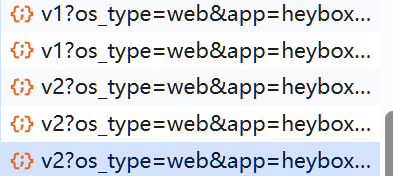
  5. 在请求列表中,随便点击一个发往 www.xiaoheihe.cn 的请求。比如 示例
  6. 在右侧新出现的窗口中,找到“请求标头” (Request Headers) 部分。
  7. 找到名为 cookie: 的一行,右键点击它,选择“复制值” (Copy value)。
  8. 将复制的整段字符串粘贴到本插件配置项的 cookies 输入框中即可。

📋 更新日志

v0.2.4 (2025-08-28)

改进:

  • 🎯 优化链接解析功能

v0.2.3 (2025-08-28)

新功能:

  • 🎉 新增小黑盒链接自动解析功能
    • 用户发送小黑盒链接时,插件会自动识别并截图回复
    • 支持多种页面类型:游戏详情页、帖子/文章页面等
    • 可通过 enableLinkPreview 配置项控制开关
  • 🔄 优化截图选择器,提升不同页面类型的截图准确性
  • 💬 新增临时提示消息
    • 开始处理时显示"正在生成截图"提示
    • 完成后自动撤回临时消息

⚠️ 免责声明

  • 本插件通过模拟浏览器操作访问公开的网页信息,所有数据均来自小黑盒 (xiaoheihe.cn)。
  • 本插件仅供学习和技术交流使用,用户应自觉遵守相关法律法规及网站的用户协议。
  • 因滥用本插件或因小黑盒网站结构变更导致的任何问题,开发者不承担任何责任。
  • 请勿将本插件用于任何商业或非法用途。

📄 License

本插件使用 MIT License 授权。

© 2025, WhiteBr1ck.