
labrat.c
v0.1.0
Published
Simple, single-file test harness for C/C++; Alex Thayer (2016).

Maintainers
 wolfram77
Readme
labrat
A simple, single-file test harness for C/C++, by Alex Thayer. Allows specifying test cases and benchmarks alongside your code, and running your tests through a simple flag to your main application. Here's an example:
// inside calculator.c:

...

TEST_CASE(test_calculates)
{
    const char* calc_str = "15 5 +";
    int result = calculate(calc_str);

    ASSERT_EQ(result, 20, "%d");  // actual, expected, format
}
// inside main.c
#define LR_IMPLEMENTATION
#include "labrat.h"
int main(int argc, char const *argv[])
{
LR_PRELUDE(argc, argv);
... // do what we would do if tests didn't run.
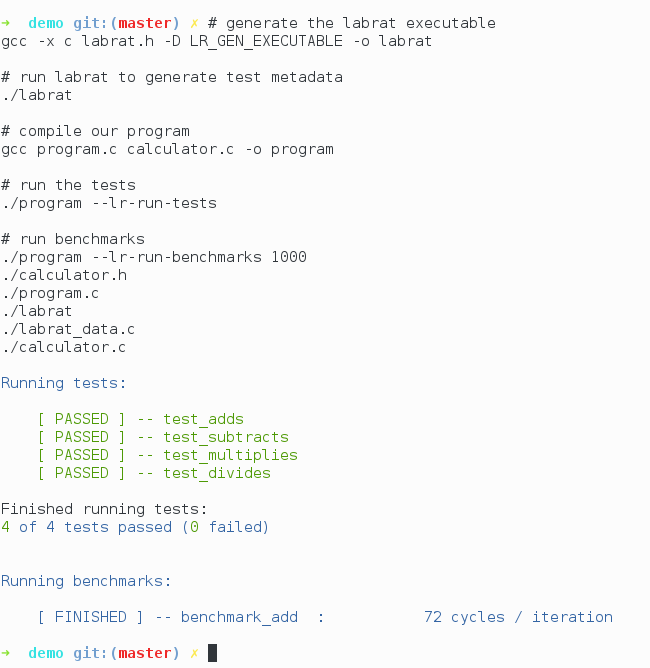
}Using GCC:
# generate the labrat executable
gcc -x c labrat.h -D LR_GEN_EXECUTABLE -o labrat

# run labrat to generate test metadata
./labrat

# compile our program
gcc program.c calculator.c -o program

# run the tests
./program --lr-run-tests

# run benchmarks
./program --lr-run-benchmarks 1000
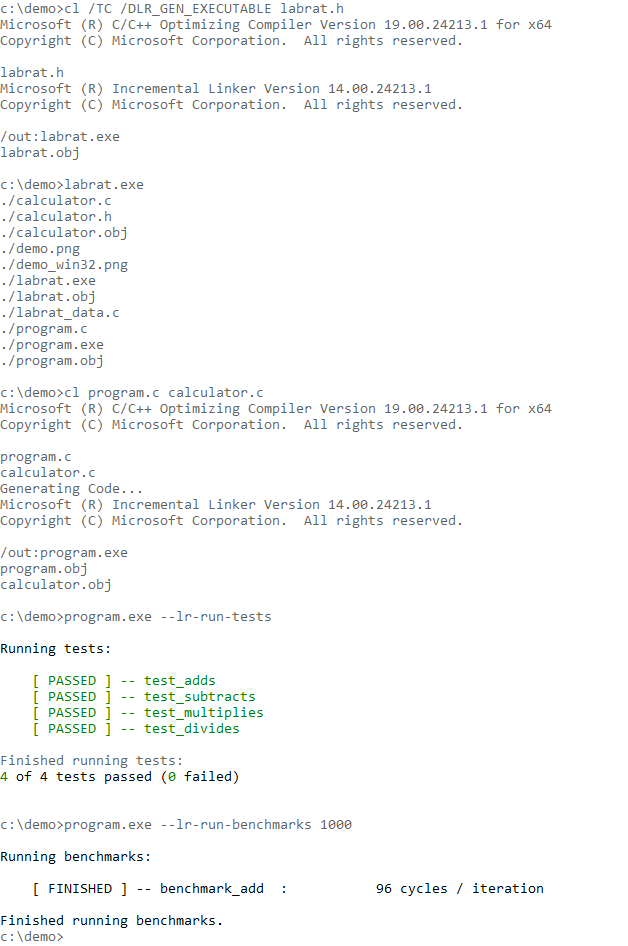
Using MSVC (command line):
:: run the setup provided by Visual Studio to get the command line working
"C:\Program Files (x86)\Microsoft Visual Studio 14.0\VC\vcvarsall.bat" amd64

:: generate the labrat executable
cl /TC /DLR_GEN_EXECUTABLE labrat.h

:: run labrat to generate test metadata
labrat.exe

:: compile our program
cl program.c calculator.c

:: run the tests
program.exe --lr-run-tests

:: run benchmarks
program.exe --lr-run-benchmarks 1000
Installation
Run:
$ npm i labrat.cAnd then include labrat.h as follows:
#include "node_modules/labrat.c/labrat.h"How it Works
It works by recursively grabbing every source and header file in the
directory, tokenizing them, and searching for the TEST_CASE and
BENCHMARK tokens. It then builds a labrat_data.c file which includes
all of the necessary information for running the tests. Then when
you want to run your tests, it just includes this file in such a way
that it generates code which handles running the tests.
Why just the single header file?
To me it's an elegant way of writing a library. No fussing with package managers or fussing with the fact that Windows still doesn't even have a decent package manager. Just drop the file in and you're ready. I wish it were my idea, but I actually 100% stole it from here.
Why should I use labrat instead of X?
There are many, many C/C++ testing frameworks, and I definitely don't claim that labrat is the best choice in all cases. But there are a few things that are nice about it:
- A single header file handles everything, so there's minimal fussing required
- Labrat automatically detects your tests for you - just define them wherever you want to define them and you're all set.
- Labrat doesn't care about your build system, and you don't have to define a
separate build for your tests. Just use the
LR_PRELUDEmacro in your normal entry point, run thelabratbinary whenever you add or remove a test, and then labrat will run your tests based on your command line arguments. - Labrat has first-class support for benchmarking. Just use the
BENCHMARKmacro, and the--lr-run-benchmarksflag to get a quick and lightweight measure of whether you're making your code faster or slower.
