
layer-mask
v0.13.0
Published
Mask elements on the page


Readme
Layer Mask 

The javascript library that breaks the page into cells around specified element(s).
Showcase
Here are the target element is a dialog window:
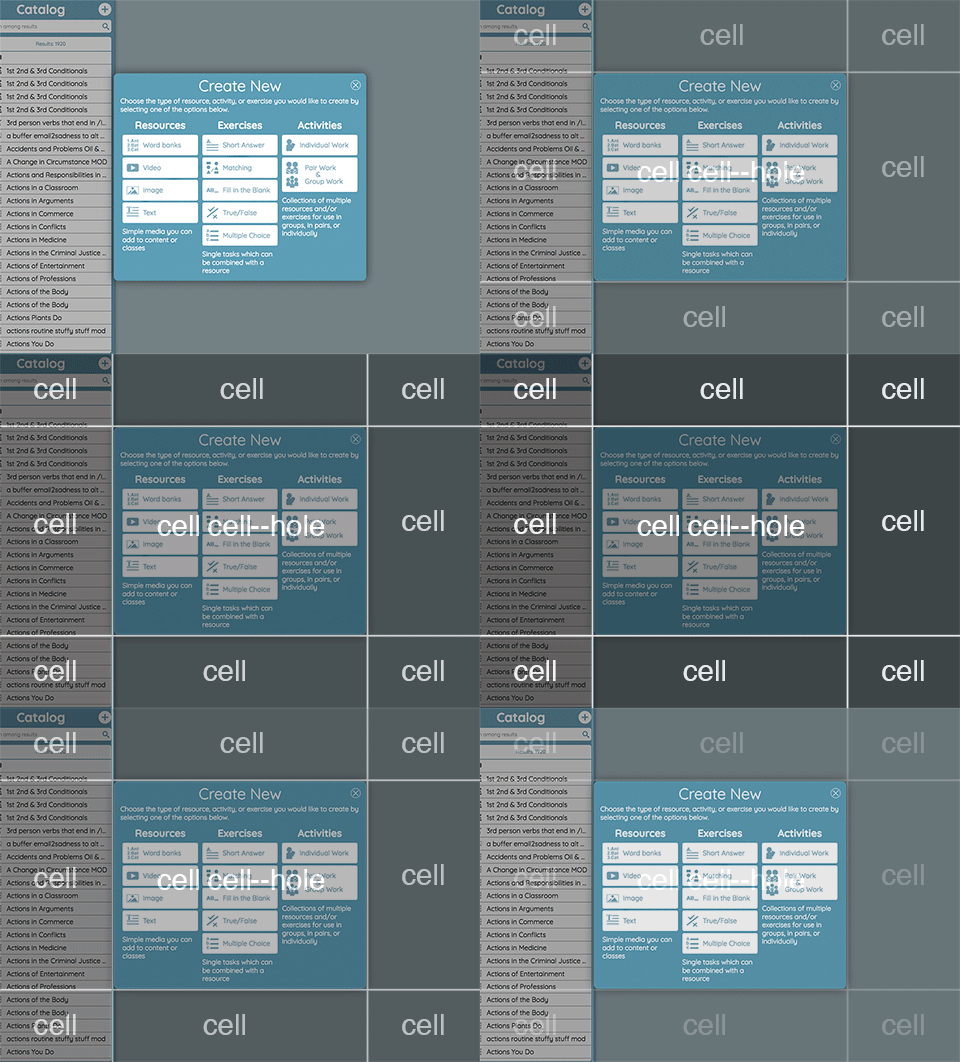
Live demo:
Here are useful cases:
- allow/disallow clicking the specific elements on the page (modifier: "click-through")
- creating a backdrop that highlights elements on the page (modifier: "spotlight")
Some details about the library:
- supports handling the fixed positioned elements
- written using ES6 and CommonJS modules (published as UMD)
- uses
display: table-*rules by the default, but you can override it
Installation
$ npm install layer-mask- Then include JS (dist/layer-mask.js) and CSS (dist/layer-mask.css) to your application
Documentation
Please see the source code of LayerMask and LayerMaskManager.
Usage
Direct usage:
const { LayerMask } = require('layer-mask');

const myElements = document.querySelectorAll('#link-1, #link-2'); // can be passed multiple elements at one time
const layerMask = new LayerMask(myElements);
const maskElement = layerMask.createMask();

document.querySelector('body').appendChild(maskElement);
Using the mask manager:
const { LayerMaskManager, LayerMask } = require('layer-mask');

const container = document.querySelector('body');
const maskManager = new LayerMaskManager(container);

const mask = new LayerMask(document.querySelectorAll('#link-1, #link-2'));
const maskElement = maskManager.revealMask(mask);

maskElement.onclick = () => {
    maskManager.hideActiveMask();
};
Modifiers
You add custom css classes to the mask element, simply pass modifiers configuration.
const mask = new LayerMask(document.querySelectorAll('#dummy'), {
    modifiers: [
        // Predefined ones
        'spotlight',     // grays out cells around the target elements
        'click-through', // prevent from clicking outside the target elements
        'debug',         // sames as "spotlight" but in yellow color :)
    ],
});
const maskEl = mask.createMask();
Roadmap
- release