
lazycal
v1.0.9
Published
A beautiful terminal-based Google Calendar interface built with OpenTUI

Maintainers
 pranavkarthik
Readme
LazyCal
A beautiful terminal-based Google Calendar interface built with OpenTUI.
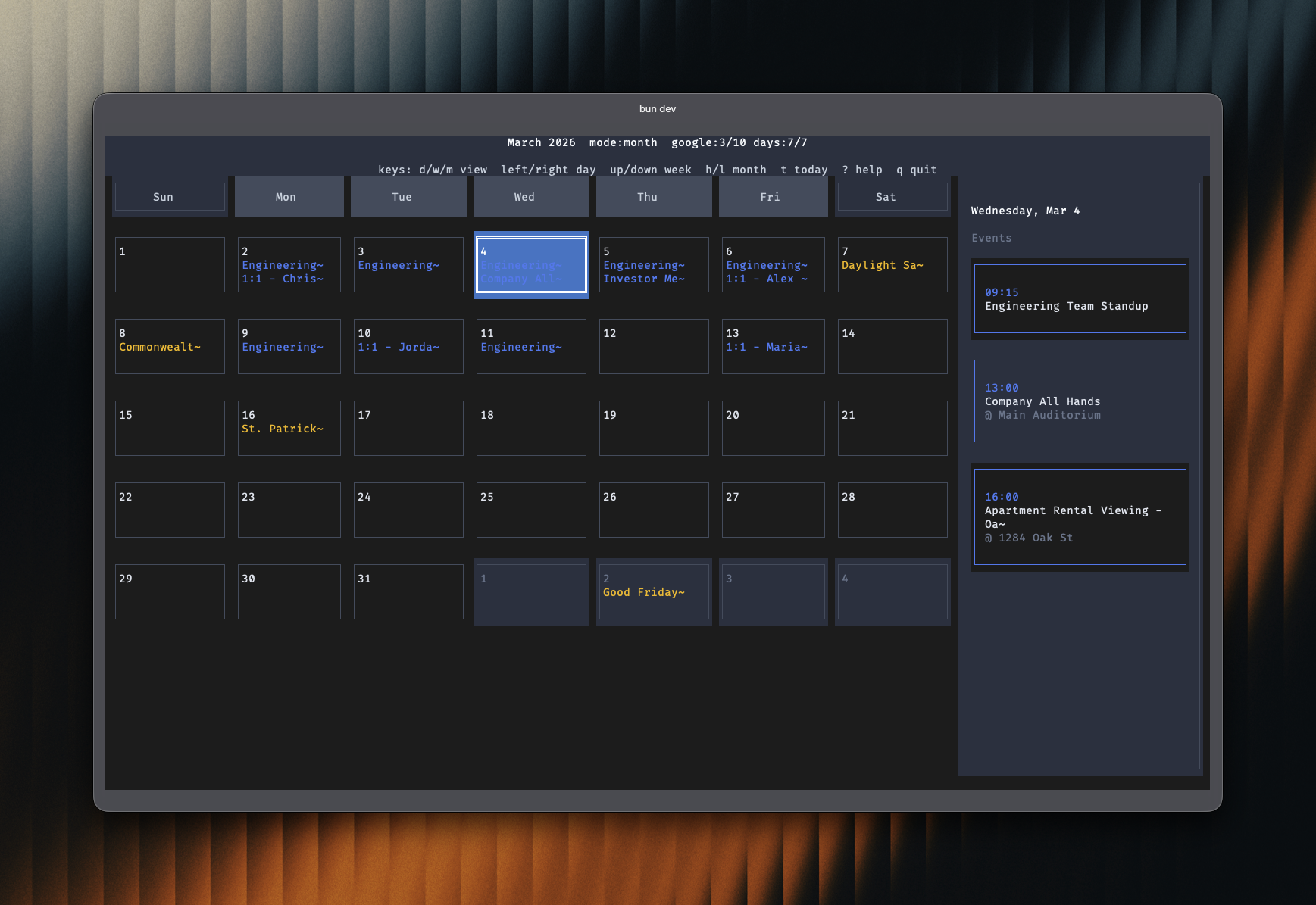
Features
- Full day/week/month modes
- Responsive day columns (auto include/exclude days by terminal width)
- Time column always shown on the left in day/week views
- Built-in command hints in header plus full keyboard help modal (
?) - Side panel shows events for selected day (toggle with
s, auto hides on narrow widths) - Google Calendar API integration (optional)
- Color-coded events per calendar
- Resize-aware terminal UI
Installation
npm install -g lazycalUsage
Quick Start
lazycalConnect to Google Calendar
To use real Google Calendar data:
Create a Google Cloud Project:
- Go to Google Cloud Console
- Create a new project
- Enable the Google Calendar API
Create OAuth 2.0 Credentials:
- Go to "Credentials" in the left menu
- Click "Create Credentials" -> "OAuth 2.0 Client ID"
- Choose "Desktop application" as the application type
- Download the JSON credentials file
Configure LazyCal:
mkdir -p ~/.config/lazycal
cp /path/to/downloaded/credentials.json ~/.config/lazycal/
Run the app:
lazycal
Keyboard Shortcuts
| Key | Action |
|-----|--------|
| d, w, m | Switch to day / week / month view |
| 1, 2, 3 | Switch to day / week / month view |
| left / right | Previous / next day |
| up / down or k / j | Previous / next week |
| h / l | Previous / next month |
| t | Go to today |
| c | Toggle calendars selector |
| s | Toggle sidebar on/off |
| r | Refresh events from Google Calendar |
| ? | Open keyboard help modal |
| Click | Select a day or open event details from the calendar/sidebar |
| q / Ctrl+C | Quit |
Development
# Run in development mode
bun run dev

# Type checking
bun run typecheck
License
MIT
Acknowledgments
Built with OpenTUI - A powerful TypeScript library for building terminal user interfaces.