
legend-doctor
v0.5.0
Published
Read-only React analyzer that proves which useState and useEffect hooks waste renders, and the exact Legend State edit that cuts them.
Downloads
677

Maintainers
 ali-cooking
Readme
Legend Doctor
A read-only analyzer for React and Legend State in TypeScript and JavaScript. It reports suggested render and effect optimizations, unresolved opportunities, and code to keep. Results are JSON; source files are never modified.
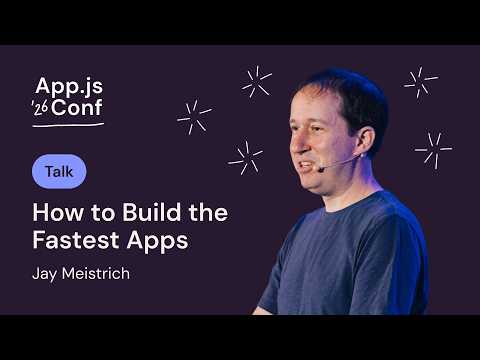
Watch Jay Meistrich’s How to Build the Fastest Apps: Break the Rules for a look at the state and rendering optimizations behind Legend State.
Quick start
Requires Node.js 22 or newer.
npx legend-doctor /absolute/path/to/app --actionableOr install it once and call legend-doctor directly:
npm install --save-dev legend-doctorScan the smallest folder that contains the related components, hooks, and observables together. One file rarely holds enough proof.
Use it with a coding agent
Copy the skill into your project, then the agent scans before and after every state or effect edit.
cp -r node_modules/legend-doctor/skills/legend-doctor /path/to/app/.claude/skills/Apply related findings together, validate the changes, and rescan. See EXAMPLES.md.
Run in CI
The GitHub Action reports findings introduced by a pull request. It is advisory by default.
Add .github/workflows/legend-doctor.yml:
name: Legend Doctor
on:
  pull_request:
    types: [opened, synchronize, reopened, ready_for_review]
  push:
    branches: [main]
permissions:
  contents: read
  pull-requests: write
  issues: write
  statuses: write
concurrency:
  group: legend-doctor-${{ github.event.pull_request.number || github.ref }}
  cancel-in-progress: true
jobs:
  legend-doctor:
    runs-on: ubuntu-latest
    steps:
      - uses: actions/checkout@fbc6f3992d24b796d5a048ff273f7fcc4a7b6c09 # v5
        with:
          fetch-depth: 0
      - uses: Genie-sa/[email protected]
        with:
          directory: src
Keep fetch-depth: 0. The action diffs the pull request against its base branch and needs the history.
See action.yml for scope, blocking, filtering, and other options.
Configure
Put legend-doctor.config.json at the repository root, or anywhere above the folder you scan. The nearest one wins.
{
  "ignoreActions": ["use-ref", "toggle-observable"],
  "materiality": "compact"
}
| Key | Values | Effect |
| --------------- | ------------------------------------------ | ------------------------------------------------------- |
| ignoreActions | Action names from ACTIONS.md | Hide those findings. They count under hidden. |
| materiality | broad or compact | Minimum owner size for a size-gated render cut, 12 or 8 |
Flags override the file. --ignore-action a,b adds to the list and --materiality replaces the tier. An unknown key
or action name fails the scan with exit code 2, so a typo never silently hides findings.
To keep one effect on purpose, put this comment above it instead of hiding the whole action:
// legend-doctor keep-react-effect
useEffect(() => syncWithExternalSystem(), []);
What a finding says
Every finding has a disposition:
| Disposition | Meaning |
| ----------- | ------------------------------------------------------------------------- |
| change | Proven. Apply the instruction as written. |
| candidate | One fact is missing. The finding names the source to read. |
| keep | Correct as is. Leave the React or lifecycle boundary alone. |
| style | Cleaner form. Apply only when the installed Legend State API supports it. |
See REPORT.md for review blockers, grouped transitions, subscription plans, and runtime measurements. Validate suggested edits with your formatter, typecheck, and tests, then rescan.
Commands
legend-doctor <root> --disposition change      # proven edits only
legend-doctor <root> --disposition candidate   # needs a human or agent to read more
legend-doctor <root> --actionable              # one entry per edit, keep findings hidden
legend-doctor <root> --fail-on change          # CI: exit 3 while a proven edit remains
legend-doctor <root> --coverage                # parser and analysis coverage
legend-doctor <root> --ignore-action use-ref   # hide one action for this run
legend-doctor <root> --answer "<id>=yes"       # record an answer to a review question
Scope a rescan to the files you touched. The whole root still loads, so proofs stay complete.
legend-doctor <root> --actionable --changed             # uncommitted files
legend-doctor <root> --actionable --staged              # staged files
legend-doctor <root> --actionable --since origin/main   # this branch
See legend-doctor --help for all flags and exit codes, ACTIONS.md for actions, and
EXAMPLES.md for worked examples.
Develop
npm run typecheck
npm test
npm run eval
Read evals/README.md before changing corpus targets, labels, or scoring. npm run bench times
the analysis pipeline on a checkout you point it at.
MIT licensed.