
lgk-prettier
v1.1.0
Published
Command that adds LGK's preferred Prettier config
Downloads
42

Maintainers
 lgkonline
Readme
LGK's Prettier config
Run
npx -y lgk-prettieradd the root of a project to add a .prettierrc file to it.
Add VS Code settings and extension
Adding the parameter --vscode or -c will also add this to the workspace:
.vscode/settings.jsonwith"editor.formatOnSave": true.vscode/settings.jsonwith"recommendations": ["esbenp.prettier-vscode"]
Add settings for Tailwind CSS
In a project with Tailwind CSS you can add the parameter --tailwindcss or -t. This will also add the Tailwind CSS plugin to the .prettierrc file and also sets "tailwindStylesheet": "./src/style.css", which is required by the plugin. Make sure to update this, if your CSS file is somewhere else. This script also doesn't install the plugin, you have to run npm install -D prettier prettier-plugin-tailwindcss yourself.
When you also add parameter --vscode or -c, the official Tailwind CSS IntelliSense extension will also be added to the workspace's extension recommendations.
Status

Why does this exist?
I like to use Prettier in all my projects to make code formatted in a consistent way. I configured my VS Code to format automatically with the Prettier extension.
I also wrote an article about this. It's in German though.
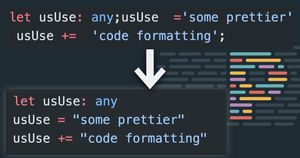
Unfortunately I don't like the default formatting, so I always have my own .prettierc in each project, since you can't have a global Prettier config.
This script should help adding this config to a new project.
My preferred config looks like this:
{
    "tabWidth": 4,
    "useTabs": false,
    "semi": false,
    "singleQuote": false,
    "trailingComma": "none",
    "bracketSpacing": true,
    "bracketSameLine": false,
    "fluid": false
}
If you like this as well, feel free to use my command tool. Or fork this repo and change it to your own.