
lighthouse-scores
v2.0.3
Published
Send Lighthouse SpeedTest results to your email


Readme
lighthouse-scores-to-email 

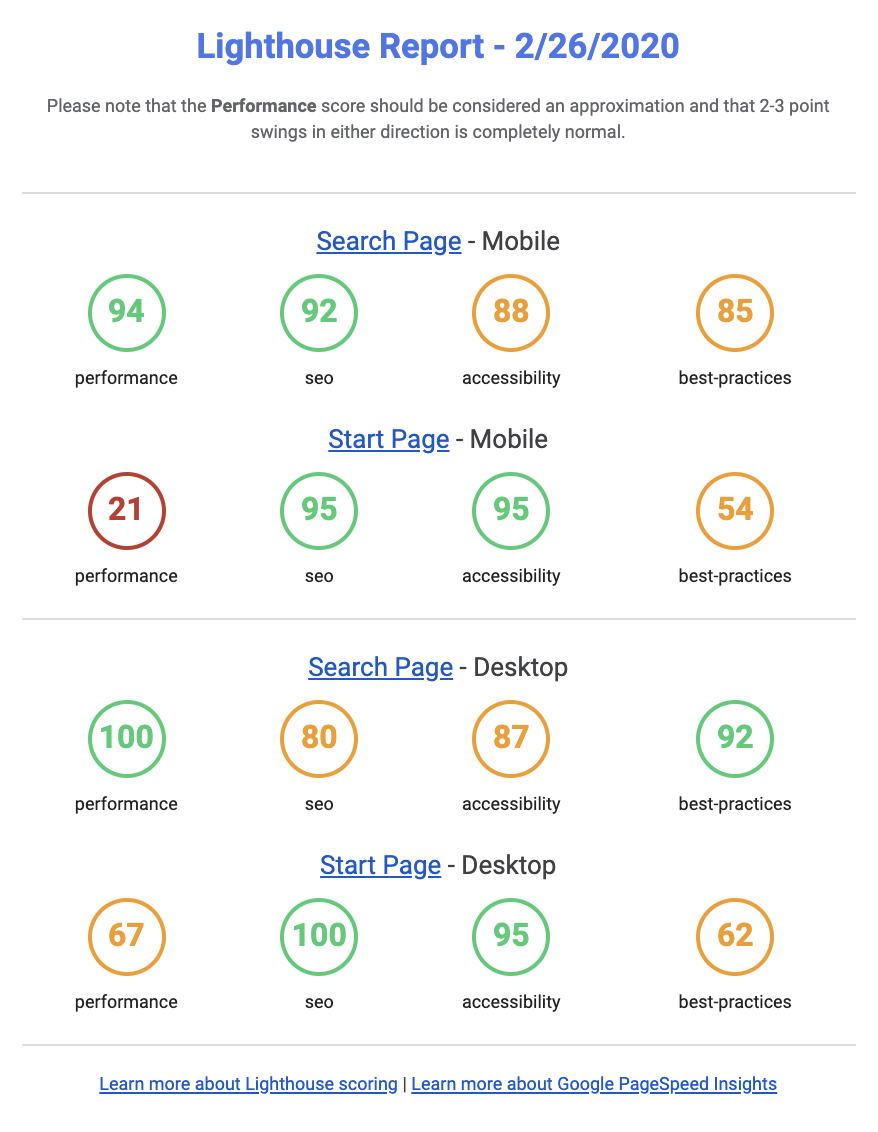
Get Lighthouse scoring via Google PageSpeed Insights delivered to your email.
|  | -
| -
Configurations
Add email and general configurations to /configuration/config.js
Add pages configurations to /configuration/pages.json
configuration/pages.json
{
  "Example": "https://example.net/",
  "Start Page" : "https://www.start.co.il"
}
configuration/config.json
{
  "email": {
   "to": "[email protected]",
   "authUser": "[email protected]",
   "authPassword": "<INSERT_GOOGLE_APP_PASSWORD_HERE>"
 },
 "lightHouseApiKey": "<INSERT_PAGESPEED_API_KEY_HERE>"
}
To load configurations during run time from external file, use docker volume.
-v "$(pwd)"/pages.json:/usr/src/app/configuration/pages.jsongetting-started with Docker
docker pull fiverr/lighthouse-scores-to-email:latestExport your variables to the environment and pass them through alongside your pages.json file
docker run \
  -v "$(pwd)"/pages.json:/usr/src/app/configuration/pages.json \
  -e APIKEY \
  -e AUTH_USER \
  -e AUTH_PASSWORD \
  -e EMAIL_TO \
  -e STATSD_HOST \
  -e STATSD_PORT \
  fiverr/lighthouse-scores-to-email:latest
Or send as config file
docker run \
  -v "$(pwd)"/pages.json:/usr/src/app/configuration/pages.json \
  -v "$(pwd)"/config.json:/usr/src/app/configuration/config.json \
  fiverr/lighthouse-scores-to-email:latest
Get your credentials here
Get your PageSpeed API key.
Use Gmail with Google's app passwords.
Set up environment variables or configuration using config file
| Env Variable | Config File path | Value | Default
| - | - | - | -
| APIKEY | lightHouseApiKey | SpeedTest API Key | Mandatory
| AUTH_USER | email.authUser | Email username | None
| AUTH_PASSWORD | email.authPassword | App password | None
| EMAIL_TO | email.to | Recipient Email address | None
| EMAIL_FROM | email.from | Sender Email address | Lighthouse Gazette <[email protected]>
| EMAIL_SUBJECT | email.subject | Subject of the email | Google LightHouse Report ✔
| EMAIL_HOST | email.host | SMTP host | smtp.gmail.com
| EMAIL_PORT | email.port | SMTP port | 465
| STATSD_HOST | statsd.host | StatsD hosname | None
| STATSD_PORT | statsd.port | StatsD port | 8125
| STATSD_PREFIX | statsd.prefix | Custom prefix to metric | lighthouse_scores_to_email
| SECURE | email.secure | Should use SSL | true
| - | categories | Lighthouse categories | ['PERFORMANCE', 'SEO', 'ACCESSIBILITY', 'BEST_PRACTICES']
| - | strategies | Lighthouse strategies | ['MOBILE', 'DESKTOP']
Add links to your email (for example, links for grafana)
configuration/config.json
{
    "email": {
        "list": [
            {
                "text": "Email provided by Fiverr SRE team",
                "url": "https://play.grafana.org/"
            },
            {
                "text": "View trends on Grafana dashborad",
                "url": "https://play.grafana.org/"
            }
        ]
    }
}