
line-chart-drawer
v0.1.4
Published
A React hook to draw connecting lines between elements to form a line chart.


Readme
line-chart-drawer
A React hook to draw connecting lines between elements to form a line chart.
✨ Use Case
Why another line drawer when there are so many charting libraries?
line-chart-drawer allows you to draw lines connecting arbitrary DOM elements in your UI. This means your line chart can be seamlessly embedded into other UI components with much more flexibility. For example, you can show a line chart inside a table:
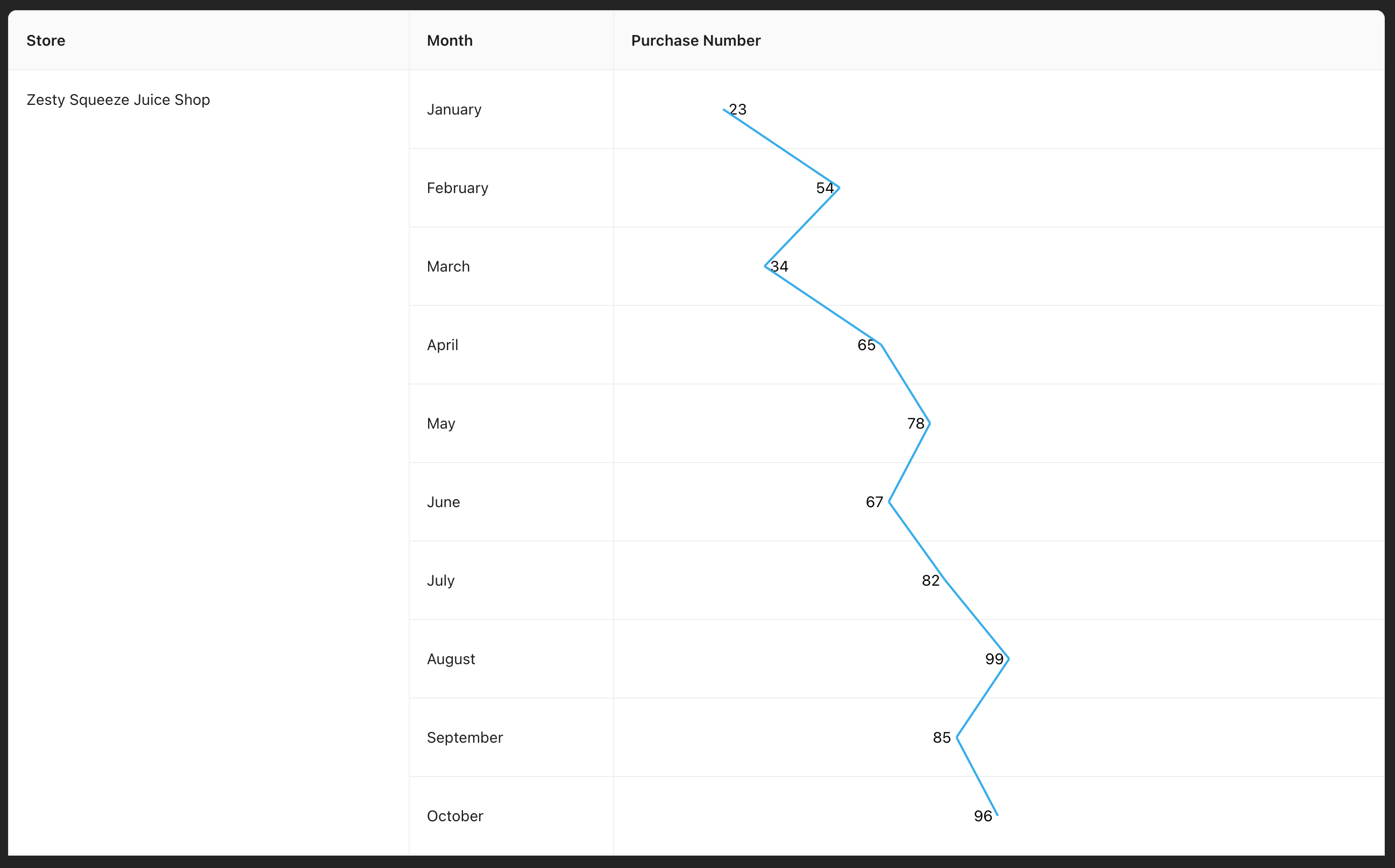
In the example above, the data points are drawn using a charting library (e.g., recharts), while line-chart-drawer is used to connect the data points. See the App.tsx file for the implementation.
Features:
- Flexibility: Draw embedded line charts by connecting arbitrary DOM elements.
- Customizable Styles: Configure line color, stroke width, dashed lines, and more.
- Responsiveness: Automatically redraw lines on window resize or other events.
📦 Installation
Install the package via npm:
npm install line-chart-drawer🚀 Usage
1. Basic Usage:
const { redrawLine } = useLineDrawer("data-point", "chart-container", { color: "#00AEEF" });

useEffect(() => {
  redrawLine(); // Redraw the lines on every re-render. This is optional.
});
By default, the lines will be redrawn on window resize.
2. Customize Stroke Styles:
const { redrawLine } = useLineDrawer("data-point", "chart-container", {
  color: "#00AEEF",
  strokeWidth: 4,
  dashed: true
});
📋 Props
| Prop Name | Type | Default | Description |
|--------------------|-------------------|-------------|-------------------------------------------------------------------------------------------------|
| elementIdPrefix | string | — | The prefix for the IDs of the elements to connect. Each element should have an ID of the format {elementIdPrefix}_{index}, where index is the element's index. |
| chartContainerId | string | — | The ID of the container where the chart is drawn. |
| color | Property.Color | — | The color of the connecting lines. |
| strokeWidth | number | 2 | The width of the connecting lines. |
| dashed | boolean | false | Whether the connecting lines should be dashed. |
🤝 Contribution
Contributions are welcome! If you have ideas for improvements or new features, feel free to open an issue or submit a pull request.
📄 License
This project is licensed under the MIT License.