
linkdash
v0.0.7
Published
Generate a handy dashboard of links in seconds.

Maintainers
 igikorn
Readme

Linkdash
Generate a handy dashboard of links in seconds.
Demo
Visit https://linkdash.now.sh or try it locally!
npx linkdash --host https://linkdash.now.sh/api/demo-config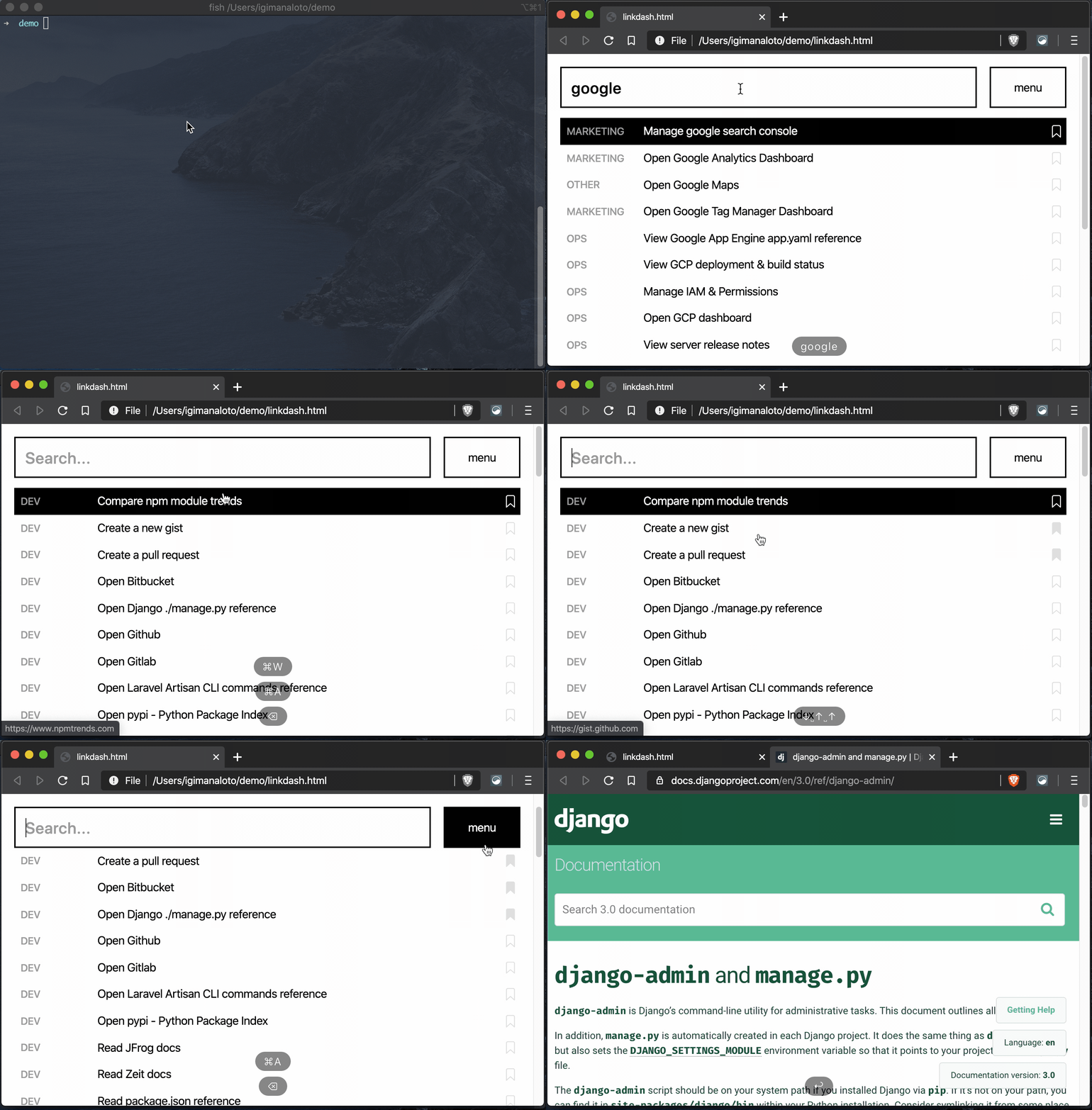
Why?
On a personal level, you might want a quick way to build browse through your important links.
On a professional team level, you might want a stored and filterable list of predefined things to do.
Usage
[yarn add/npm i] --dev linkdash

# Print the help menu
[yarn/npx] linkdash --help

# Create a config file
[yarn/npx] linkdash --init

# Create a dashboard and open in the browser
[yarn/npx] linkdash
The config
// linkdash.config.js
// notice how this is async - you may go crazy and do promise-based tasks here.

module.exports = async () => {
  return {
    title: "Welcome to my linkdash!",

    // a static list of urls to build the linkdash list from
    urls: [
      {
        title: "Visit Github",
        href: "https://github.com",
        group: "Site",

        // optional attributes
        keywords: "additional searchable text to improve searchability",
        id: "generated_id_to_tag_href_target_names",
        isBookmarked: false, // bookmarks the link by default
      },
    ],
    // [OR]
    // specifiy a host to grab the config from
    // host: "https://linkdash.now.sh/api/demo-config",

    disableOpen: false,
    output: "./linkdash.html",
    htmlHead: `
    <meta name="robots" content="noindex" />
    `.trim(),
    // automatically opens the menu
    enableAutoMenu: false,
  };
};
When serving a configuration via the host option, the json response needs to match this shape: ILinkdashHostConfig. Example here: https://linkdash.now.sh/api/demo-config.
Beyond static html
Check out the examples folder to see how linkdash can be used for cases such as running your own server (controlling the output) and using it as a personal deployment companion via git-hooks.
Under the hood
Linkdash simply swaps the contents of a prebuilt html file with your config. Check out the package.json to see the four depedencies it installs!
Happy customers
Other applications
- Always finding yourself trying to remember things to do after a git push or server deploy? Use linkdash along-side githooks.
- Smart url schemas exist everywhere, from
mailto:, totel:to app-specific calls likeskype:,spotify:andslack:. Get creative! - If security and collaboration is required, you may utilise linkdash's buildTemplate helper in your favourite http kernel (
express,http) orserverless function. That way, you can decide which authorization approach to secure your links dashboard with. - Feel free to fork to customise the html for your needs. (webpack / preact / ts)
Future plans
[ ] Add manifest.json capabilities so the file can be installed in mobile devices.
[ ] Add a Google Sheets example