
lkt-system-update
v1.0.3
Published
One command line, everything up to date (apt, dnf, yum, pacman, yaourt, zypper, flatpak, npm and snap)
Downloads
13

Maintainers
 lekrat
Readme
LKT System Update
One command line, everything up to date

Features
- Automatic detects if it's a regular user or root/sudo
- Supported package managers:
- APT (Debian, Ubuntu, LinuxMint, ...)
- DNF/Yum (RHEL, Fedora, ..)
- Pacman & Yaourt (ArchLinux, Manjaro, ...)
- Zypper (SUSE & openSUSE)
- Flatpak
- NPM (Node Package Manager)
- SNAP
Installation
npm install -g lkt-system-updateUsage
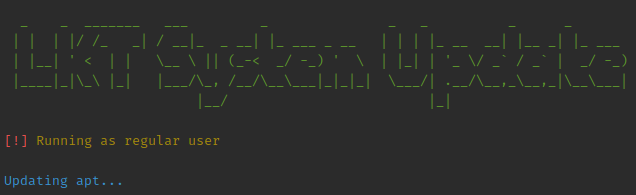
lkt-system-updateAs soon as you press Enter, the command will prompt info about what's running out.
If required (not root), password will request.
APT sample
And will be noticed when finished:

Update order
- OS package engine: apt, dnf, pacman...
- OS package cleaning (apt only)
- flatpak (only if installed)
- npm (only if installed)
- snap (only if installed)
CLI options
Options:
| Option | Result |
|-----------------------|------------------------------|
| --no-snap | prevent snap packages update |
| --no-npm | prevent npm packages update |
| -i, --interactive | enables interaction |
| -V, --version | output the version number |
| -h, --help | display help for command |
The no snap option exists in case you want to use this command in scheduled scripts because snap API doesn't allow user to skip password authentication.
By default, this command updates the system without the need of user input, but you can be able to manually confirm the updates with the interactive option.
Examples
# Common user usage
lkt-system-update

# Common user usage, but wants to confirm updates
lkt-system-update -i

# Run in an scheduled cronjob
lkt-system-update --no-snap

# Common user usage (without NPM)
lkt-system-update --no-npm
A note about DNF and Yum
Since DNF is a modern version of Yum, both are mutually exclusive. Yum is preserved as a fallback for older OS.