
mac-apps-cli
v1.0.0
Published
macOS Applications folder inspector: HTML report, KPIs, charts, suggestions to delete unused apps.

Maintainers
 mohanchinnappan
Readme
🍏 mac-apps-cli
A powerful Node.js CLI tool to analyze your macOS Applications folder — with interactive HTML reports, charts, KPIs, and cleanup suggestions.
It helps you identify which apps take the most space 💾 and which haven’t been used in months ⏳ — so you can safely declutter your Mac.
🚀 Features
✨ Scan Applications
- Scans both
/Applicationsand~/Applicationsfolders - Collects app name, size, and last-used date via macOS
mdls
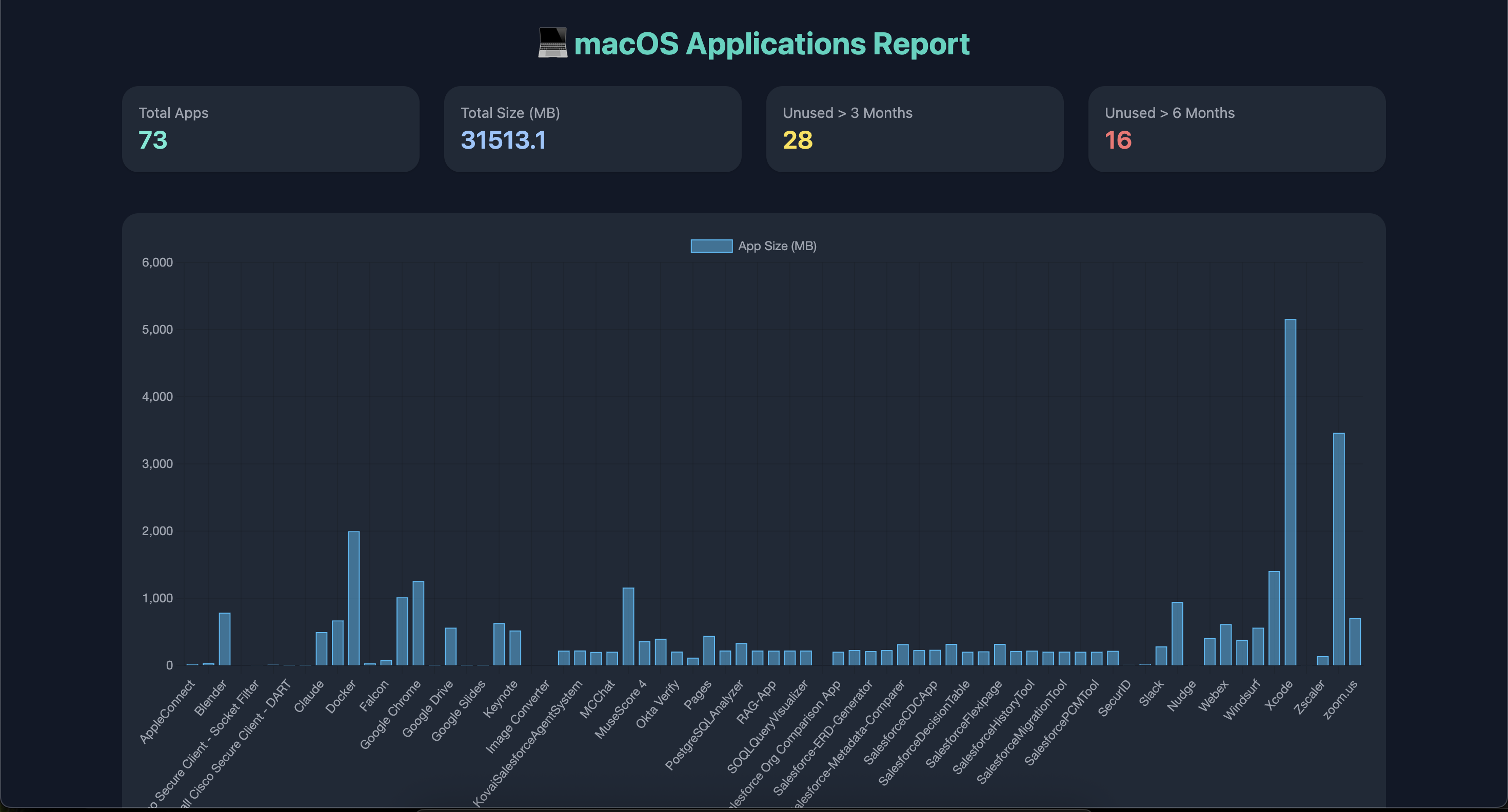
📊 Interactive HTML Report
- Beautiful dark-themed report using TailwindCSS
- Includes Chart.js charts showing app size distribution
- Sortable + searchable table for easy exploration
- CSV download button
📈 KPIs Dashboard
- Total apps
- Total size (MB)
- Number of apps unused for >3 and >6 months
🧹 Cleanup Suggestions
- Highlights unused apps (based on threshold)
- Generates a shell command to move them to Trash (with confirmation)
📄 Reports
- HTML + CSV reports generated automatically
- Reports include all collected metadata
📸 Screenshots
🧑💻 Installation
npm install -g mac-apps-cli⚙️ Usage
mac-apps [options]Options
| Option | Description | Default |
| -------------------------- | ----------------------------------- | ---------------------- |
| -o, --out-html <file> | Output HTML report file | mac-apps-report.html |
| -c, --out-csv <file> | Output CSV report file | mac-apps-report.csv |
| -t, --threshold-days <n> | Threshold (in days) for unused apps | 90 |
| --skip-csv | Skip writing CSV file | — |
| --skip-html | Skip writing HTML file | — |
| --list | Print short list to console | — |
🧩 Example
# Basic usage
mac-apps

# Generate only HTML report
mac-apps --skip-csv -o report.html

# Consider apps unused if not opened in 180 days
mac-apps -t 180

# Show apps list in console
mac-apps --list
🖥️ Sample HTML Report
📊 Dashboard
- Displays KPIs for total apps, total size, and unused apps
- Interactive bar chart (Chart.js) for app sizes
🔍 Search + Sort
- Type in the search box to instantly filter apps
- Click on column headers (Name, Size, Last Used, Days Since Used) to sort ascending/descending
💾 Download
- Easily download the CSV report with a single click
🧠 How It Works
Scans both
/Applicationsand~/ApplicationsUses macOS
mdlsto fetch the last-used dateCalculates days since last use
Measures disk usage with
du -skCompiles results into:
- CSV for data analysis
- HTML for visualization
⚠️ Cleanup Commands (Optional)
The CLI can suggest a shell command to move unused apps to Trash (it will ask confirmation before deletion).
Example:
# Move an app safely to Trash
read -p "Move to Trash /Applications/OldApp.app? [y/N] " ans && [ "$ans" = "y" ] && osascript -e 'tell application "Finder" to move POSIX file "/Applications/OldApp.app" to trash'

# Permanently delete an app (dangerous!)
read -p "REALLY DELETE /Applications/OldApp.app? Type YES to confirm: " ans && [ "$ans" = "YES" ] && rm -rf "/Applications/OldApp.app"🧍♂️ You’ll always be prompted for confirmation before running any delete command.
📦 Output Files
| File | Description |
| ---------------------- | -------------------------------------------------- |
| mac-apps-report.html | Beautiful dark-themed report with charts and table |
| apps_report.csv | Raw data export for spreadsheet analysis |
🧰 Tech Stack
- 🟦 Node.js
- ⚙️ Commander.js – CLI framework
- 🎨 TailwindCSS – Styling (dark mode)
- 📊 Chart.js – Visualizations
- 📁 csv-writer – CSV output
📞 Support
- 🐛 Issues: GitHub Issues
- 💬 Discussions: GitHub Discussions
🪄 License
MIT License © 2025 Mohan Chinnappan You’re free to use, modify, and share this tool — just give credit. ✨