
macos-servers-dashboard
v1.0.8
Published
A beautiful macOS local server dashboard with dark/light mode, search, sorting, title detection, browser launch, and process management.

Maintainers
 mohanchinnappan
Readme
macos-servers-dashboard
A beautiful macOS local server dashboard
Monitor every listening service running on your Mac in a clean browser UI with:
- 🌗 Dark / Light mode
- 🔍 Live search
- ↕ Sortable columns
- 🌐 Open local services in browser
- 📄 Auto-detect HTML page titles
- ❌ Kill processes directly from UI
- 🔄 Auto-refresh every 5 seconds
- ⚡ Zero dependencies beyond Express
Screenshot
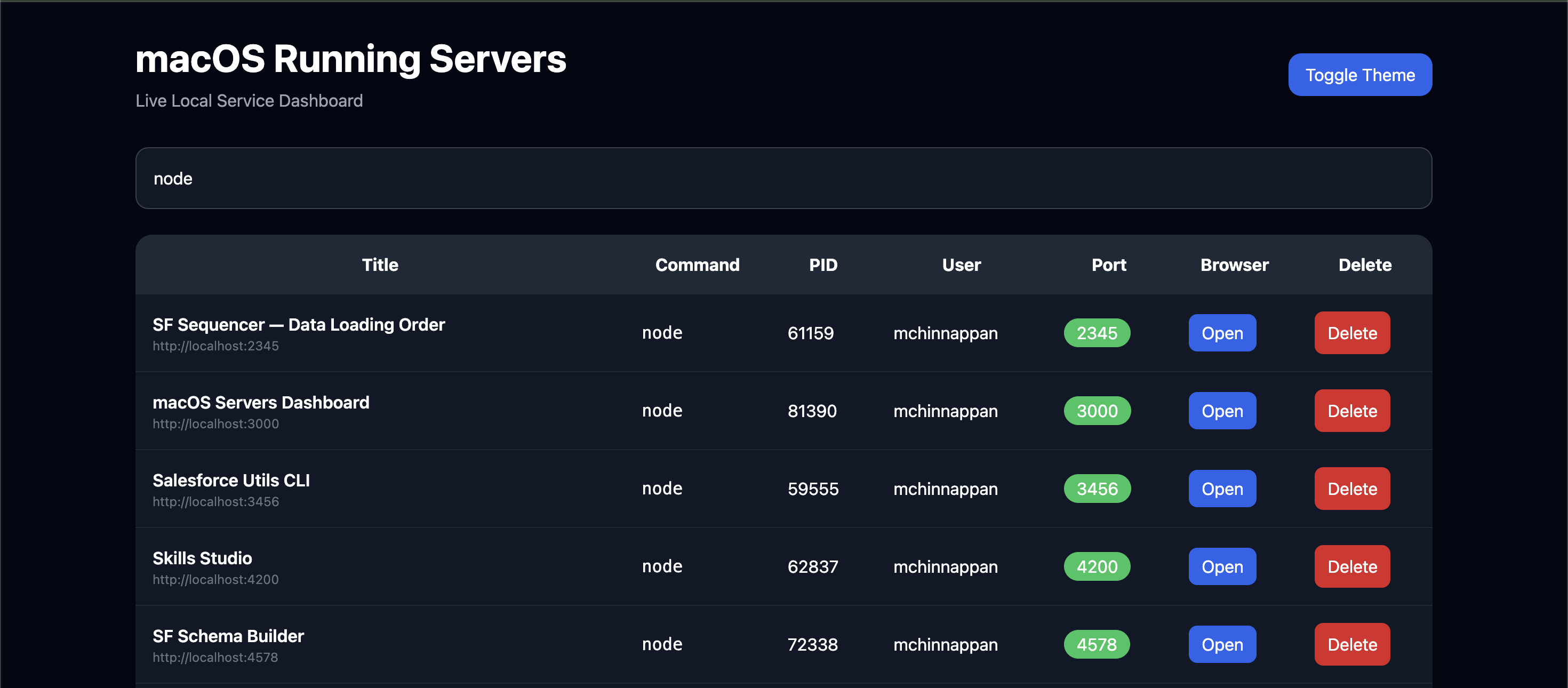
Install
npm install -g macos-servers-dashboardor run without install:
npx macos-servers-dashboardUsage
Default port:
macos-servers-dashboard


or

msd
Dashboard opens at:
http://localhost:3000Custom port:
macos-servers-dashboard -p 4000or
macos-servers-dashboard --port 4000Open:
http://localhost:4000Features
Live Server Discovery
Uses native macOS:
lsof -iTCP -sTCP:LISTEN -n -Pto detect:
- Process name
- PID
- User
- Listening port
- Local browser URL
HTML Title Detection
Automatically fetches:
http://localhost:<port>and extracts:
<title>...</title>Examples:
| Port | Title | |------|-------| | 3000 | React App | | 5432 | PostgreSQL | | 8080 | Jenkins | | 5050 | pgAdmin |
Search
Instantly search by:
- title
- process
- pid
- user
- port
Sorting
Click any column header to sort:
- Title
- Command
- PID
- User
- Port
Ascending / descending toggle supported.
Open in Browser
Launch any local service:
http://localhost:<port>with one click.
Kill Process
Delete button sends:
kill -9 <pid>with confirmation dialog showing:
- Service title
- URL
- PID
Example
Delete server?

Title: Jenkins
URL: http://localhost:8080
PID: 9012
CLI Options
| Option | Description |
|--------|-------------|
| -p | Dashboard port |
| --port | Dashboard port |
Examples:
macos-servers-dashboard -p 5000macos-servers-dashboard --port 8080Requirements
- macOS
- Node.js 18+
- Browser with modern JS support
Security Notes
Killing processes requires your current user to own them.
System/root-owned services may fail unless launched with elevated permissions.
Why?
macOS has great system tooling, but no elegant UI for inspecting local listening services.
This project gives you:
- Activity Monitor for servers
- Lightweight DevOps dashboard
- Localhost service browser
- Instant debugging visibility