
maptiles-doctor
v0.1.1
Published
CLI that validates a MapLibre/Mapbox style against the PMTiles, MBTiles, TileJSON, sprite, glyph and vector-tile artifacts it ships against.

Maintainers
 schmidi000
Readme
maptiles-doctor
Check a MapLibre/Mapbox style against the artifacts it actually ships with — PMTiles, MBTiles, TileJSON, sprites, glyphs and the vector tiles themselves — and report where they disagree.
A style can be valid JSON, pass every schema validator, and still ship a broken
map: a source-layer was renamed in the tileset, an icon left the sprite, a
glyph range stopped being served, a property an expression reads is no longer in
the tiles. Nothing in the style is wrong on its own — it just no longer agrees
with what is deployed next to it.
Install
npx maptiles-doctor check style.json --source basemap=world.pmtilesnpm install --save-dev maptiles-doctorRequires Node 24.18.1 or newer.
Usage
maptiles-doctor check <style> [options]
maptiles-doctor schema [options]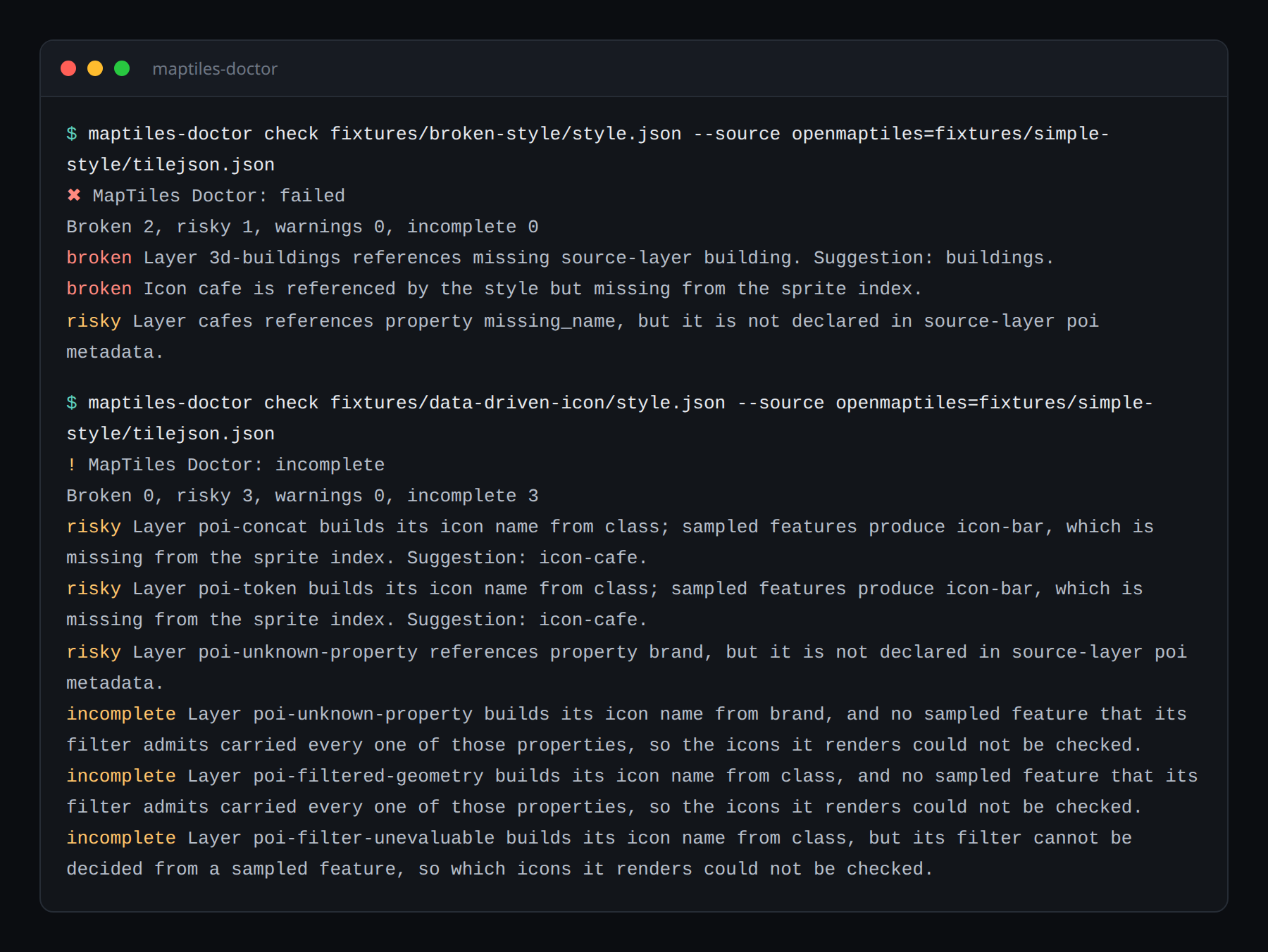
check options
| Option | Default | What it does |
| ------------------------------ | ---------------- | --------------------------------------------------------------------------------------------------------------------------------------------------------- |
| -s, --source <id=path> | — | Point a style source id at the artifact to check it against: a .pmtiles or .mbtiles file, or a TileJSON file or URL. Repeatable; overrides the style. |
| -f, --format <format> | pretty | pretty, json, sarif, github, html. |
| -o, --output <path> | stdout | Write the rendered report to a file. |
| --fail-threshold <severity> | broken | Lowest severity that exits 1: info, warning, risky, broken. |
| --timeout-ms <ms> | 10000 | Per-request network timeout. |
| --offline | off | Never touch the network; every remote read becomes an incomplete check. |
| --no-sample-tiles | sampling on | Check declared metadata only, without reading real tiles. |
| --max-sample-tiles <count> | 3 | Tile addresses probed per source. |
| --sample-at <lon,lat> | built-in anchors | Sample over a specific location, for a source the built-in anchors miss. |
| --sampled-absence <severity> | info | Severity when only a partial sample says something is absent. broken is rejected. |
| --canary <lon,lat,zoom[,id]> | — | Render a view with MapLibre GL in a headless browser. Repeatable. |
| --canaries <path> | — | JSON file holding an array of canary definitions. |
| --screenshot-dir <dir> | — | Where canary screenshots and diffs are written. |
| --baseline-dir <dir> | — | Directory of <canary-id>.png baselines to compare against. |
| --max-diff-ratio <ratio> | 0.005 | Fraction of differing pixels tolerated against a baseline. |
schema options
| Option | Default | What it does |
| --------------------- | ------- | --------------------------------------------------------- |
| -o, --output <path> | stdout | Write the report JSON Schema to a file instead of stdout. |
Exit codes
| Code | Meaning |
| ---- | --------------------------------------------- |
| 0 | Passed, or only findings below the threshold. |
| 1 | Findings at or above the fail threshold. |
| 2 | Invalid invocation, or a runtime error. |
An incomplete run never exits non-zero on its own. It reports what could not be verified rather than claiming a pass.
Severity means evidence strength
broken means an artifact was read and proves the mismatch. risky means the
evidence points at a mismatch without closing it. info is weak evidence — a
name a partial sample did not happen to supply. A check that could not run at
all is reported as incomplete and never as a pass.
Two rules follow: a partial sample can never produce broken (even
--sampled-absence refuses it), and a failed check is never a passed check.
MapLibre overzooms, so a layer drawn above its source's maxzoom is normal and is
never reported.
Related packages
@maptiles-doctor/core— the engine, for programmatic use.@maptiles-doctor/report— HTML and SARIF renderers.
License
Apache-2.0