
markdown-text-editor
v1.9.0
Published
A markdown editor that enhances your textarea instead of replacing it, so form submission, validation and required fields keep working. WYSIWYG hybrid mode, live preview, find and replace, RTL, TypeScript types. Works with any backend.

Maintainers
 nezanuha
Keywords
Readme
Markdown Text Editor
Toolbar, live preview and WYSIWYG on the textarea you already have




A lightweight, embeddable JavaScript Markdown editor that transforms a standard HTML <textarea> into a full-featured editing experience — without breaking native form submission. Works with any backend (Django, Laravel, PHP, Node.js, Rails) out of the box.
A native-first Markdown editor built on a standard textarea. No data binding, no API — just drop it in and your forms keep working as-is.
Works standalone. No Frutjam, no Tailwind, no framework required, the styles are bundled.
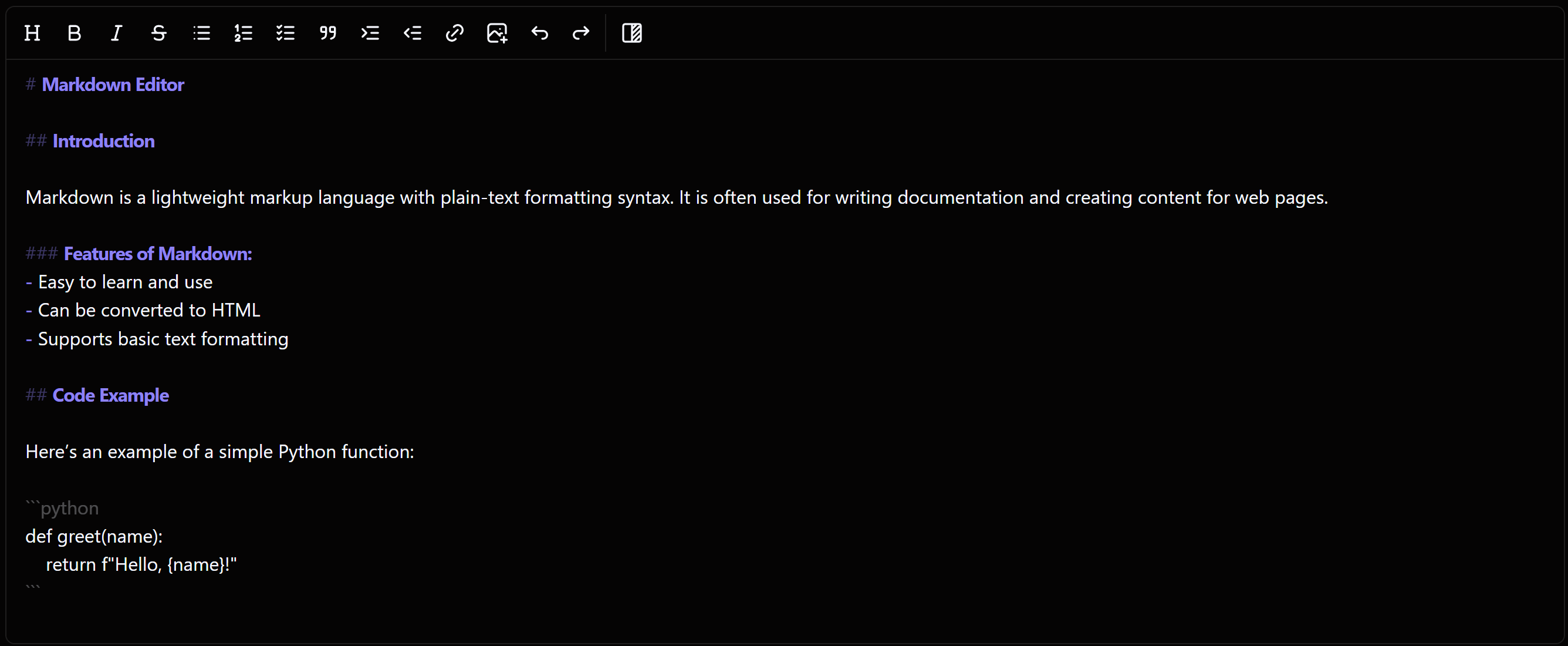
Hybrid mode. Text is styled as you type and the Markdown stays where it is, because this is your <textarea>, not a copy of it.
No complex APIs. No data binding. No JSON schemas. Just a
<textarea>that types Markdown and submits like any normal form field — enhanced with a rich toolbar, live preview, and WYSIWYG hybrid mode.
⭐ Why developers choose this over EasyMDE / SimpleMDE
Most JavaScript markdown editors (EasyMDE, SimpleMDE, CodeMirror-based editors) hide your <textarea> and edit a copy, writing the value back when the form is submitted. That holds up until something else needs the field: a required input the browser cannot focus blocks the submit entirely, and .value or FormData read before submit returns an empty string, which breaks htmx, Turbo, Livewire, autosave and unsaved-changes guards.
MarkdownEditor is different. It sits transparently on top of your existing <textarea>:
| Feature | MarkdownEditor | EasyMDE / SimpleMDE |
|---|---|---|
| Native <textarea> preserved | ✅ | ❌ Hidden, edited as a copy |
| Works with required fields | ✅ | ❌ Browser blocks the submit |
| .value correct before submit | ✅ | ❌ Empty until the form submits |
| Serialises with FormData, htmx, Turbo | ✅ | ❌ Needs the editor's own API |
| WYSIWYG hybrid mode | ✅ | ❌ |
| Inline event handlers (CSP) | ✅ None | Some |
| RTL support | ✅ Built in | Via CodeMirror's direction option |
| Built-in Find & Replace | ✅ | ❌ |
| Swap the markdown parser | ✅ | ❌ |
| Keyboard shortcuts | ✅ | Partial |
| Dark mode / theming | ✅ | Limited |
| Bundle size, gzipped | 54 KB | 107 KB (JS + CSS) |
🚀 Quick Start
NPM (bundlers: Vite, webpack, Rollup, etc.)
npm install markdown-text-editorimport MarkdownEditor from 'markdown-text-editor';
new MarkdownEditor('#markdown-editor');CDN: ES module
<script type="module">
  import MarkdownEditor from 'https://cdn.jsdelivr.net/npm/markdown-text-editor/dist/markdown-text-editor.es.js';
  new MarkdownEditor('#markdown-editor');
</script>
CDN: global script tag (IIFE)
<form method="post" action="/submit">
  <textarea id="markdown-editor" name="content"># Hello World</textarea>
  <button type="submit">Save</button>
</form>

<script src="https://cdn.jsdelivr.net/npm/markdown-text-editor"></script>
<script>
  new MarkdownEditor('#markdown-editor');
</script>
Via CDN: no import needed, MarkdownEditor is available globally.
That's it. Form submission, .value access, and all native textarea behaviour work exactly as before.
✨ Features
- 🔌 Native Form Integration — Works exactly like a standard
<textarea>. No complex APIs — just use.valueor thenameattribute. Compatible with Django, Laravel, PHP, Rails, Node.js, and with React or Vue via a ref anddestroy()on unmount - 🔀 WYSIWYG Hybrid Mode — Renders bold, italic, headings, and code live as you type while keeping the underlying Markdown. Switch to plain mode for raw syntax editing
- ⚡ Live Preview — Full side-by-side Markdown preview with clickable task list checkboxes that sync back to the source instantly
- 🔧 Bring Your Own Renderer — Swap marked for markdown-it or any other parser so the preview matches whatever your backend renders. The sanitizer is replaceable too, and DOMPurify still runs by default
- 🏷️ Variable Dropdown — Give template authors a menu of readable names that insert placeholders like
{{customer.name}}. Entries can be grouped, and a sample value can stand in for the placeholder in the preview - 🖼️ Advanced Image Upload — Upload images directly to your server or S3. Avoids heavy Base64 strings for better performance and SEO
- 🔍 Find & Replace — Built-in panel (
Ctrl+F/Ctrl+H) with live match counter, next/prev navigation, case-sensitive toggle, and replace all - ⌨️ Keyboard Shortcuts —
Ctrl+B,Ctrl+I,Ctrl+K,Ctrl+Z,Ctrl+1–Ctrl+3for headings, and more - 📝 Smart List Continuation — GitHub-style: press
Enterinside a list and the bullet/number continues automatically - 🔄 Undo / Redo — Full diff-based history with exact cursor restoration. Works with
Ctrl+Z,Ctrl+Y,Ctrl+Shift+Z - ♿ Accessible by Default —
role="toolbar",aria-pressed,aria-disabled,disabled, screen-reader-friendly SVGs, and correct focus restoration on modal close - 🛡️ XSS Safe — Preview output sanitized via DOMPurify before rendering, including the output of a custom renderer
- 🛡️ No inline scripts — No inline event handlers and no
eval, soscript-srcneeds no exception. The stylesheet is currently injected as a<style>element, which a strictstyle-srcblocks (#42) - 🌍 RTL Support — Native Right-to-Left support for Arabic, Urdu, Farsi, and other RTL languages
- 🌙 Dark Mode & Theming — Inherits
data-themefrom any ancestor element. Built-in light, dark, snowberry, and darkberry themes. Fully customizable via CSS variables - 🧩 Custom Tools — Add your own toolbar button with
{ custom: { title, icon, action } }, or extendMarkdownEditor.Toolwhen it builds its own markup. Keyboard shortcuts, translation and teardown work exactly as they do for the built-ins. No fork, no patching - 🎛️ Modular Toolbar — Pick exactly which tools appear and in what order
- 🟦 TypeScript Ready — Definitions ship with the package. Options, toolbar entries and variable shapes are all checked, so a mistyped tool name is a compile error rather than a silently missing button
- 📦 Universal Module Support — ESM, CommonJS, UMD, and IIFE. Works with Vite, webpack, Rollup, or directly via
<script src>CDN — no configuration needed - 🚀 High Performance — ~54KB gzipped (253KB minified). Debounced preview, cached layout calculations, conflict-free Tab/Enter handling for large documents
🛠 Developer Workflow
Getting & Setting Content
// Get — just like any textarea
const markdown = document.getElementById('markdown-editor').value;

// Set — editor UI updates automatically
document.getElementById('markdown-editor').value = '## Updated content';
React to every change with onChange
const editor = new MarkdownEditor('#markdown-editor', {
    onChange(value) {
        console.log('Content changed:', value.length, 'characters');
    }
});
Auto-save draft to localStorage
const textarea = document.getElementById('markdown-editor');
const saved = localStorage.getItem('draft');
if (saved && !textarea.value) textarea.value = saved;

const editor = new MarkdownEditor('#markdown-editor', {
    onChange(value) {
        localStorage.setItem('draft', value);
    }
});
Add your own toolbar button
Most tools are just a title, an icon and a function. No class, no fork:
new MarkdownEditor('#markdown-editor', {
    toolbar: ['bold', 'italic', {
        custom: {
            title: 'Callout',            // tooltip, and the .callout-btn class
            icon: '<svg>…</svg>',
            shortcut: 'Ctrl+Shift+C',    // optional, shown in the tooltip
            action(editor) {
                editor.insertText('> [!NOTE]\n> ');
            }
        }
    }, 'preview']
});
Use editor.insertText(text, caretOffset, trailingLength) rather than writing to the textarea yourself — it replaces the selection, restores focus, moves the caret, re-renders the preview, fires onChange, and keeps undo working.
A tool that builds its own markup, such as a dropdown or a dialog, extends the base class instead:
class EmbedTool extends MarkdownEditor.Tool {
    constructor(editor) {
        super(editor, 'Embed video');
        this.button = this.createButton('<svg>…</svg>');
    }
    applySyntax(event) {
        // MarkdownEditor.modal is the same dialog the link and image tools use
        const dialog = MarkdownEditor.modal(event, 'fj:max-w-sm', '…', 'Embed');
    }
}

new MarkdownEditor('#markdown-editor', { toolbar: ['bold', EmbedTool, 'preview'] });
Two helpers exist for tools that need them: editor.renderMarkdown(md) returns sanitized HTML exactly as the preview does, and editor.createToolbar(textarea, ['bold', 'italic']) builds a real toolbar bound to another textarea, for a tool collecting rich text in its own dialog.
Tear down in SPAs
// Removes editor UI, restores original textarea, cleans up all event listeners
editor.destroy();
In React, create the editor in an effect and return destroy as the cleanup — that also covers StrictMode running effects twice in development:
useEffect(() => {
    const editor = new MarkdownEditor(ref.current, { onChange });
    return () => editor.destroy();
}, []);
Use defaultValue, not value. The editor writes to the textarea directly, so a controlled binding (or Vue's :value) would overwrite what the user is typing. Full React and Vue examples are in the documentation.
The same two rules cover Svelte, Angular and anything else: don't bind the value, and call destroy() on unmount. In Angular, onChange fires outside the zone, so wrap it in zone.run() for change detection to notice.
Options are read once when the editor is constructed. Changing them later has no effect — destroy the editor and create a new one instead.
📖 Documentation
Full API reference, configuration options, theming guide, and advanced image upload docs: 👉 frutjam.com/plugins/markdown-editor
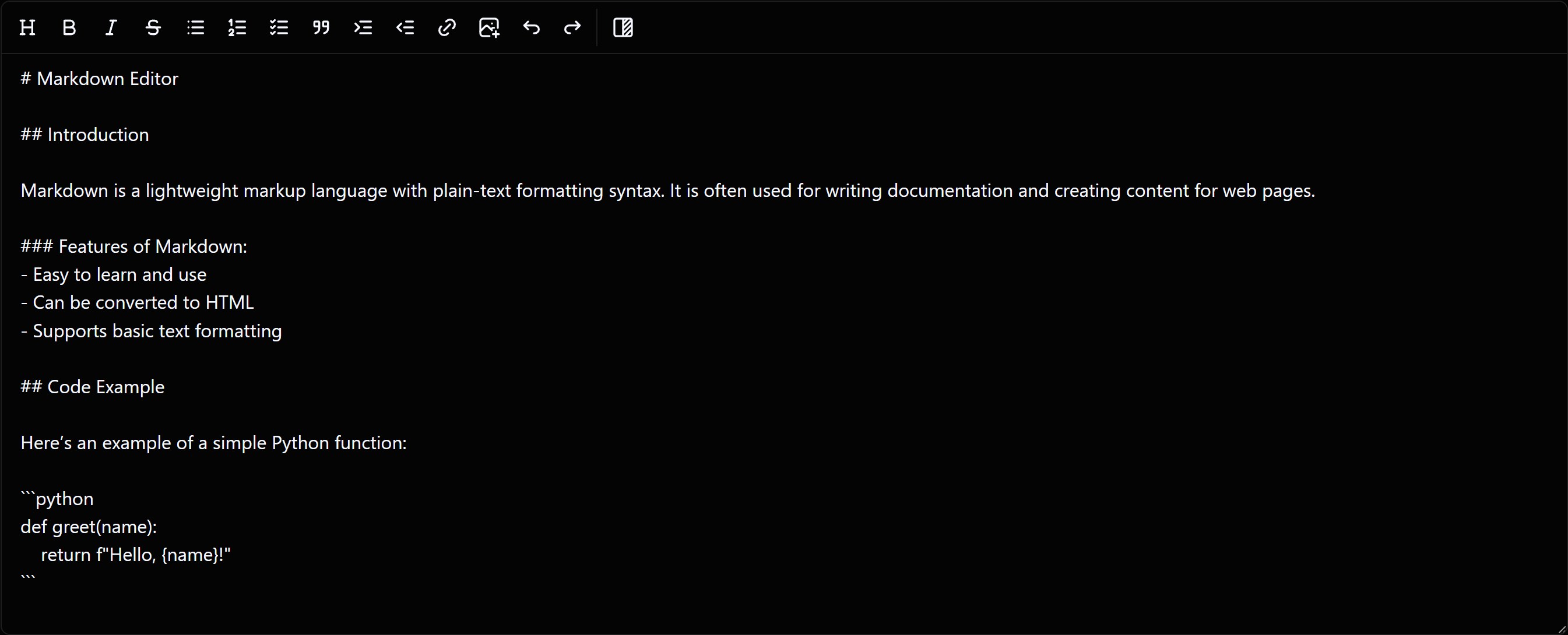
WYSIWYG Hybrid Mode vs Plain Mode
Hybrid Mode — live formatting as you type
Plain Mode — raw Markdown syntax
🤝 Contributing
Contributions are welcome! Bug fixes, feature requests, and improvements — open an issue or submit a pull request.
See CONTRIBUTING.md for setup, tests, project layout, and how to add a toolbar tool.
License
⭐ Support
If this saves you time, consider giving it a star — it helps others find this project!
