
markuplint
v5.0.1
Published
An HTML linter for all markup developers


Readme






Peace of mind in your markup - An HTML linter for all markup developers.
Features
- Conformance checking according to HTML Standard, WAI-ARIA, ARIA in HTML, etc.
- Supports CSS and SVG values.
- Supports React, Vue, Svelte, Alpine.js, HTMX, Pug, PHP, and more.
- Possible to specify the rule for each element if you use CSS Selector.
- Potential to create a custom rule.
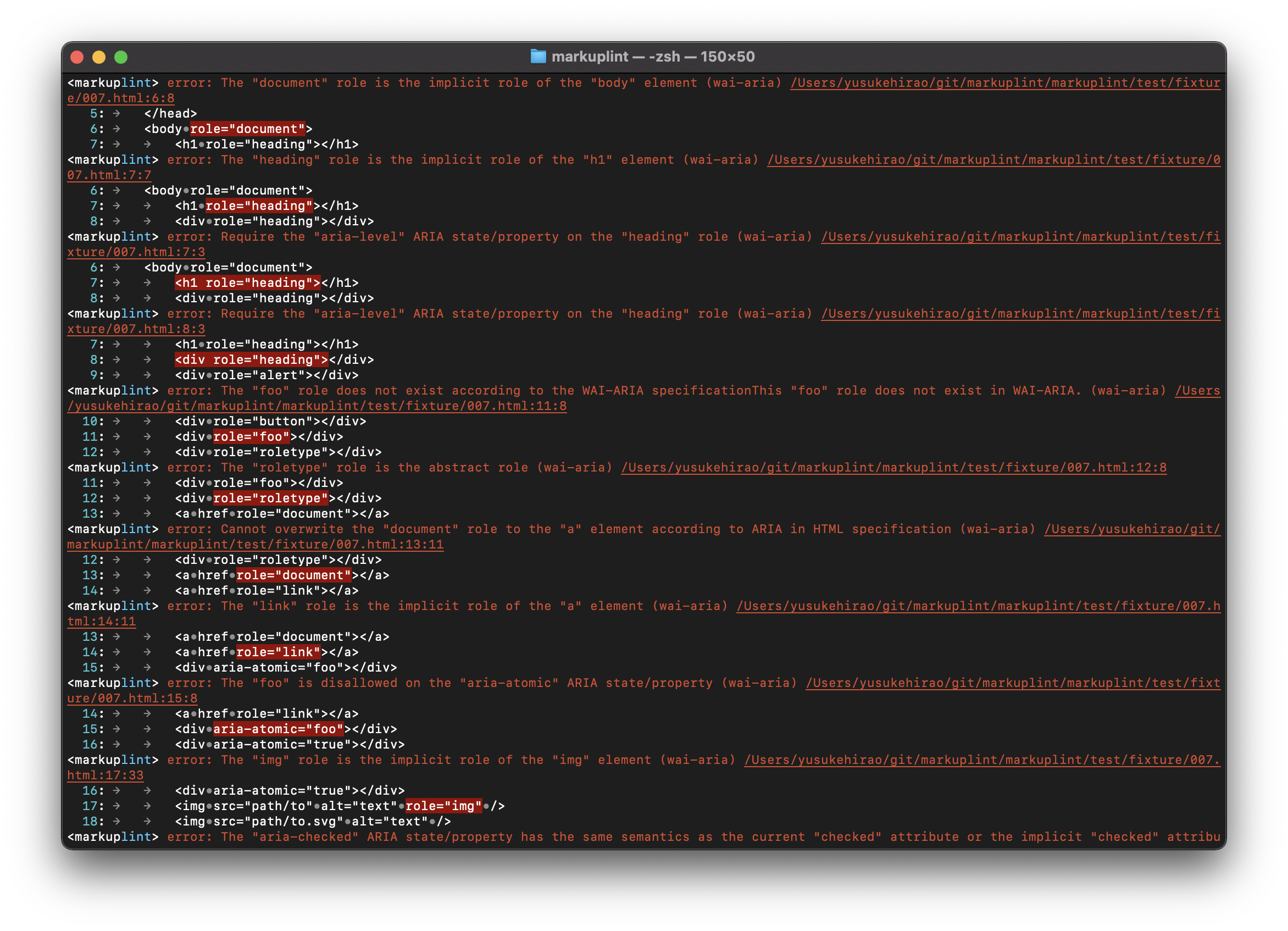
Instant using
$ npx markuplint target.htmlSupported for Node.js v24.0.0 or later.
Usage
Initialization
Create a configuration file and install dependencies.
$ npx markuplint --init
# or
$ yarn run markuplint --init
Answer questions interactively.
By doing this, needed modules are installed, including markuplint.
Add a command to the scripts option on package.json:
{
  "scripts": {
    "lint:html": "markuplint **/*.html"
  }
}
If you want to change the target path, you can change it for your project.
Execute the script:
$ npm run lint:html
# or
$ yarn lint:html
Command line options
$ npx markuplint --help

Usage
	$ markuplint <HTML file paths (glob format)>
	$ <stdout> | markuplint

Options
	--config,                -c FILE_PATH  A configuration file path.
	--fix,                                 Fix HTML.
	--format,                -f FORMAT     Output format. Support "JSON", "Simple", "GitHub" and "Standard". Default: "Standard".
	--no-search-config                     No search a configure file automatically.
	--ignore-ext                           Evaluate files that are received even though the type of extension.
	--no-import-preset-rules               No import preset rules.
	--locale                               Locale of the message of violation. Default is an OS setting.
	--no-color,                            Output no color.
	--problem-only,          -p            Output only problems, without passeds.
	--no-allow-warnings                    Return status code 1 even if there are warnings.
	--allow-empty-input                    Return status code 1 even if there are no input files.
	--show-config                          Output computed configuration of the target file. Supports "details" and empty. Default: empty.
	--verbose                              Output with detailed information.
	--include-node-modules                 Include files in node_modules directory. Default: false.
	--severity-parse-error                 Specifies the severity level of parse errors. Supports "error", "warning", and "off". Default: "error".
	--severity-deprecation                 Specifies the severity level of deprecated rule name notices. Supports "error", "warning", and "off". Default: "warning".
	--max-count                            Limit the number of violations shown. Default: 0 (no limit).
	--max-warnings                         Number of warnings to trigger nonzero exit code. Default: -1 (no limit).
	--progressive-output                   Output results immediately after processing each file. Default: false.

	--suppress                             [Experimental] Generate/update suppressions file for all current errors.
	--suppress-rule RULE_ID                [Experimental] Suppress only the specified rule.
	--prune-suppressions                   [Experimental] Remove stale entries from the suppressions file.
	--suppressions-location PATH           [Experimental] Custom path for the suppressions file. Default: "markuplint-suppressions.json".

	--init                                 Initialize settings interactively.
	--search                               Search lines of codes that include the target element by selectors.

	--help,                  -h            Show help.
	--version,               -v            Show version.

Examples
	$ markuplint verifyee.html --config path/to/.markuplintrc
	$ markuplint "**/*.html" --max-count=10
	$ cat verifyee.html | markuplint
Bulk Suppressions (Experimental)
This feature is experimental and may change in future releases.
When introducing new rules to an existing project, you can suppress current violations and enforce rules only on new code.
Typical workflow:
# 1. Enable new rules in your config, then suppress all current errors
$ markuplint --suppress "src/**/*.html"

# 2. Commit the generated suppressions file to your repository
$ git add markuplint-suppressions.json

# 3. From now on, only new violations are reported
$ markuplint "src/**/*.html"

# 4. As you fix existing violations, clean up stale entries
$ markuplint --prune-suppressions "src/**/*.html"- Only
error-severity violations are suppressed;warningandinfoalways pass through. - If the number of violations for a file+rule pair exceeds the suppressed count, all violations for that pair are reported.
--suppressalways exits with code 0 (success).- When a DOM tree is available, each suppression entry includes a scope selector (computed via LCA) to narrow suppression to a specific subtree. Entries without
scopeapply to the entire file.
{
  "src/index.html": {
    "no-duplicate-attr": { "count": 3, "scope": "#main-nav > ul" }
  }
}
See ESLint's Bulk Suppressions for the reference design. Tracking issues: #3503, #3509.
Documentation
Playground
Editor Extensions
License
Sponsors
Corporate Sponsors
Personal Supporters
Need Sponsors❤️🔥
Thanks
This linter is inspired by: