
masterwork
v0.4.0
Published
A local workbench for AI-coding agent skills and subagents — browse, edit, AI-refine, and prove them with scored simulation runs.

Maintainers
 flieks
Readme
Masterwork




A local workbench for the skills and subagents your AI coding agents use — browse
them across Claude Code, Codex and the shared ~/.agents folder, edit them,
refine them with AI, and prove they work with scored simulation runs.
Writing a skill is easy. Knowing whether it actually fires at the right moment, does the right thing, and doesn't quietly overfit to the one example you wrote it against — that's the hard part. Masterwork is built for that second half.
Runs entirely on your machine. Your skills never leave it.
What it does
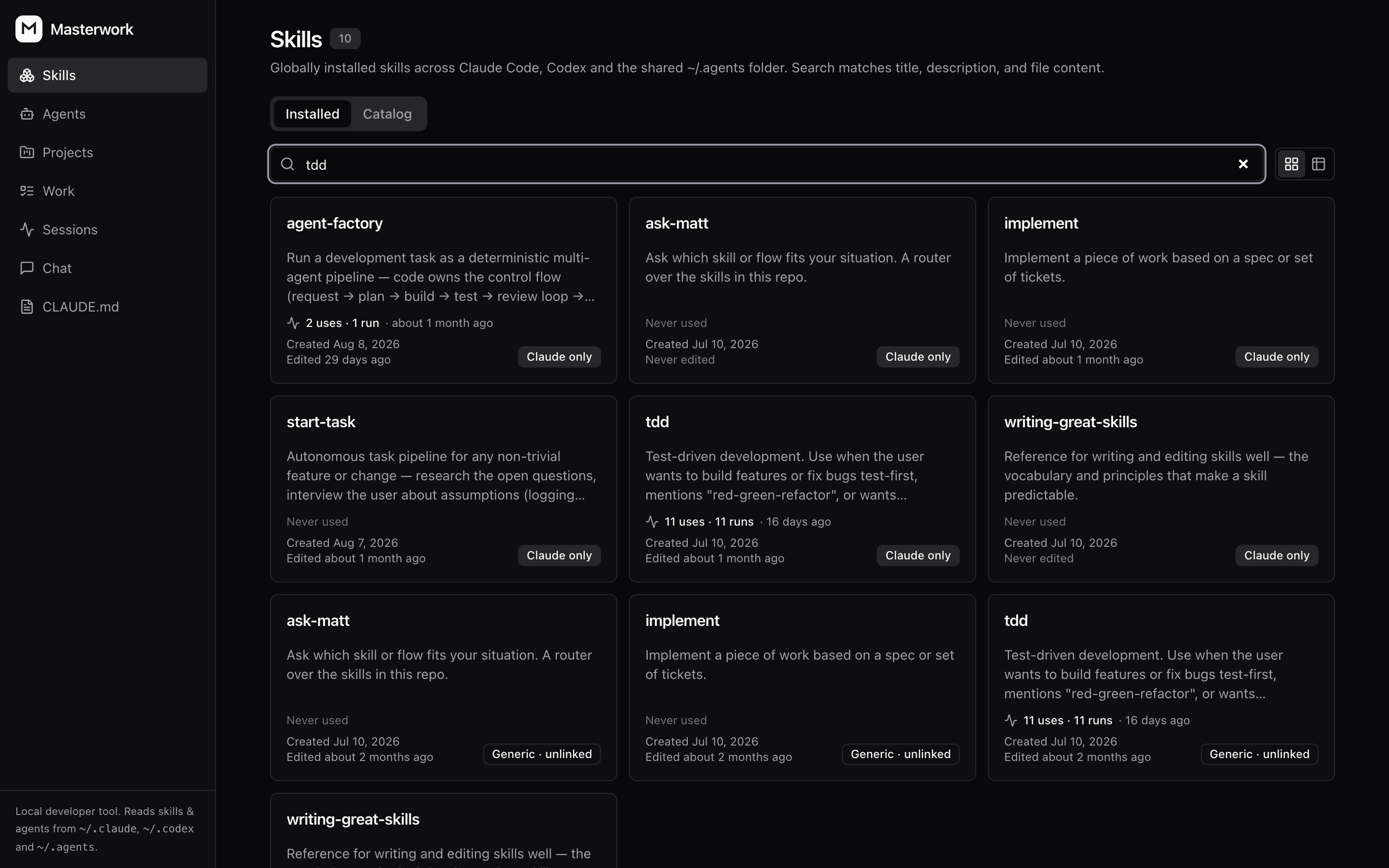
- Browse & edit every skill and subagent installed on your machine, with search, diffs, and git-backed snapshots of every change.
- Every agent's folder, one list — Claude Code reads
~/.claude, Codex reads~/.codex, and neither looks in the other's. Each skill is badged with the agents that actually load it, so a copy nothing reads is visible instead of silent. - Install from the catalog — search skills.sh and GitHub's
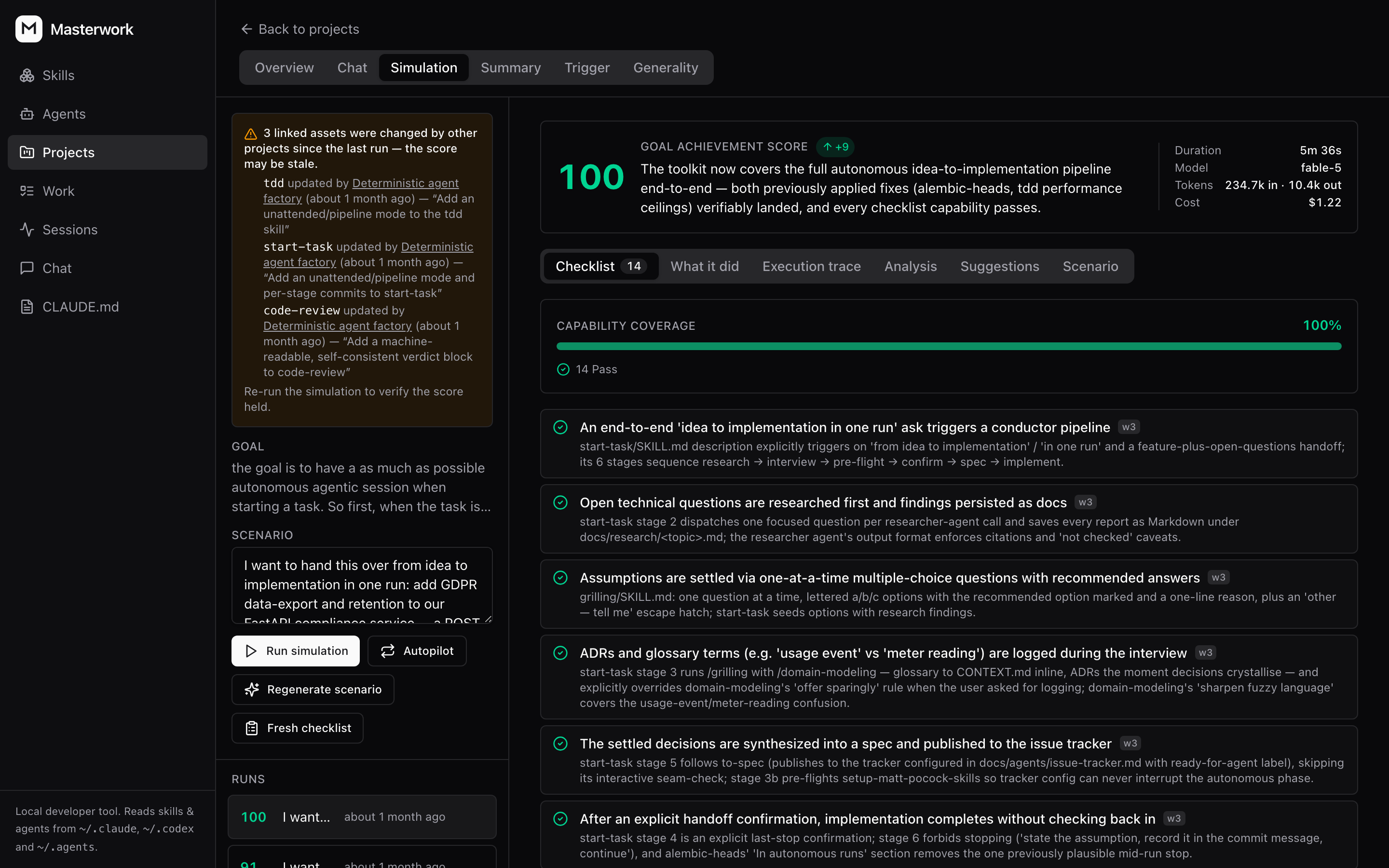
claude-skillstopic in one box, read theSKILL.mdbefore you commit to it, and install it for Claude Code, Codex, or the shared folder both load. Unlicensed skills say so and take a second click. - Simulate — run a skill against a scenario, score the result against a checklist, and see exactly which criteria it missed. Re-run after edits to confirm the fix.
- Generality audit — catch skills that were tuned to one example and won't survive contact with a different repo.
- Chat to refine — describe the change you want; the assistant proposes a concrete diff you accept or reject. It never writes files on its own.
- Projects — group assets around a goal, with generated summaries and Mermaid diagrams of how they fit together.
- Sessions — record the runs your coding agents actually do, Claude Code and Codex alike: which skills and subagents each one used, where the time went, what it cost. One click per agent to switch on.
- Work — your backlog next to the pull requests waiting on you, with each PR's review comments read in place and handed to a fresh coding session to answer.
- Global instructions — edit Claude Code's
CLAUDE.mdand Codex'sAGENTS.mdin the same place as everything else. - Either agent drives it — pick Claude Code or Codex in the sidebar and every AI feature (chat, summaries, simulations, diagrams, the factory) runs on it.
Requirements
- macOS or Linux
- Python 3.13+ and uv
- Node 20+
- Claude Code or Codex signed in, or both. The assistant runs on whichever you pick in the sidebar; skills and sessions are read for every agent present on the machine
No database server needed — it uses SQLite at ~/.masterwork/masterwork.db and
stores only chat sessions and simulation history. Your skills stay on disk.
Postgres is supported too: set DATABASE_URL and the same migrations apply.
The built-in assistant shells out to your local claude or codex binary, so it
runs on your existing subscription. No API key, no inference bill. Codex
reports tokens but no price, so its runs show cost as not reported.
Quick start
npx masterworkThat's it — nothing to clone. It installs what it needs, migrates the database, starts both servers and opens the browser. Ctrl-C stops everything.
git clone https://github.com/flieks/masterwork.git
cd masterwork
npm start          # same launcher
Or run the two servers yourself:
cd backend
uv sync
uv run alembic upgrade head
uv run uvicorn app.main:app --reload --port 8008

# in a second terminal
cd frontend
npm install
npm run dev        # http://localhost:5192
Where skills live
SKILL.md is the same file for every agent, but the folders differ: Claude Code
reads only ~/.claude/skills; Codex reads ~/.codex/skills and the shared
~/.agents/skills. The shared folder is the way to keep one copy: Codex loads it
directly, Claude Code through a link in its own folder.
Masterwork lists all three and says which agents load each skill — Claude
only, Codex only, Generic · Claude, Codex, or Generic · Codex for a
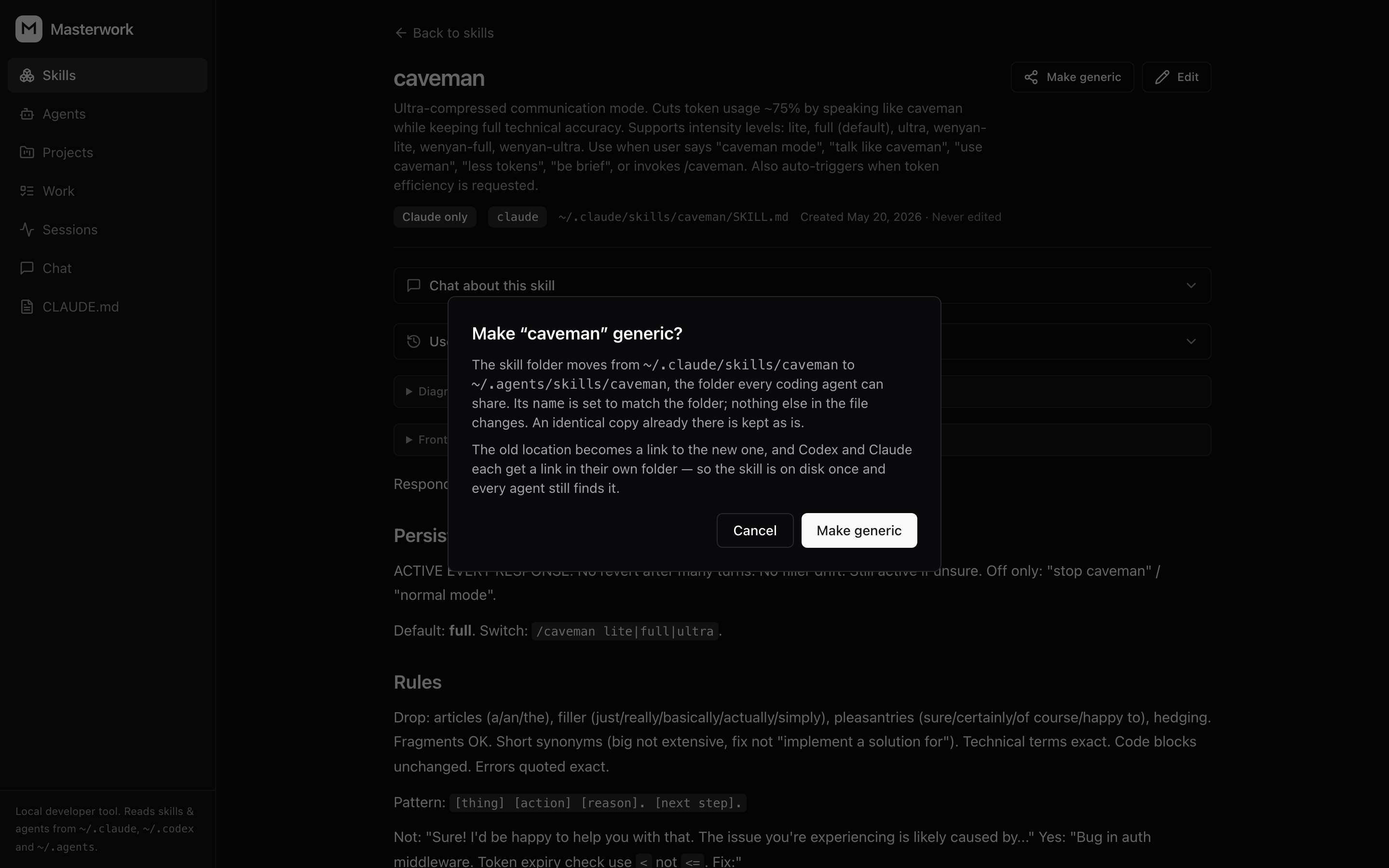
shared copy Claude Code has no link to yet. Make generic does the move: the
folder goes to ~/.agents/skills and Claude Code gets a link to it, so the skill
is on disk once and every agent still finds it. An
identical copy already in the shared folder is adopted instead of duplicated; a
copy that differs stops and asks before anything is overwritten. A skill can also
be switched off without deleting it: it moves to .disabled/ inside the same
skills folder, one level deeper than any agent reads, and one switch brings it
back.
Community catalog
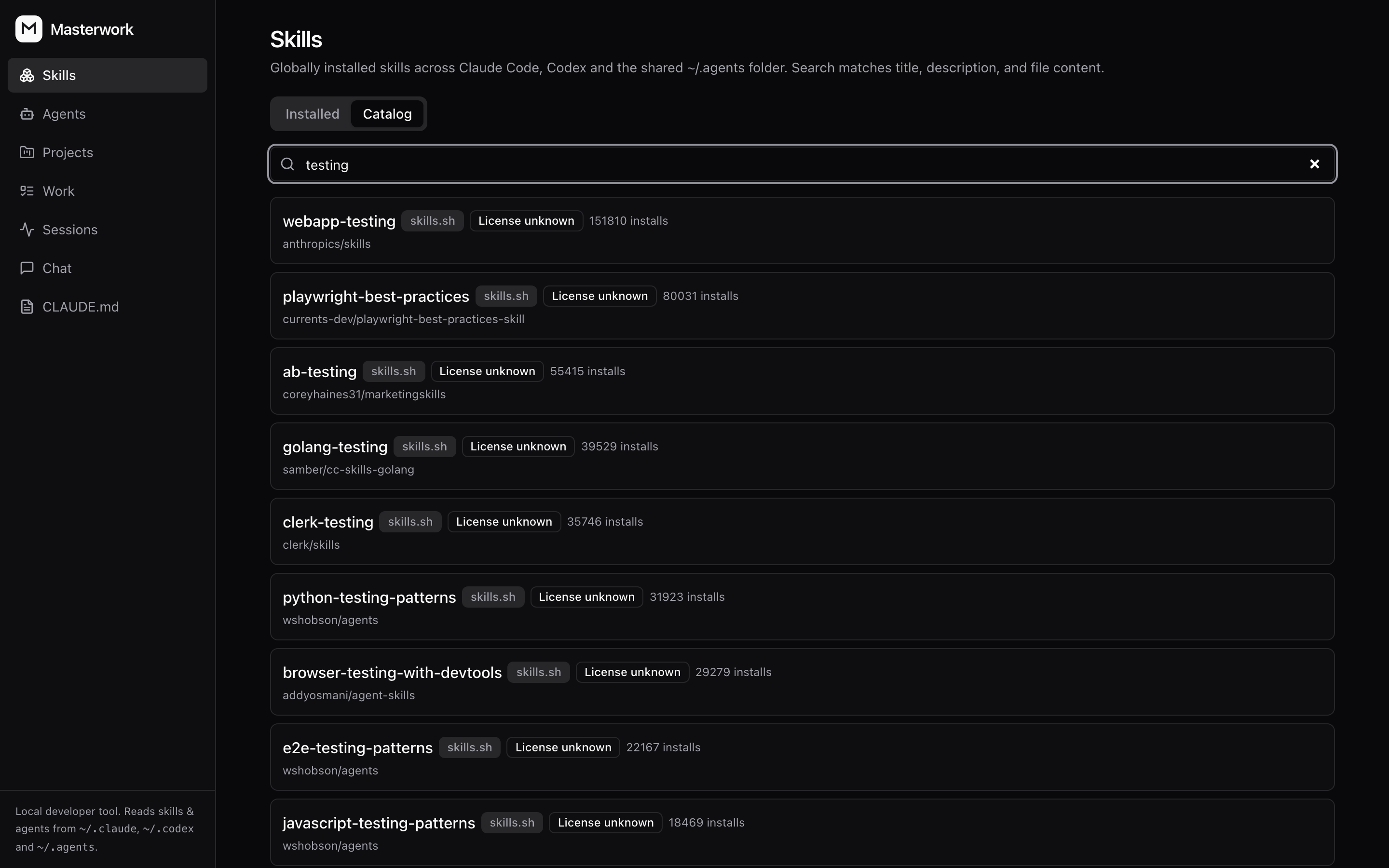
The Catalog tab searches skills.sh and GitHub's topic:claude-skills at once,
merges the results, and shows you the SKILL.md before you install anything.
Licensing is on the card: a GitHub repo with no license means all rights
reserved, not unknown, so installing one takes a second click that names the
risk. Pick where it goes: Claude Code, Codex, or the shared ~/.agents folder.
Uninstall only removes what masterwork installed, never a skill you wrote.
An installed skill's page can check it against its source on demand: it tells
you whether you edited it, whether the repo moved on, or both, shows the
SKILL.md diff, and updates in place — asking first when that would overwrite
your edits.
Projects
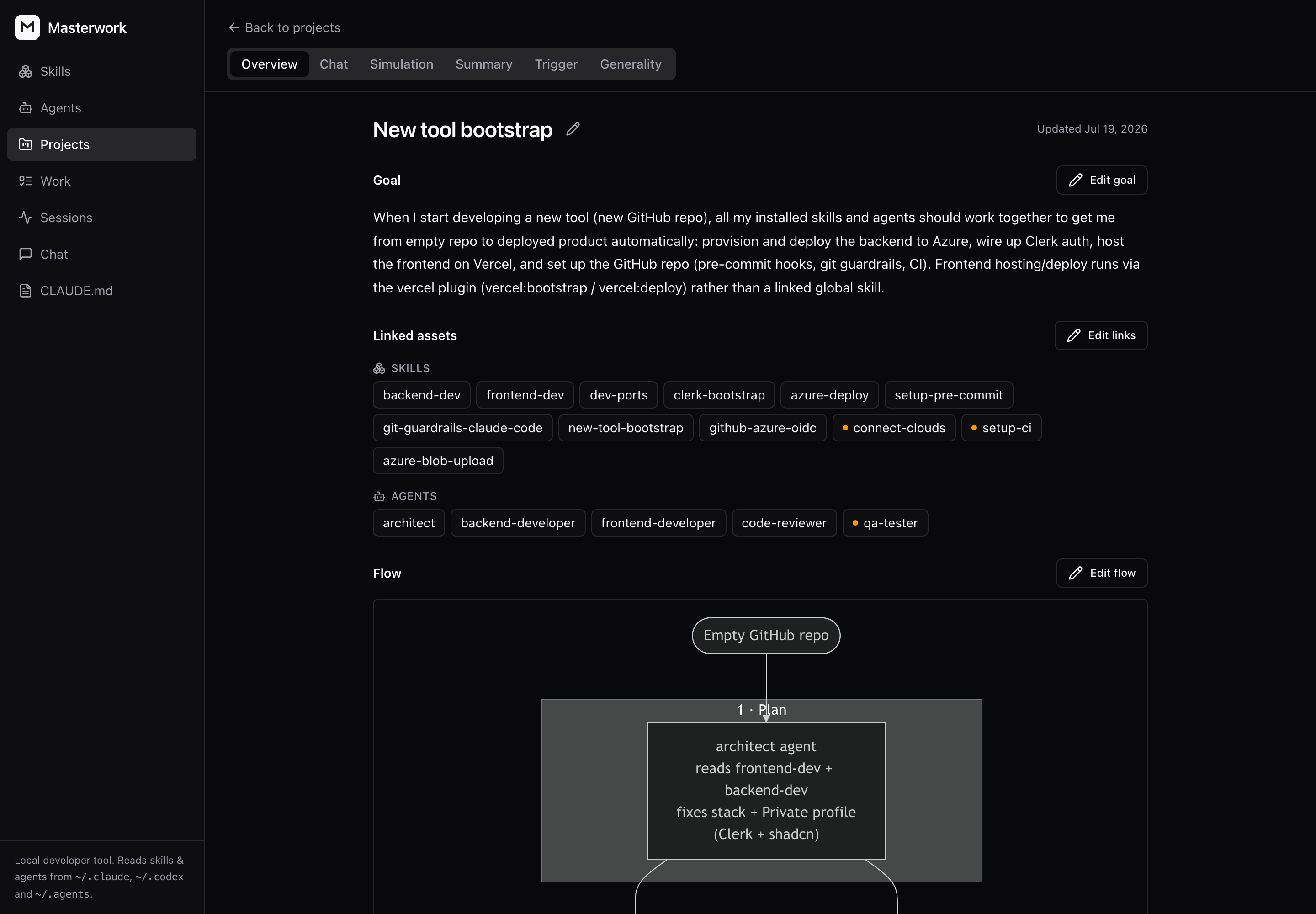
A project is a goal plus the skills and agents that serve it. Masterwork writes a summary and a Mermaid flow of how they fit together, and simulates the whole set against the goal in one run — so "these twelve should take me from empty repo to deployed product" becomes a claim you can test rather than a hope.
Refine by chat
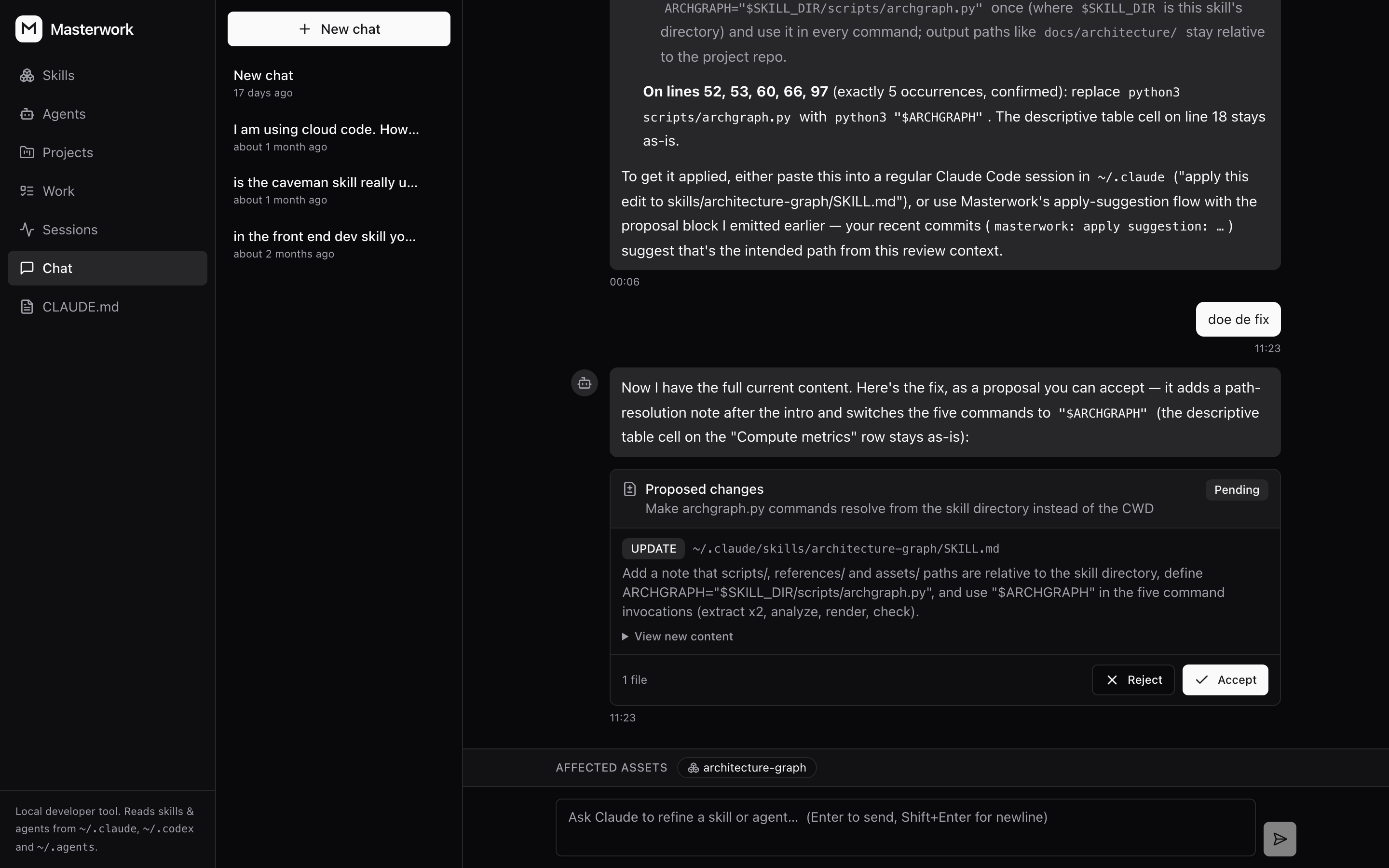
Describe the change you want; the assistant reads the file and answers with a proposal — one diff per file, with Accept and Reject under it. Its tools are read-only, so nothing lands until you accept, and what you accept is committed as a git snapshot in the folder it edited.
Work
The Work screen puts your Azure DevOps backlog next to the pull requests waiting on you, read-only — masterwork never writes back. A PR's unresolved review comments can be handed to a fresh coding session in the repo they belong to, with the comments quoted into the prompt and a rule that it may not push.
No screenshot for this one: the only real data on that screen is client work.
Session recording
The Sessions screen is empty until a coding agent tells masterwork that a run happened. Open it and click Connect next to the agent — that is the whole setup. For Claude Code it:
- copies a small forwarder script to
~/.masterwork/hooks/, - adds eight hooks to
~/.claude/settings.jsonthat run it (backing the file up tosettings.json.masterwork.bakfirst), - leaves every other hook in that file exactly as it was.
Codex gets the same treatment with its own forwarder and nine hooks in
~/.codex/hooks.json; config.toml is never written. Codex only runs a hook you
have trusted, so after Connect (and after a Repair) open /hooks in Codex and
trust masterwork's entries. From then on each session
posts its start, prompts, tool calls, subagent spawns, the moments it goes
blocked on you, and its exit to http://localhost:8008/api/v1/hooks/events, and
every run is badged with the agent that ran it. Disconnect in the same place
removes those entries and nothing else; the runs already recorded are kept.
Nothing is installed without that click, and nothing is sent anywhere but your own machine. Prefer the terminal?
cd backend && uv run python -m app.observability.cli connect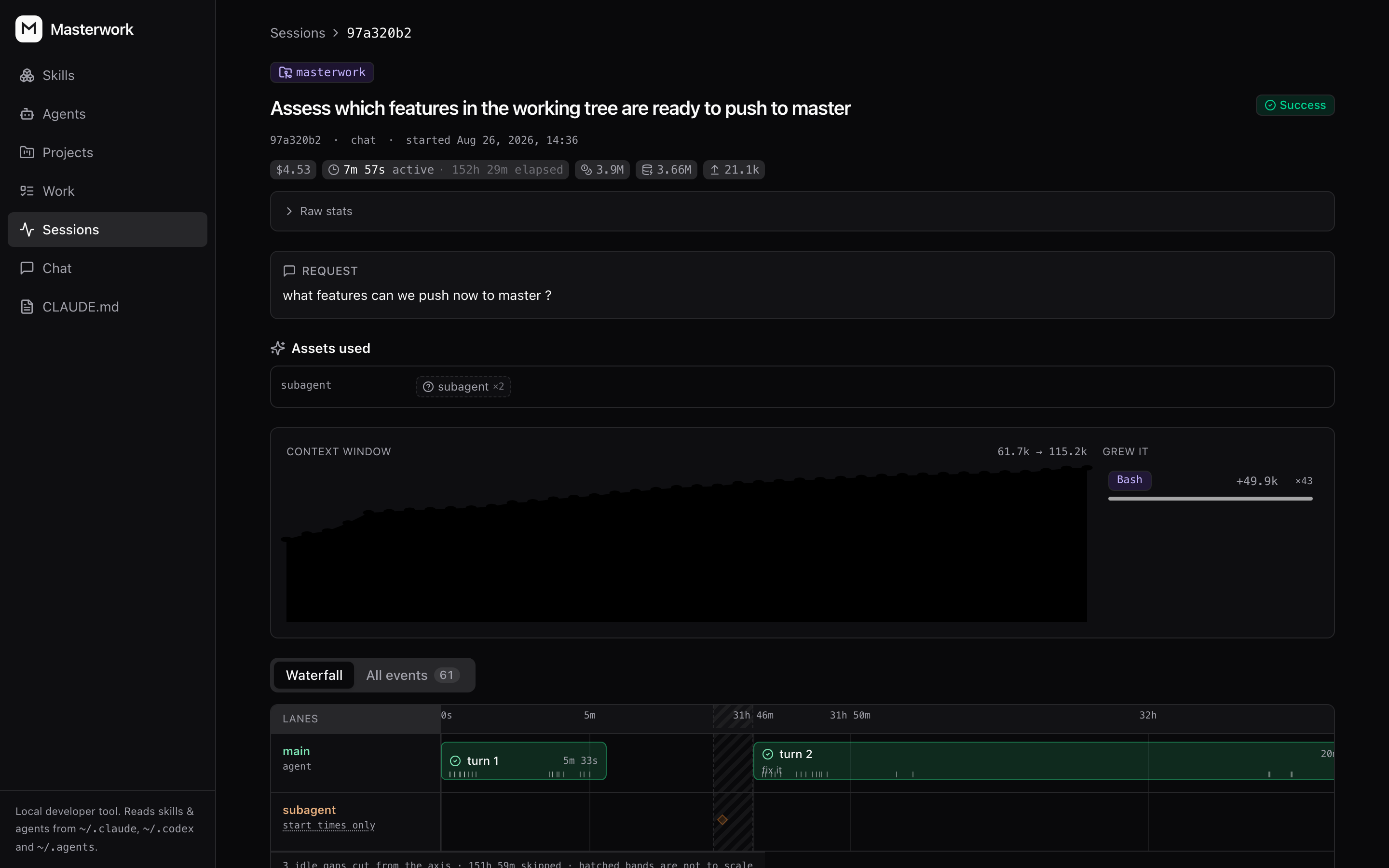
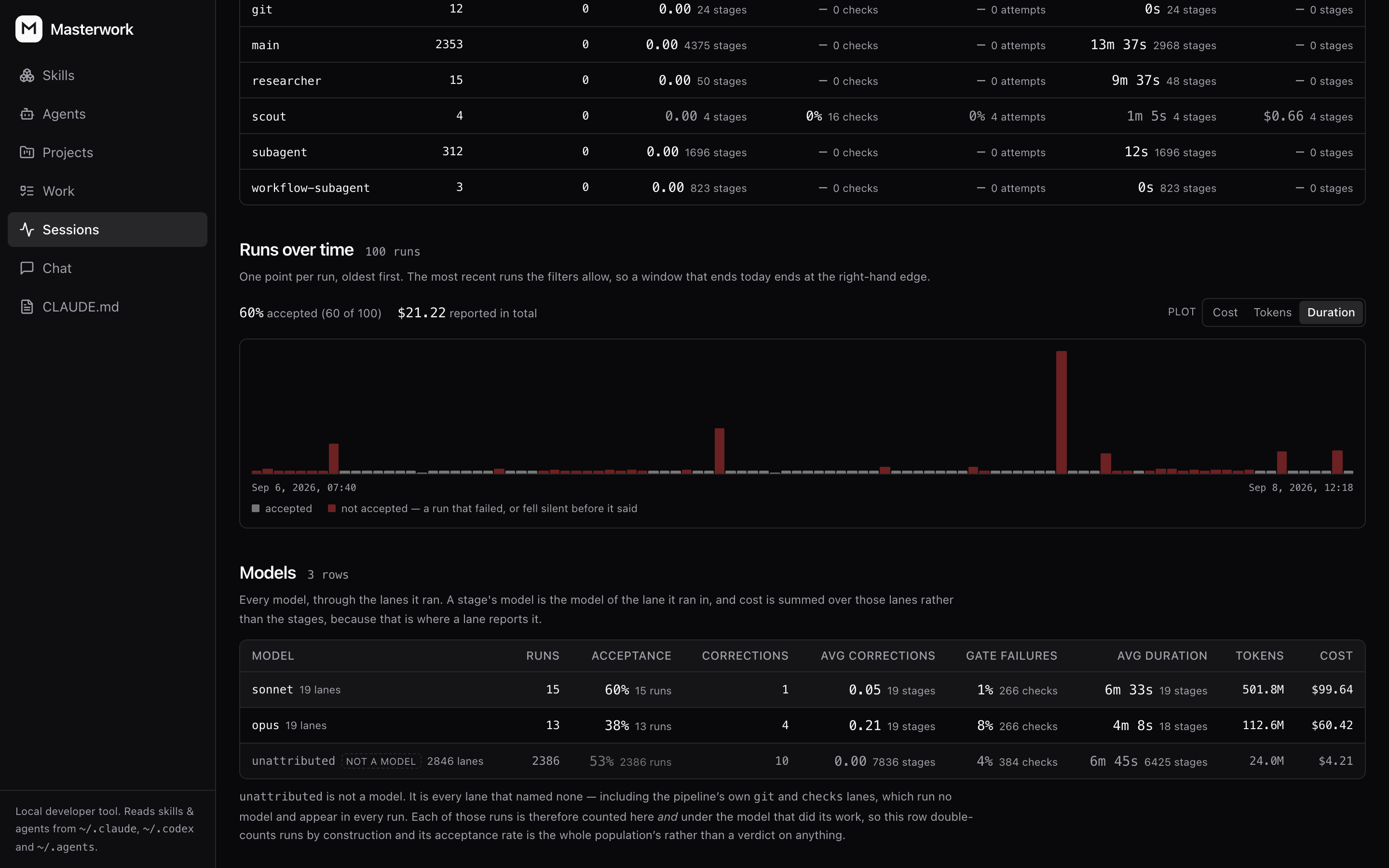
Across runs, the Analytics tab totals one population four ways — the gates that failed, the roles that ran, the models behind them, and every run over time. Which model actually gets its work accepted is a number here, not a hunch.
Claude Code and Codex are the agents wired up today. SKILL.md is an open
standard and so is this: an agent that can run a command on session events is
an Integration implementation in backend/app/observability/ and a line in
its registry — the API, the screen and the button already handle the rest.
How it works
frontend/   React + Vite + TS · Jotai + jotai-tanstack-query · react-router-dom · shadcn/ui
            API client generated (typescript-axios) from the backend's /openapi.json
backend/    FastAPI · Pydantic v2 · SQLAlchemy 2.0 async · Alembic · uv
            - assets:        scans every skills root (~/.claude, ~/.codex, ~/.agents)
            - skills:        community catalog search, install and uninstall
            - instructions:  the global CLAUDE.md and AGENTS.md
            - chat:          claude -p / codex exec runner, proposals, apply-changes
            - simulations:   scored dry-runs with checklist grading and run memory
            - sessions:      hook ingest, plus the per-agent wiring that installs it
            - work:          the backlog and pull requests, delegated to sessions
docs/       SPEC.md (product spec) · API_CONTRACT.md (the v1 API contract)
The files on disk are the source of truth. The database holds chat sessions and simulation history — nothing that can't be rebuilt.
Safety model
This tool edits files in your home directory, so the boundaries are explicit:
- The assistant runs read-only: Claude Code with read-only tools, Codex in its read-only sandbox. It cannot write anything.
- The only file outside masterwork's own home it ever writes is your agent's hook config, only when you click Connect, and only after backing it up.
- Every change arrives as a proposal you review and accept.
- Applies are performed by the backend, against a validated path allowlist.
- Each accepted change is committed as a git snapshot, so you can always go back.
- Secrets found in the files being read are redacted before they reach the model.
No auth, no multi-user: this is a single-user tool bound to localhost.
Roadmap
- More agents. Claude Code and Codex are read and recorded today; Cursor and Gemini CLI are not read at all. Assets route through a provider abstraction and session recording through an integration one, so adding an agent to either is the natural first contribution.
- A faster first run.
npx masterworkcurrently runs the frontend through Vite's dev server, so the very first launch waits on a full install. Shipping a pre-built frontend would cut that to seconds. - A hub. Pulling from the community catalog works; publishing back does not. Skills, subagents and projects, with simulation scores attached, so you can see what a skill actually does before installing it.
Issues and PRs welcome, especially for the first item.
Development
Backend tests (integration tests use a throwaway masterwork_test database):
cd backend && uv run pytestFrontend tests (Playwright component + E2E):
cd frontend && npm run test:ct && npm run test:e2eLocal dev-server setup, including the optional launchd services used on macOS, is documented in docs/DEV_SETUP.md.
Credits
The factory/ pipeline — staged agent runs with typed envelopes, per-stage write
boundaries and deterministic gates — takes its shape from
disler/super-simple-software-factory
by IndyDevDan. SSSF in a couple of code
comments refers to that repo. The code here is ours; the idea to structure it
this way is not.
License
Elastic License 2.0: free to use, self-host, and modify. You may not offer Masterwork (or a substantial part of it) to third parties as a hosted or managed service.