
material-icon-resolver
v0.1.9
Published
Resolve Material Icon Theme icon names, filenames, and CDN URLs from a file path, folder path, or language ID.

Maintainers
 kazuito
Readme
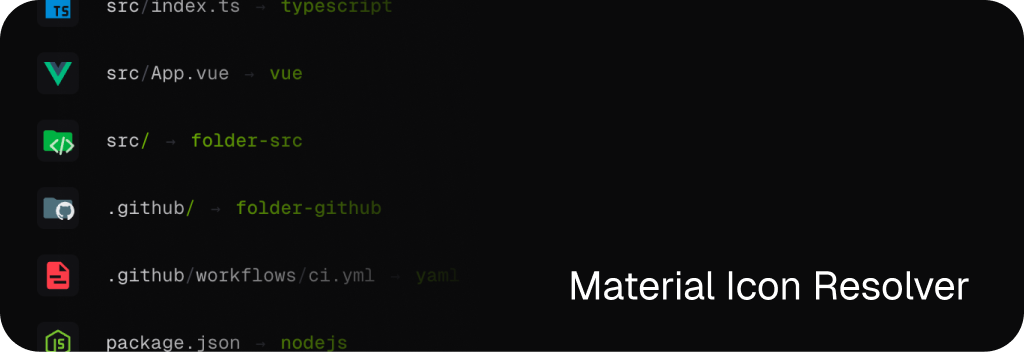
Resolve Material Icon Theme icon names, SVG filenames, and CDN URLs from file paths, folder paths, or VSCode language IDs.
Zero dependencies. ESM + CJS. Node, Bun, Deno, browser.
▶ Try it online — interactive playground, no install needed.
Install
npm install material-icon-resolverUsage
import { resolveMaterialIcon } from "material-icon-resolver";

resolveMaterialIcon("src/index.ts");
// {
//   name: "typescript",
//   filename: "typescript.svg",
//   cdnUrl: "https://cdn.jsdelivr.net/npm/[email protected]/icons/typescript.svg",
//   type: "file",
//   source: "fileExtensions",
// }

resolveMaterialIcon("src", { type: "folder" });
// { name: "folder-src", filename: "folder-src.svg", ... }

resolveMaterialIcon("src", { type: "folder", open: true });
// { name: "folder-src", filename: "folder-src-open.svg", ... }
Resolve directly from a VSCode language ID — handy for editors like Monaco where the path may be synthetic:
import { resolveMaterialIconByLanguageId } from "material-icon-resolver";

resolveMaterialIconByLanguageId("rust");
// { name: "rust", filename: "rust.svg", ..., source: "languageIds" }
Or pass languageId as a fallback hint — used only when the path itself doesn't match anything specific:
resolveMaterialIcon("scratch.unknown-ext", { languageId: "rust" });
// → rust (path miss, languageId wins)

resolveMaterialIcon("package.json", { languageId: "rust" });
// → nodejs (specific filename match still wins)
Convenience helpers:
import { getMaterialIconName, getMaterialIconCdnUrl } from "material-icon-resolver";

getMaterialIconName("package.json");
// "nodejs"

getMaterialIconCdnUrl("package.json");
// "https://cdn.jsdelivr.net/npm/[email protected]/icons/nodejs.svg"
Split entries
The root entry bundles both file and folder lookups. Import from /file or /folder to load only one side:
import { resolveMaterialFileIcon } from "material-icon-resolver/file";
import { resolveMaterialFolderIcon } from "material-icon-resolver/folder";

resolveMaterialFileIcon("src/index.ts");
resolveMaterialFolderIcon("src", { open: true });
CommonJS works the same way:
const { resolveMaterialFileIcon } = require("material-icon-resolver/file");API
resolveMaterialIcon(path, options?)
Resolve from a file or folder path. Returns ResolvedMaterialIcon, or null when fallback: "none" and no match is found.
type ResolvedMaterialIcon = {
  name: string;       // e.g. "typescript"
  filename: string;   // e.g. "typescript.svg"
  cdnUrl: string;
  type: "file" | "folder";
  source:
    | "fileNamesWithPath"
    | "fileNames"
    | "fileExtensions"
    | "languageIds"
    | "rootFolderNames"
    | "folderNames"
    | "default";
};
resolveMaterialIconByLanguageId(languageId, options?)
Resolve from a VSCode language ID (e.g. "typescript", "rust", "shellscript"). Returns a ResolvedMaterialIcon with type: "file", or null. Accepts cdn / version / baseUrl / fallback.
Split-entry variants
resolveMaterialFileIcon(path, options?)— acceptscdn/version/baseUrl/languageId/fallback: "file" | "none".resolveMaterialFileIconByLanguageId(languageId, options?)— acceptscdn/version/baseUrl/fallback: "file" | "none".resolveMaterialFolderIcon(path, options?)— acceptscdn/version/baseUrl/open/fallback: "folder" | "none".
Options
| Option | Type | Default | Description |
| ------------ | ----------------------------------- | ---------------------------------------- | ----------- |
| type | "file" \| "folder" | "file" | Resolve path as a file or folder. |
| open | boolean | false | Append -open for expanded folder icons. |
| languageId | string | — | VSCode language ID used as a fallback when path lookup misses. Ignored when type is "folder". |
| fallback | "file" \| "folder" \| "none" | matches type | Returned when no match is found. "none" returns null. |
| cdn | "jsdelivr" \| "unpkg" | "jsdelivr" | CDN provider for cdnUrl. |
| version | string | pinned upstream version | material-icon-theme version on the CDN. |
| baseUrl | string | — | Custom base URL. Overrides cdn and version. |
Resolution order
Files — fileNamesWithPath[parent/basename] → fileNames[basename] → fileExtensions[longest…shortest] → languageIds[languageId] → fallback.
Folders — rootFolderNames[basename] → folderNames[basename] → fallback. Folder maps include the upstream extendFolderNames aliases (name, .name, _name, -name, __name__).
All keys match case-insensitively.
Other exports
import {
  metadata,                     // { upstreamVersion, upstreamCommit, ... }
  buildCdnUrl,                  // ({ cdn, version, filename }) => string
  buildBaseUrl,                 // (baseUrl, filename) => string
  MATERIAL_ICON_THEME_PACKAGE,  // "material-icon-theme"
} from "material-icon-resolver";