
mc-jev-cli
v1.0.1
Published
CLI and web UI for Ollama's systemone structured-inference endpoint

Maintainers
 mohanchinnappan
Readme
mc-jev-cli
Terminal and browser client for Ollama's /v1/systemone structured-inference endpoint.
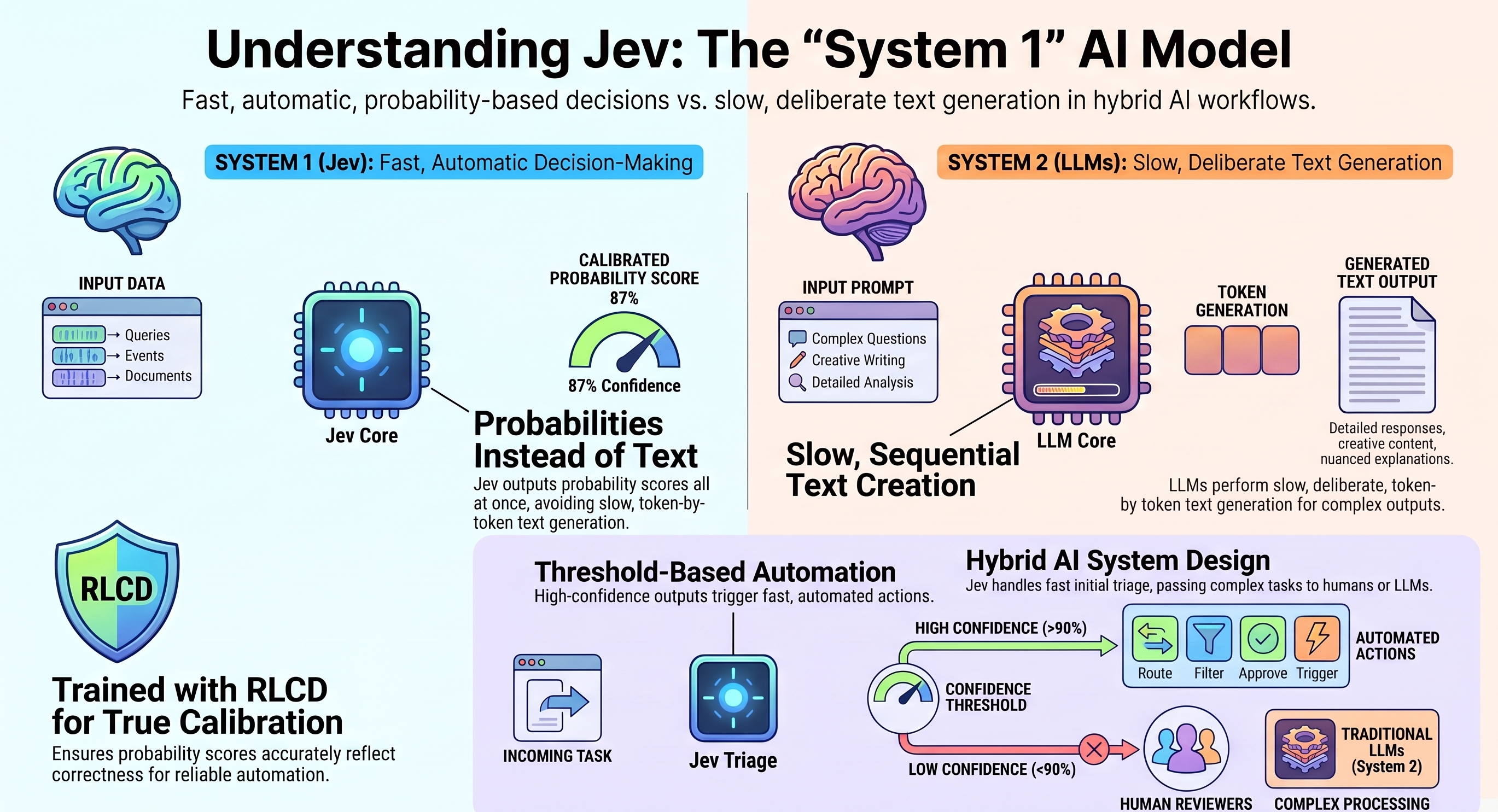
JEV is named after economist William Stanley Jevons and is a System One Model — a new class of AI designed for automation, not conversation. It produces type-safe structured values (not text) in 70–500 ms, with hallucinations mathematically prevented. Learn more: typesafe.ai/blog/introducing-system-one-models-and-jev
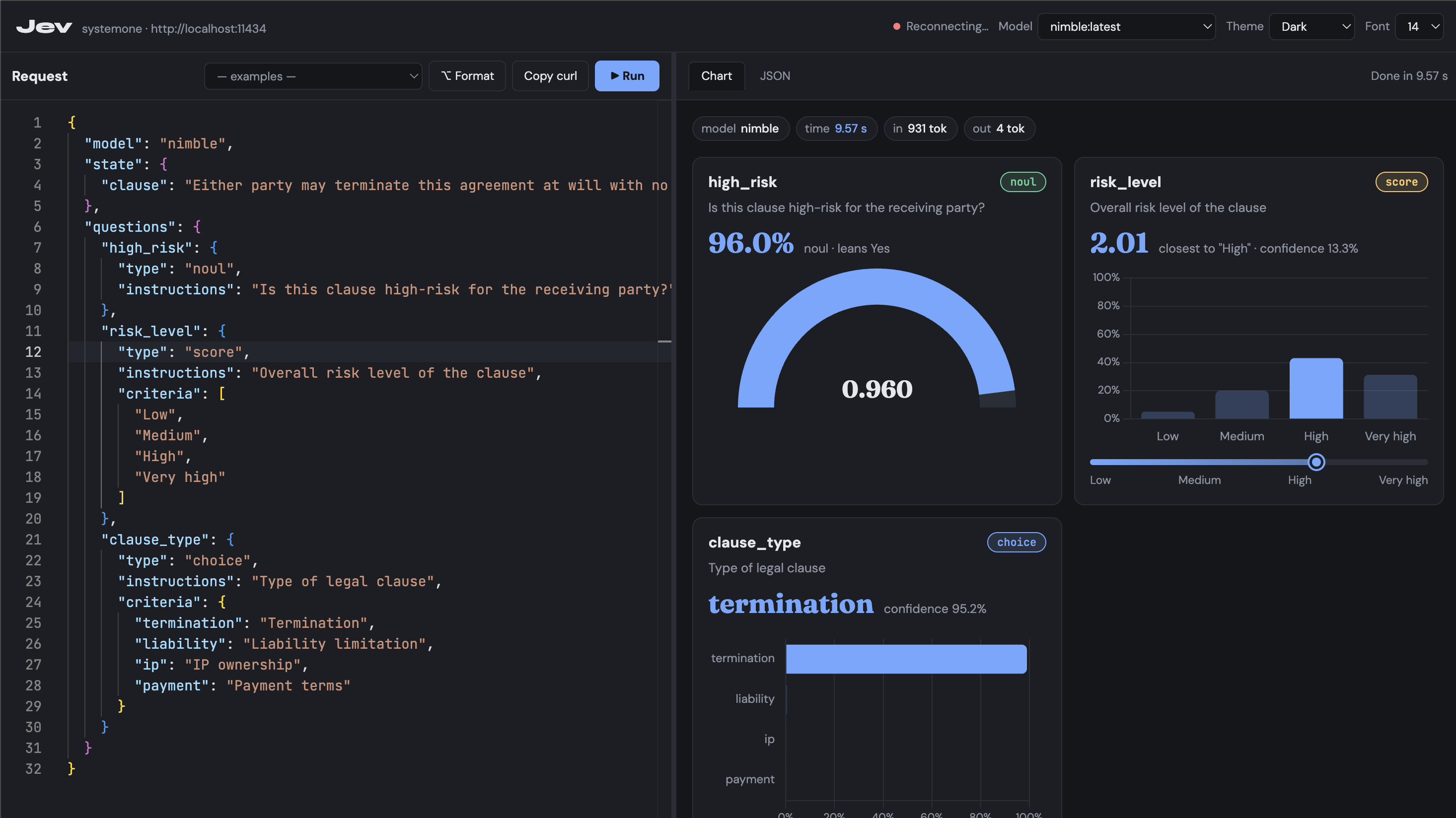
Screenshot
What it does
systemone is an Ollama endpoint that answers structured questions about a piece of text in a single call.
Each question is typed:
| Type | What it returns |
|------|----------------|
| choice | Picks the best option from a named set, with probabilities for each |
| noul | Returns a 0–1 score (null-or-likely, i.e. boolean strength) |
| score | Returns a continuous 0–N score mapped over a legend |
mc-jev gives you two ways to use this: a browser UI with charts, or a plain terminal command.
Quick start
# install globally from npm
npm install -g mc-jev-cli

# start the web UI on port 7834
mc-jev serve -p 7834 --open

# run a request file and print a table in the terminal
mc-jev run request.json

# pipe JSON and get JSON back
cat request.json | mc-jev run - -f json

# list available Ollama models
mc-jev models
Set OLLAMA_HOST to override the default Ollama URL (http://localhost:11434).
CLI reference
mc-jev serve (default command)
Starts the Express + WebSocket server and opens the browser UI.
| Flag | Default | Description |
|------|---------|-------------|
| -p, --port <n> | 3737 | Port to listen on |
| -u, --ollama <url> | $OLLAMA_HOST or http://localhost:11434 | Ollama base URL |
| -m, --model <name> | nimble | Default model when the request omits model |
| --open | off | Open the UI in your default browser |
mc-jev run [file]
Sends a request JSON file (or stdin with -) to Ollama and prints the answers.
| Flag | Default | Description |
|------|---------|-------------|
| -u, --ollama <url> | $OLLAMA_HOST | Ollama base URL |
| -m, --model <name> | nimble | Model override |
| -f, --format <type> | table | table (coloured terminal) or json |
mc-jev models
Lists models available on the Ollama server with their sizes.
Request format
{
  "model": "nimble",
  "state": {
    "ticket": "I was charged twice. Please refund the extra payment."
  },
  "questions": {
    "team": {
      "type": "choice",
      "instructions": "Which team should handle this ticket?",
      "criteria": {
        "billing": "Payments and refunds",
        "technical": "Bugs and integrations",
        "other": "None of the above"
      }
    },
    "refund": {
      "type": "noul",
      "instructions": "Does the customer explicitly ask for a refund?"
    },
    "urgency": {
      "type": "score",
      "instructions": "How urgent is this ticket?",
      "criteria": ["Routine", "Soon", "Urgent"]
    }
  }
}
Response format
{
  "model": "nimble",
  "answers": {
    "team": {
      "type": "choice",
      "choice": "billing",
      "probabilities": { "billing": 0.985, "technical": 0.012, "other": 0.003 },
      "confidence": 0.922
    },
    "refund": {
      "type": "noul",
      "noul": 0.997
    },
    "urgency": {
      "type": "score",
      "score": 0.815,
      "legend": { "0": "Routine", "1": "Soon", "2": "Urgent" },
      "probabilities": { "0": 0.378, "1": 0.429, "2": 0.193 },
      "confidence": 0.046
    }
  },
  "usage": { "input_tokens": 841, "output_tokens": 4 }
}
Built-in examples
The UI ships 10 ready-to-run examples covering:
- Billing ticket triage
- Product review sentiment
- HR leave request
- Support chat escalation
- Bug report classification
- Email spam detection
- Job application screening
- Content moderation
- Medical symptom triage
- Legal document risk
Select one from the — examples — dropdown in the toolbar, then press Ctrl+Enter to run it.
Keyboard shortcuts
| Shortcut | Action |
|----------|--------|
| Ctrl+Enter / Cmd+Enter | Run request |
| Arrow keys on splitter | Resize panes |
Dependencies
| Package | Role |
|---------|------|
| express | HTTP server + static file serving |
| ws | WebSocket server (real-time inference results) |
| commander | CLI argument parsing |
| monaco-editor | JSON editor in the browser (served locally) |
| chart.js | Charts in the response panel (served locally) |
Node ≥ 18 required (uses native fetch).