
mc-pdf-studio
v1.0.2
Published
MC PDF Studio — a beautiful PDF viewer CLI with dark/light themes, minimap navigation, and a multi-provider AI Sidekick (Claude, Ollama, OpenAI, xAI)

Maintainers
 mohanchinnappan
Readme
✦ MC PDF Studio
A polished PDF viewer CLI with dark/light themes, minimap navigation, and a multi-provider AI Sidekick (Claude, Ollama, OpenAI, xAI).
Screenshots
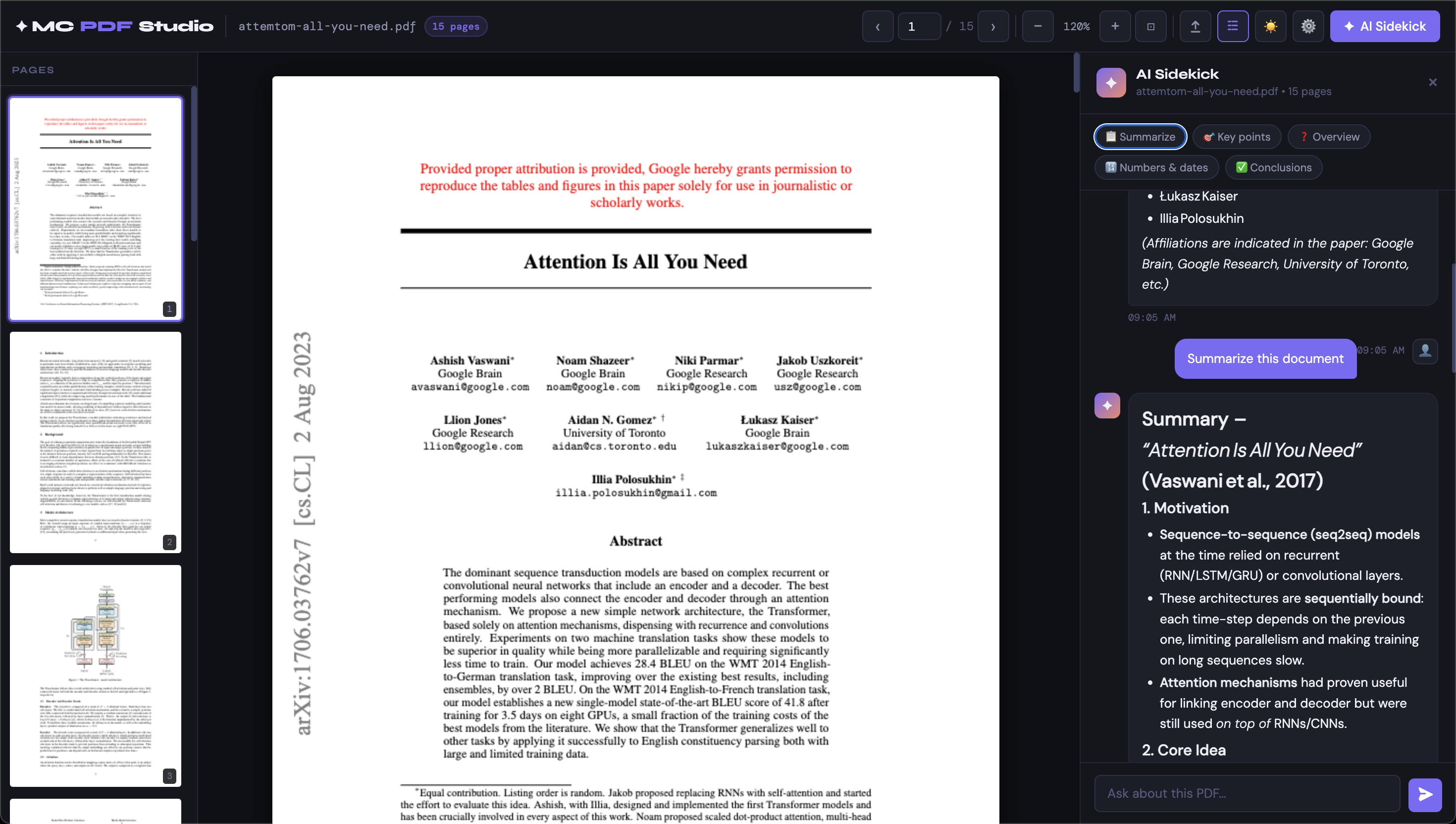
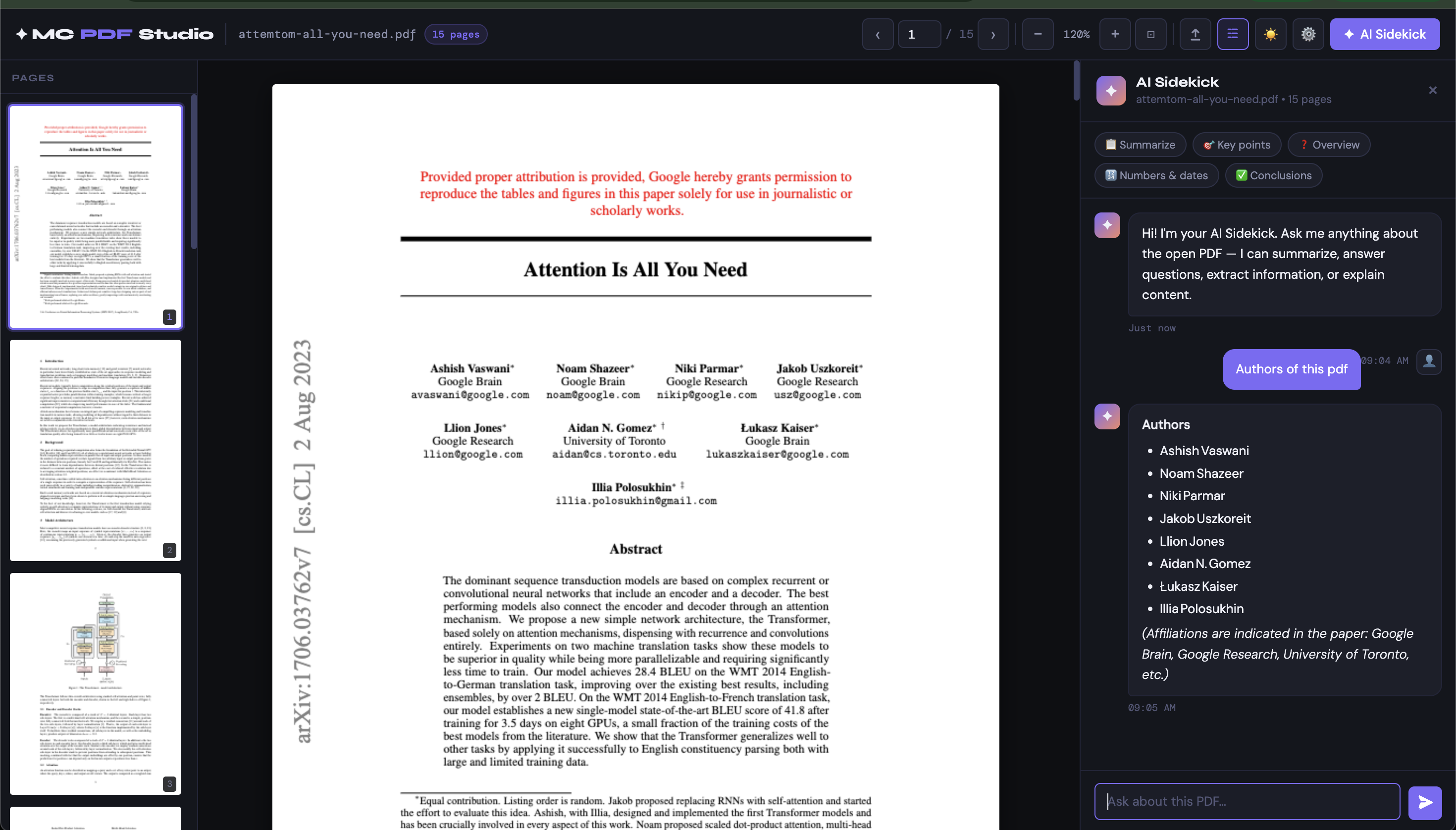
Install
npm install -g mc-pdf-studioUsage
mc-pdf-studio open [file] [options]Or without global install:
node index.js open [file] [options]Options
| Flag | Description | Default |
|------|-------------|---------|
| [file] | Path to a PDF file to open immediately | — |
| -p, --port <port> | Port to listen on | 3000 |
| --enable-ai | Enable AI Sidekick | disabled |
| --ai-provider <provider> | AI provider: anthropic, ollama, openai, xai | anthropic |
| --ai-model <model> | Model name for the chosen provider | provider default |
| --ai-base-url <url> | Base URL for Ollama or OpenAI-compatible providers | provider default |
| --no-minimap | Hide the page minimap panel | shown |
| --theme <dark\|light> | Initial color theme | dark |
Examples
Open the viewer (no file):
mc-pdf-studio openOpen a specific PDF:
mc-pdf-studio open ./report.pdfAI Sidekick with Claude (Anthropic):
ANTHROPIC_API_KEY=sk-ant-... mc-pdf-studio open ./report.pdf --enable-aiAI Sidekick with Ollama (local, no API key needed):
mc-pdf-studio open ./report.pdf --enable-ai --ai-provider ollama --ai-model llama3.2:latestAI Sidekick with OpenAI:
OPENAI_API_KEY=sk-... mc-pdf-studio open ./report.pdf --enable-ai --ai-provider openai --ai-model gpt-4oAI Sidekick with xAI (Grok):
XAI_API_KEY=... mc-pdf-studio open ./report.pdf --enable-ai --ai-provider xai --ai-model grok-betaLight theme, custom port, no minimap:
mc-pdf-studio open ./doc.pdf --theme light --port 8080 --no-minimapAI Provider Environment Variables
| Provider | Env Var | Notes |
|----------|---------|-------|
| anthropic | ANTHROPIC_API_KEY | Default provider |
| ollama | — | Local, no key needed |
| openai | OPENAI_API_KEY | |
| xai | XAI_API_KEY | |
You can also change the provider at runtime without restarting — open Settings ⚙️ in the UI to switch providers, fetch available Ollama models, and set the active model.
Features
📄 PDF Viewer
- Renders all pages using PDF.js in the browser
- Smooth scroll through all pages
- Drag & drop PDF files to open them
- Upload button for file browsing
🗺️ Minimap Panel
- Thumbnail preview of every page in a left sidebar
- Click any thumbnail to jump to that page
- Highlights the currently visible page
- Toggle with the minimap button in the header
🔍 Navigation & Zoom
- Page number input (click to type a page number)
- Previous/Next arrow buttons
- Keyboard arrows:
←/→or↑/↓to move pages - Zoom in/out buttons and fit-to-width mode
- Keyboard:
+/-/0for zoom
🌙 Dark / Light Theme
- Toggle with the sun/moon button in the header
✦ AI Sidekick
- Slide-in panel on the right side
- Chat about your PDF: ask questions, get summaries, extract data
- Quick-prompt chips: Summarize, Key points, Overview, Numbers & dates, Conclusions
- Full markdown rendering in responses
- Maintains conversation history within a session
- Settings UI (⚙️ button) to switch providers and models live — no restart required
- Supports: Claude by Anthropic, Ollama (local), OpenAI, xAI (Grok)
API Routes
| Route | Description |
|-------|-------------|
| GET /api/config | Returns server config (AI provider, theme, etc.) |
| GET /api/initial-pdf | Streams the startup PDF if one was provided |
| POST /api/upload | Accepts a PDF upload, returns a temp path |
| GET /api/pdf?path=... | Streams an uploaded PDF by temp path |
| GET /api/pdf-info?path=... | Returns page count and metadata |
| POST /api/ai/chat | Chat endpoint (requires --enable-ai) |
| POST /api/ai/settings | Update AI provider/model at runtime |
License
- MIT (c) Mohan Chinnappan