
mc-postman-viewer
v1.0.3
Published
World-class CLI to visualize Postman collections in a browser — Monaco editor, interactive canvas, full API docs, dark/light themes, and one-click PDF export.

Maintainers
 mohanchinnappan
Readme
postman-viewer
A world-class CLI that turns any Postman collection into a beautiful, interactive browser UI — with a Monaco editor, visual API canvas, full documentation view, dark/light themes, and one-click PDF export.



Screenshots
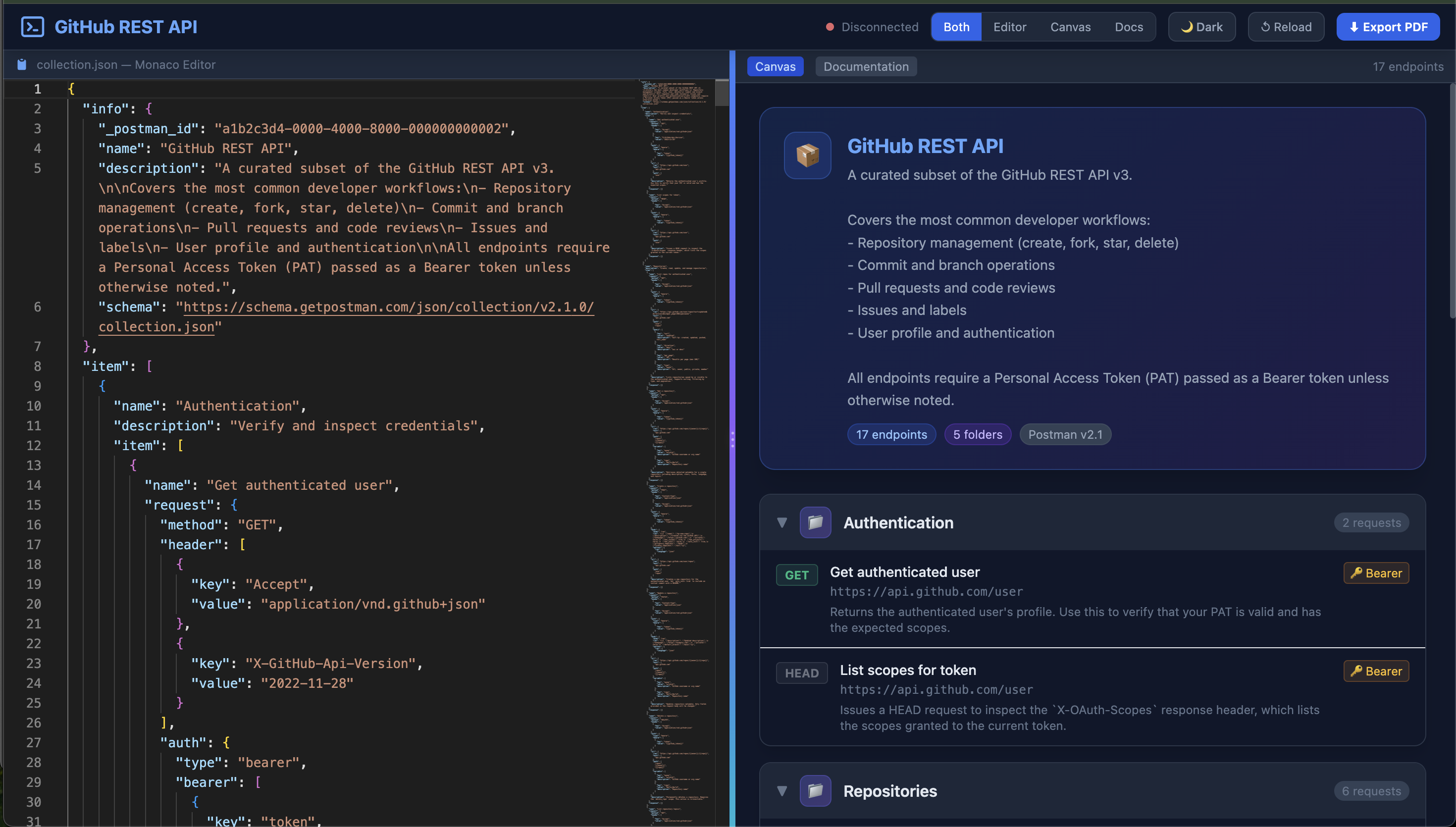
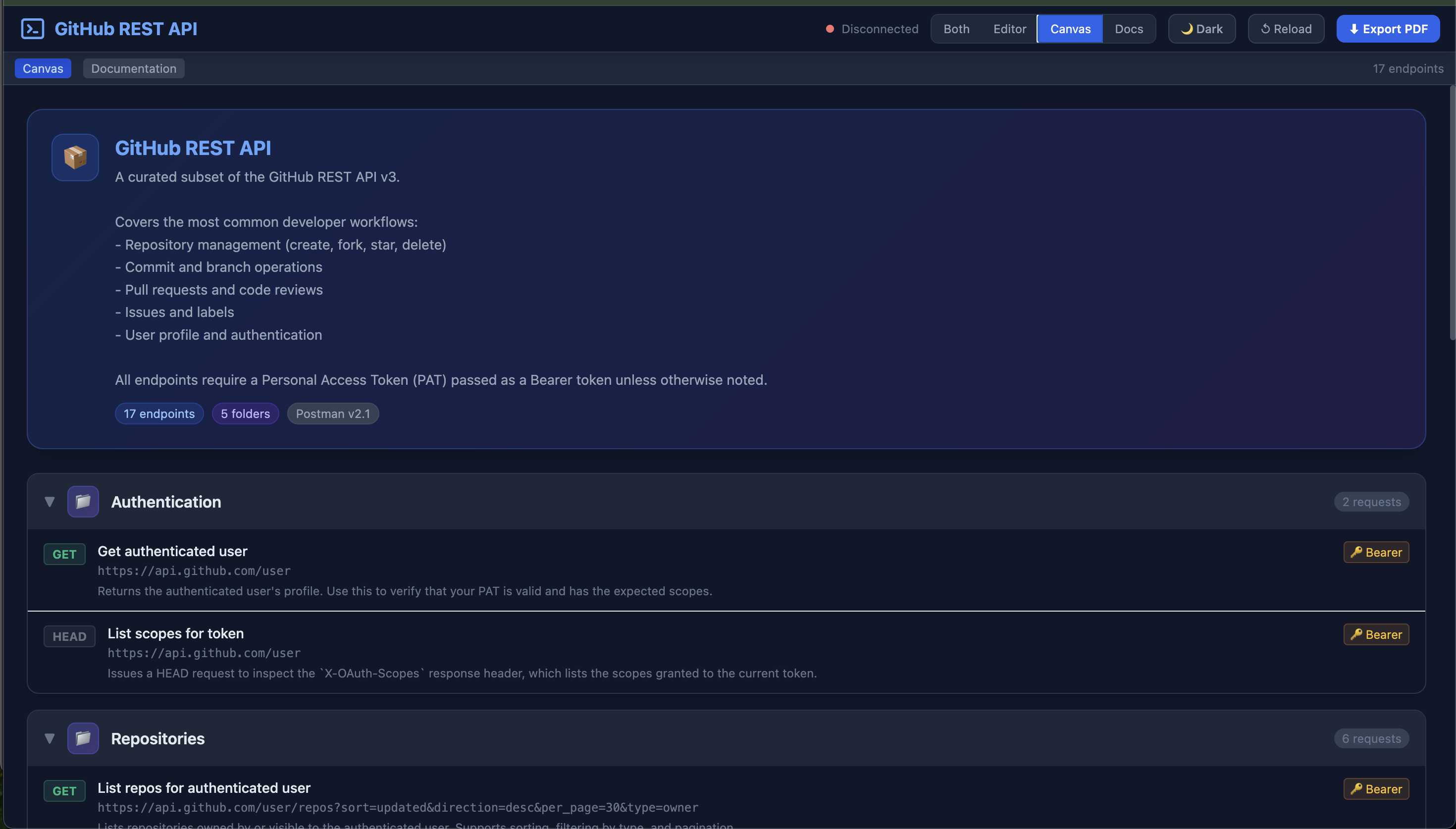
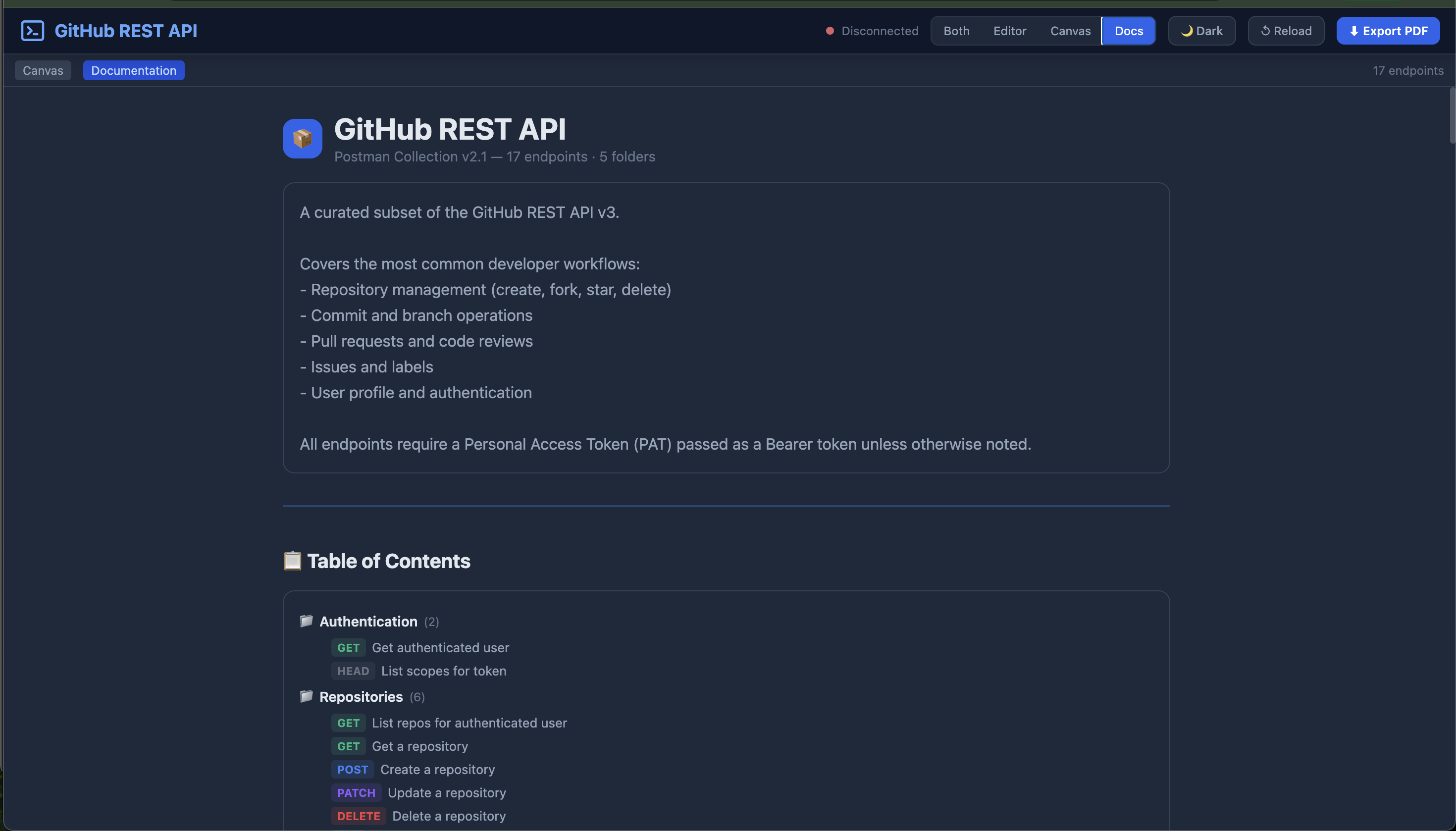
Features
| Feature | Details |
|---|---|
| Monaco Editor | Full JSON editor with syntax highlighting, minimap, and auto-format on the left pane |
| Visual Canvas | Collapsible folder tree with method badges, auth indicators, and hover effects |
| API Documentation | Table of contents + full endpoint reference with params, headers, and request body tables |
| PDF Export | Opens a clean print window with white-background, print-safe layout |
| Dark / Light Theme | Seamless toggle — CSS custom properties ensure every element switches correctly |
| Animated Splitter | Drag to resize the editor and canvas panes; gradient handle with pulse animation |
| WebSocket Live Reload | Hit ↺ Reload to re-read the file or re-fetch the URL without restarting the server |
| 4 View Modes | Both · Editor only · Canvas only · Docs only |
| Local file or URL | Load from disk with -f or fetch from any HTTP URL with -r |
Quick Start
Run without installing
npx mc-postman-viewer -f ./my-collection.jsonInstall globally
npm install -g mc-postman-viewer
postman-viewer -f ./my-collection.json
The browser opens automatically at http://localhost:3000.
Usage
postman-viewer [options]

Options:
  -f, --file <path>    Path to a local Postman collection JSON file
  -r, --url <url>      URL to fetch a Postman collection JSON from
  -p, --port <number>  Port to run the server on (default: 3000)
  --no-open            Do not auto-open the browser
  -V, --version        Output the version number
  -h, --help           Display help
Examples
# Load a local file
postman-viewer -f ./samples/petstore.json

# Fetch from a URL
postman-viewer -r https://raw.githubusercontent.com/your-org/repo/main/collection.json

# Use a custom port, no auto-open
postman-viewer -f ./collection.json -p 4000 --no-open

# Use npx directly without installing
npx mc-postman-viewer -f ./my-collection.json
Panes
Left — Monaco Editor The raw collection JSON is loaded into the Monaco editor (the same engine used in VS Code). You can inspect, search, and read the full source.
Right — Canvas A visual, folder-grouped tree of every endpoint. Each folder is collapsible. Endpoint rows show:
- HTTP method badge with color coding
- Endpoint name and URL
- Auth type badge (Bearer, OAuth2, API Key, Basic)
Right — Documentation A rendered API reference suitable for sharing or printing:
- Cover page with collection name and description
- Table of contents with method badges
- Per-endpoint sections with URL, description, parameters, headers, and request body
Keyboard & Controls
| Control | Action | |---|---| | Drag splitter | Resize editor / canvas panes | | Click folder header | Collapse / expand folder | | Both / Editor / Canvas / Docs | Switch view layout | | Canvas / Documentation tab | Switch right pane content | | 🌙 Dark / ☀ Light | Toggle theme | | ↺ Reload | Re-read file or re-fetch URL live | | ⬇ Export PDF | Open print-ready docs in a new window and trigger browser print dialog |
HTTP Method Colors
| Method | Color | |---|---| | GET | Green | | POST | Blue | | PUT | Amber | | PATCH | Purple | | DELETE | Red | | HEAD | Gray | | OPTIONS | Teal |
Sample Collections
Two ready-to-use sample collections are included in the samples/ directory.
Petstore API
A classic REST API for a pet store — covers pets, orders, and user accounts.
postman-viewer -f ./samples/petstore.jsonFolders: Pets · Store · User
Endpoints: 16 (GET, POST, PUT, DELETE, HEAD, form data, file upload)
Auth: Bearer token, API Key
GitHub REST API
A curated subset of the GitHub v3 API covering the most common developer workflows.
postman-viewer -f ./samples/github-api.jsonFolders: Authentication · Repositories · Branches & Commits · Pull Requests · Issues
Endpoints: 18 (GET, POST, PUT, PATCH, DELETE, HEAD)
Auth: Bearer token (Personal Access Token)
Postman Collection Format
postman-viewer supports Postman Collection v2.1 (the current format exported by Postman). To export from Postman:
- Open your collection in Postman
- Click the ⋯ menu next to the collection name
- Select Export
- Choose Collection v2.1
- Save the
.jsonfile and pass it topostman-viewer -f