
mc-skin-viewer
v0.0.12
Published
This package provides a simple 3D renderer React component for minecraft skins build on top of three and @react-three/fibre


Readme
mc-skin-viewer
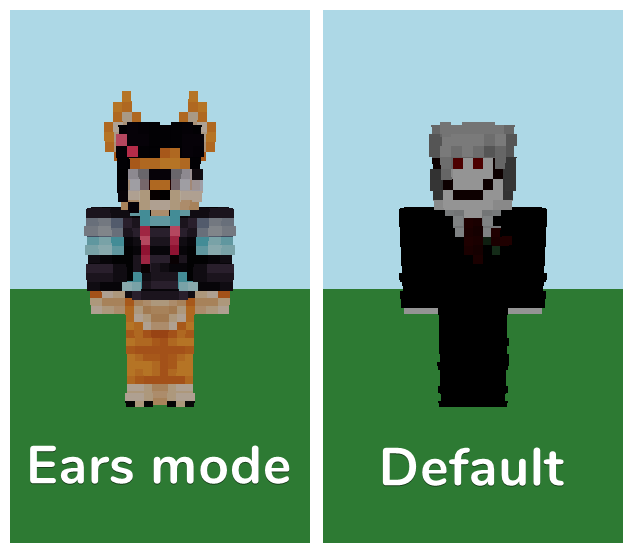
Simple component which let you render any minecraft skin in your React web applications. This component also parse Ears mod skins and show additional skin elements.
Installation
npm install mc-skin-viewerUsage
Just put a src link like <img /> tag and 3D model will appear in your app
function App() {
  const [pathToSkin, setPathToSkin] = useState("/skin.png");
  const [isSlim, setSlim] = useState(true);

  return (
    <>
      <SkinViewer skinSrc={pathToSkin} isSlim={isSlim} />
    </>
  );
}
Build your own model, set any pose
You can access to any skin component and build any scene. Use <Canvas />
element from @react-three/fibre and build your own scene.
By default, skin-parts have default position and rotation which are bind to real skin position, so if you want to override this just put correct position and rotation.
Also, every component support debug mode. In this mode you can see mesh center and local axes.
import {Canvas} from "@react-three/fiber";
import {Head} from "mc-skin-viewer/skin-parts";

function App() {
  return (
    <Canvas>
      <Head position={[0,15,10]} rotation={[0,Math.PI / 2, 0]} debug />
    </Canvas>
  )
}
Available skin-parts
Playerready-made player model, but have less controlHeadBodyArmthis component also takes prop with side information and is slim modelLegsame asArmArmswrapper forArmskin-part, can rotate only whole wrapperLegswrapper forLegskin-part, can rotate only whole wrapper
Contexts
If you want to work with your own model don`t forget to use required context and wrap on it your custom model.
Required context is SkinMaterialContext put in provider loaded skin material.
Optional contexts are EarsContext and LayersContext.
EarsContext provides information about Ears mod
features. You don't have to wrap your custom model to a EarsProvider.
However, you will receive a warning about this in the console.
LayersContext provides information about layer rendering. Use it if you want
to manage layer visibility