
mc-weather
v1.0.3
Published
World-class US weather CLI — today, 10-day, radar, and AI Sidekick powered by the free National Weather Service API
Downloads
45

Maintainers
 mohanchinnappan
Readme
⛅ mc-weather
World-class US weather CLI — today's conditions, 10-day forecast, live radar, and an optional AI Sidekick. Powered entirely by the free National Weather Service API — no API key required for weather data.
Screenshots
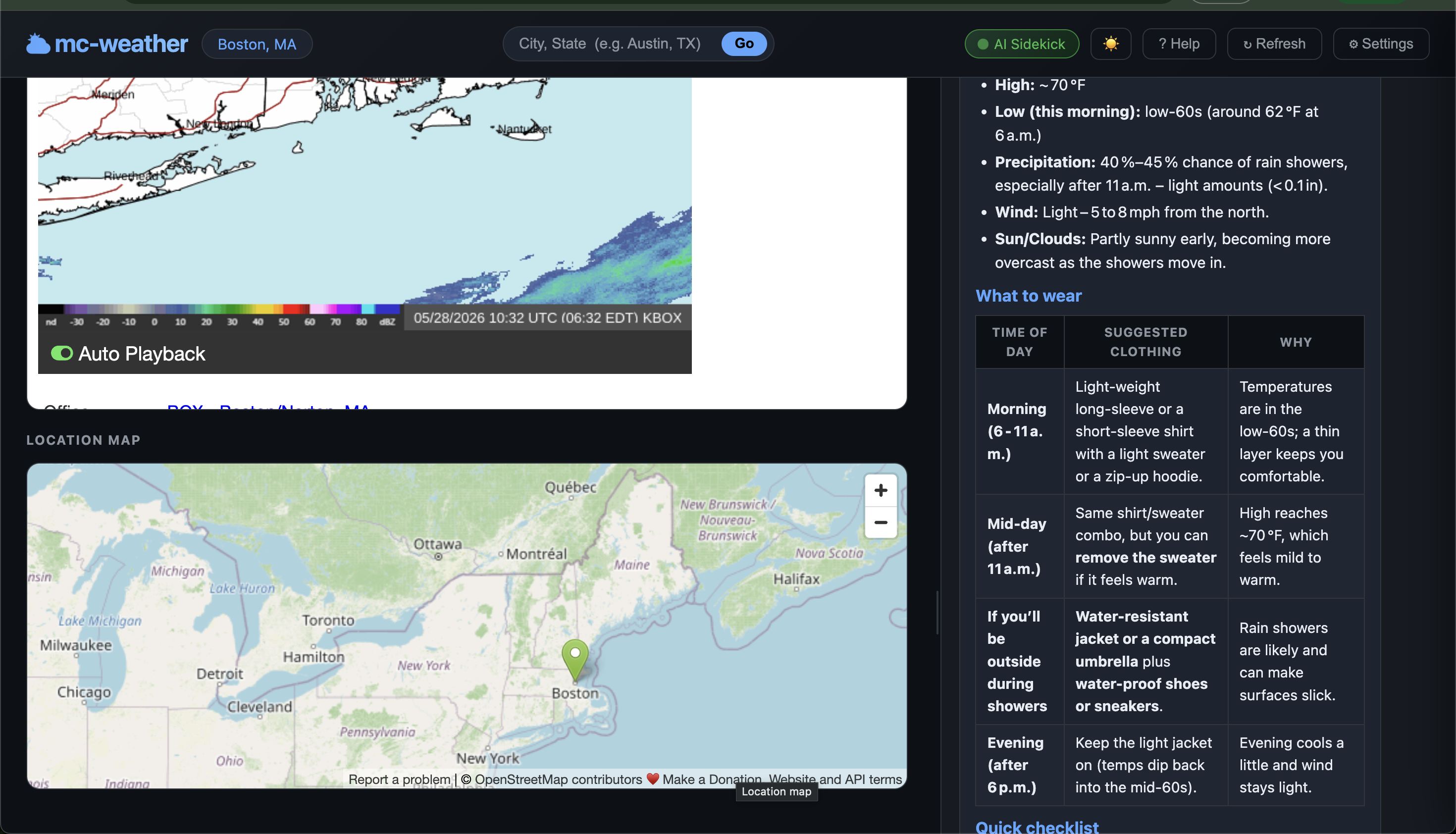
Features
| Feature | Details |
|---|---|
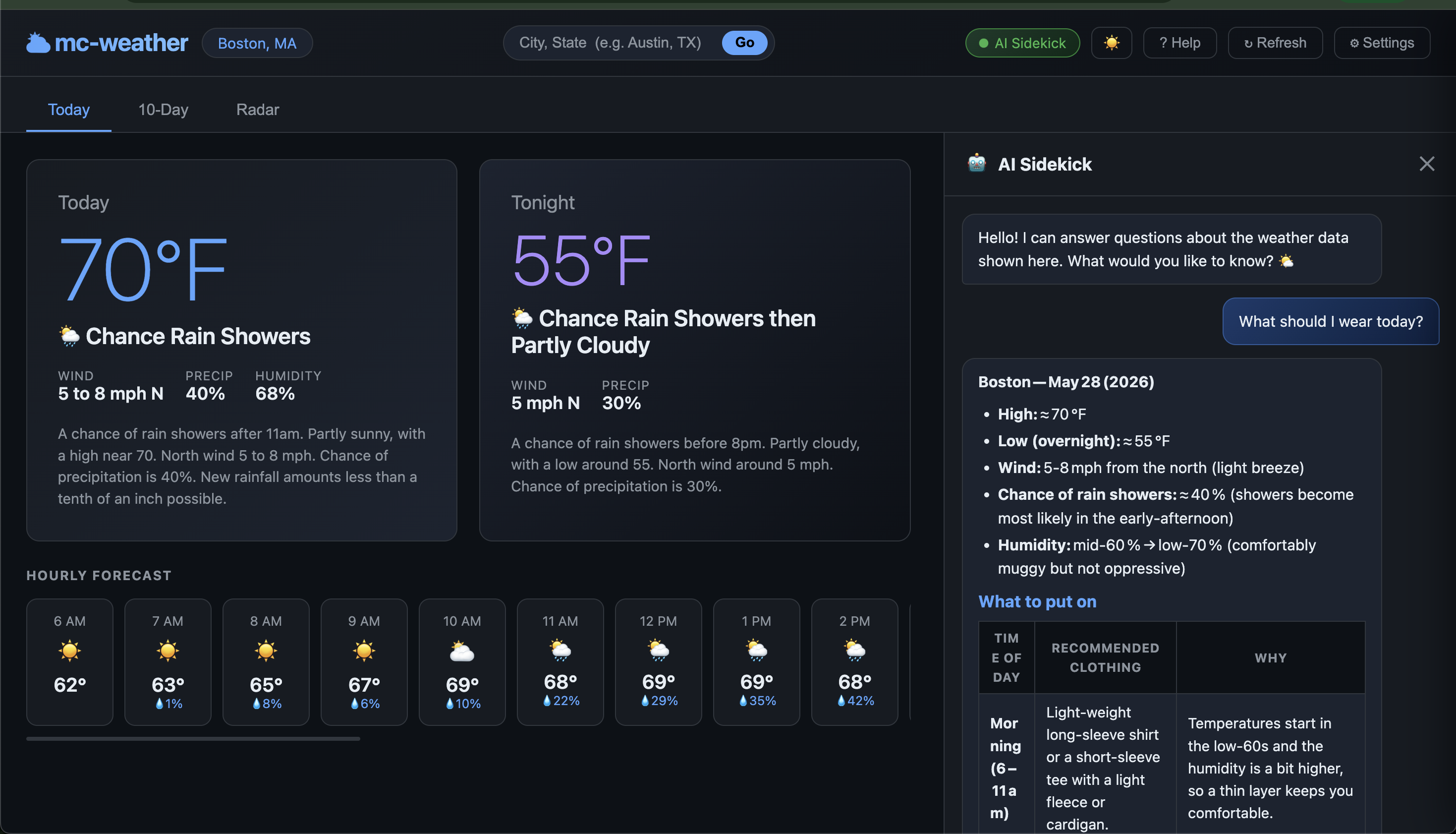
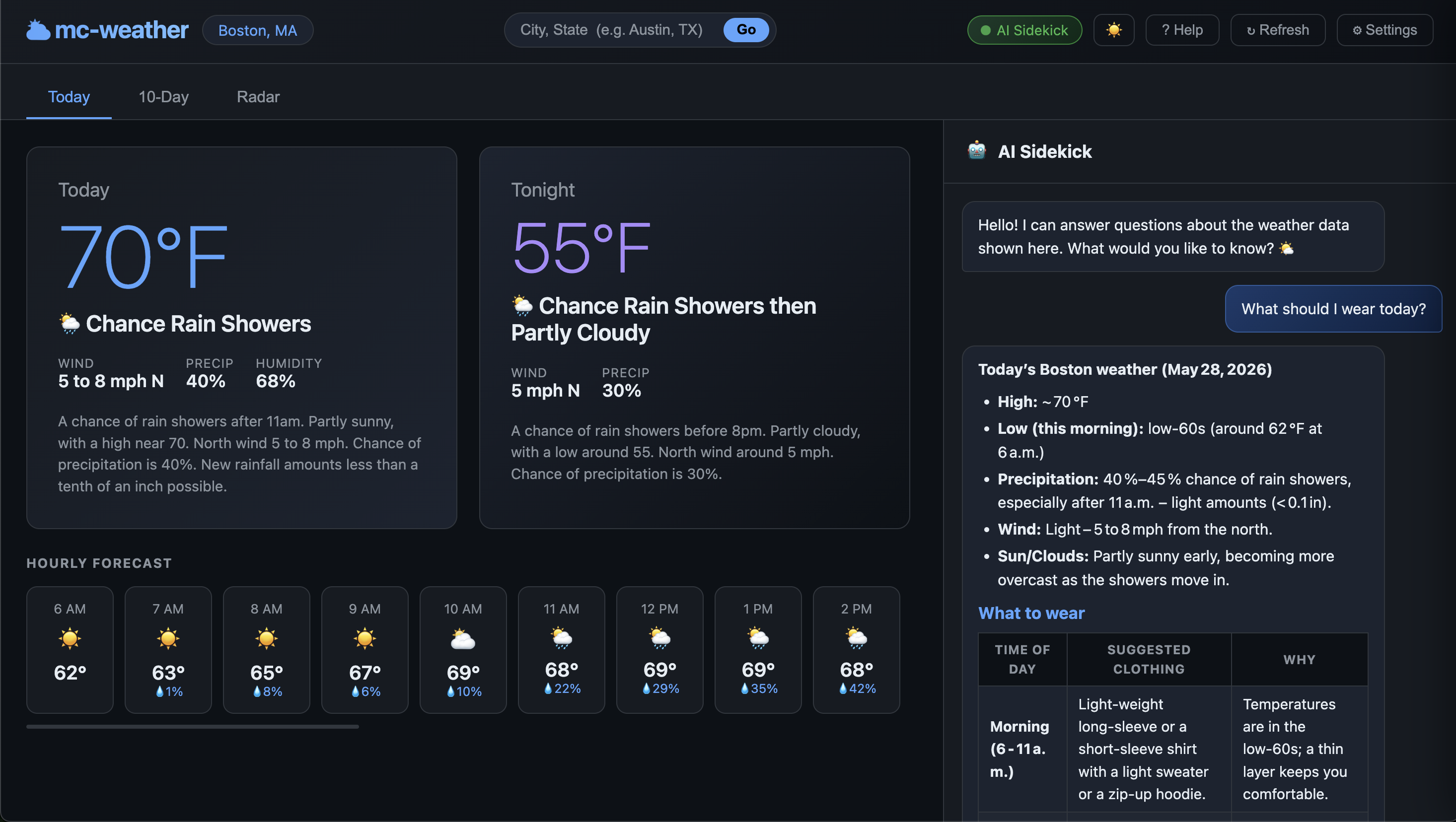
| Today | Current conditions, tonight outlook, 24-hour hourly scroll, active alerts |
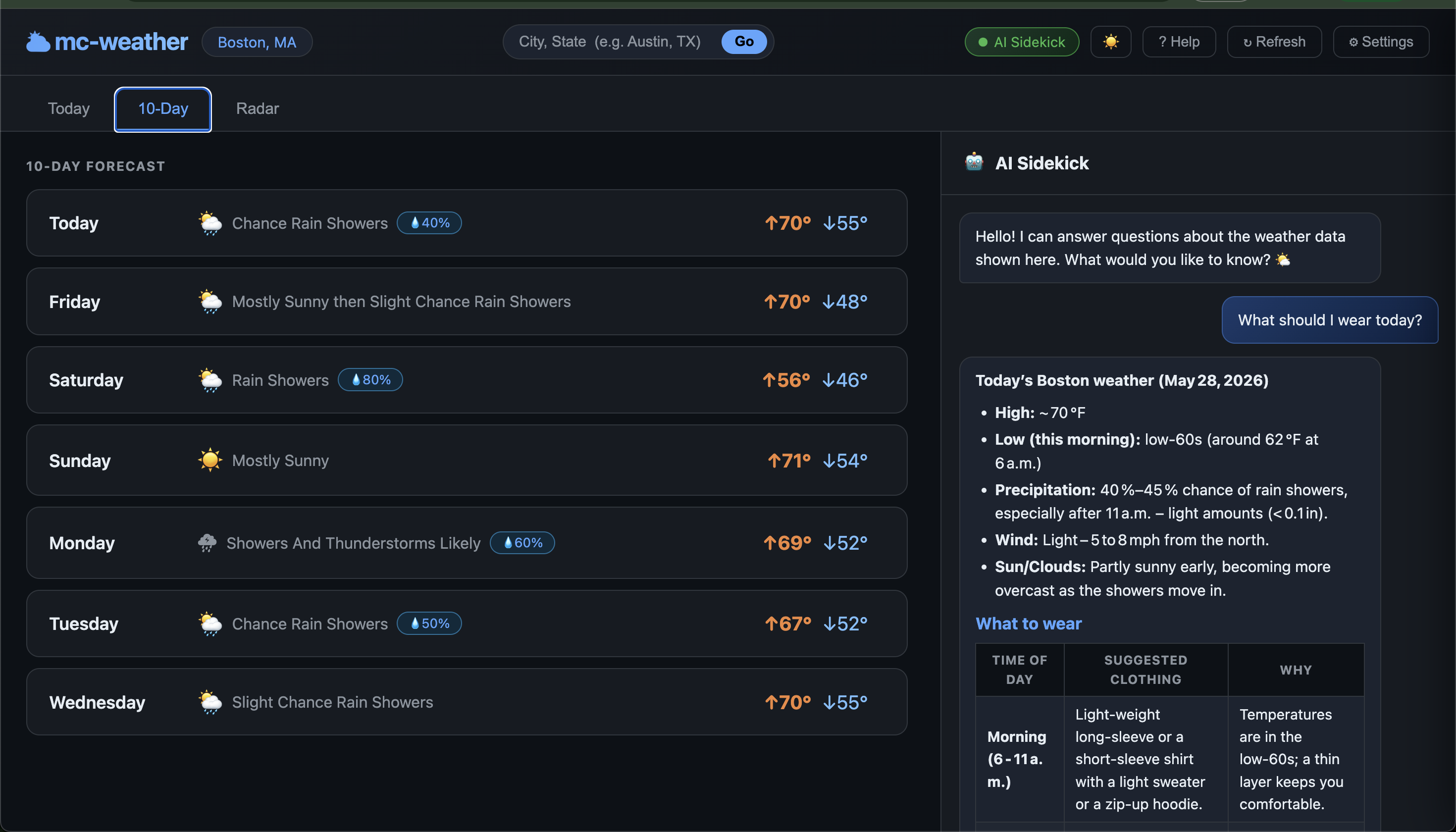
| 10-Day | Day/night high-low grid with precip badges and weather icons |
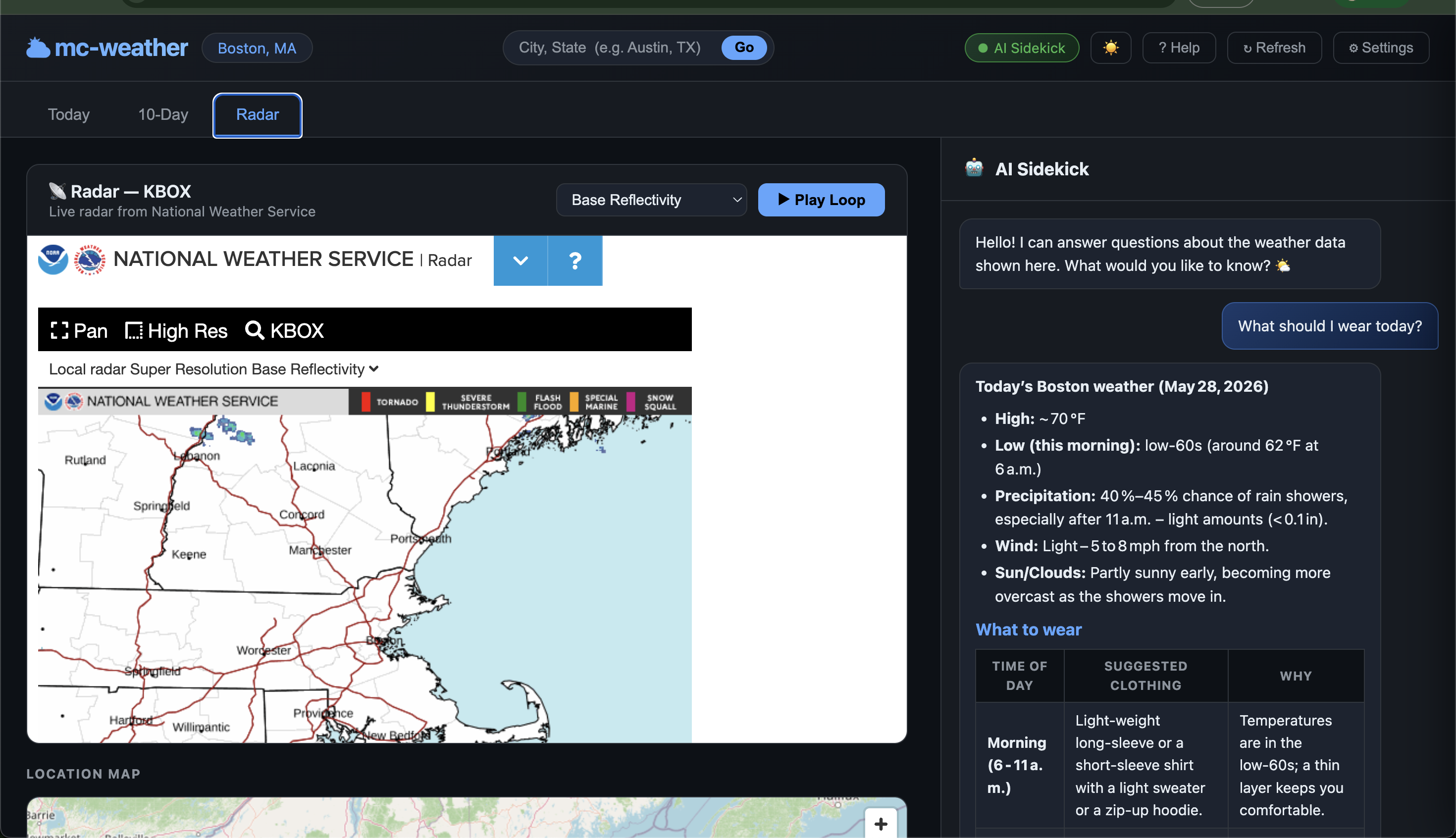
| Radar | Live NWS Ridge2 radar with layer selector (reflectivity, storm motion, echo tops, precip) and animated loop |
| Location search | Change city/state from the header without restarting |
| Theme toggle | Switch between dark and light themes; preference persisted in localStorage |
| AI Sidekick | Right-side chat panel that knows your current weather data. Supports Ollama, Claude, OpenAI, xAI (Grok), and Google Gemini |
Install
npm install -g mc-weatherRequires Node.js ≥ 18.
Usage
mc-weather <city,state> [options]
mcw <city,state> [options]

`
### Examples

```bash
# Basic — opens browser automatically
mc-weather "Austin,TX"

# With AI Sidekick enabled
mc-weather "New York,NY" --enable-ai

# Custom port, no auto-open
mc-weather "Chicago,IL" --port 8080 --no-open

# Full state name also works
mc-weather "Portland,Oregon"
Options
| Flag | Default | Description |
|---|---|---|
| --port <port> | 3773 | Port for the local server |
| --no-open | — | Don't open the browser automatically |
| --enable-ai | — | Enable the AI Sidekick chat panel |
| --version | — | Print version |
| --help | — | Show help |
AI Sidekick
The AI Sidekick panel lets you ask natural-language questions about the weather data currently displayed (e.g. "What should I wear today?", "Is it safe to drive Friday night?").
Enable it with --enable-ai, then open ⚙ Settings in the UI to choose a provider and paste your API key.
Supported providers
| Provider | Models |
|---|---|
| Ollama (local) | Auto-detected from localhost:11434 — no key needed |
| Claude (Anthropic) | claude-opus-4-7, claude-sonnet-4-6, claude-haiku-4-5-20251001 |
| OpenAI | gpt-4o, gpt-4o-mini, gpt-4-turbo |
| xAI (Grok) | grok-3, grok-3-mini, grok-beta |
| Google Gemini | gemini-2.0-flash, gemini-2.0-pro, gemini-1.5-pro |
API keys are stored in localStorage only — never sent to any server other than the provider you choose.
Help page
While the server is running, open:
http://localhost:3773/help.htmlLicense
MIT © Mohan Chinnappan