
mcp-spy
v1.0.4
Published
Zero-config local observability proxy for the Model Context Protocol (MCP). Intercept, inspect, replay and share MCP traffic in real time.

Maintainers
 gabriele-salvo
Readme
mcp-spy-proxy
Zero-config observability proxy for the Model Context Protocol (MCP).
Intercept, inspect, and debug MCP traffic in real time — straight from your terminal.
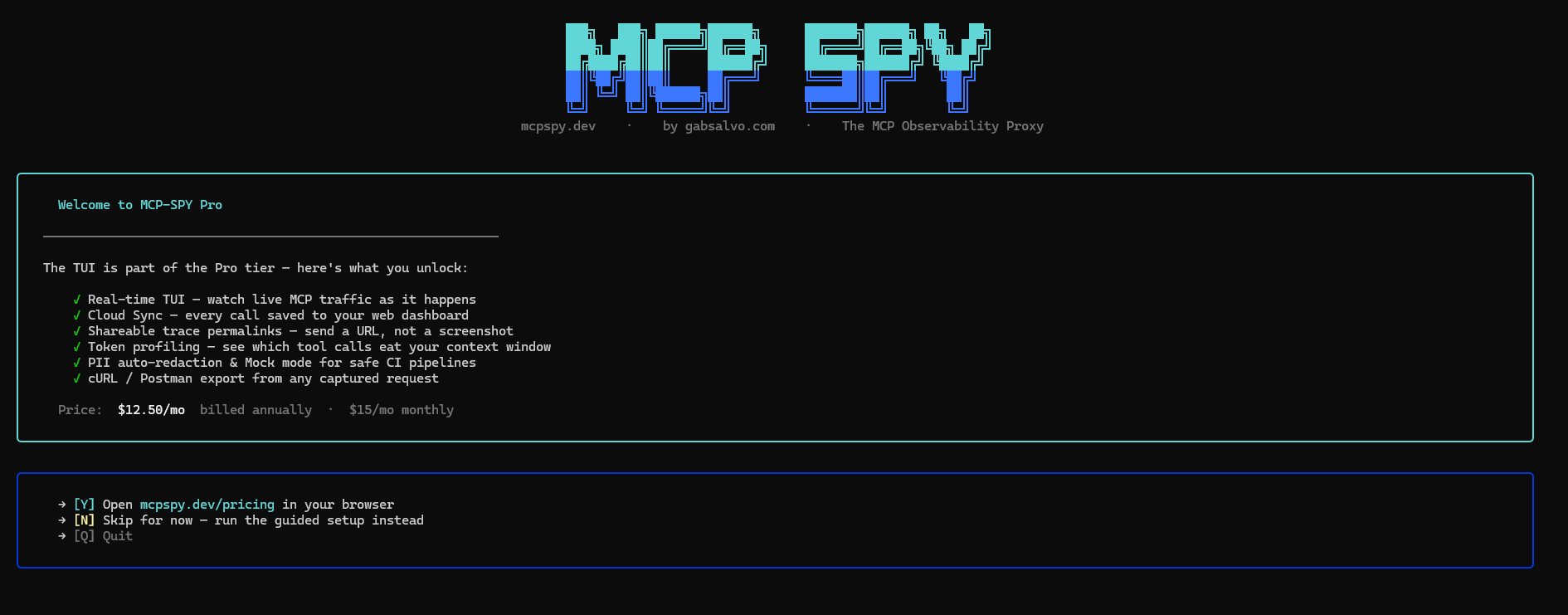
What it does
mcp-spy sits between your MCP client (Claude Desktop, Cursor, etc.) and your MCP server. Every JSON-RPC call passes through it, gets logged to a local SQLite database, and shows up live in a terminal UI.
No config files. No agents. No cloud required.
Install
npm install -g mcp-spy-proxyOr use it without installing:
npx mcp-spy-proxyQuick start
1. Start your MCP server (example using the official filesystem server):
npx -y @modelcontextprotocol/server-filesystem \
     --transport sse --port 3001 ~/Documents
2. Start the proxy pointing at it:
mcp-spy -t 3001 --name filesystem3. Point your MCP client at the proxy (port 4000) instead of the server directly.
For Claude Desktop, edit claude_desktop_config.json:
{
  "mcpServers": {
    "filesystem": {
      "url": "http://localhost:4000"
    }
  }
}
Use
"url", not"command"/"args"— that bypasses the proxy.
Now make a request in your client and watch traffic appear live.
Terminal UI
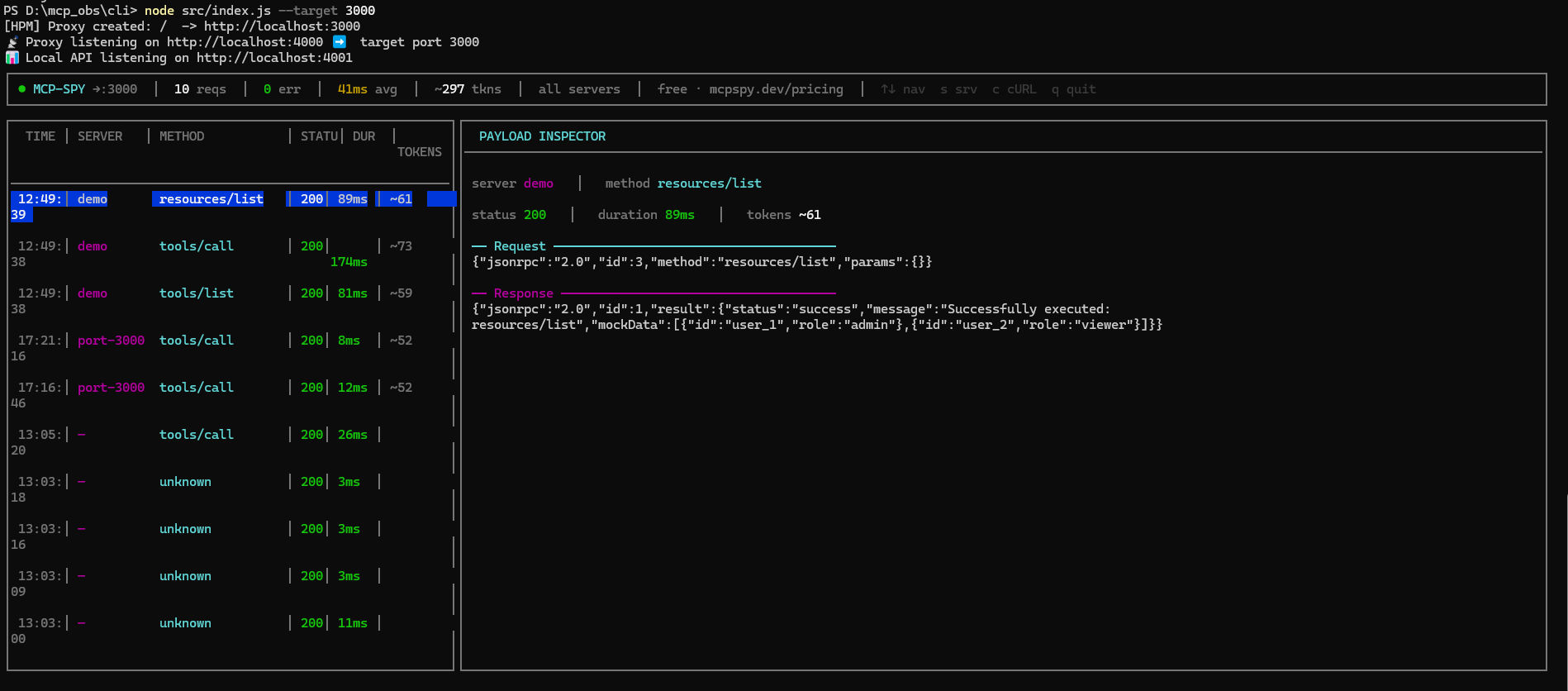
The TUI has two panels:
- Left — live request log with time, server label, method, status, duration, and token count
- Right — full payload inspector for the selected request (request + response JSON)
Keyboard shortcuts
| Key | Action |
|-----|--------|
| ↑ / ↓ | Navigate log entries |
| s | Cycle server filter |
| c | Toggle cURL export view |
| q | Quit |
cURL export
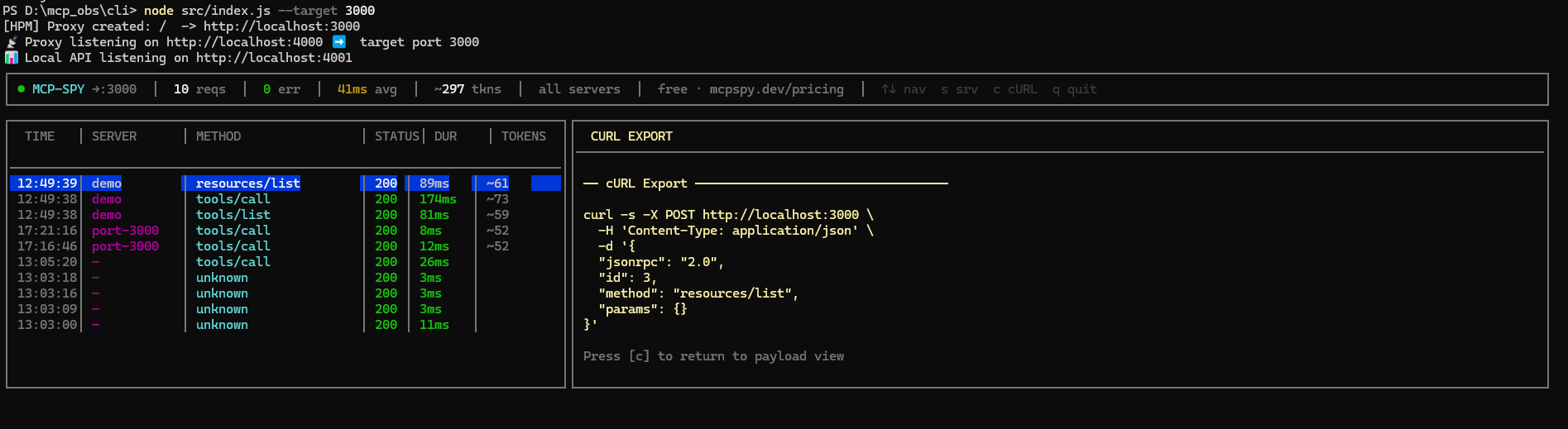
Press c on any selected request to get a ready-to-paste curl command you can replay in a terminal or import into Postman.
CLI options
mcp-spy [options]

Options:
  -t, --target <port>    Target port of the MCP server
  -n, --name <label>     Label for this server (e.g. "filesystem", "github")
  -s, --sync <api_key>   Pro: sync logs to cloud dashboard
  --redact-pii           Auto-redact secrets (AWS keys, tokens, emails) before saving
  --mock                 Mock mode: return saved responses instead of forwarding
  --no-tui               Disable TUI, use plain console output
  -V, --version          Output version number
  -h, --help             Display help
Plain output mode (--no-tui)
Useful for CI or headless environments:
mcp-spy -t 3001 --name filesystem --no-tui>>> MCP-Spy Proxy
======================================
[√] Target: port 3001 Label: filesystem
[!] Cloud Sync Disabled. (Free Tier)
→ Upgrade at https://mcpspy.dev/pricing
[√] Database ready (WAL mode)
======================================
🚀 MCP-Spy is listening on http://localhost:4000Mock mode
Replay saved responses without hitting the real server — useful for offline development or testing:
mcp-spy -t 3001 --mockOnce you've captured real traffic, --mock will return the last saved response for each method instead of forwarding the request.
Replay & test
Replay captured requests against a target and assert valid JSON-RPC responses:
mcp-spy test -t 3001
mcp-spy test -t 3001 --method tools/call --count 5
mcp-spy test -t 3001 --name filesystem --timeout 3000
PII redaction
Auto-scrub secrets from logs before they hit the database:
mcp-spy -t 3001 --redact-piiDetects and redacts AWS keys, bearer tokens, emails, and other common secret patterns. Redacted entries are marked with 🔒 in the TUI.
Pro: Cloud sync
mcp-spy -t 3001 --sync mcp_live_XXXX...With a Pro API key, every captured call is synced to your mcpspy.dev dashboard — shareable trace links, full token analytics, and team access.
Get your key at mcpspy.dev/dashboard → Settings.
How it works
MCP Client (Claude Desktop, Cursor…)
        │
        ▼  port 4000
  [ mcp-spy proxy ]  ──── logs to SQLite ────► TUI / dashboard
        │
        ▼  port <target>
  MCP Server (@modelcontextprotocol/server-filesystem, etc.)
All traffic is intercepted via an HTTP proxy. Request and response payloads are captured, token-estimated, and stored locally in a SQLite database (WAL mode). The TUI polls the database every 1.5s and renders updates live.
License
MIT — gabsalvo.com