
md-links-kvsa
v0.6.0
Published
md links


Readme
Markdown Links
Índice
1. Definición del Producto

Markdown es un lenguaje de marcado muy popular en plataformas que manejan texto planos, tales como GitHub, foros, blogs, entre otros y es muy común encontrarlo por ejemplo en archivos 'README.md'.
Estos archivos suelen contener links los cuales en ocasiones pueden estar rotos o ser no válidos, es por ello que como desarrolladoras se nos pidio crear una librería la cual permitiera leer los archivos markdown como por ejemplo un README.md y verificar sus link, para de esta forma validarlos y ver la cantidad de ellos que contiene el directorio.
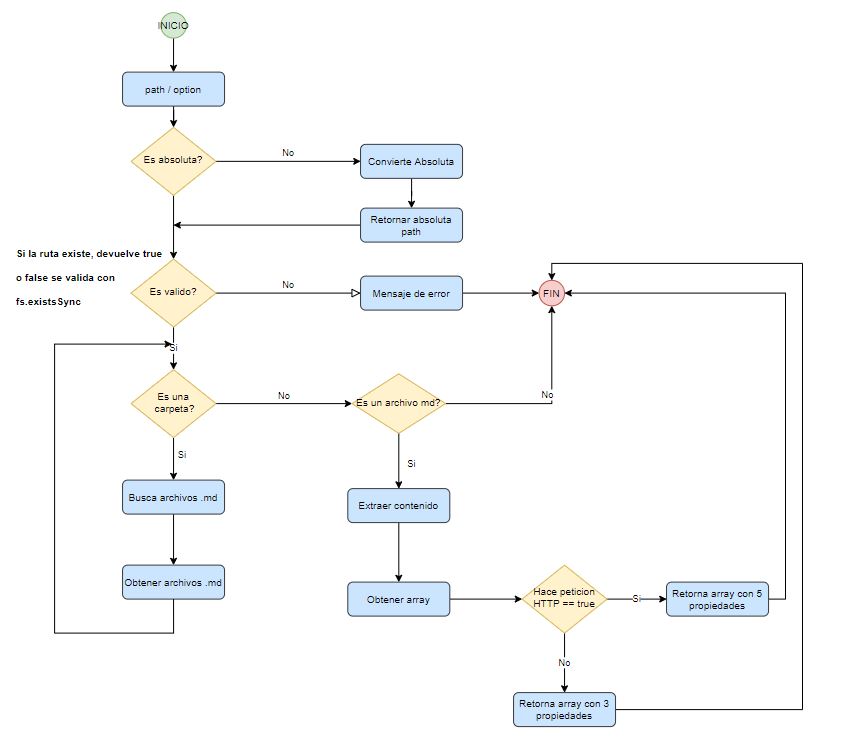
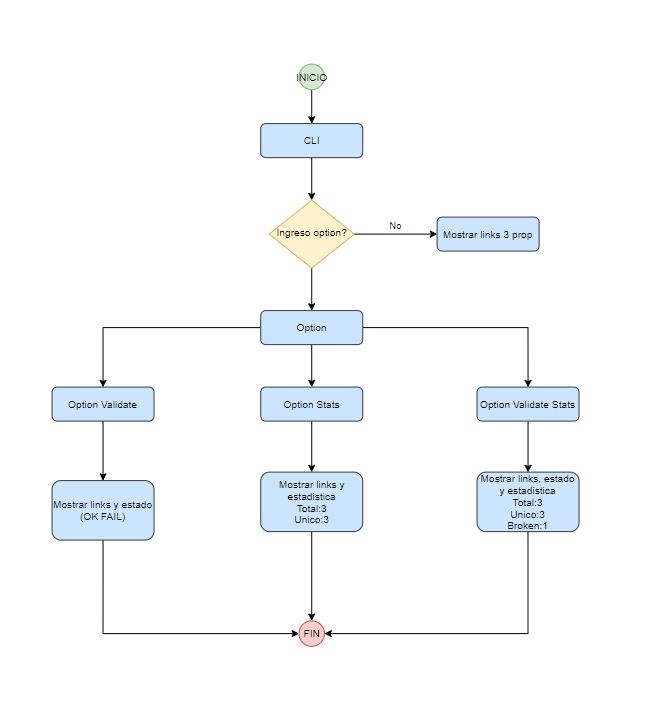
2. Diagrama de Flujo
A continuacion el diagrama de flujo de API y CLI:
3. ¿Cómo Usarlo?
Instalación:hammer:
npm i md-links-kvsa
Uso:arrow_forward:
const mdlink=require('md-links-kvsa');
CLI (Command Line Interface - Interfaz de Línea de Comando)
md-links <path-to-file> [options]
Por ejemplo:
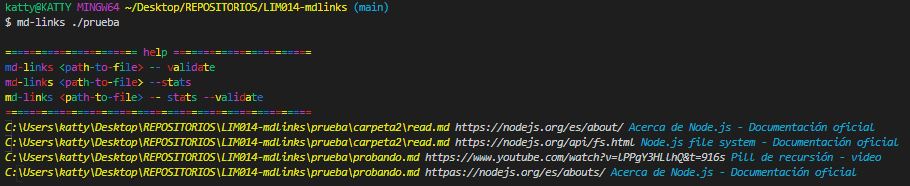
El output te indica el link , texto y el file.
Options
--validate

El output en este caso incluye la palabra ok o fail después de
la URL, así como el status de la respuesta recibida a la petición HTTP a dicha
URL.
--stats

El output es un texto con estadísticas básicas sobre los links.
--stats --validate

El output es un texto con estadísticas básicas sobre los links.
API mdLinks(path, opts)
const mdLinks = require("md-links-kvsa");

mdLinks("./test/exampleTest")
  .then(links => {
    // => [{ href, text, file }]
  })
  .catch(error=>{
  });

mdLinks("./test/exampleTest", { validate: true })
  .then(links => {
    // => [{ href, text, file, status, message }]
  })
  .catch(error=>{
  });

mdLinks("./test/exampleTe")
  .then(links => {
  })
  .catch(error=>{
    // =>[Error:Enter new path]
  });
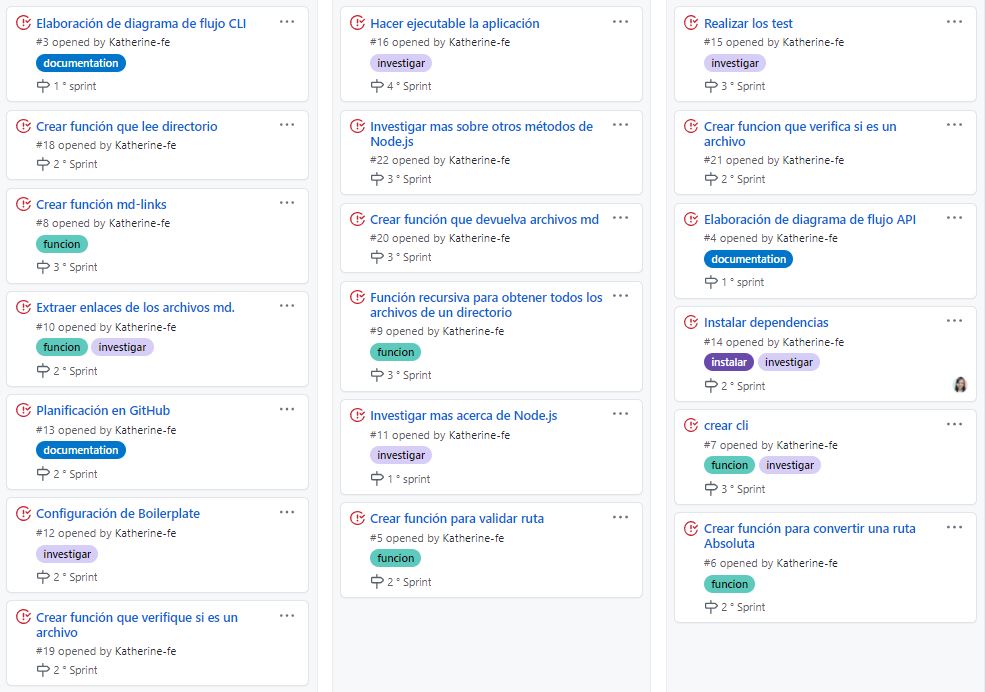
4. Sprint Backlog
5. Checklist
General
- [x] Puede instalarse via
npm install --global <github-user>/md-links
README.md
- [x] Un board con el backlog para la implementación de la librería.
- [x] Documentación técnica de la librería.
- [x] Guía de uso e instalación de la librería
API mdLinks(path, opts)
- [x] El módulo exporta una función con la interfaz (API) esperada.
- [x] Implementa soporte para archivo individual
- [x] Implementa soporte para directorios
- [x] Implementa
options.validate
CLI
- [x] Expone ejecutable
md-linksen el path (configurado enpackage.json) - [x] Se ejecuta sin errores / output esperado
- [x] Implementa
--validate - [x] Implementa
--stats
Pruebas / tests
- [x] Pruebas unitarias cubren un mínimo del 70% de statements, functions, lines, y branches.
- [x] Pasa tests (y linters) (
npm test).