
md-present
v0.2.1
Published
CLI that turns Markdown into a presentable standalone HTML page with dark mode and syntax highlighting.

Maintainers
 salauddinn
Readme
md-present


Turn a Markdown file into a polished, standalone HTML page — one command, no config. Use it to share plans, documentation, and reports with people who should not need a Markdown viewer.
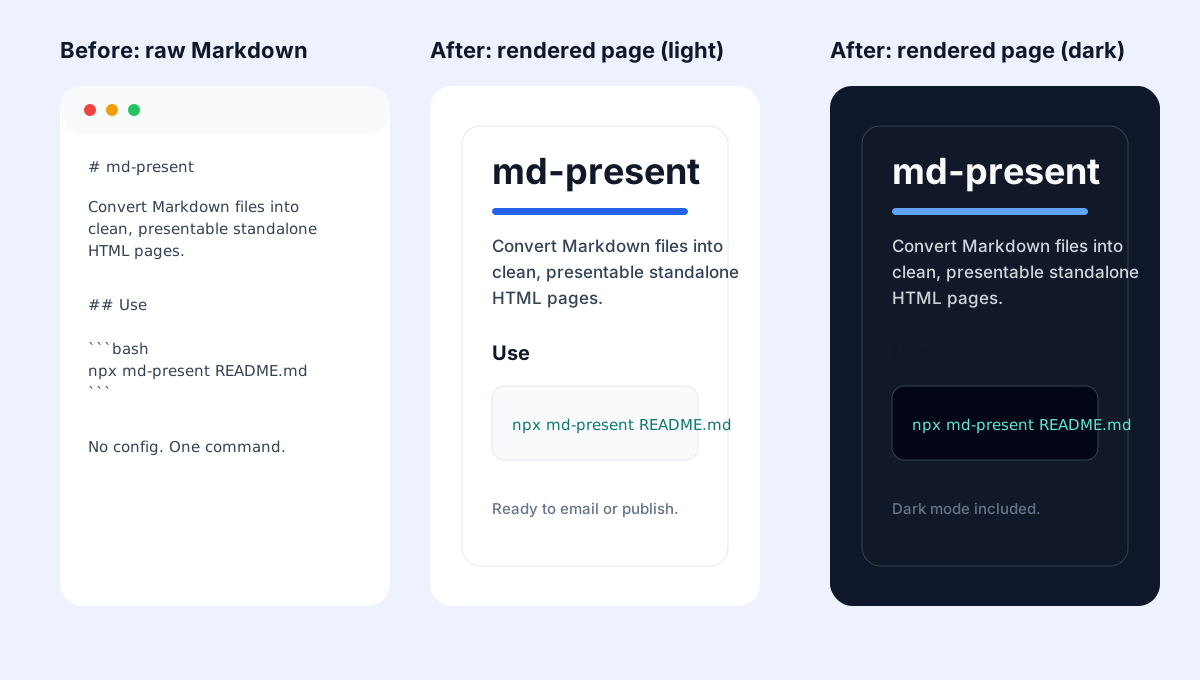
Why md-present?
- One portable HTML file that is easy to email, upload, or share in Slack; add
--inline-imagesfor fully self-contained local images - Automatic light and dark mode based on the reader's system preference
- Syntax highlighting, task lists, styled tables, and optional embedded local images
- A local preview server when you need to review a document in the browser
Quick start
npx md-present README.mdThis writes README.html beside the Markdown file. Add --open to open it in your browser:
npx md-present README.md --openCreate a custom output file:
npx md-present README.md --out docs/index.htmlEmbed local images as base64 data URIs (for fully self-contained HTML):
npx md-present README.md --inline-imagesPreview with a local dev server (re-renders on each refresh):
npx md-present README.md --serveUse a custom port and auto-open the browser:
npx md-present README.md --serve --port 8080 --openFeatures
- Presentable responsive HTML with automatic light and dark themes
- Standalone output with CSS and syntax-highlighting themes inlined
- Markdown tables, task lists, fenced code blocks, and clickable links
--inline-imagesfor portable output that includes local images--servefor a local browser preview that re-renders on refresh
CLI reference
| Flag | Description |
| --- | --- |
| -o, --out <file> | Custom output path (creates directories automatically) |
| --open | Open the result in your default browser |
| --inline-images | Embed local images as base64 data URIs |
| --serve | Start a local server instead of writing a file |
| -p, --port <number> | Port for the local server (default: 3000) |
Local development
pnpm install
pnpm test
pnpm md-present examples/sample.md
Demo
This README rendered by md-present: https://salauddinn.github.io/md-present/
Use cases
- Share a Markdown plan or proposal with non-technical teammates
- Turn project documentation into a single file for email or a static host
- Create a clean HTML preview before publishing Markdown content
Future direction
The renderer is separate from the CLI so it can later be reused by a VS Code extension.