
mediators.app
v0.0.5
Published
> [**React Static Boilerplate**](https://github.com/kriasoft/react-static-boilerplate) (RSB) is an > opinionated boilerplate and tooling for creating modern stand-alone web applications (aka > [SPA](https://en.wikipedia.org/wiki/Single-page_application)s)
Downloads
13


Readme
React Static Boilerplate 


React Static Boilerplate (RSB) is an opinionated boilerplate and tooling for creating modern stand-alone web applications (aka SPAs) for a serverless architecture. RSB significantly reduces cost by eliminating the need for servers such as EC2 instances because the entire site can be hosted directly from CDN (Firebase, GitHub Pages, Amazon S3, or other similar cloud storage). Sites built with RSB cab be fully functional with REST API or GraphQL calls to micro-services such as Amazon Lambda, Azure Functions, or dynamic Docker endpoints hosted on DigitalOcean. RSB demonstrates how to use component-based UI development approach with best of breed technologies including React, Redux, Babel, Webpack, Browsersync, React Hot Loader and more.
The work is being sponsored by:
Features
✓ Modern JavaScript syntax (ES2015+) via Babel, modern CSS syntax via PostCSS
✓ Component-based UI architecture via React, Webpack and CSS Modules
✓ Application state management /w time-travel debugging via Redux (see main.js, core/store.js)
✓ Routing and navigation via path-to-regexp and history (see main.js, core/router.js, utils/routes-loader.js)
✓ Code-splitting and async chunk loading via Webpack and ES6 System.import()
✓ Hot Module Replacement (HMR) /w React Hot Loader
✓ Cross-device testing with Browsersync (see run.js#start)
✓ 24/7 community support on Gitter; customization requests on Codementor
Demo: https://rsb.kriasoft.com | View docs | Follow us on Gitter, Twitter, or ProductHunt | Send feedback to @koistya
Directory Layout
.
├── /components/                # Shared or generic UI components
│   ├── /Button/                # Button component
│   ├── /Layout/                # Website layout component
│   ├── /Link  /                # Link component to be used insted of <a>
│   └── /...                    # etc.
├── /core/                      # Core framework
│   ├── /history.js             # Handles client-side navigation
│   ├── /router.js              # Handles routing and data fetching
│   └── /store.js               # Application state manager (Redux)
├── /node_modules/              # 3rd-party libraries and utilities
├── /pages/                     # React components for web pages
│   ├── /about/                 # About page
│   ├── /error/                 # Error page
│   ├── /home/                  # Home page
│   └── /...                    # etc.
├── /public/                    # Static files such as favicon.ico etc.
│   ├── /dist/                  # The folder for compiled output
│   ├── favicon.ico             # Application icon to be displayed in bookmarks
│   ├── robots.txt              # Instructions for search engine crawlers
│   └── /...                    # etc.
├── /test/                      # Unit and integration tests
├── /utils/                     # Utility and helper classes
│── main.js                     # React application entry point
│── package.json                # The list of project dependencies and NPM scripts
│── routes.json                 # This list of application routes
│── run.js                      # Build automation script, e.g. `node run build`
└── webpack.config.js           # Bundling and optimization settings for Webpack
Getting Started
Step 1. Make sure that you have Node.js v6 or newer installed on your machine.
Step 2. Clone this repository or use Yeoman generator to bootstrap your project:
$ git clone -o react-static-boilerplate -b master --single-branch \
      https://github.com/kriasoft/react-static-boilerplate.git MyApp
$ cd MyApp
$ npm install                   # Install project dependencies listed in package.json
$ npm install -g yo
$ npm install -g generator-react-static
$ mkdir MyApp
$ cd MyApp
$ yo react-staticStep 3. Compile and launch your app by running:
$ node run # Same as `npm start` or `node run start`You can also test your app in release (production) mode by running node run start --release or
with HMR and React Hot Loader disabled by running node run start --no-hmr. The app should become
available at http://localhost:3000/.
How to Test
The unit tests are powered by chai and mocha.
$ npm run lint                  # Check JavaScript and CSS code for potential issues
$ npm run test                  # Run unit tests. Or, `npm run test:watch`
How to Deploy
Update publish script in the run.js file with your full Firebase project name as found
in your Firebase console. Note that this may have an
additional identifier suffix than the shorter name you've provided. Then run:
$ node run publish # Build and publish the website to Firebase, same as `npm run publish`The first time you publish, you will be prompted to authenticate with Google and generate an authentication token in order for the publish script to continue.
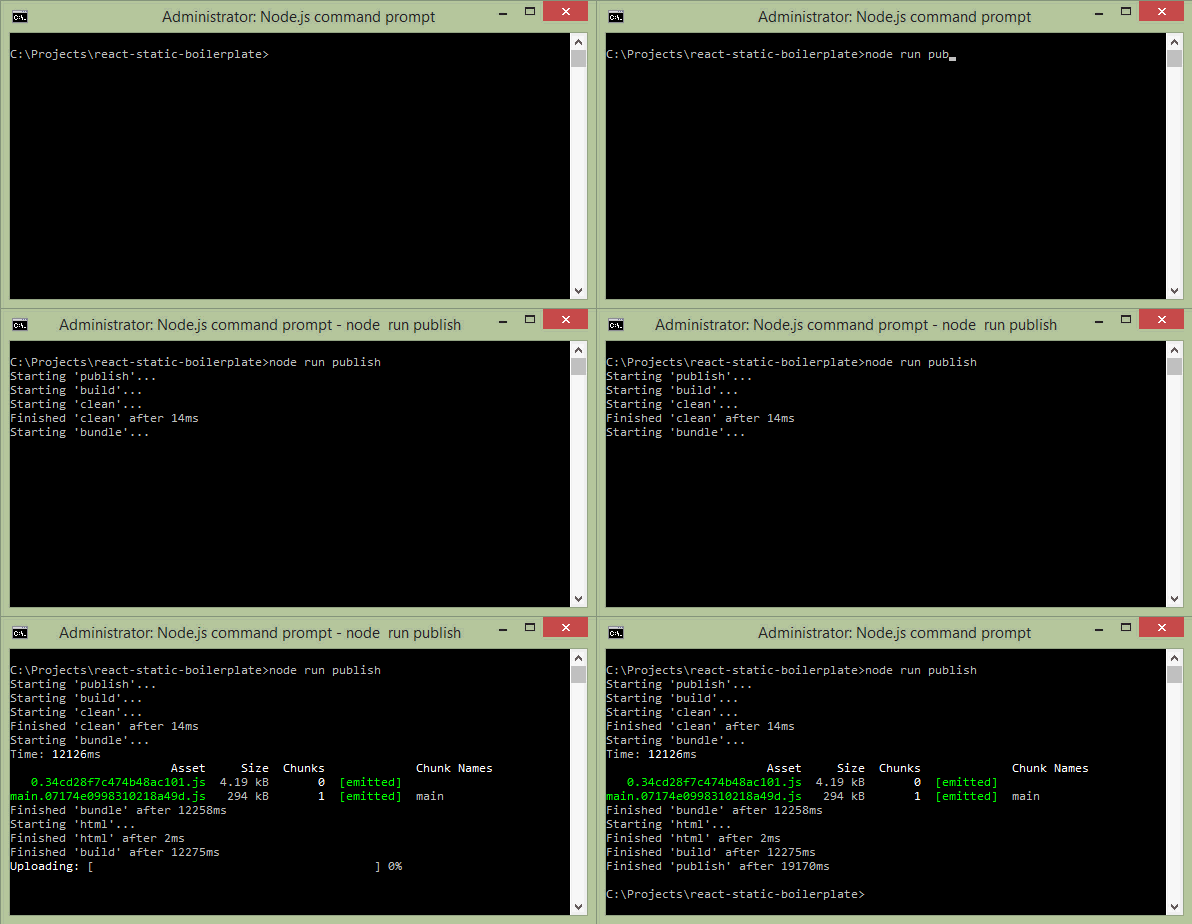
If you need just to build the project without publishing it, run:
$ node run build # Or, `node run build --release` for production buildHow to Update
You can always fetch and merge the recent changes from this repo back into your own project:
$ git checkout master
$ git fetch react-static-boilerplate
$ git merge react-static-boilerplate/master
$ npm install
How to Contribute
Anyone and everyone is welcome to contribute to this project. The best way to start is by checking our open issues, submit a new issues or feature request, participate in discussions, upvote or downvote the issues you like or dislike, send pull requests.
Related Projects
- React Starter Kit — Isomorphic web app boilerplate (Node.js, React, GraphQL, Webpack, CSS Modules)
- ASP.NET Core Starter Kit — Cross-platform single-page application boilerplate (ASP.NET Core, React, Redux)
- Babel Starter Kit — JavaScript library boilerplate (ES2015, Babel, Rollup, Mocha, Chai, Sinon, Rewire)
- Universal Router — Isomorphic router for web and single-page applications (SPA)
- History — HTML5 History API wrapper library that handle navigation in single-page apps
Learn More
- Getting Started with React.js
- Getting Started with GraphQL and Relay
- React.js Questions on StackOverflow
- React.js Discussion Board
- Learn ES6, ES6 Features
License
Copyright © 2015-present Kriasoft, LLC. This source code is licensed under the MIT license found in the LICENSE.txt file.
Made with ♥ by Konstantin Tarkus (@koistya) and contributors