
megaeth-cli
v0.7.5
Published
A CLI tool for MegaETH (install globally with -g flag)

Maintainers
 awesamarth
Readme
Mega CLI
A sick CLI tool for MegaETH devs and users. This CLI streamlines local development and interaction with MegaETH testnet and mainnet.
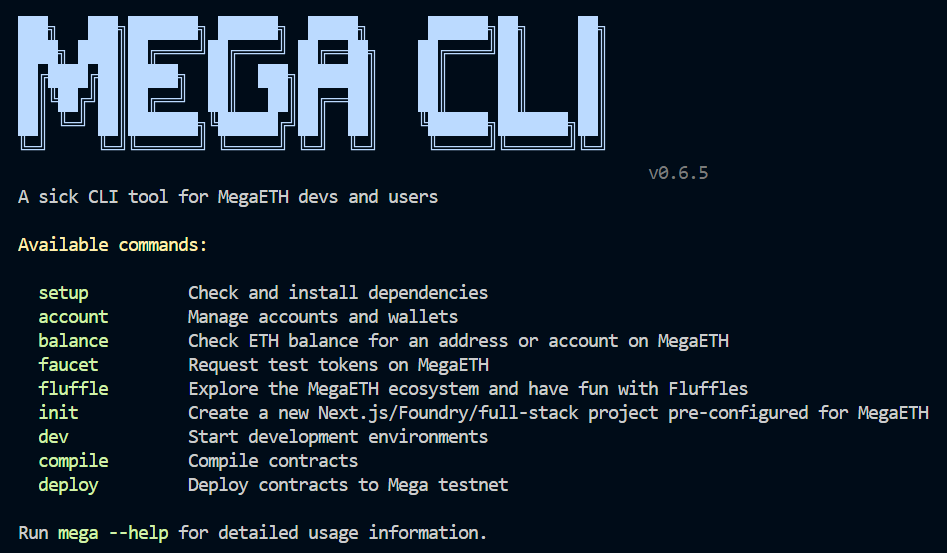


Features
- Account management: Create, import, and manage blockchain accounts
- MegaETH operations: Check balances and request tokens from faucet
- Project templating: Create boilerplate projects for smart contract, frontend, or full-stack development
- Development environment: Easily start local blockchain and/or frontend development servers
- Smart contract operations: Compile, deploy, and verify contracts locally or on MegaETH testnet/mainnet
- Foundry: Most Mega CLI commands are wrappers around Foundry (Anvil, Forge, Cast, Chisel) commands
Documentation
Full documentation available at mega-cli.mintlify.app
Video Walkthrough
Watch a complete demonstration of all Mega CLI commands and features:

Installation
# Install globally using npm
npm install -g megaeth-cli

# Or using yarn
yarn global add megaeth-cli

# Or using pnpm
pnpm add -g megaeth-cli
Setup
Mega CLI requires Foundry for most of its commands. You can install it by running:
# Check and set up dependencies
mega setup

# Check if dependencies are installed
mega setup --check
Recommended: Set Up a Local Account
For the optimal experience with Mega CLI, it is recommended to set up a local account:
# Create a new account
mega account create
# > Name your account (e.g., "dev")
# > Enter a password

# Check your account was created successfully
mega account list
Quick Start
# Create a new full-stack project
mega init my-mega-project

# Start the development environment
cd my-mega-project
mega dev
Command Reference
Account Management
# Create a new account/wallet
mega account create

# Import an existing account
mega account import

# List all managed accounts
mega account list
Balance Checking
The default network is local. Select MegaETH testnet or mainnet with --network.
# Check a local address balance (in wei)
mega balance [address]

# Check a stored account on MegaETH testnet (in ether)
mega balance --account <name> --network testnet --ether

# Check an address on MegaETH mainnet
mega balance [address] --network mainnet --ether

# Override the selected network's default RPC
mega balance [address] --network testnet --rpc-url https://your-rpc.example
Faucet
# Request test tokens from faucet
mega faucet --account <name>
# or
mega faucet --private-key <key>
Spin up Boilerplate Templates
# Create a full-stack project (NextJS + Foundry)
mega init
#or
mega init [project-name]

# Create a frontend-only project (NextJS + WalletConnect)
mega init --frontend

# Create a Foundry-only project. Almost identical to forge init.
mega init --foundry
Development Environment
# Start both frontend and Foundry environments
mega dev

# Start just the NextJS app
mega dev --frontend

# Start just the Foundry local chain (Anvil)
mega dev --foundry
Contract Development
# Compile Solidity contracts
mega compile

# Deploy to local network (the default)
mega deploy <path-to-contract>/<contract-file-name>.sol:<contract-name> --broadcast

# Deploy to MegaETH testnet
mega deploy <path-to-contract>/<contract-file-name>.sol:<contract-name> --network testnet --broadcast --account <keystore-account-name>

# Deploy to MegaETH mainnet with a private key
mega deploy <path-to-contract>/<contract-file-name>.sol:<contract-name> --network mainnet --broadcast --private-key <private-key>

# Use a custom RPC for the selected network
mega deploy <contract> --network testnet --rpc-url https://your-rpc.example --broadcast --account <name>

# Verify a deployed contract
mega verify <address> <contract> --network testnet
Explore
#Explore the MegaETH ecosystem (opens Fluffle Tools in browser)
mega fluffle
Network Configuration
Commands that interact with a chain accept --network <local|testnet|mainnet> and default to local.
| Network | Chain ID | Default RPC |
| --- | ---: | --- |
| local | 31337 | http://127.0.0.1:8545 |
| testnet | 6343 | https://carrot.megaeth.com/rpc |
| mainnet | 4326 | https://mainnet.megaeth.com/rpc |
Use --rpc-url <url> to override the selected network's default RPC. Mega CLI validates that a custom RPC's chain ID matches --network before continuing.
Mega CLI uses Foundry's existing configuration system for other Foundry-specific settings. Refer to the Foundry Book.
Project Structure
When you create a new project with mega init, it will generate a project with the following structure:
Full-Stack Project
my-mega-project/
├── foundry-app/            # Smart contract development
│   ├── lib/                # Dependencies including forge-std
│   ├── script/             # Deployment scripts
│   ├── src/                # Contract source files
│   ├── test/               # Contract test files
│   └── foundry.toml        # Foundry configuration
├── next-app/               # Frontend application
│   ├── public/             # Static assets
│   └── src/
│       ├── app/            # Next.js app router
│       │   └── gmega/      # Demo application routes
│       ├── components/     # Reusable components
│       ├── config/         # Reown configuration
│       ├── constants/      # Constants
│       └── context/        # React context providers
└── README.md
Frontend-Only Project
my-mega-project/
├── public/                 # Static assets
├── src/
│   ├── app/                # Next.js app router
│   │   └── gmega/          # Demo application routes
│   ├── components/         # Reusable components
│   ├── config/             # Reown configuration
│   ├── constants/          # Constants
│   └── context/            # React context providers
└── package.json
Foundry-Only Project
my-mega-project/
├── lib/                    # Dependencies including forge-std
├── script/                 # Deployment scripts
├── src/                    # Contract source files
├── test/                   # Contract test files
└── foundry.toml            # Foundry configuration
Examples
Deploying a Contract
# Compile your contracts
mega compile

# Deploy to MegaETH testnet using a locally stored account named "dev"
mega deploy foundry-app/src/GmegaCounter.sol:GmegaCounter --network testnet --broadcast --account dev
Creating and Using Accounts
# Create a new account
mega account create
# > Enter a name for your wallet: myaccount

# Use this account to deploy a contract
mega deploy foundry-app/src/GmegaCounter.sol:GmegaCounter --broadcast
Getting Testnet Tokens
# Request test tokens using a saved account
mega faucet --account myaccount

# Or using a private key directly
mega faucet --private-key <your-private-key>
Contributing
Contributions are welcome! Please feel free to submit a Pull Request.
License
MIT