
melduo
v0.1.3
Published
Deploy your repo to AWS with AI agents — from your terminal.


Readme
Melduo
Ship to the cloud in minutes, not hours.
Getting a product live has always taken deep infrastructure knowledge or days of wrestling with it yourself. Melduo closes that gap. Whether your code is vibe-coded, a microservice, or a large-scale production system, Melduo's agents handle the deployment — provisioning, wiring, and shipping to your own cloud account — and stay on call to help you monitor and fix what comes up after, in plain language. It's built for experts who want their infrastructure work done faster, and for people without that background who need it done at all.
The goal isn't just "deploy." It's making the entire lifecycle — deploying, monitoring, fixing, and eventually moving between clouds without losing data or losing days — something anyone can do, regardless of how deep their infrastructure knowledge goes. This first release is AWS-only and GitHub-Actions-only. That scope grows from here.
Install
npm install -g melduoRequires Node.js 20 or later.
Get started
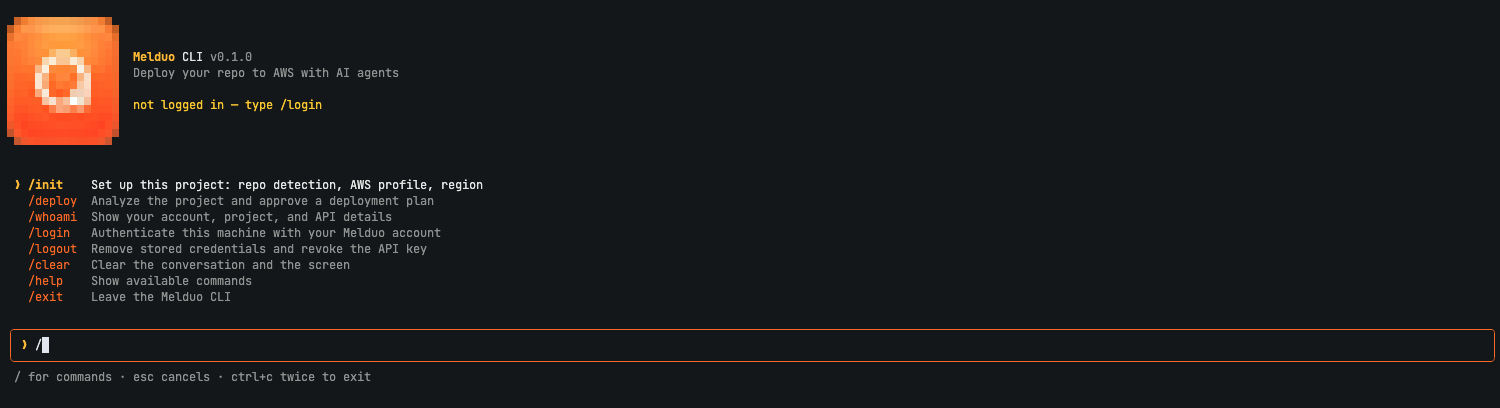
The easiest way to use Melduo is its interactive assistant — run melduo
with no arguments to open it, then just type / for commands or talk to it
directly about what you're trying to do:
melduo› /init Set up this project: repo detection, AWS profile, region
/deploy Analyze the project and approve a deployment plan
/whoami Show your account, project, and API details
/login Authenticate this machine with your Melduo account
/logout Remove stored credentials and revoke the API keyPrefer scripting or CI? Every command is also a standalone CLI call:
melduo login     # sign in with your Melduo account
cd your-project
melduo init      # one-time setup: detect your repo, pick an AWS profile + region
melduo deploy    # review the plan, then deploy
melduo status    # see who you're logged in as and your project's status
melduo logout    # sign out of this machine
melduo deploy --plan-only shows the plan without deploying.
melduo deploy --yes skips the plan confirmation (secrets are always
confirmed separately, never auto-approved).
What happens when you deploy
- Melduo analyzes your project and proposes a plan — the stack, services, and any secrets it needs. You approve it before anything is created.
- It sets up a secure connection between your GitHub repo and your AWS account, scoped to just this project.
- It prepares the deployment files and pushes them to a dedicated branch — your existing branches are never touched.
- Your own GitHub Actions builds and deploys the app to your AWS account. Melduo watches the run and reports back the live URL when it's done.
Your code, AWS credentials, and GitHub credentials never leave your machine.
Requirements
- An AWS account and an AWS CLI profile with credentials
- Push access to the GitHub repo you're deploying
- A Melduo account
Support
Questions or issues: melduo.com