
meme-overlay
v0.1.1
Published
Animated overlay for opencode / Claude Code — plays Lottie memes on AI events

Maintainers
 wuyou11master
Readme
meme-overlay
✨ 简介
meme-overlay 是一个基于 Tauri v2 的轻量级桌面应用,为 OpenCode 和 Claude Code 提供浮动动画覆盖层。
演示动画如下:
它包含三个核心组件:
- Overlay 窗口 — 透明、置顶、可拖拽的动画显示窗口
- Settings 窗口 — 动画管理、钩子配置、在线资源搜索
- 系统托盘 — 快速访问设置和退出
✨ 功能特性
覆盖层 (Overlay)
- 透明背景,始终置顶
- 可自由拖拽定位
- 支持 Lottie / GIF / MP4 / 图片动画
- 实时显示任务进度文本
- 自动响应插件指令
设置面板 (Settings)
- 📁 导入自定义动画(Lottie JSON / GIF / MP4 / 图片)
- 🎨 为 OpenCode 和 Claude Code 钩子分别分配动画
- ✏️ 自定义每个钩子的显示文本
- 🔄 从 LottieFiles 在线搜索并导入动画
- 🗂️ 动画库管理(重命名、删除、批量操作)
- 🌐 中英双语界面
支持的动画格式
| 格式 | 扩展名 | 说明 |
|------|--------|------|
| Lottie | .json | 矢量动画,体积小、效果流畅 |
| GIF | .gif | 动画图片 |
| Video | .mp4, .webm .mov| 视频文件 |
| Image | .png, .jpg | 静态图片 |
📝 Changelog
2026-04-01
✨ 新功能
- 动画运动 — 覆盖层支持水平和垂直方向的移动动画
- 运动速度控制 — 可为每个钩子配置独立的动画移动速度
- 自定义运动轨迹 — 通过交互式画布编辑器绘制自定义移动路径
- 路径优化算法 — 自动平滑和简化路径,提升动画流畅度
- 高级钩子配置 — 扩展设置面板,支持为每个钩子配置运动方向、速度和自定义路径
🐛 修复
- 修复 idle 钩子动画切换时的异常运动问题
📦 安装
支持平台: macOS (Intel/Apple Silicon) · Windows (x64)
macOS(推荐)
npm install -g meme-overlaypostinstall 脚本会自动下载对应架构的二进制文件到 ~/.config/meme-overlay/bin/。
如需 Settings 界面(双击打开设置),从 GitHub Releases 下载对应架构的 server DMG:
| 架构 | 文件 |
|------|------|
| Apple Silicon | meme-overlay-server-aarch64-apple-darwin.dmg |
| Intel | meme-overlay-server-x86_64-apple-darwin.dmg |
Windows
npm install -g meme-overlay然后从 GitHub Releases 下载 meme-overlay-server-x86_64-pc-windows-msvc.exe。双击 server exe 即可打开设置界面。
设置动画
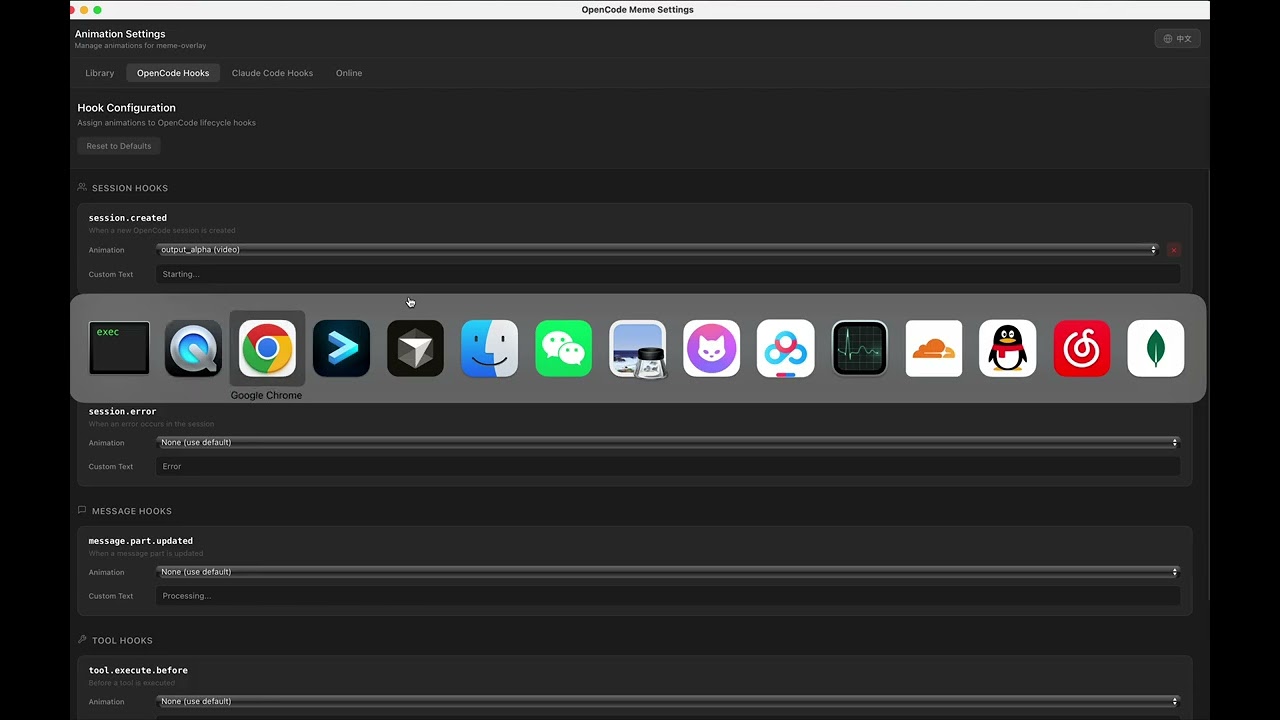
双击 meme-overlay 应用即可进入设置页面。设置页面支持导入本地动画资源,并可为不同的生命周期事件配置对应的动画。
1. 导入动画资源

2. 配置 OpenCode 动画

3. 配置 Claude Code 动画

🚀 使用
配合 OpenCode 使用
- 参见文档opencode-meme
配合 Claude Code 使用
- 参见文档 cc-meme
从源码构建
前置条件: Rust 1.77+ · Node.js 18+
git clone https://github.com/wuyouMaster/meme-overlay.git
cd opencode-overlay

# 安装前端依赖
npm install

# 构建
make build

# 安装到 ~/.config/meme-overlay/
make install
开发模式
# 启动开发模式(热重载)
make dev

# 类型检查
make check
系统托盘
右键点击系统托盘图标:
- ⚙️ 打开设置 — 管理动画和钩子配置
- 🚪 退出 — 关闭覆盖层应用
⚙️ 配置
目录结构
~/.config/meme-overlay/
├── config.json              # 钩子动画分配配置
├── bookmarks.json           # macOS 安全作用域书签
├── animations/              # 自定义动画文件目录
│   ├── coding.json
│   ├── thinking.gif
│   └── success.mp4
└── bin/
    └── meme-overlay         # 可执行文件
config.json
{
  "opencode": {
    "hook_assignments": {
      "session.created": {
        "animation": "thinking",
        "custom_text": "Starting..."
      },
      "session.idle": {
        "animation": "success",
        "custom_text": "Done"
      }
    }
  },
  "cc": {
    "hook_assignments": {
      "cc.session.start": {
        "animation": "thinking",
        "custom_text": "Starting..."
      },
      "cc.stop": {
        "animation": "success",
        "custom_text": "Done"
      }
    }
  }
}
🛠️ 开发
项目结构
opencode-overlay/
├── src/                        # React 前端源码
│   ├── animations/             # 默认动画数据
│   ├── hooks/                  # React Hooks
│   ├── i18n/                   # 国际化(中/英)
│   ├── styles/                 # 样式文件
│   └── windows/
│       ├── overlay/            # 覆盖层窗口组件
│       └── settings/           # 设置窗口组件
├── src-tauri/                  # Rust 后端源码
│   ├── src/                    # Tauri 命令和状态管理
│   ├── capabilities/           # Tauri 权限配置
│   └── tauri.conf.json         # Tauri 配置
├── overlay.html                # 覆盖层入口 HTML
├── settings.html               # 设置入口 HTML
├── Makefile                    # 构建脚本
├── vite.config.ts              # Vite 配置
└── package.json
常用命令
# 开发模式
make dev

# 类型检查(TypeScript + Rust)
make check

# 仅检查 TypeScript
make check-ts

# 仅检查 Rust
make check-rust

# 发布构建
make build

# 调试构建
make build-dev

# 安装到系统
make install

# 清理构建产物
make clean
跨平台构建
# macOS Apple Silicon
make build TARGET=aarch64-apple-darwin

# macOS Intel
make build TARGET=x86_64-apple-darwin

# Linux x64
make build TARGET=x86_64-unknown-linux-gnu

# Windows x64
make build TARGET=x86_64-pc-windows-msvc
架构
┌──────────────────────────────┐
│       插件 (cc/opencode)      │
│         stdin JSON            │
└──────────────┬───────────────┘
               │
               ▼
┌──────────────────────────────┐
│      Tauri v2 应用 (Rust)     │
│  ┌────────────────────────┐  │
│  │   Overlay Window       │  │  ← 透明、置顶、可拖拽
│  │   React + lottie-web   │  │
│  └────────────────────────┘  │
│  ┌────────────────────────┐  │
│  │   Settings Window      │  │  ← 动画管理、钩子配置
│  │   React                │  │
│  └────────────────────────┘  │
│  ┌────────────────────────┐  │
│  │   System Tray          │  │  ← 快速访问
│  └────────────────────────┘  │
└──────────────────────────────┘
通信协议
详细的前后端通信协议请参考 COMMUNICATION.md。
🔧 故障排除
| 问题 | 排查步骤 |
|------|---------|
| 应用无法启动 | 检查 Rust 版本是否 1.77+,运行 rustup update |
| 构建失败 | 运行 make clean && npm install && make build |
| 覆盖层不透明 | macOS 需要开启 macOSPrivateApi(已默认配置) |
| 动画不播放 | 检查动画文件格式是否正确,查看控制台报错 |
| Windows 打不开设置界面 | 确认已从 GitHub Releases 下载 meme-overlay-server-*.exe 并放在同一目录 |
| npm install 下载失败 | 从 GitHub Releases 手动下载二进制文件放到 ~/.config/meme-overlay/bin/ |