
merge-gpx-files-delf01
v1.1.3
Published
This package merges multiple gpx files into a single gpx file.


Readme





Node module that merges multiple gpx files into a single gpx file.
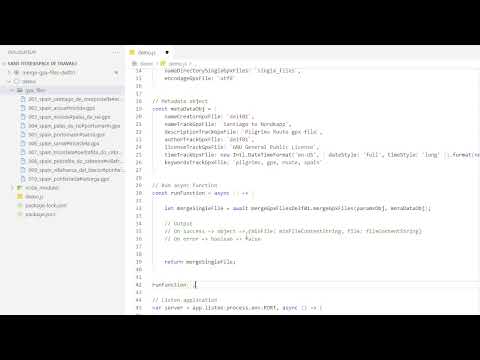
Video installation
Installation
Install the module by typing the following command in the terminal console:
npm install merge-gpx-files-delf01 --saveCreate a folder, in the root folder of the application, in which the multiple gpx files will be placed. The folder name must be configured in the settings object (step 5).
Place multiple gpx files in the set directory. Here is a lot of gpx files routes examples: gpx files list
Get the code in the example section and follow the next steps.
Configure the name of the folder that will contain the multiple gpx files. Set the property called
nameDirectoryGpxFilesof the settings object calledparamsObj.Configure the name of the folder that will contain the merged single gpx file. Set the property called
nameDirectorySingleGpxFilesof the settings object calledparamsObj.Configures the merged gpx file name prefix. Set the property called
nameSingleGpxFileof the settings object calledparamsObj. The merge creates two files. A minified file whose name is formatted as follows: 'filename_UID.min.gpx' (ex: singleFile_972e9e14-f48e-4d63-abc7-5db6c99d2570.min.gpx) and an indented file whose name is formatted as follows: 'filename_UID. gpx' (ex: singleFile_972e9e14-f48e-4d63-abc7-5db6c99d2570.gpx).Configure file character encoding type (UCS Transformation Format). Set the property called 'encodageGpxFile' of the settings object called 'paramsObj'. By default leave utf8.
Configure metadata settings object. Metadata is added to the merged gpx file. Set the property called 'encodageGpxFile' of the settings object called 'paramsObj'. Property:
nameCreatorGpxFile=> name of gpx file creator name,nameTrackGpxFile=> track name,descriptionTrackGpxFile=> description of the route,authorTrackGpxFile=> track creator name,licenseTrackGpxFile=> license,timeTrackGpxFile=> date and time the file was created,keywordsTrackGpxFile=> keywords, each keyword must be separated by a comma,Import the module
const mergeGpxFilesDelf01 = require('merge-gpx-files-delf01');Pass the two parameter objects to the function and run the function
let mergeSingleFile = await mergeGpxFilesDelf01.mergeGpxFiles(paramsObj, metaDataObj);The asynchronous function returns on a success an object containing the gpx file and the minified gpx file, both formatted as a string and on an error, a boolean false. Output -> On success => object => {minFile: minFileContentString, file: fileContentString}, On error => boolean => false
The two merged files (indented and minified) is now in the results folder configured in step 6.
Use
Example 1
// NPM
const mergeGpxFilesDelf01 = require('merge-gpx-files-delf01');

// Params object
const paramsObj = {
    nameSingleGpxFile: `singleFile`,
    nameDirectoryGpxFiles: `gpx_files`,
    nameDirectorySingleGpxFiles: `single_files`,
    encodageGpxFile: `utf8`
}

// Metadata object
const metaDataObj = {
    nameCreatorGpxFile: `delf01`,
    nameTrackGpxFile: `Santiago to Nordkapp`,
    descriptionTrackGpxFile: `Pilgrims Route gpx file`,
    authorTrackGpxFile: `delf01`,
    licenseTrackGpxFile: `GNU General Public License`,
    timeTrackGpxFile: new Intl.DateTimeFormat('en-US', { dateStyle: 'full', timeStyle: 'long' }).format(new Date(Date.UTC(2020, 11, 20, 3, 23, 16, 738))),
    keywordsTrackGpxFile: `pilgrims, gpx, route, spain`
}

// Run function
mergeGpxFilesDelf01.mergeGpxFiles(paramsObj, metaDataObj);
Example 2
// NPM
const mergeGpxFilesDelf01 = require('merge-gpx-files-delf01');

// Params object
const paramsObj = {
    nameSingleGpxFile: `singleFile`,
    nameDirectoryGpxFiles: `gpx_files`,
    nameDirectorySingleGpxFiles: `single_files`,
    encodageGpxFile: `utf8`
}

// Metadata object
const metaDataObj = {
    nameCreatorGpxFile: `delf01`,
    nameTrackGpxFile: `Santiago to Nordkapp`,
    descriptionTrackGpxFile: `Pilgrims Route gpx file`,
    authorTrackGpxFile: `delf01`,
    licenseTrackGpxFile: `GNU General Public License`,
    timeTrackGpxFile: new Intl.DateTimeFormat('en-US', { dateStyle: 'full', timeStyle: 'long' }).format(new Date(Date.UTC(2020, 11, 20, 3, 23, 16, 738))),
    keywordsTrackGpxFile: `pilgrims, gpx, route, spain`
}

// Run async function
const runFunction = async () => {

    let mergeSingleFile = await mergeGpxFilesDelf01.mergeGpxFiles(paramsObj, metaDataObj);

    // Output
    // On success => object => {minFile: minFileContentString, file: fileContentString}
    // On error => boolean => false


    return mergeSingleFile;
}

runFunction();