npm package discovery and stats viewer.

Discover Tips

  • General search

    [free text search, go nuts!]

  • Package details

    pkg:[package-name]

  • User packages

    @[username]

Sponsor

Optimize Toolset

I’ve always been into building performant and accessible sites, but lately I’ve been taking it extremely seriously. So much so that I’ve been building a tool to help me optimize and monitor the sites that I build to make sure that I’m making an attempt to offer the best experience to those who visit them. If you’re into performant, accessible and SEO friendly sites, you might like it too! You can check it out at Optimize Toolset.

About

Hi, 👋, I’m Ryan Hefner  and I built this site for me, and you! The goal of this site was to provide an easy way for me to check the stats on my npm packages, both for prioritizing issues and updates, and to give me a little kick in the pants to keep up on stuff.

As I was building it, I realized that I was actually using the tool to build the tool, and figured I might as well put this out there and hopefully others will find it to be a fast and useful way to search and browse npm packages as I have.

If you’re interested in other things I’m working on, follow me on Twitter or check out the open source projects I’ve been publishing on GitHub.

I am also working on a Twitter bot for this site to tweet the most popular, newest, random packages from npm. Please follow that account now and it will start sending out packages soon–ish.

Open Software & Tools

This site wouldn’t be possible without the immense generosity and tireless efforts from the people who make contributions to the world and share their work via open source initiatives. Thank you 🙏

© 2026 – Pkg Stats / Ryan Hefner

meteor-canvas

v2.0.0

Published

Meteor effect created with canvas

Readme

meteor

Meteor effect created with canvas

示例

见腾讯云官网首页banner

安装

  • 通过npm安装
npm i meteor-canvas --save
  • 通过script引入 可以直接下载dist下的meteor.min.js,

支持CommonJS, AMD 和全局变量,通过全局变量的方式使用,见example/var; 以模块的方式进行使用,见example/es;

参数

生成动画的参数由 可视化工具生成, 支持调整meteor的速度,大小和颜色,支持直线路径和曲线路径。

可视化工具文档

一. 准备素材

  1. 背景图 这里的背景图仅仅是演示,用一倍图就好

2.坐标图

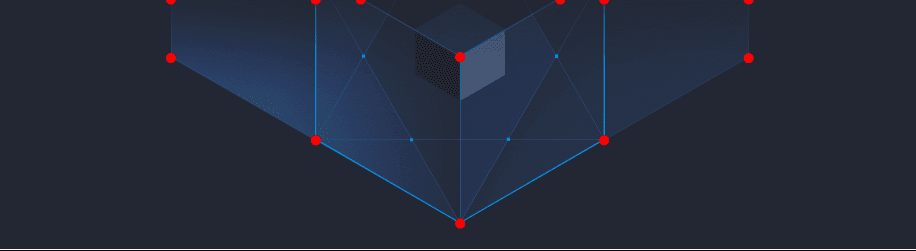
  • 坐标图是以每个定位点(光线路径的定位点---直线的起点和终点,曲线的起点、终点和控制点,曲线示意)为起点,向右向下绘制一个红色的,边为17px的正方形得到的。

背景图和效果图重叠效果:
  • 复杂的曲线全部拆分为三次贝塞尔曲线曲线示意
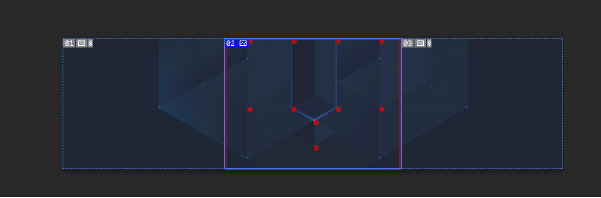
  • 如果我们的动效部分是绝对水平居中的,切坐标图时只需要裁取中间动效部分即可,如下图红色方框示意区域,即为坐标图的大小。 这样对性能更加友好,强烈建议大家这样做。
二.上传文件

三.绘制路径

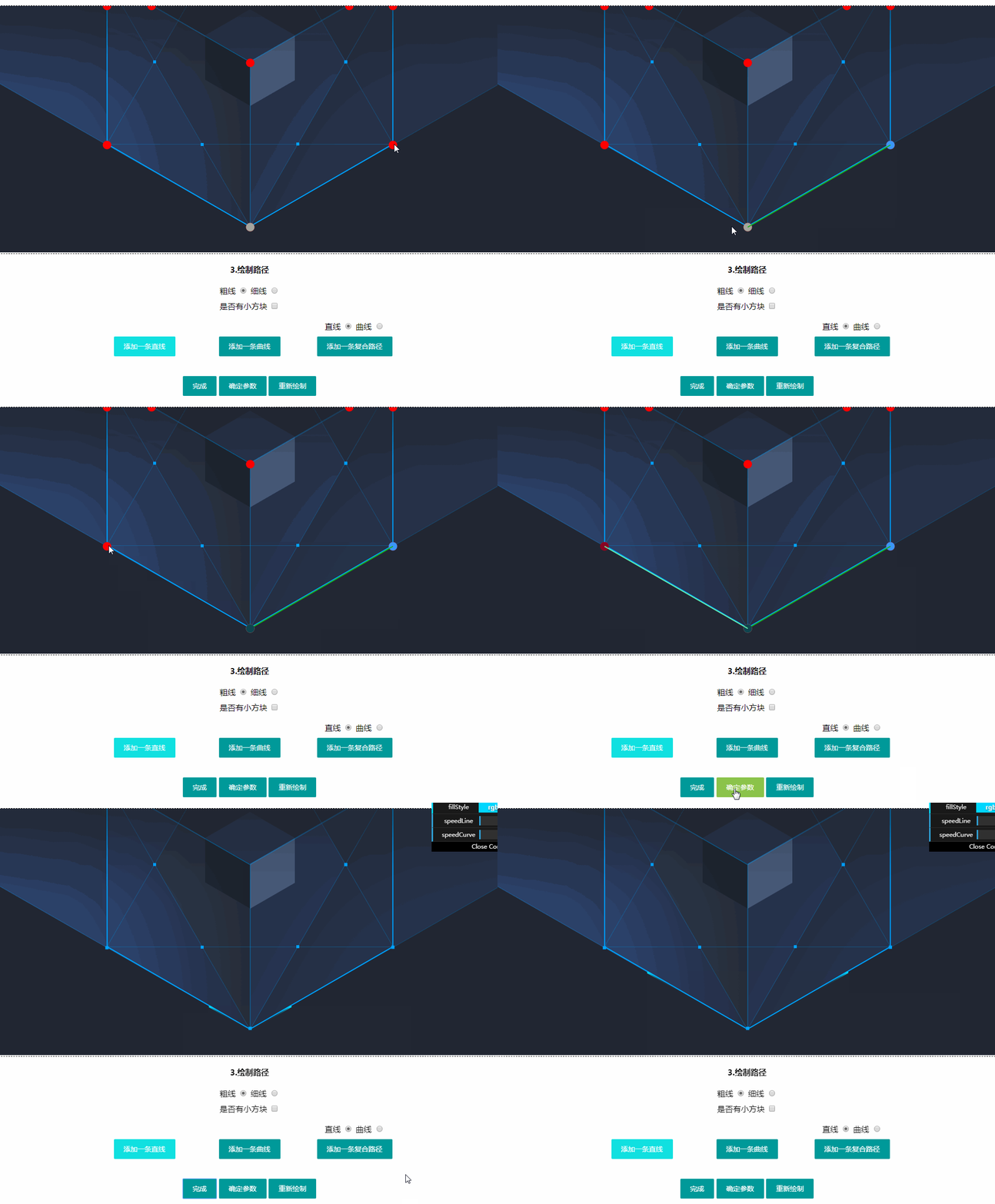
1. “绘制直线”

  • 用于绘制连续的纯直线路径

  • 每点击一次按钮就创建一个光线,所有光线同时运动

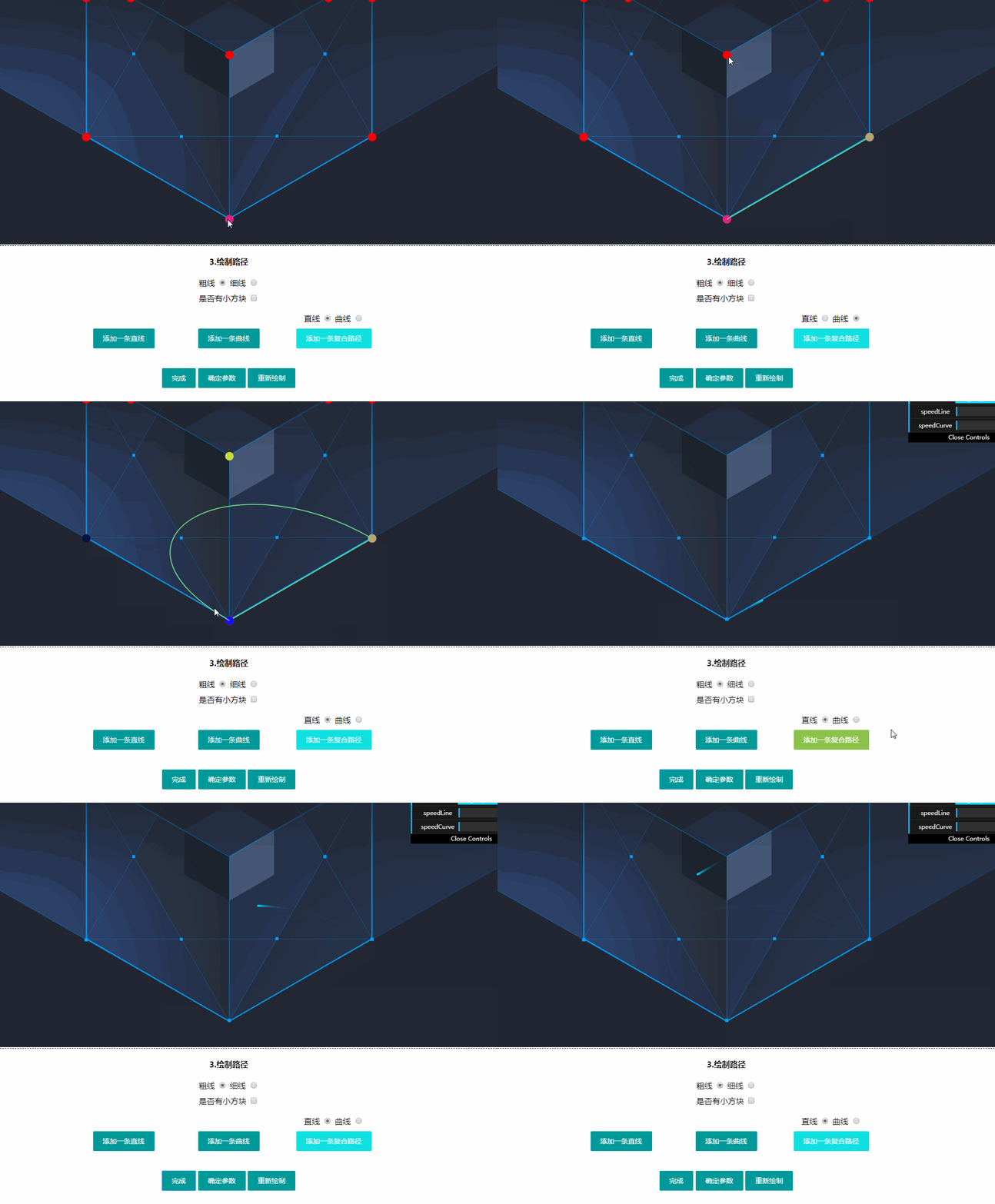
2.“绘制曲线”

  • 用于绘制一条贝塞尔曲线

  • 每点击一次按钮就创建一个光线,所有光线同时运动

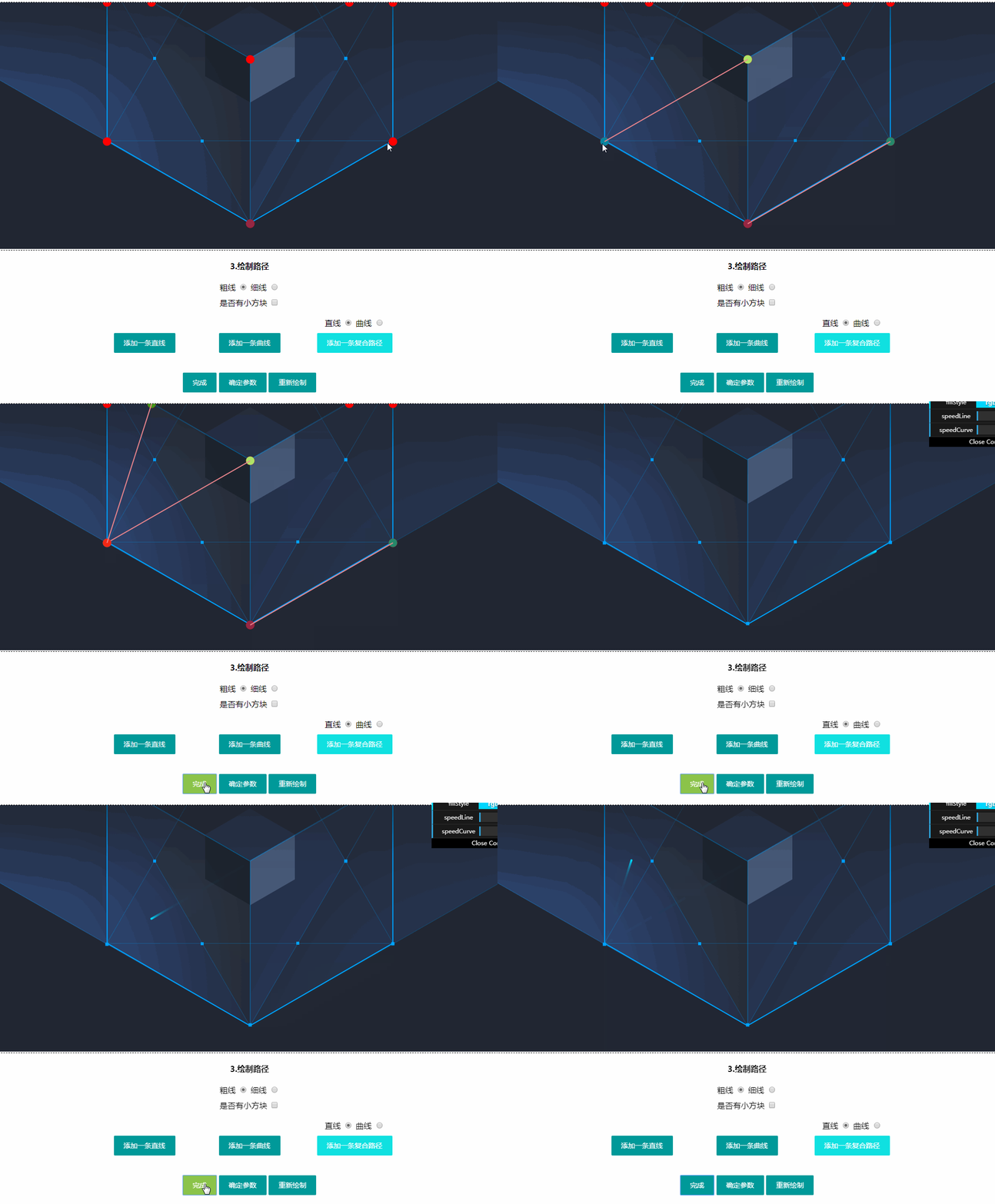
3.“绘制复合路径”

  • 用于绘制复合路径:有直线和曲线组成的路径

  • 不连续的路径

4.重新绘制

如果绘制出错,点击“重新绘制”即可,不支持单步撤销。

四.调整参数

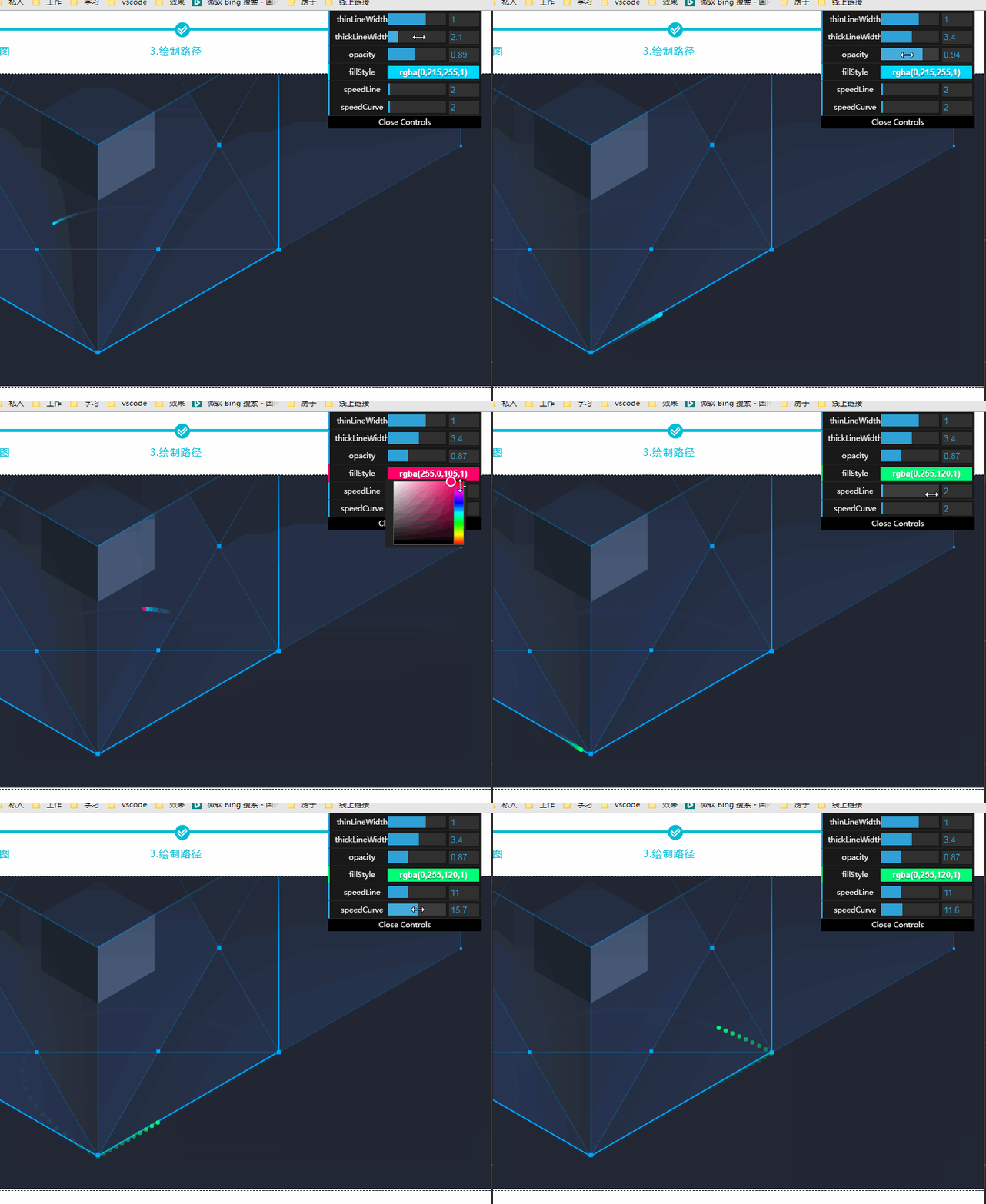
点击“完成”按钮即可预览动画效果,右上角会出现参数面板,供大家调整参数:
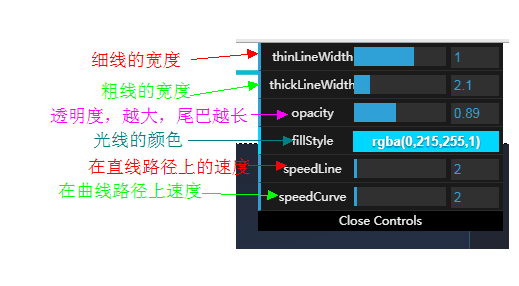
五.确定参数,复制参数

演示略,将参数发给前端开发即可。大家做完动画之后,将banner图,坐标图和参数打包发给我,我做个备份。

注意的地方:

  • 线与线的链接处,粗的那根线要上下均匀分布

  • 放置小方块处,方块的中心应该位于绝对的中心点