
metro-with-symlinks
v1.4.0
Published
Extension to metro packager enabling the use of symlinks.
Downloads
1,633


Readme
metro-with-symlinks
There is a longstanding issue with Metro not accepting symlinks and thus making it hard to use in monorepo setups or example projects. This script provides a solution.
This package generates a custom rn-cli.config.js file based on checking for symlinks inside the node_modules. It also takes care of making peer dependencies available to those symlinked modules.
Usage
# Install
yarn add -D metro-with-symlinks
# or
npm install -D metro-with-symlinks
In the most recent version of the metro bundler, you just need to have a rn-cli.config file in your root folder and it will automatically be read by the bundler. You can generate that file by running metro-with-symlinks without any argument in the terminal, which will generate the rn-cli.config file. You will have to regenerate this file, whenever you symlink another package or add a peerDependency to your link
Side Effects
Since this fix consists of adding linked packages as react-native project roots, this causes react native to try and transpile the code of the package. This can be an issue if your package has its own transpilation process, leading to multiple transpilation attempts on the same code. To prevent this from happening, you'll have to ignore the linked package from inside the react native projects .babelrc. For example:
{
  ...
  "ignore": [
    "some-linked-package"
  ]
}
Usage (Older Versions)
In older versions, you have to tell the packager where to find the config file. To do so you can simply replace the standard react-native commands with this custom command. For example: replace the start script in your package.json with this:
"scripts": {
    "start": "metro-with-symlinks start",
}
Using with Xcode (Only Older Versions)
# You will need to have run this or the start command above to generate rn-cli.config.js config.
yarn metro-with-symlinks
In Xcode you can assign an environment variable in the build phase Bundle React Native code and images.
Add:
export BUNDLE_CONFIG=./rn-cli.config.js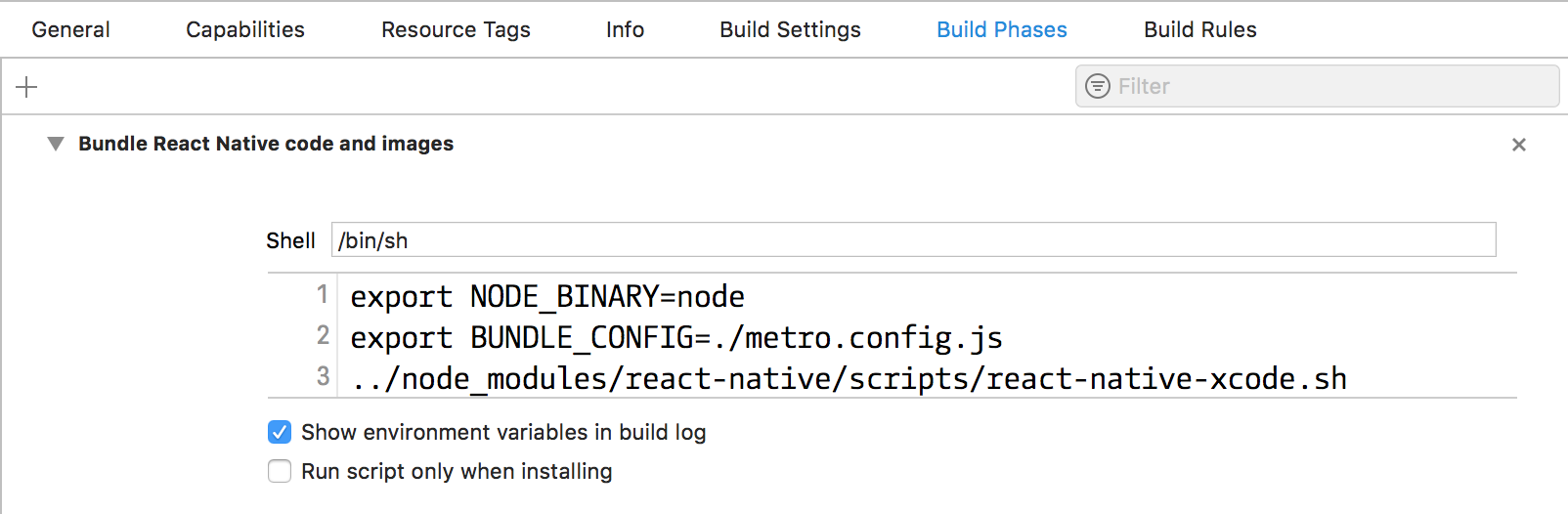
Using with Gradle (Only Older Versions)
In Android you just have to include bundleConfig: "./rn-cli.config.js" in the project.ext.react field of your android/app/build.gradle:

Contributing
If there is a specific feature you are missing, please create an issue or ideally open a pull request.