
miclaw-app
v0.12.11
Published
Maintain your lobsters

Maintainers
 nick.gabry
Readme
Maintain Your Lobsters
Launch, manage, and monitor all your Claude Code sessions in one place.
One dashboard. Every session. Full terminals. Real-time status. Split panes. Plus a unified view of every agent, skill, hook, and config across your entire machine.
https://github.com/user-attachments/assets/23b5ace8-4faf-4121-9150-d58c8adf90a2
Install
npx miclaw-appOne command. Local server, open port, browser launches. No cloud, no accounts, no API keys.
Sessions
The core of MiClaw. A tabbed, tiling terminal dashboard where you launch, monitor, and control every Claude Code instance on your machine.
- Launch sessions -- spin up Claude Code in full interactive xterm.js terminals, right in your browser. Pick a working directory, set a model, configure permissions, and go.
- Split panes -- view multiple sessions side-by-side or stacked. Split any pane horizontally or vertically. Drag tabs between panes to reorganize. Multi-select tabs with Shift/Cmd+click and drag them as a batch. Empty panes auto-collapse. Resize dividers to taste. Layout persists across refreshes.
- Monitor everything -- see every running Claude session at a glance with real-time status indicators. Know instantly which sessions are working, which are waiting for input, and which are idle.
- Detect and adopt -- MiClaw automatically discovers Claude Code sessions running in Terminal.app and mirrors their output. One click to Adopt any detected session into a fully managed MiClaw terminal.
- Drag and drop -- drop files, folders, and screenshots directly onto a terminal. Folders resolve to their full path via Spotlight. Images are uploaded to temp files so Claude Code can read them.
- Crash recovery -- sessions survive page refreshes and auto-resume if the process dies. Your work doesn't disappear.
- Cost tracking -- real-time token usage and estimated cost per session, powered by Claude session ID auto-discovery.
- Keyboard-driven --
Shift+Escenters command mode for fast navigation without touching the mouse.Alt+1-9jumps to tabs instantly.
Keyboard shortcuts
Shift+Esc enters command mode (works even inside a focused terminal):
| Key | Action |
|-----|--------|
| h / l | Previous / next tab |
| j / k | Next / previous pane |
| 1-9 | Jump to tab |
| n | New session |
| a | Adopt detected session |
| X | Kill active session |
| O | Open in Terminal.app |
| Enter | Focus selected pane terminal |
| Esc | Exit command mode |
Always available (no command mode needed):
| Key | Action |
|-----|--------|
| Alt+1-9 | Jump to tab in focused pane |
| Shift+Esc | Enter command mode |
History & usage
A searchable, filterable dashboard of every Claude Code session across all your projects.
- Session history -- browse every past session with model, project, duration, and token counts. Search by title or filter by project.
- Cost dashboard -- total spend, token usage, and session counts at a glance. Daily cost trend chart with a rolling window. Per-session sparklines show cost distribution.
- Model breakdown -- color-coded by model (Opus, Sonnet, Haiku) so you can see where your budget is going.
Config dashboard
MiClaw also scans ~/.claude/ and every project-level config to give you a unified picture of how Claude Code is wired across your machine.
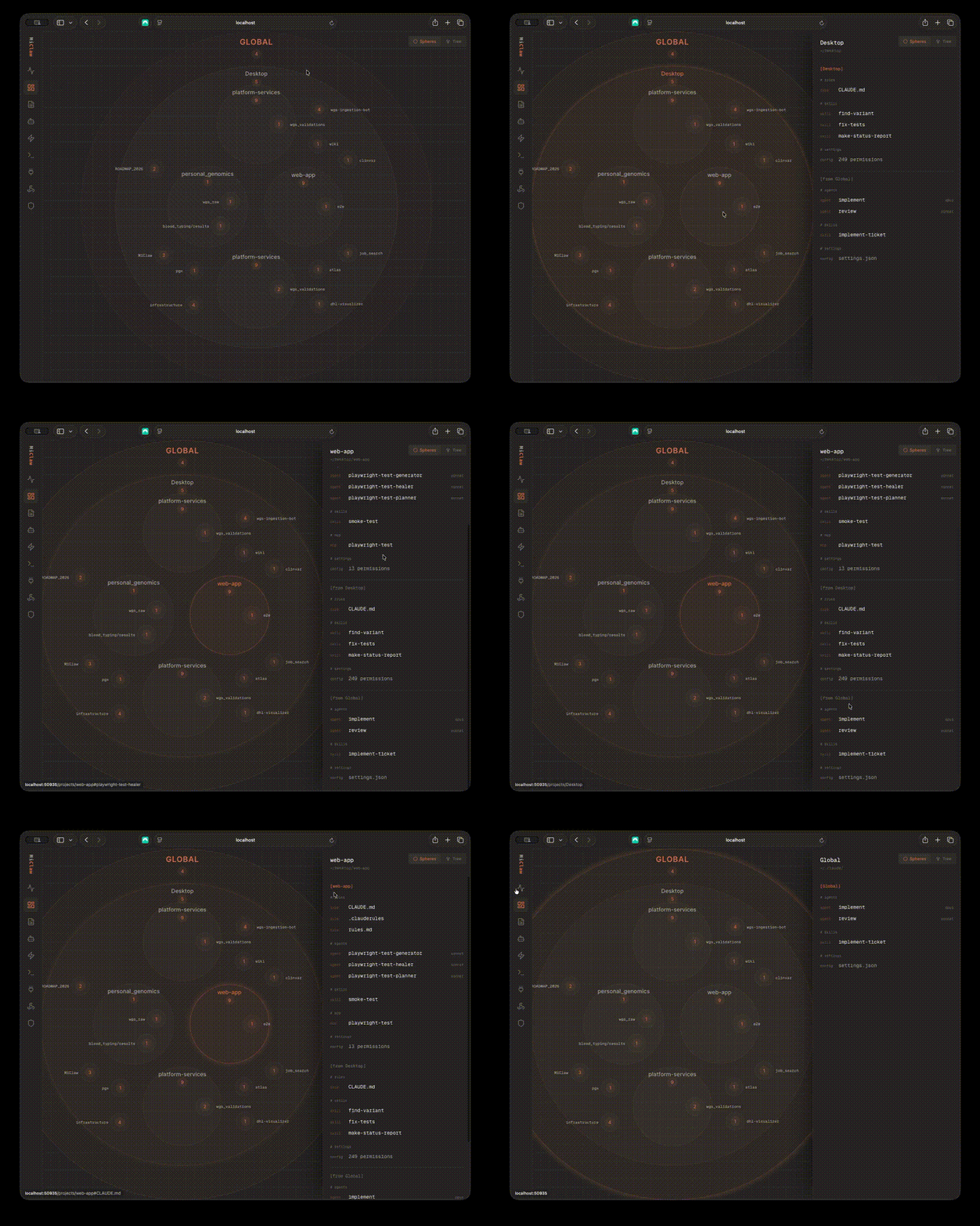
- Visualize -- interactive circle-pack and tree views that surface agents, skills, slash commands, MCP servers, hooks, settings, permissions, keybindings, and instruction files across all projects
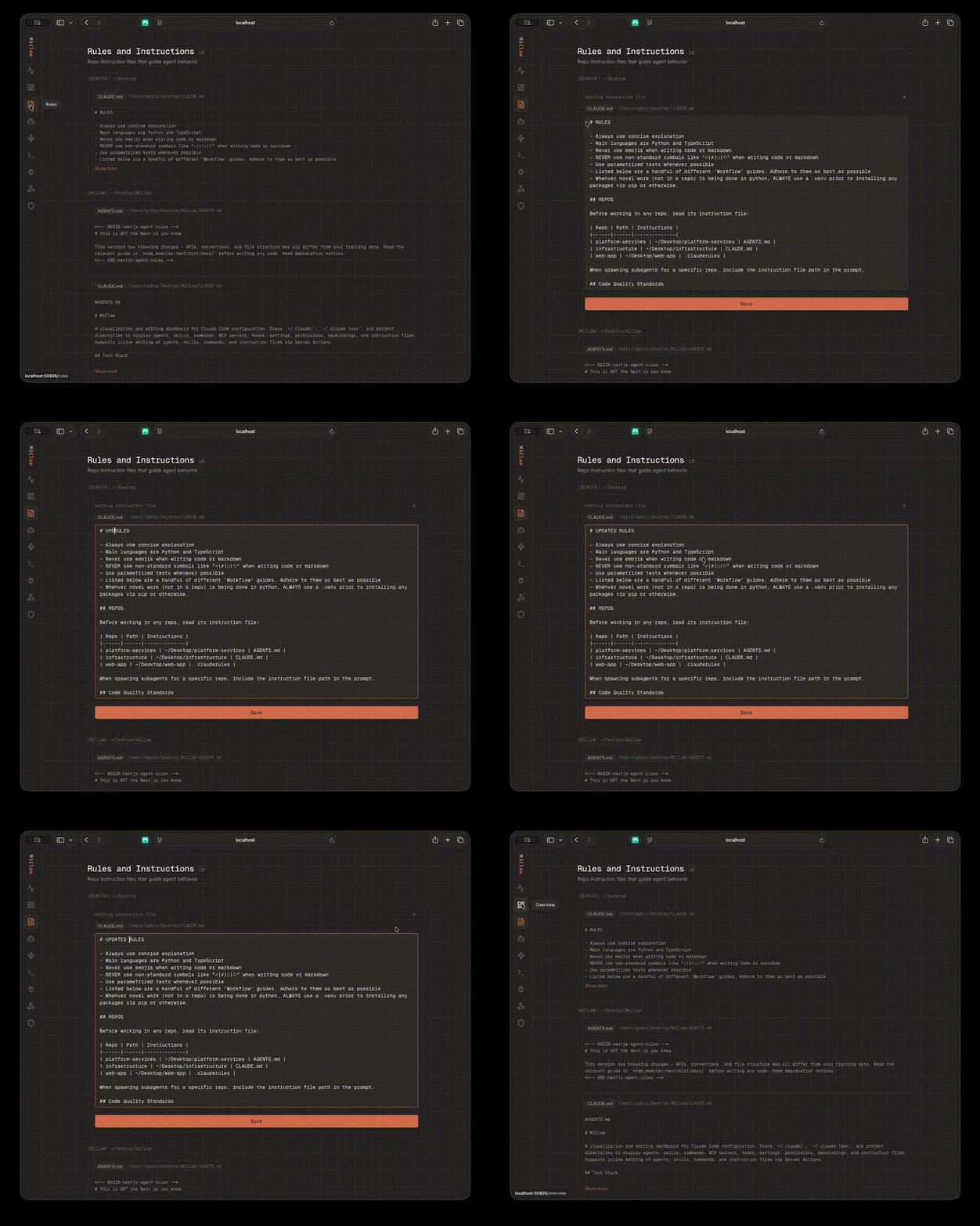
- Edit in place -- modify agents, skills, commands, and instruction files directly in the dashboard. No more hunting through nested directories.
Overview navigation
Editing rules
Development
Node.js 20+ and Bun required.
git clone https://github.com/NGabry/MiClaw.git
cd MiClaw
bun install
bun run dev
See CLAUDE.md for more
Publishing
Automated via GitHub Actions -- trigger the publish workflow with a semver bump (patch/minor/major). Or manually:
npm publishprepublishOnly builds standalone output automatically. The npm package ships pre-built -- end users don't compile anything.
Requirements
- Node.js 20+
- macOS (full feature set -- embedded terminals, session detection, Terminal.app mirroring)
- Other platforms get config visualization and inline editing
License
MIT